• Skip to primary navigation
  • Skip to main content
  • Skip to footer
Construction Viz

Construction Viz

Project Management Perfect

  • About
  • Features
  • Apps
  • Blog
  • Contact
  • Download Flyer
  • Get Started Today
  • Login
Show Search
Hide Search

construction project management

Construction Viz Document Control 2.0

Document Control | December 4, 2024

Every company, project, and project manager does things differently in construction. Lydon Solutions continuously updates Construction Viz to accommodate our clients' unique business cases and integrate those features into the baseline product.

Document control is one of the cornerstones of Construction Viz, and we have recently made some powerful enhancements at our clients' request that you may find super helpful for your projects.

Check out this article to find out more.

Enhancements to Document Control in Construction Viz

There are several new document control features that we recently released that are unique to Construction Viz that might help you manage project documentation:

Tag files wherever you are

Most users store files in folders because they traditionally use File Explorer or shared drives. Folders are great, but metadata provides another level of document management because it frees you from a rigid nested folder structure.

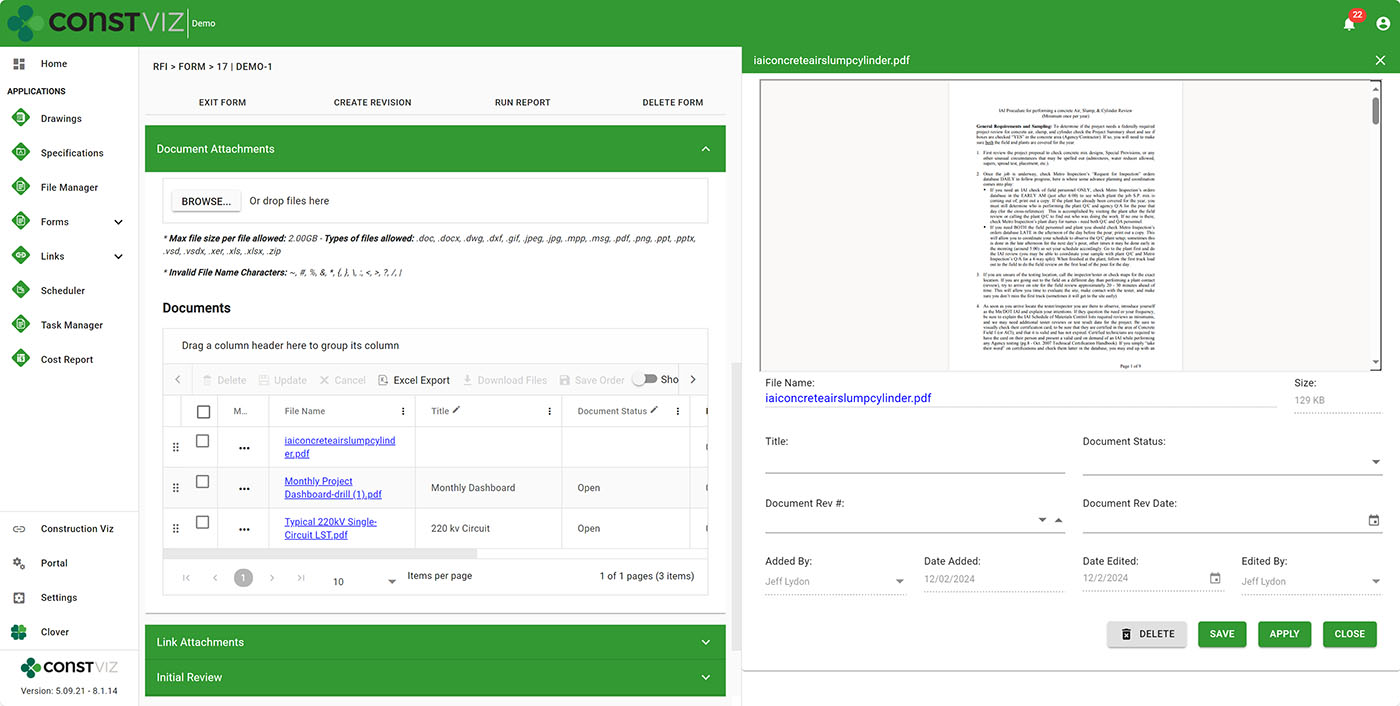
Construction Viz leverages metadata throughout every application. With this latest update, we now allow users to tag files (including images and video) with metadata through the entire file lifecycle: On the upload file screen, within a form attachment grid, in a file-specific flyout menu, and the form documents view.

https://constructionviz.com/wp-content/uploads/2024/12/Doc-Ctrl-2-1.webm

So, now there's no excuse not to assign metadata to your files. Your document control team will thank you, and the PMs can rest assured that they can find the files they are looking for.
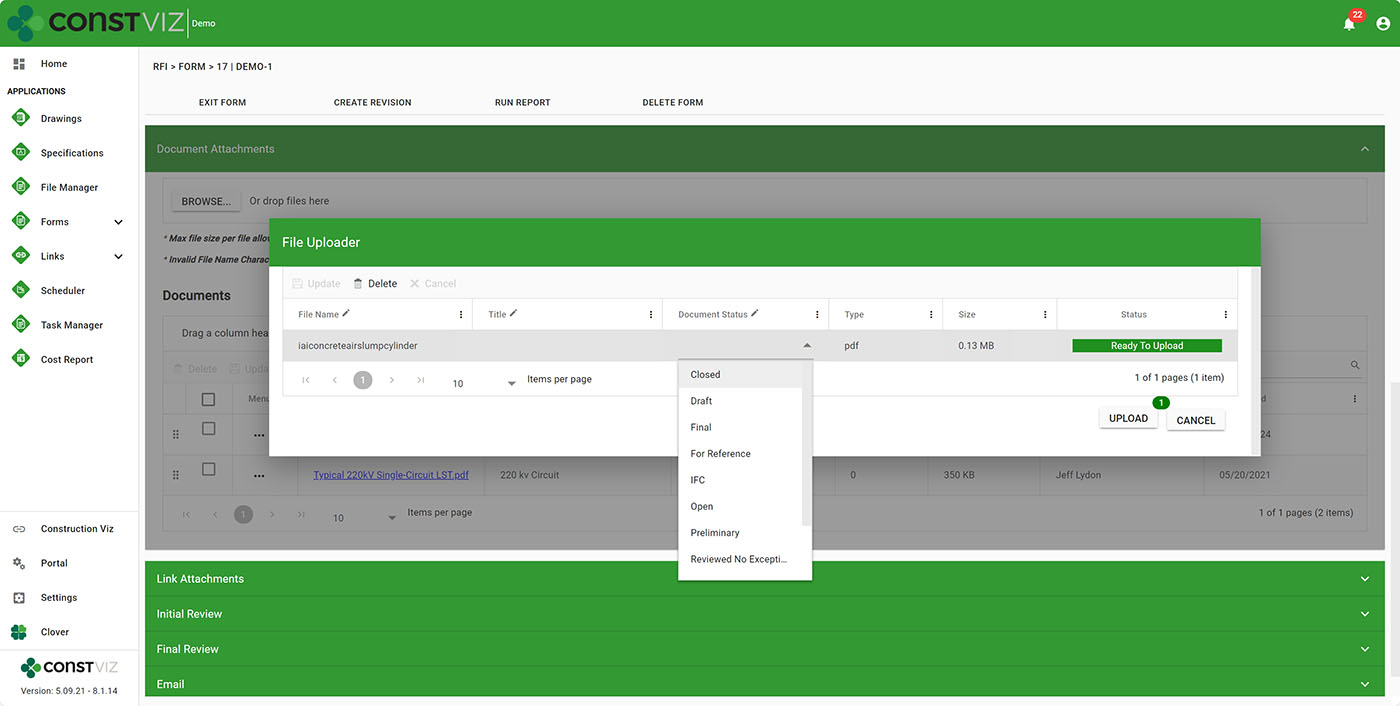
Doc-Ctrl-2-3
Doc-Ctrl-2-4

Finalize document records

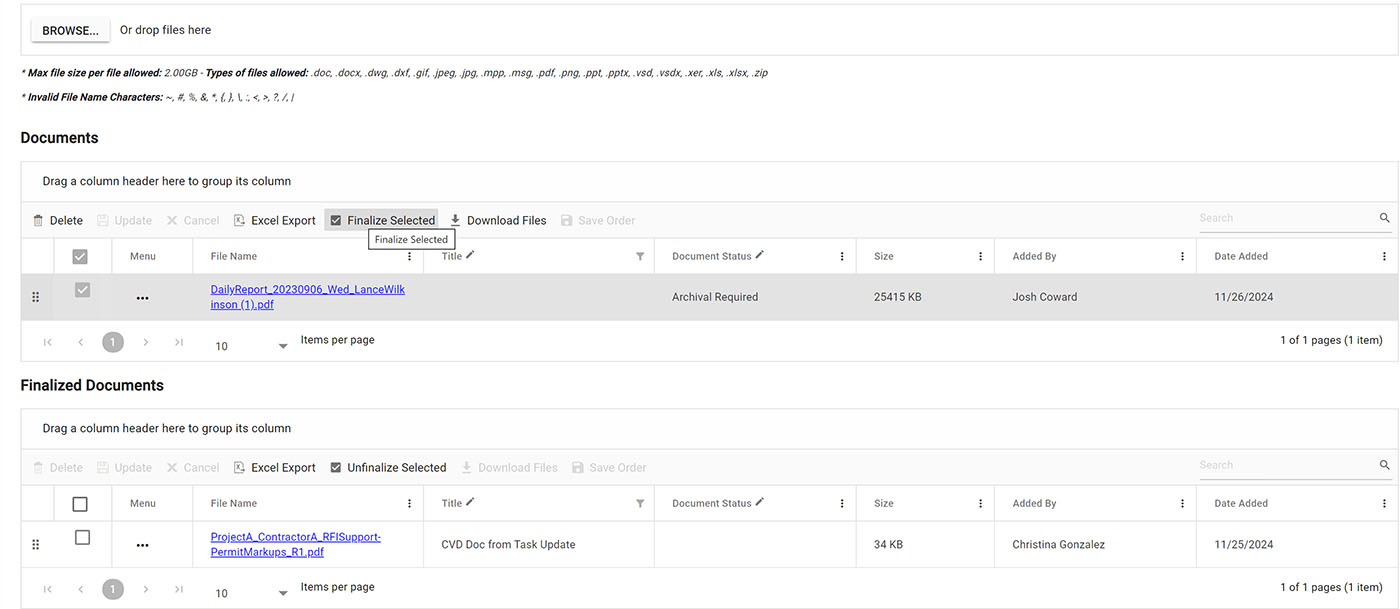
There are working files and final files. Working files are updated frequently by one or more team members. Final files are for end-user consumption, such as the final version of the contract in PDF format. You typically want to isolate these two types of files.

With the new finalize feature, you can select working file attachments in a form and click finalize to move them to another finalized file attachment area within the same form. This feature keeps the two file types separate and even allows them to be permission-controlled within the same form. This new component can also be added to any form to provide an additional layer of control at the document level.
Doc-Ctrl-2-2

Save and view files from another document library

You will likely use multiple related forms on a project but want to share a single file attachment location. For example, let's say you use two forms, like a Bid for the overall bid documents and Tasks for the bid requirement deliverables. Theoretically, you could have many tasks to complete a bid, but you don't want the uploaded associated files to reside in the individual Task forms. You might wish to have task files reside in the Bid form itself.

With this update, you can add the Bid form documents library to every task so that when you upload a file to a task, it is automatically saved to the Bid form, essentially sharing document libraries across forms. This new embedded component can be added to any form.

Simplify Your Construction Project Management

These pretty slick new features will help with your document management workflow, save your projects time and money, and avoid claims. You can find out more about Construction Viz on the features page.

Ready to streamline your construction project workflows? Discover how Construction Viz can revolutionize your project management. Request a free demo today and see the difference it can make for your organization.
Get a Free Demo

Get a Free Consultation - Blog

  • This field is for validation purposes and should be left unchanged.

Construction Viz PDF Report Wizard 2.0

Construction Viz, Forms, Reporting | November 1, 2024

Printing off a construction form such as an RFI and easily including all of the attachments is a great feature of any construction management system. With the latest update to Construction Viz, find out how we take our PDF Report Wizard feature a step further.

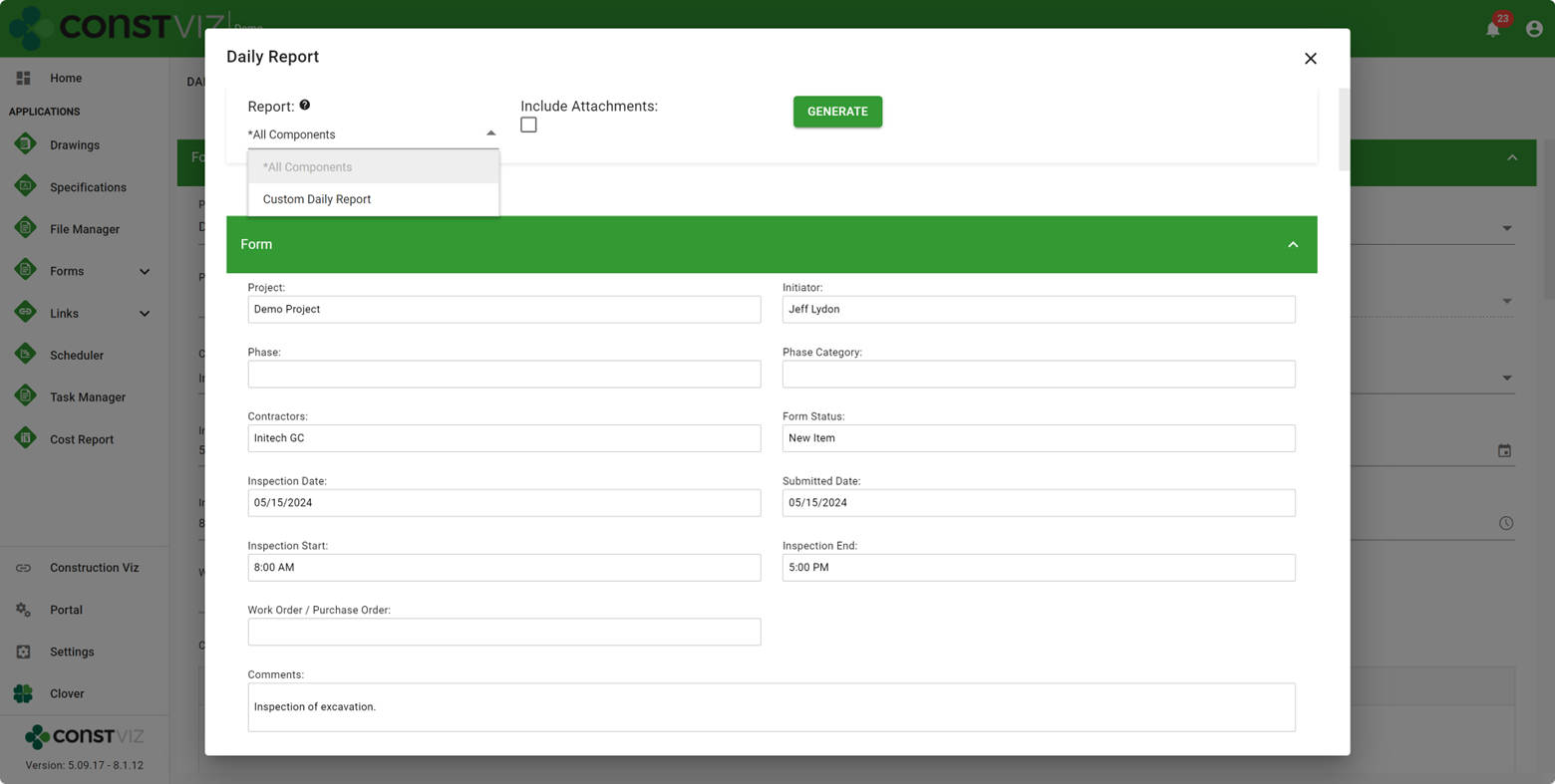
Construction Viz includes a PDF Report Wizard feature where users can generate a PDF binder from a form while providing the ability to add its attachments. The easy-to-follow wizard walks the user through selecting which attachments to include, the order in which they print, and providing a name for the generated PDF binder. Construction Viz automatically converts the form and any Microsoft Office attachments and images to PDF and then merges them into a PDF binder upon execution.

The Construction Viz PDF Report Wizard feature is excellent for printing one or more forms and then emailing them off to a contractor or archiving project documents.

What’s New in Construction Viz PDF Report Wizard 2.0

Construction Viz - PDF Report Wizard 2.0 -screenshot 1

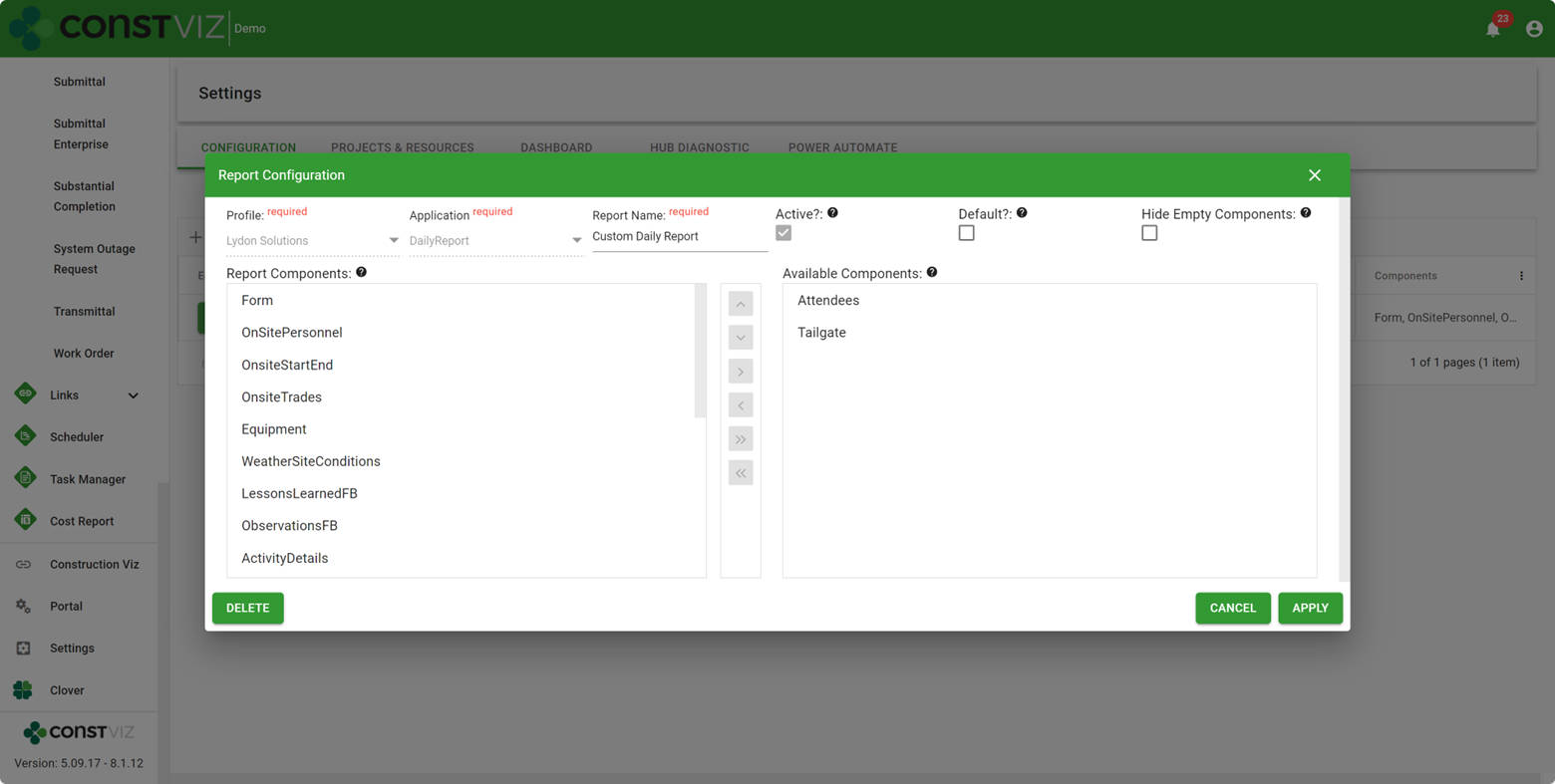
In our latest update, we added a new report builder to the settings so you can create custom form reports and set default reports for your instance of Construction Viz. The new form report setting includes the ability to:

  • Create one or more reports for each form app and profile with a custom name.
  • Select which form components to include in a report.
  • Select whether to print components that contain no data.
  • Set a report as the default so it is automatically selected when you click print.
Construction Viz - PDF Report Wizard 2.0 - screenshot 2

While Construction Viz utilizes reporting via Power BI for the heavy lifting, the PDF Report Wizard is a simple tool to generate form-specific reports and attachments quickly. This new feature was a requested enhancement that provides even more flexibility to system users.

If you are looking to utilize Microsoft 365 SharePoint Online to manage your projects, check out Construction Viz for an enterprise-scale solution that allows you to get the most out of your investment in Microsoft 365. You can request a demo here. If you need help doing more with Microsoft 365, you can request a free one-hour consultation.

Request a Free Demo

Apps - Request Demo

  • This field is for validation purposes and should be left unchanged.

Construction Viz is Integrated with Microsoft 365

Construction Viz | August 26, 2024

So you started using Microsoft 365 to manage your projects, but it might not be going as planned. Perhaps you are storing documents in SharePoint or Teams and even built a couple of Power apps, but now you’re stuck. Instead of investing more time and resources into building custom tools from scratch, check out Construction Viz. Construction Viz is an enterprise construction management platform that is integrated with Microsoft 365 services so you can hit the ground running and ensure that your efforts are not lost unless you want them to be😊.

Lydon Solutions has been delivering IT solutions for the construction industry in Microsoft 365 since it was released in 2011. We know how powerful but also confusing and fraught with pitfalls Microsoft 365 can be. While the tagline is that a citizen developer can build solutions in Microsoft 365, such solutions are often lightweight, serve a niche need, can often quickly become obsolete, and require time and effort to maintain and update. Unfortunately, it can get expensive and take too long to implement this approach without IT developers getting involved.

The reality is that if you need an enterprise solution, you need the right team of IT and construction professionals to deliver the best solution.

Construction Viz Empowers You to Do More with Microsoft 365

Construction Viz can provide all of the features you need to manage your projects and programs without needing to build anything. If you have already set out on your own journey with Microsoft 365, you can still make use of what you have already invested. Construction Viz can connect to any Microsoft 365 service so that you can do things like:

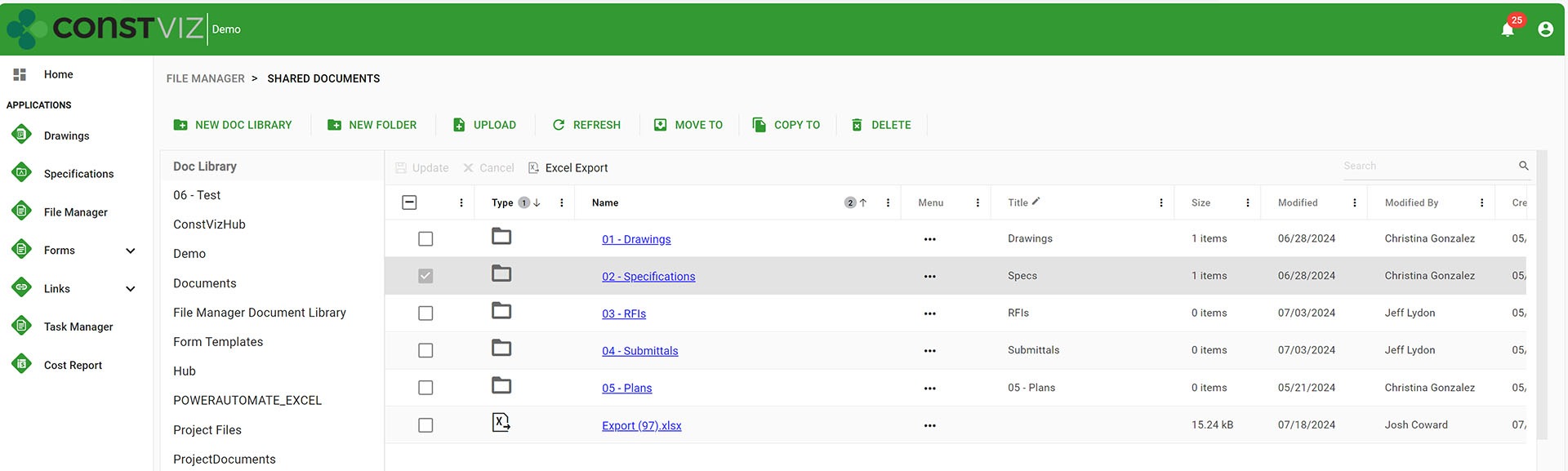
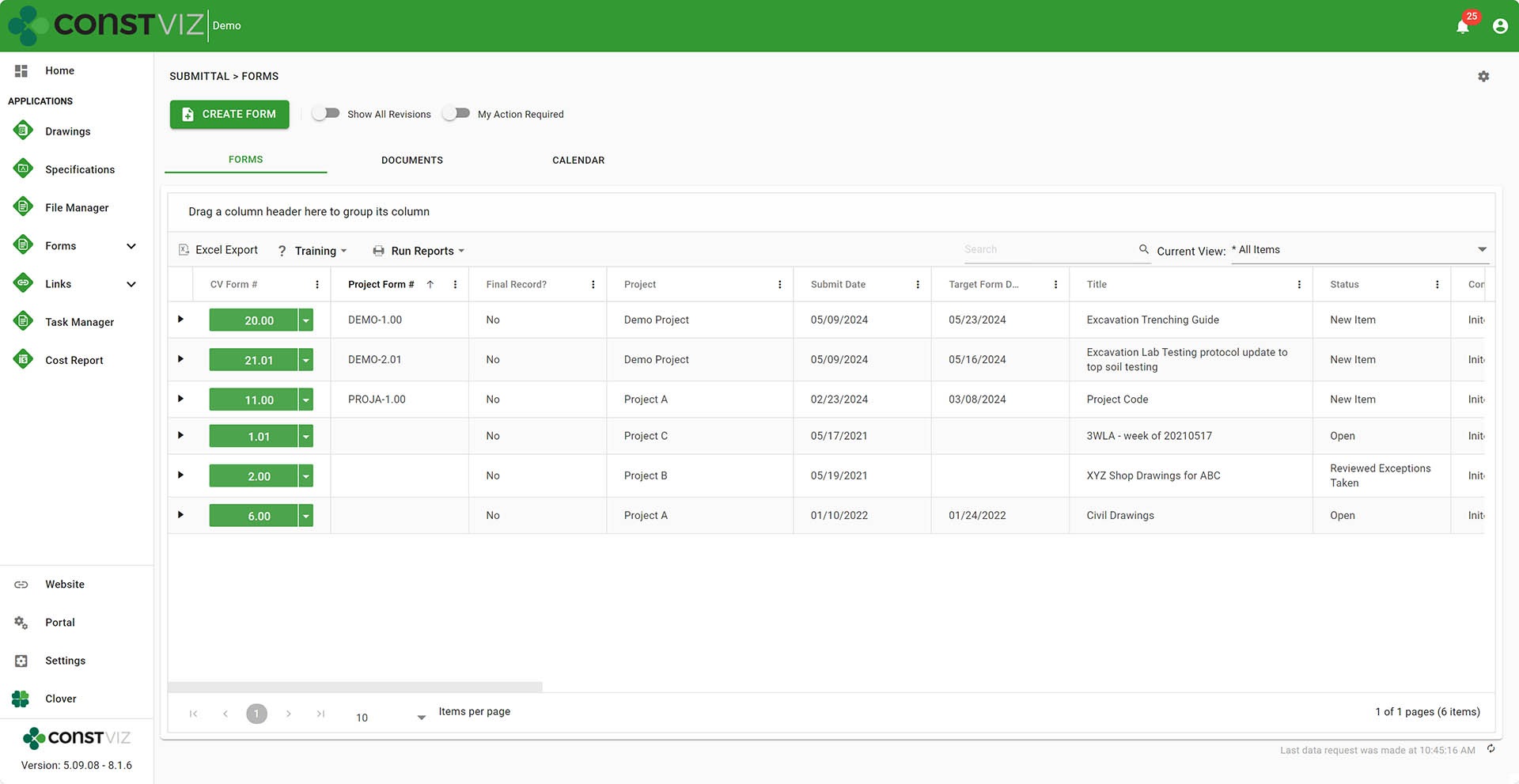
  • Access/edit/update all of your document libraries, folders, and files you already have in SharePoint using the Construction Viz File Manager app.
Differentiator-Pt8_1
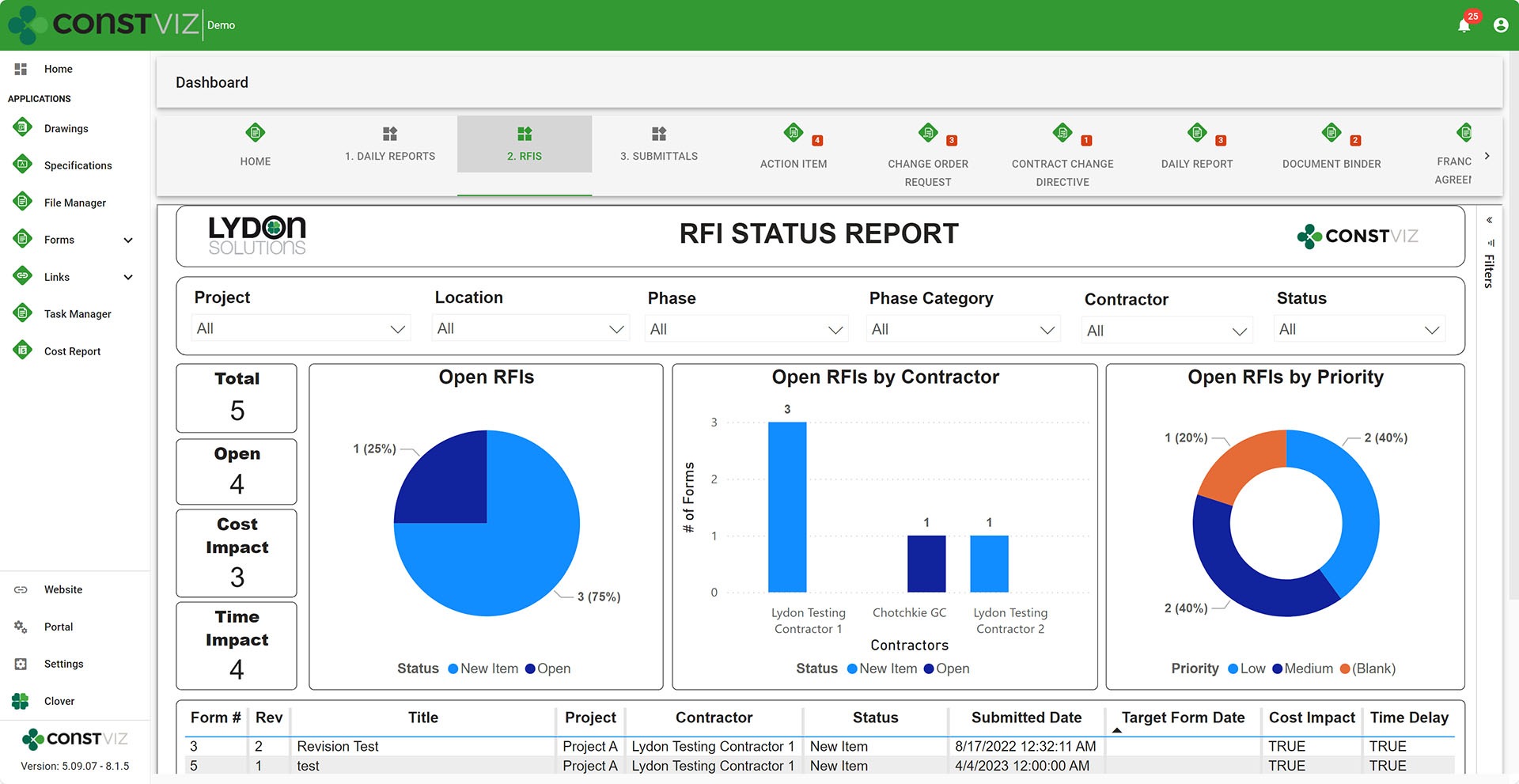
  • Add your Power BI reports to the Construction Viz Dashboards.
Differentiator-Pt8_2
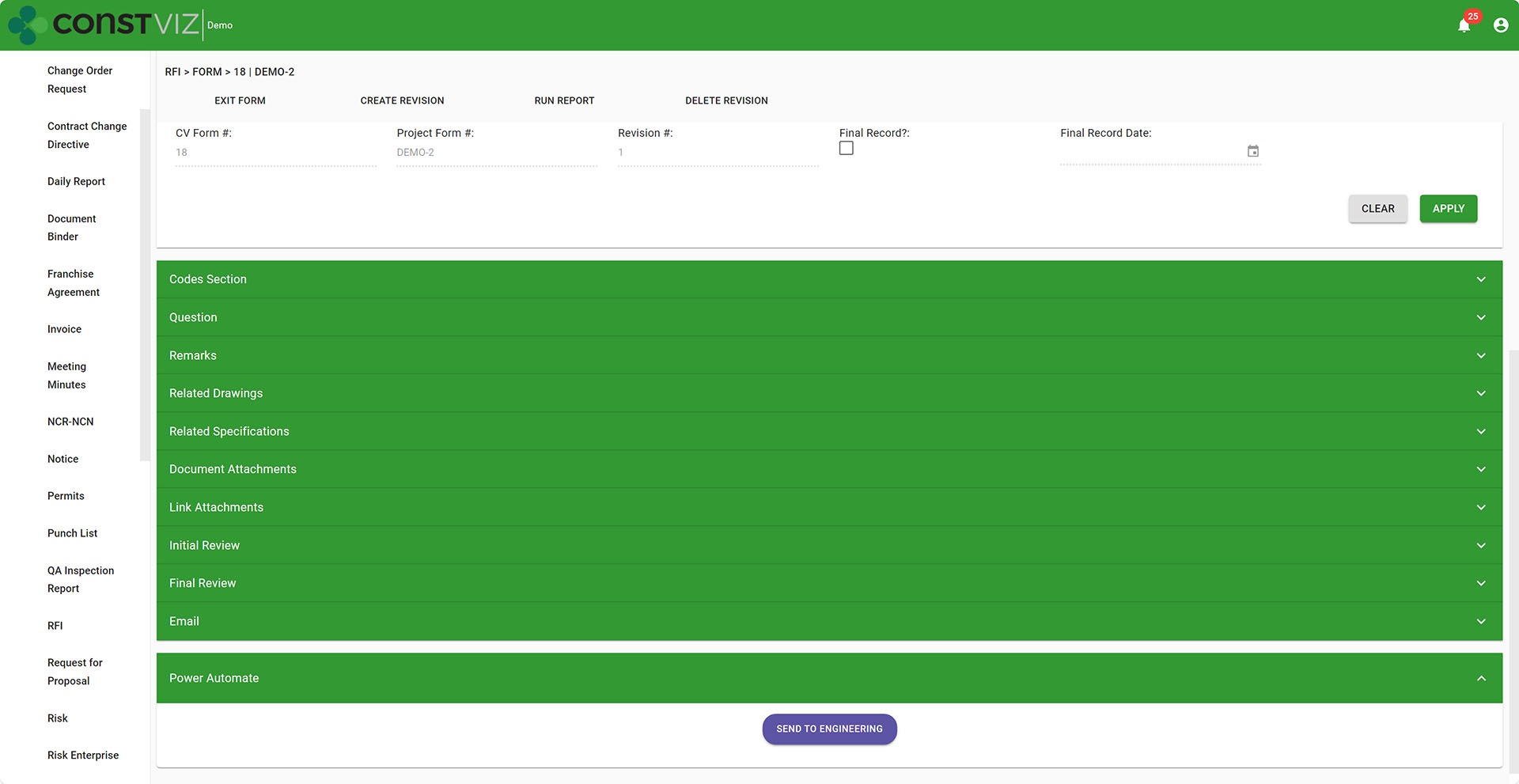
  • Link your Power Automate workflows to a Construction Viz form app.
Differentiator-Pt8_3
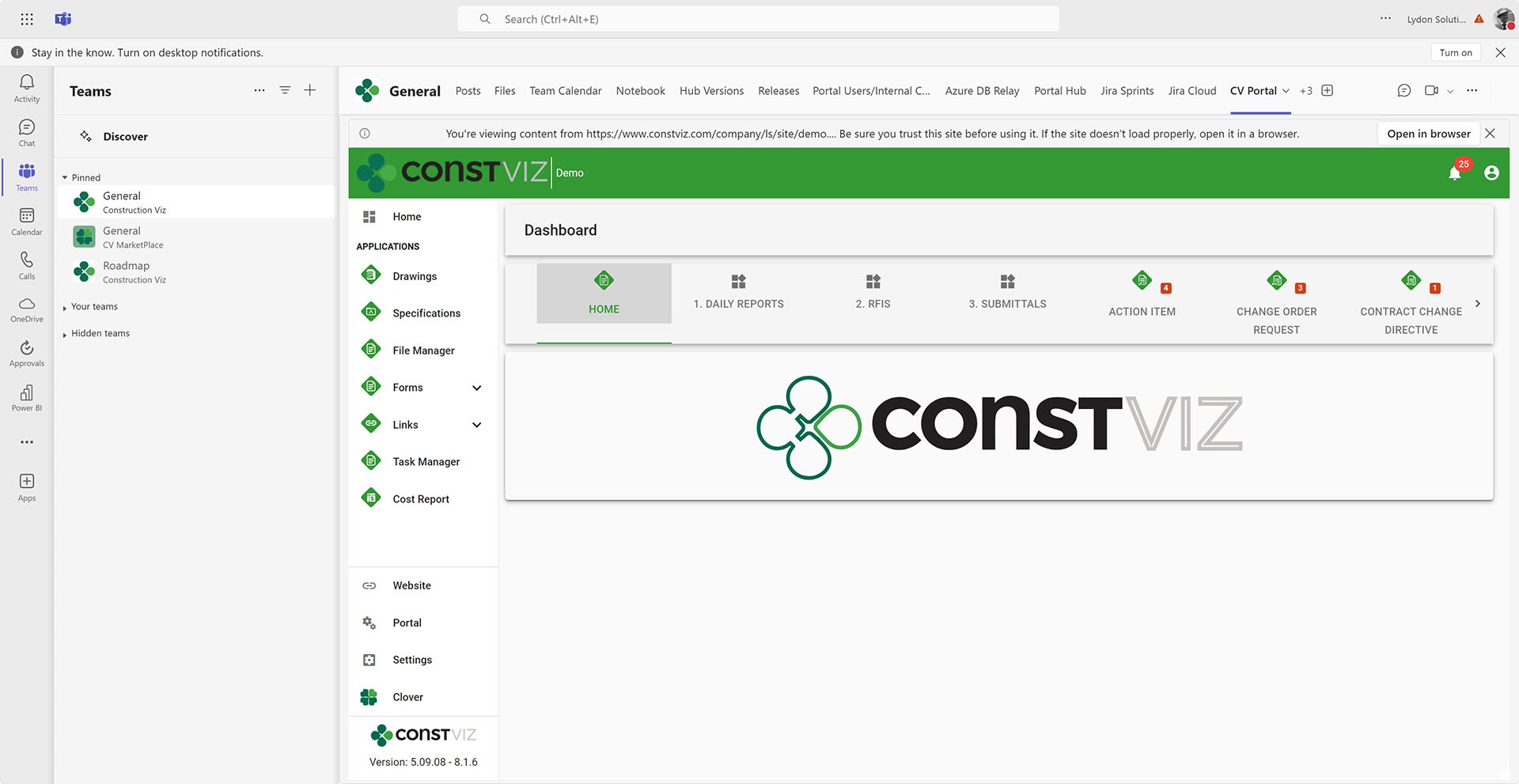
  • Add Construction Viz to Microsoft Teams channels and access the Files tab in Construction Viz.
Differentiator-Pt8_4
  • Leverage Microsoft 365 and SharePoint permissions to control access in Construction Viz.

And (drumroll, please) we are in the process of implementing Construction Viz in the Microsoft Dataverse! You heard that right, very soon we will be using the Dataverse as a database in addition to SharePoint. This opens up a wide range of possibilities, such as integrating into Microsoft Dynamics 365 and Microsoft Business Central, as well as delivering even more complex data-driven solutions where the data remains in your tenant.

If your construction organization has committed to Microsoft 365, doesn’t it make sense to find a solution that is already baked out and does the heavy lifting so you don’t have to?

Why Construction Viz?

Read more about what sets Construction Viz apart from the competition in our new blog series:

  • Part 1: Get Just the Apps You Need with Construction Viz
  • Part 2: Deploy Construction Viz Securely to YOUR Microsoft 365
  • Part 3: Customize Construction Viz to YOUR Unique Needs
  • Part 4: Construction Viz Offers Best in Class Pricing
  • Part 5: Construction Viz is Easy to Use
  • Part 6: Your Data Stays with You 24/7 in Construction Viz
  • Part 7: Designed by Construction Professionals for Construction Professionals
  • Part 8: Construction Viz is Integrated with Microsoft 365

This is the last article in the differentiation series for Construction Viz. We want to thank you if you have read through all of the prior articles. While there are many other features and functions that could be compared to competing products, at this point, you should have a pretty good idea of how Construction Viz stands out from the competition. You can request a free demo below to find out more about what Construction Viz can provide. If you are new to Microsoft 365 and need help setting it up or delivering solutions, you can request a free one-hour consultation.

Get a Free Demo

  • This field is for validation purposes and should be left unchanged.

Your Data Stays with You 24/7 in Construction Viz

Construction Viz | August 13, 2024

In today’s environment, with security breaches occurring regularly, do you trust a third-party construction app or service provider to secure your data? Wouldn’t you prefer to manage your data 24/7 to keep it secure? It is your data, after all, and you should have control of it. Check out this article to learn how Construction Viz helps you rest easy knowing your data is secure in your Microsoft 365.

Lydon Solutions has been providing IT solutions in the construction industry for over fifteen years. We have seen fly-by-night IT companies with hosted construction management solutions come and go. They require you to upload your data to their cloud platform located somewhere on the web, even outside your jurisdiction. While it might be a cheap and quick solution, you have to consider the following:

  • How safe is your data?
  • What happens if you no longer want to work with that vendor?
  • Can you get to all of your data at any time?
  • What happens at the end of the project when you need to archive? In what format will these vendors provide your data?
  • Can you use Power BI to run reports on your data without having to jump through hoops and pay additional costs?

Your Data is Your Data with Construction Viz

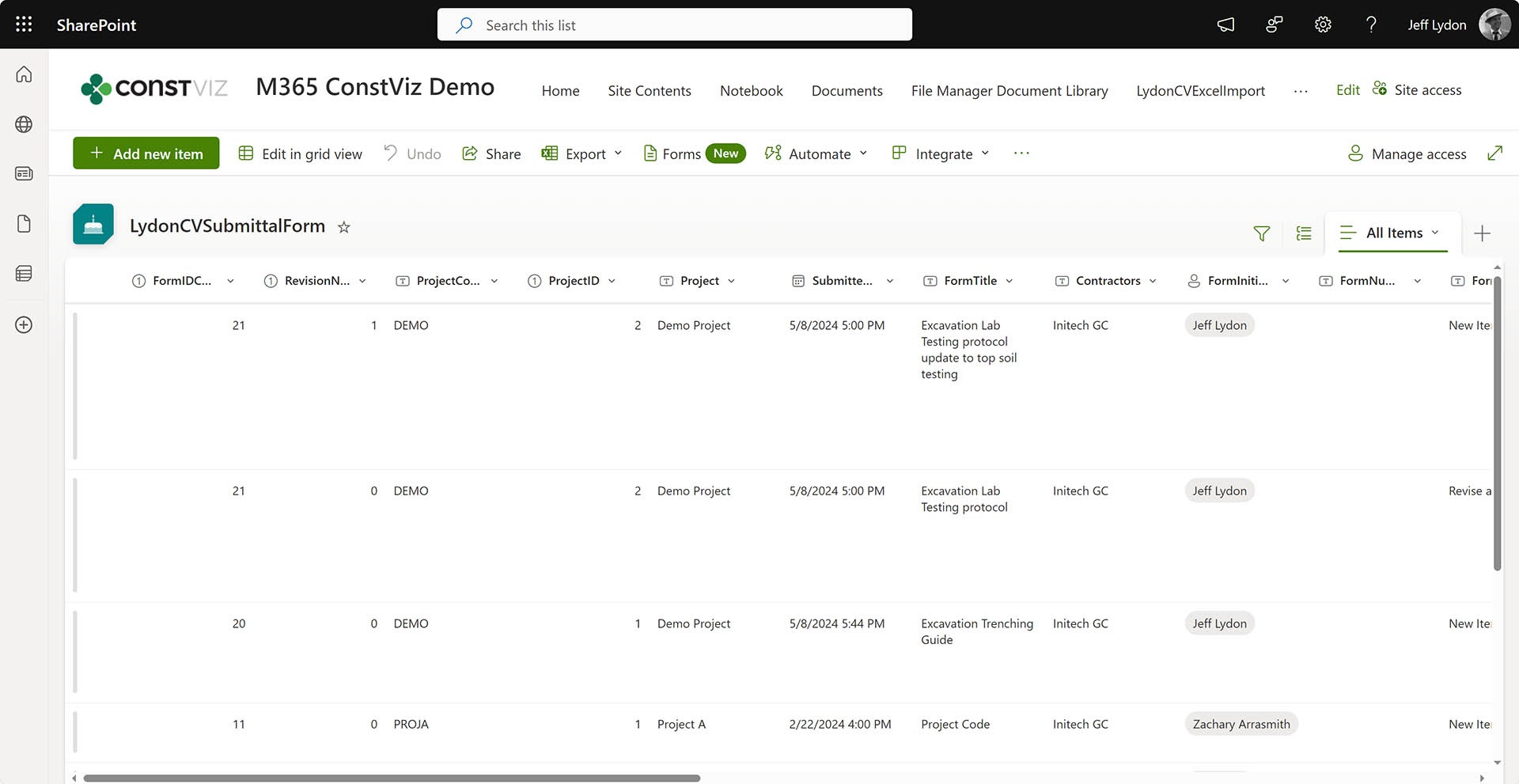
When a Microsoft 365 admin consents to our application, Construction Viz creates all of the lists and libraries in YOUR Microsoft 365 SharePoint site(s).

  • Each Construction Viz app that you want to use creates one or more SharePoint Lists and Libraries to store your data. No data is stored outside of your Microsoft 365 tenant.
  • If you want to pull up your data in SharePoint, you can go to the SharePoint site contents, and it is all there. So, you can archive in place and back up your files using Microsoft 365 tools.
  • If you no longer want to use Construction Viz, you can revoke the consent to the app, and it will no longer connected, but your data stays with you.
Differentiator-Pt6_1
Differentiator-Pt6_2

Isn’t it time to get control of your data? Construction Viz empowers you to manage your company and project data in the cloud platform you have already invested in, Microsoft 365.

Why Construction Viz?

Read more about what sets Construction Viz apart from the competition in our new blog series:

  • Part 1: Get Just the Apps You Need with Construction Viz
  • Part 2: Deploy Construction Viz Securely to YOUR Microsoft 365
  • Part 3: Customize Construction Viz to YOUR Unique Needs
  • Part 4: Construction Viz Offers Best in Class Pricing
  • Part 5: Construction Viz is Easy to Use
  • Part 6: Your Data Stays with You 24/7 in Construction Viz
  • Part 7: Designed by Construction Professionals for Construction Professionals
  • Part 8: Construction Viz is Integrated with Microsoft 365

Keep an eye on this series of articles, where we will elaborate on the benefits of Construction Viz over other construction management platforms on the market. You can request a free demo below to find out more about what Construction Viz can provide. If you are new to Microsoft 365 and need help setting it up or delivering solutions, you can request a free one-hour consultation.

Get a Free Demo

  • This field is for validation purposes and should be left unchanged.

Construction Viz is Easy to Use

Construction Viz | August 6, 2024

While it might be debatable how integrated Microsoft 365 apps are, the one thing they do have going for them is ease of use. Rarely do you have to take a training class to use a Microsoft product.

With Construction Viz, we tried to echo this same UI design and layout while keeping the tool as easy to use as possible. Read on to learn how we designed Construction Viz for all levels of technology experience across your construction organization.

Construction Viz Streamlines Construction Project Management

A system can live or die based on how intuitive and easy to use it is. As we all know, the construction industry is one of, if not the most fragmented, technology-related industries. Experience levels and adoption vary from office to field, across departments, and even among remote workers. So, a tool needs to be:

  • Non-intimidating. Initial impression count. You should not be overwhelmed with the amount of data right in your face. Regardless of your technology background, if you have ever searched a website, used a phone, or created an email in Outlook, the experience should be familiar.
  • Action-oriented. There are way too many distractions and urgent items requiring our attention in today's world. Personal and business tasks put a strain on your time. Issues requiring your attention need to be front and center.
  • Minimal clicks. Most users will tune out if it takes more than two clicks to get to where you want to go.
  • Intuitive. Let's face it: nobody reads training guides anymore. Users will look elsewhere if it's not intuitive and will allow you to hit the ground running immediately.

Construction Viz checks all of these boxes and more. We designed the solution to welcome users of all technology experiences and allow you to get in, complete your tasks, and get out so you can get on with your busy schedule.

Differentiator-Pt5_1

Why Construction Viz?

Read more about what sets Construction Viz apart from the competition in our new blog series:

  • Part 1: Get Just the Apps You Need with Construction Viz
  • Part 2: Deploy Construction Viz Securely to YOUR Microsoft 365
  • Part 3: Customize Construction Viz to YOUR Unique Needs
  • Part 4: Construction Viz Offers Best in Class Pricing
  • Part 5: Construction Viz is Easy to Use
  • Part 6: Your Data Stays with You 24/7 in Construction Viz
  • Part 7: Designed by Construction Professionals for Construction Professionals
  • Part 8: Construction Viz is Integrated with Microsoft 365

Keep an eye on this series of articles, where we will elaborate on the benefits of Construction Viz over other construction management platforms on the market. You can request a free demo below to find out more about what Construction Viz can provide. If you are new to Microsoft 365 and need help setting it up and/or helping you deliver solutions, you can request a free one-hour consultation here.

Get a Free Demo

  • This field is for validation purposes and should be left unchanged.

Construction Viz Offers Best in Class Pricing

Construction Viz | August 2, 2024

Tired of paying a licensing fee based on a percentage of the value of your projects? You need reliable pricing that doesn’t penalize you if you have a good year or your company is growing. Construction Viz has flexible pricing based on the number of users and apps selected. Find out how Construction Viz can put more money in your pocket, not an IT company.

We built Construction Viz back in 2017 to be flexible, robust, and easy to use. However, we also wanted to be as cost-effective as possible while delivering the solution to YOUR Microsoft 365.

We hear the same comment repeatedly from clients switching to Construction Viz.

“Why did I have to pay a percentage based on the value of my projects, and I only use 5% of what the tool provided? It’s way out of line.”

Construction Viz Lets You Pay Only for What You Use

With Construction Viz, you pay for each user based on the number of apps you want.

  • What if my company revenue grows by 10X? Same pricing.
  • What if I add multiple projects? Same pricing.
  • What if I only want four apps? Only pay for four apps.
  • What if I want to change the system to my liking? Standard hourly bill rate for changes.
  • What if I want contractors to access my system? Do I pay for those? Depending on the number of users and what they are doing in the system, sometimes they can be accommodated without additional fees.

Many companies are waking up to the fact that bigger isn’t necessarily better, and you shouldn’t have to pay more for a bloated, overly complex software product. Isn’t it time for a solution that benefits your unique project needs and limited budget?

Why Construction Viz?

Read more about what sets Construction Viz apart from the competition in our new blog series:

  • Part 1: Get Just the Apps You Need with Construction Viz
  • Part 2: Deploy Construction Viz Securely to YOUR Microsoft 365
  • Part 3: Customize Construction Viz to YOUR Unique Needs
  • Part 4: Construction Viz Offers Best in Class Pricing
  • Part 5: Construction Viz is Easy to Use
  • Part 6: Your Data Stays with You 24/7 in Construction Viz
  • Part 7: Designed by Construction Professionals for Construction Professionals
  • Part 8: Construction Viz is Integrated with Microsoft 365

Keep an eye on this series of articles, where we will elaborate on the benefits of Construction Viz over other construction management platforms on the market. You can request a free demo below to find out more about what Construction Viz can provide. If you are new to Microsoft 365 and need help setting it up and/or helping you deliver solutions, you can request a free one-hour consultation.

Get a Free Demo

  • This field is for validation purposes and should be left unchanged.
  • « Go to Previous Page
  • Page 1
  • Page 2
  • Page 3
  • Page 4
  • Page 5
  • Interim pages omitted …
  • Page 12
  • Go to Next Page »

Footer

About Constructon Viz

Construction Viz is a flexible construction project management software solution powered by Microsoft SharePoint and SQL.
Read More >

Navigation

  • Home
  • About
  • Features
  • Apps
  • Blog
  • Contact
  • Login

Apps

  • Construction Viz Hub
  • Cost Report
  • Drawing Management
  • File Manager
  • GIS Maps
  • Oracle Primavera 6
  • Payment
  • Specification Management

–

  • Project Forms
  • Project Planner
  • Project Scheduler
  • Project Tracker
  • Task Manager

Connect with Us

  • This field is for validation purposes and should be left unchanged.
  • Sign up to receive helpful tips for construction project managers as well as updates about Construction Viz.

Lydon Solutions

© Lydon Solutions

  • Privacy
  • Cookies
  • Terms of Use
  • Disclaimer
  • End-user license

Click here to start a Microsoft Teams chat.

Click here to start a Microsoft Teams chat.

Contact Us
This field is for validation purposes and should be left unchanged.
Name(Required)
Join Our Newsletter

Sign up to receive helpful tips for project managers and updates about Construction Viz.

Get Started

Join Our Newsletter

Sign up to receive helpful tips for construction project managers as well as updates about Construction Viz.

  • This field is for validation purposes and should be left unchanged.
  • This site is protected by reCAPTCHA and the Google Privacy Policy and Terms of Service apply.