• Skip to primary navigation
  • Skip to main content
  • Skip to footer
Construction Viz

Construction Viz

Project Management Perfect

  • About
  • Features
  • Apps
  • Blog
  • Contact
  • Download Flyer
  • Get Started Today
  • Login
Show Search
Hide Search

construction project management

Customize Construction Viz to YOUR Unique Needs

Construction Viz | July 24, 2024

The one thing that absolutely never changed in my 25 years in the construction industry is change. New technologies and processes are released regularly to help reduce costs, manage scope, and improve scheduling, but unfortunately, the construction industry is the least receptive industry to technology changes. This is why it's critical to deliver IT solutions that are easy to use and customizable for your unique needs. It is also why the implementation needs to consider technology gaps and/or resistance within construction organizations. Check out this article on how Construction Viz can meet you where you work and how you work.

When we started Lydon Solutions, we specifically focused on building custom solutions in Microsoft SharePoint to address the needs of each construction client. We knew that every organization, project, and project manager manages projects differently, so our solutions needed to be as flexible to changes as possible.

So, when we built Construction Viz as an enterprise construction management platform for Microsoft 365, one of our goals was to provide an out-of-the-box solution that could also be further customized to the client's unique needs now and well into the future.

Construction Viz is All About Customizable Solutions

We approach customization in Construction Viz from several areas:

The Construction Viz Hub

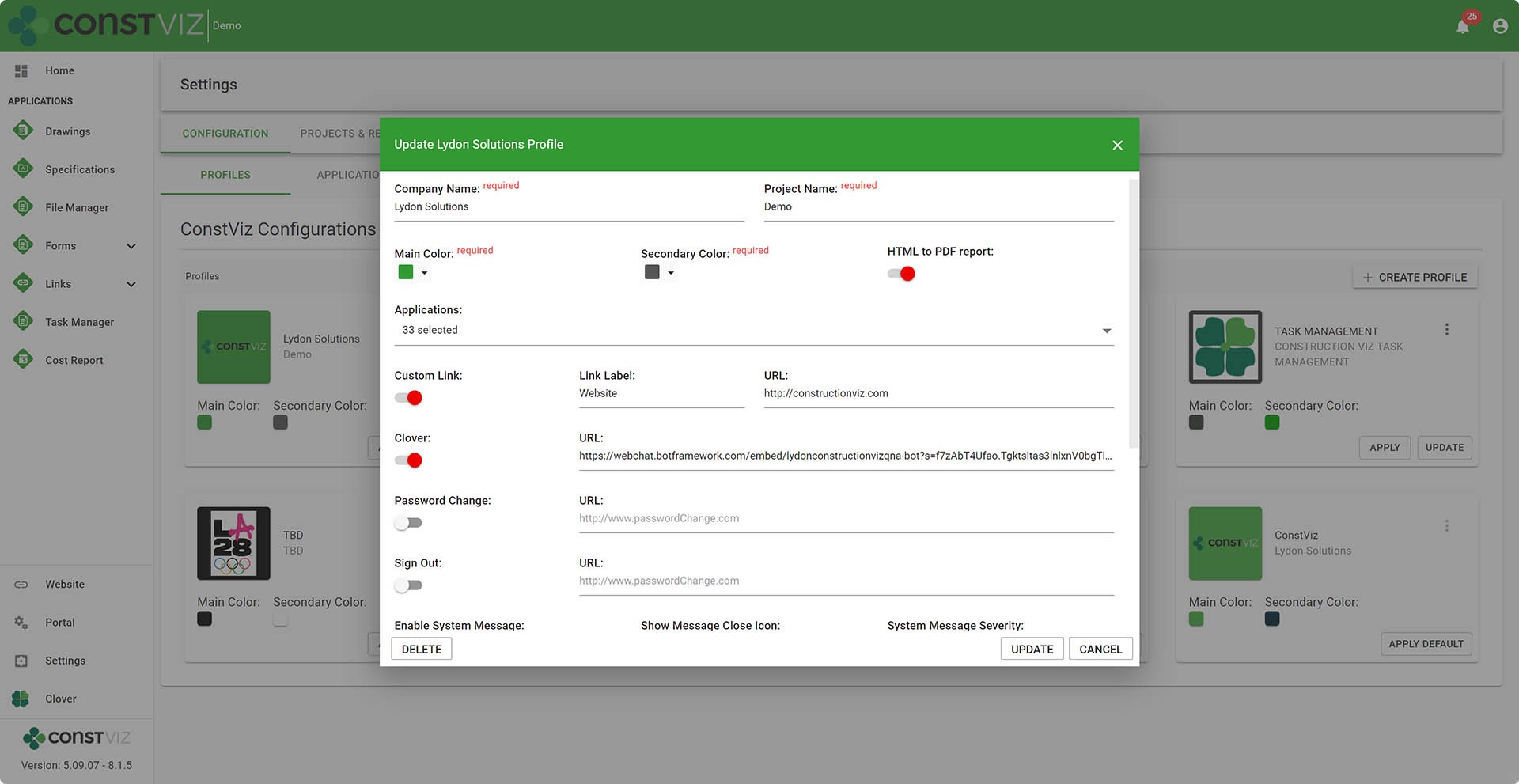
The Construction Viz Hub is your control center. You can turn apps on and off and further configure them as needed in the Hub.

We also implemented Hub Profiles that can create unique experiences (apps, theming, and features) that you can target to specific users like contractors or owners.
Differentiator-Pt3_1

Modular Components in Construction Viz

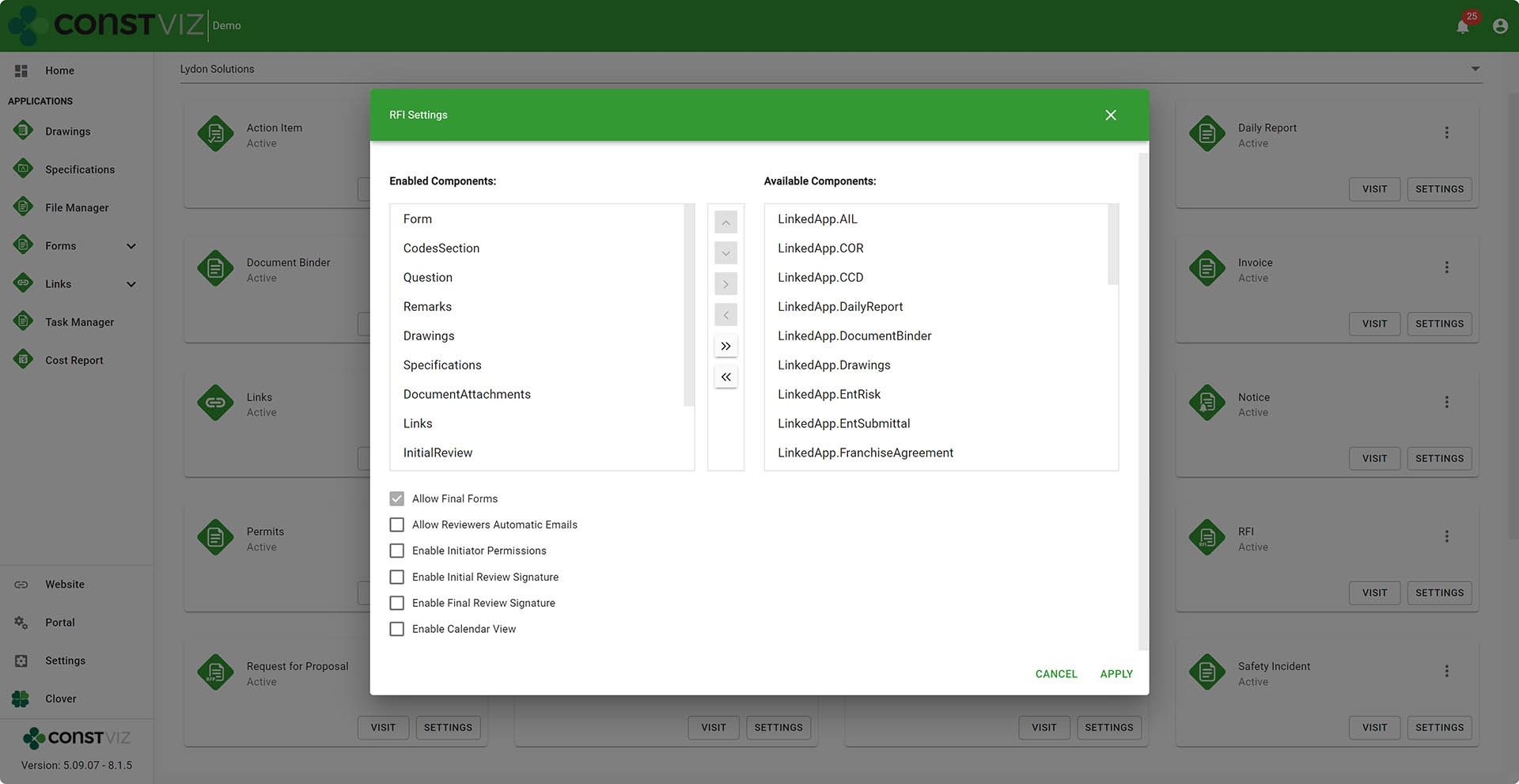
We built our apps using a component-based structure where each component performs a specific function.

For example, if you need a document attachment component to upload your files into an RFI form, we can turn on the document uploader to add files to an RFI form. Or, if you need the ability to upload images in a thumbnail view to a Daily Report, we could turn on the image uploader component.

Over the years, we have built an extensive catalog of unique components to deliver unique client-specific apps by combining multiple components into custom solutions.
Differentiator-Pt3_2

Construction Viz Configuration Settings

We provide administrative settings that clients can configure for their specific projects and add unique permissions.

Also, administrators can manage one project per site or many projects per site, with Construction Viz accommodating either option from the settings.

Metadata Files

We built Construction Viz with the ability to branch our product code base with unique metadata code files by a client or even by a project. These metadata files allow us to add new fields, apps, or whatever a client needs in Construction Viz.

While the metadata files can be unique to each client, they still receive regular product updates as part of the release process. This flexibility built into Construction Viz’s handling of metadata is a forward-thinking and dynamic approach to building unique solutions.

Microsoft 365 Extensibility

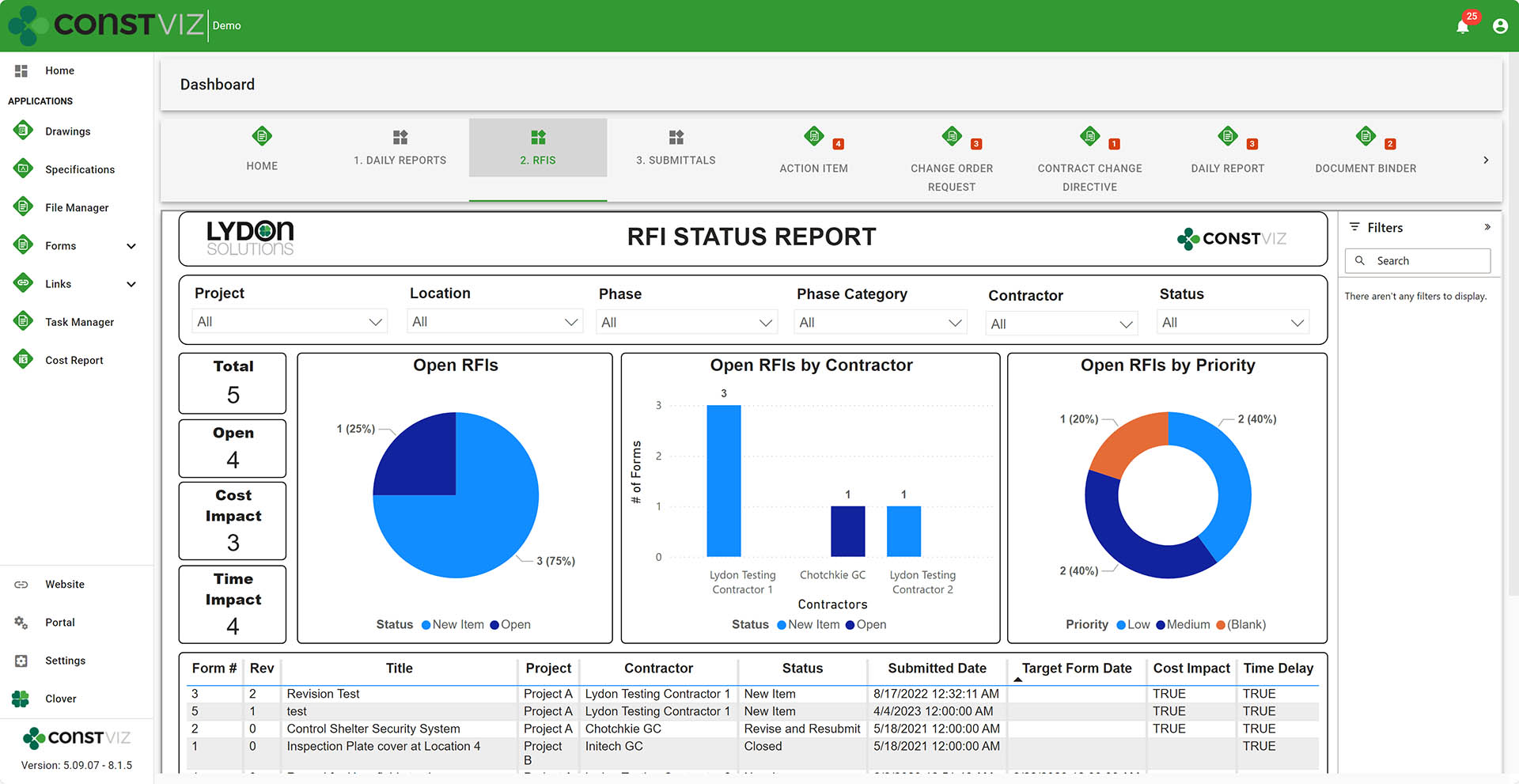
Since Construction Viz deploys to a client's Microsoft 365, they can further enhance the features, such as building their own Power BI reports and embedding them into Construction Viz or building a Power Automate workflow and adding it to one of our form apps. We'll get into some of these details in a future post on this topic.
Differentiator-Pt3_3

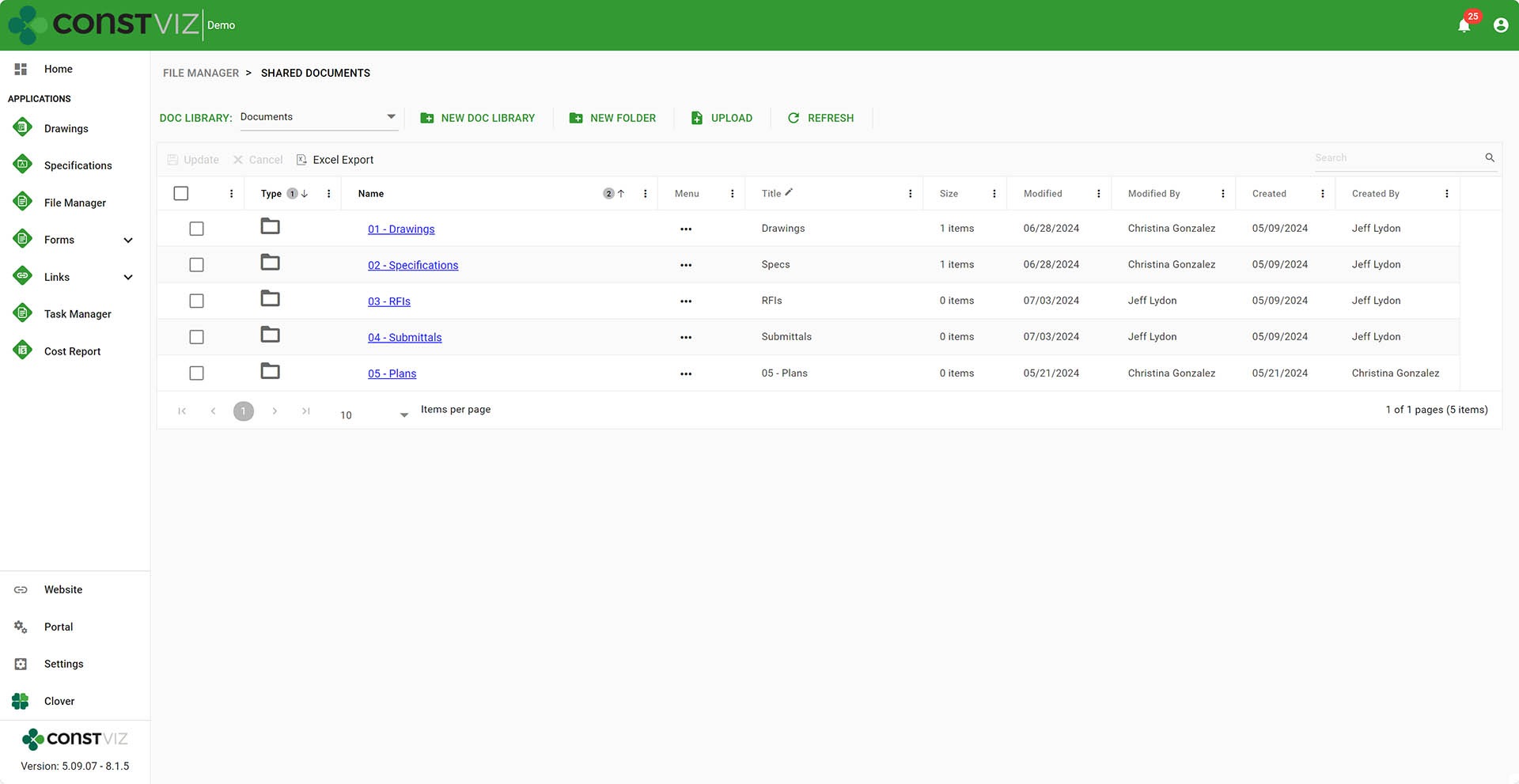
Construciton Viz File Manager

For organizations that want to tiptoe into some of the apps but still want to keep using SharePoint document libraries with folders, we built the Construction Viz File Manager app. The File Manager app lets you perform most of the critical functions you would do in SharePoint right inside Construction Viz without having to navigate to the underlying SharePoint site.
Differentiator-Pt3_4

Why Construction Viz?

Read more about what sets Construction Viz apart from the competition in our new blog series:

  • Part 1: Get Just the Apps You Need with Construction Viz
  • Part 2: Deploy Construction Viz Securely to YOUR Microsoft 365
  • Part 3: Customize Construction Viz to YOUR Unique Needs
  • Part 4: Construction Viz Offers Best in Class Pricing
  • Part 5: Construction Viz is Easy to Use
  • Part 6: Your Data Stays with You 24/7 in Construction Viz
  • Part 7: Designed by Construction Professionals for Construction Professionals
  • Part 8: Construction Viz is Integrated with Microsoft 365

Construction Viz Adapts to Your Unique Requirements

If your organization needs ultimate flexibility in your construction management solution, it's tough to beat Construction Viz.

We believe in rapid development and add features for our clients almost weekly, unlike other products where you hope to make it into their next six-month development release.

Keep an eye on this series of articles, where we will elaborate on the benefits of Construction Viz over other construction management platforms on the market.

To find out more about what Construction Viz can provide, or if you are new to Microsoft 365 and need help setting it up or delivering solutions in the Microsoft ecosystem, you can request a free one-hour consultation or demo below.


Get a Free Consultation

  • This field is for validation purposes and should be left unchanged.

Deploy Construction Viz Securely to YOUR Microsoft 365

Construction Viz | July 18, 2024

In the age of cloud computing, the question is, where is your data, and how safe is it? Do you trust construction software vendors to secure your data to the level that your organization requires? Is it truly your data when you have to request a copy of it at the end of the project to archive?

Lydon Solutions has been building construction IT solutions on the Microsoft stack for over fifteen years. We started the company by building and hosting custom SharePoint instances, and we haven’t stopped since.

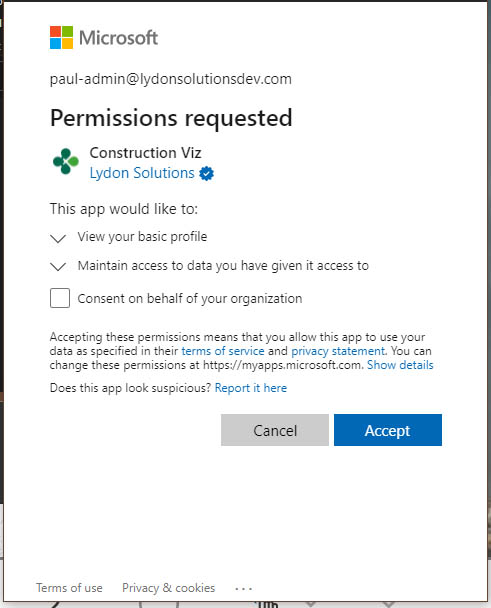
With our Construction Viz enterprise construction management solution for Microsoft 365, we created a unique product that can be deployed for a client without using the Microsoft app store or even custom scripts. Using Microsoft’s Identity platform, Construction Viz securely stores project data in SharePoint sites, using lists and document libraries as its database. No data is stored outside of your Microsoft 365 tenant. Check out this post to find out more. A deployment can even occur on the same day. At any time, you can revoke consent for the app, and it will no longer connect to your Microsoft 365 tenant, but all of your data will remain in YOUR SharePoint Lists and Libraries.

Also, Construction Viz is a Progressive Web App (PWA), so there is no app to install on the device. It behaves just like a desktop application, is responsive, and will work on any device with a modern browser, so you don’t have different experiences and security issues with multiple apps floating around your IT footprint.

Why store your construction data in Microsoft 365?

  • Microsoft is #1 in enterprise cloud security.
  • Microsoft is #1 in data availability 24/7 on a global scale.
  • Microsoft has localized data centers, so data stays in the country of origin.
Differentiator-Pt2_1
  • Microsoft ensures regional and country-specific legal compliance.
Differentiator-Pt2_2
  • Microsoft 365 features and investment.
  • You control your data 24/7.
Differentiator-Pt2_3
  • Ability to Archive in place.
  • Ability to Backup your data.
  • Use the same sign-in for all your applications.
  • Leverage your organization’s existing investment and adoption of Microsoft 365.

So, with so many benefits to keeping your data in your Microsoft 365, isn’t it time to rethink where your construction management system resides?

Why Construction Viz?

Read more about what sets Construction Viz apart from the competition in our new blog series:

  • Part 1: Get Just the Apps You Need with Construction Viz
  • Part 2: Deploy Construction Viz Securely to YOUR Microsoft 365
  • Part 3: Customize Construction Viz to YOUR Unique Needs
  • Part 4: Construction Viz Offers Best in Class Pricing
  • Part 5: Construction Viz is Easy to Use
  • Part 6: Your Data Stays with You 24/7 in Construction Viz
  • Part 7: Designed by Construction Professionals for Construction Professionals
  • Part 8: Construction Viz is Integrated with Microsoft 365

Keep an eye on this series of articles, where we will elaborate on the benefits of Construction Viz over other construction management platforms on the market. You can request a free demo here to find out more about what Construction Viz can provide.

If you are new to Microsoft 365 and need help setting it up or helping you deliver solutions, you can request a free one-hour consultation below.

Get a Free Consultation

  • This field is for validation purposes and should be left unchanged.

Get Just the Apps You Need with Construction Viz

Construction Viz | July 15, 2024

Frustrated with having to pay for a bloated construction project management system that you only use a fraction of? With Construction Viz, you can select and only pay for the apps you need. Isn’t it about time the consumer has the choice of what they want to use and pay for?

Many of the larger construction project management systems focus on getting clients bought into their ecosystem, forcing their way of managing projects, and charging excessive fees for a bloated system.

The reality is that every organization, project, and project manager manages projects differently; there is no one-size-fits-all. Also, many organizations already have several software packages that they use for specific purposes to help manage projects. They don’t want to have to do double entry, confuse users with multiple systems, and might need only a handful of tools to fill in the gaps.

Pick Only the Apps You Need with Construction Viz

We built Construction Viz to be as flexible as possible, so organizations don’t feel boxed in. If you only need a Daily Report app, you can pay for that app only. If you need more in the future, you can add more Construction Viz apps at any time. Also, if you don’t like how out-of-the-box apps work or need a new app, we can build custom apps or tailor our apps to your unique needs.

Construction Viz allows you to select from over 40 industry-standard construction forms and a total of 50 construction apps, including:

Construction Viz - Construction Forms

Action Items
Contract Change Directive
Change Order Request
Daily Report
Document Binder
Invoice
Meeting Minutes
NCR/NCN
Notice
Outage Request
Commitment
Change Order
Permit

Punch List Items
Quality Assurance Inspection
RFI
Request for Proposal
Risk
Safety Incident
Safety Inspection
Service Request
Submittal
Substantial Completion
Transmittal
Work Order

Construction Viz – Construction Apps

Drawings
Specifications
Cost Reports
File Manager
Forms
GIS Maps

Payment
P6
Planner
Tracker
Scheduler
Task Manager

You can check out our app catalog here.

Why Construction Viz?

Read more about what sets Construction Viz apart from the competition in our new blog series:

  • Part 1: Get Just the Apps You Need with Construction Viz
  • Part 2: Deploy Construction Viz Securely to YOUR Microsoft 365
  • Part 3: Customize Construction Viz to YOUR Unique Needs
  • Part 4: Construction Viz Offers Best in Class Pricing
  • Part 5: Construction Viz is Easy to Use
  • Part 6: Your Data Stays with You 24/7 in Construction Viz
  • Part 7: Designed by Construction Professionals for Construction Professionals
  • Part 8: Construction Viz is Integrated with Microsoft 365

If you are already using Microsoft 365 and either need a complete enterprise construction management solution or just a couple of apps, Construction Viz might be the best option. Keep an eye on this series of articles, where we will elaborate on the benefits of Construction Viz over other construction management platforms on the market. You can request a free demo below.

Get a Free Consultation

  • This field is for validation purposes and should be left unchanged.

How Do You Capture Meeting Minutes in Microsoft 365?

Forms | July 11, 2024

Construction Viz Meeting Minutes App

One of the most basic needs of a construction project is an effective way to document meeting minutes and their associated action items. For those using Microsoft 365, you've probably experimented with several options, from simple Word documents to building Power Apps. With the Construction Viz Meeting Minutes form app, we did all of the heavy lifting so you could hit the ground running. Check out this article to find out more.

When you think about what makes up a solid meeting minutes tool, you need a way to capture attendees, agenda topics, and action items. Also, the tool needs the ability to print, search, and send minutes to team members. In Microsoft 365, to deliver a meeting minutes solution, you will need to string together several applications to meet these minimum requirements. With Construction Viz, we have considered all these areas and more with our Meeting Minutes app, and if that's the only app you need, that's the only app you pay for!

The Meeting Minutes form is one of over forty form apps available in Construction Viz, but it's also one of those must-have apps to add to your toolbox.

Key Components of the Meeting Minutes App

Construction Viz apps are comprised of targeted code widgets called components that perform a specific function, can be turned on or off, and allow customization as needed. The Meeting Minutes app includes the following components out of the box:

  • Meeting Logistics. Capture the start day/time and location of the meeting.
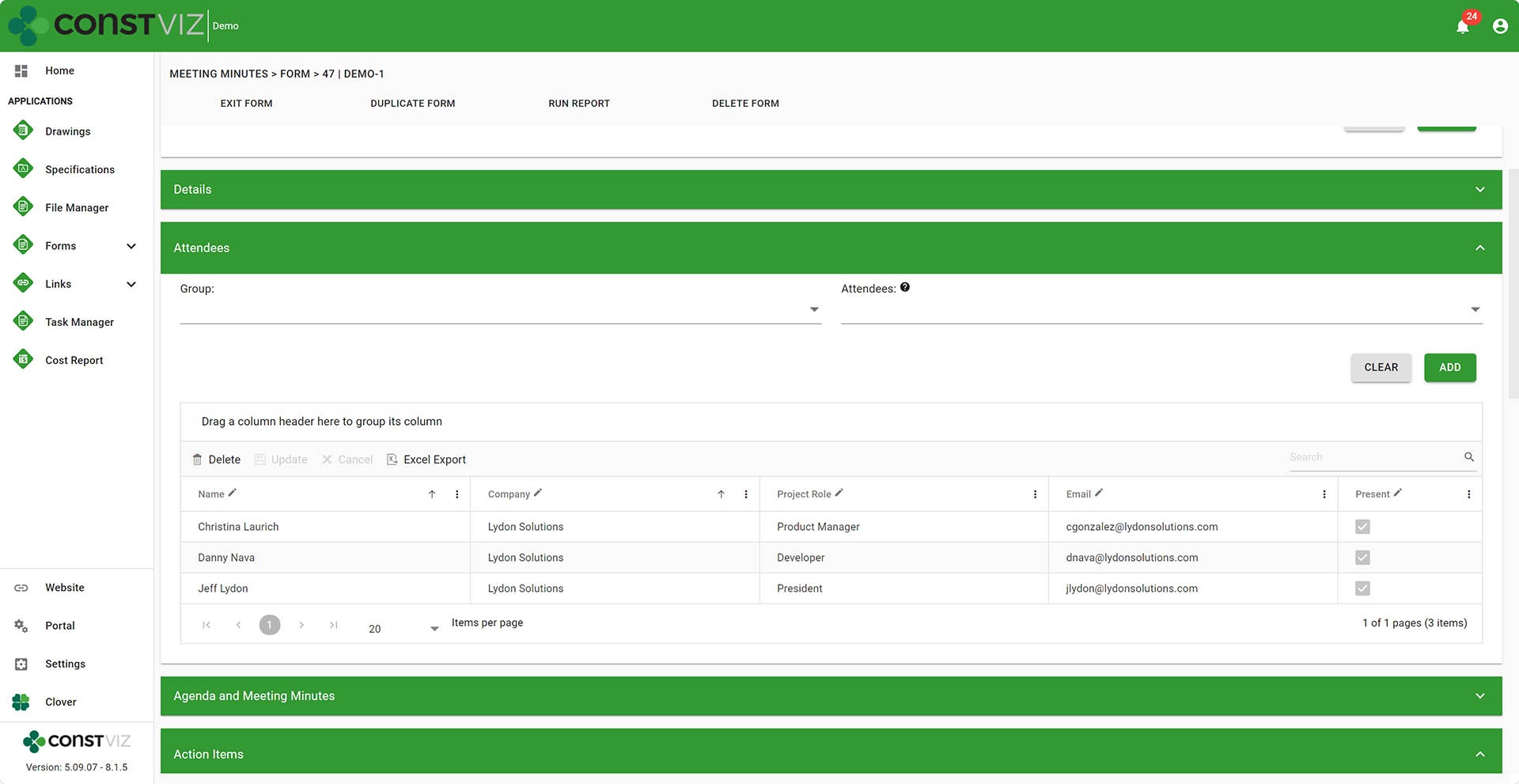
  • Attendees. Include all users and non-users in attendance.
Meeting-Minutes_1
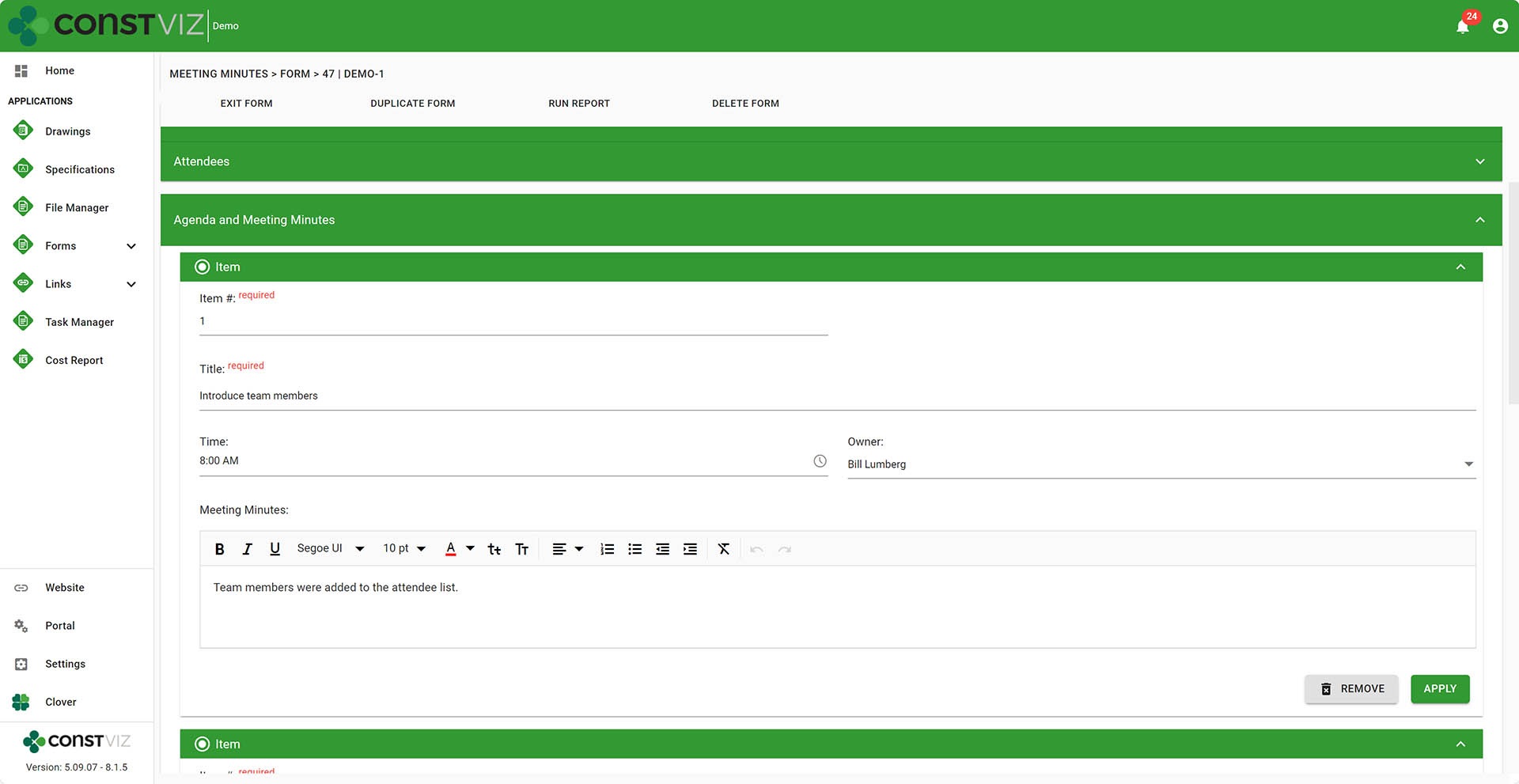
  • Agenda and Minutes. Create as many agenda items as needed, including minutes associated with the agenda item.
Meeting-Minutes_2
  • Document Attachments. Upload as many files as needed and capture metadata to organize your files.
  • Link Attachments. Add links to internal or external locations.
  • Include as many reviewers as needed to ensure the forms are complete and ready to be distributed.
  • Send off emails to groups and users with links to the form.

Embedded Apps

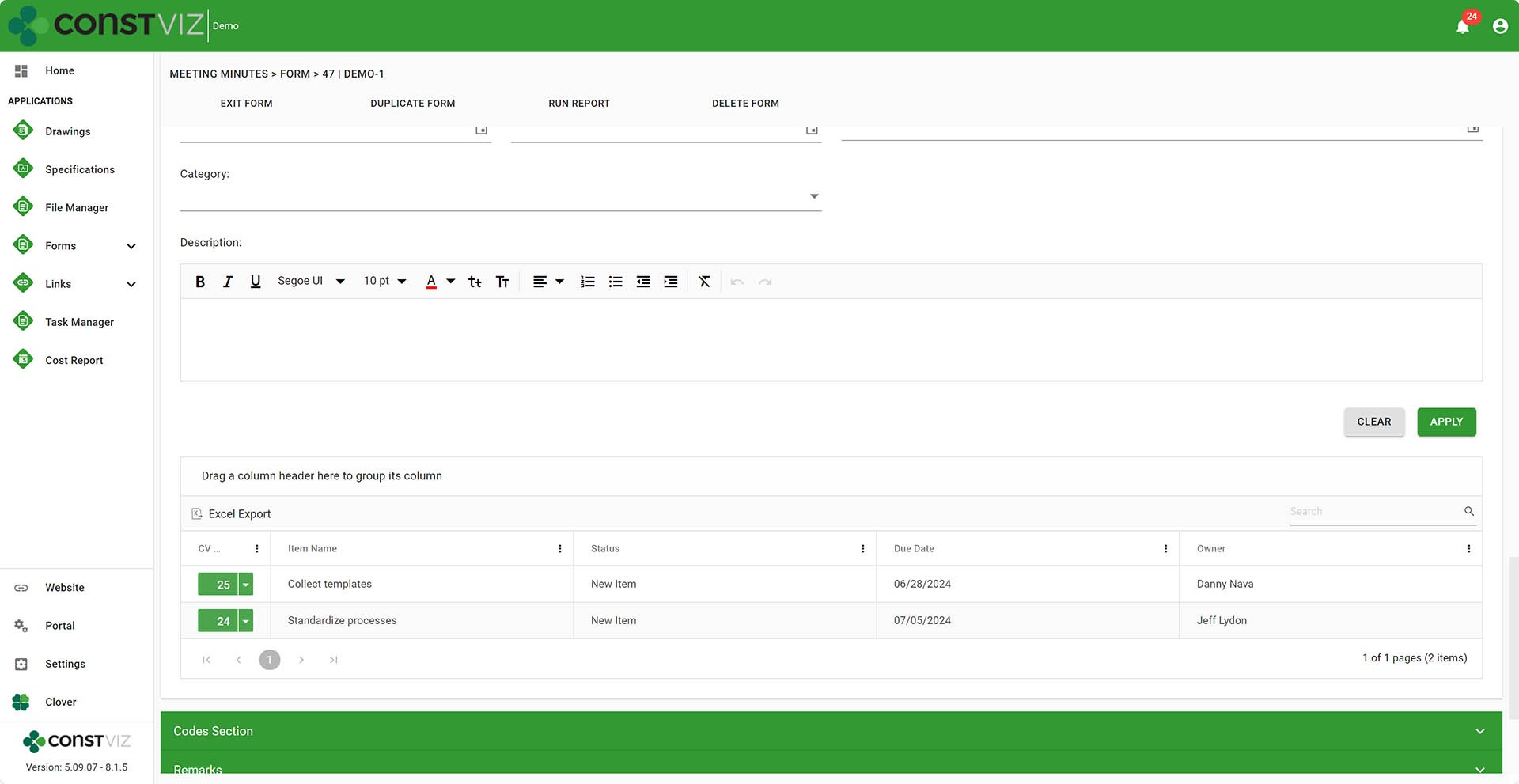
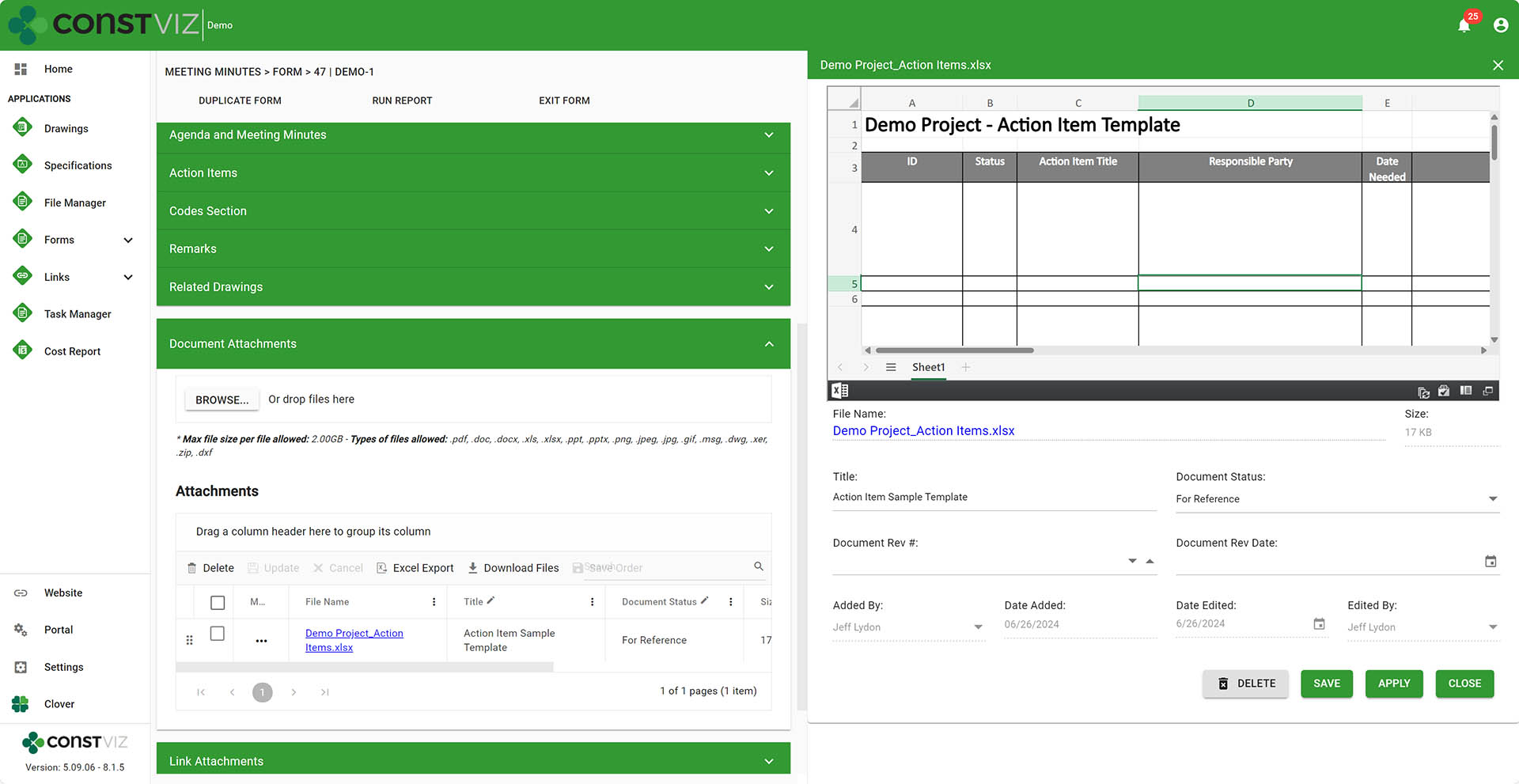
  • Action Items can be created while in a meeting minutes form and are automatically linked to the Action Item app so you never lose track of where the action item was assigned.
Meeting-Minutes_3
  • Ability to automatically carry open action items into subsequent meetings. Avoid having to re-type the action items in every meeting by including them from the menu when duplicating a form.

Reporting

  • Print to PDF one or many forms. It also includes an option to include document attachments automatically converted to PDF from Office files.
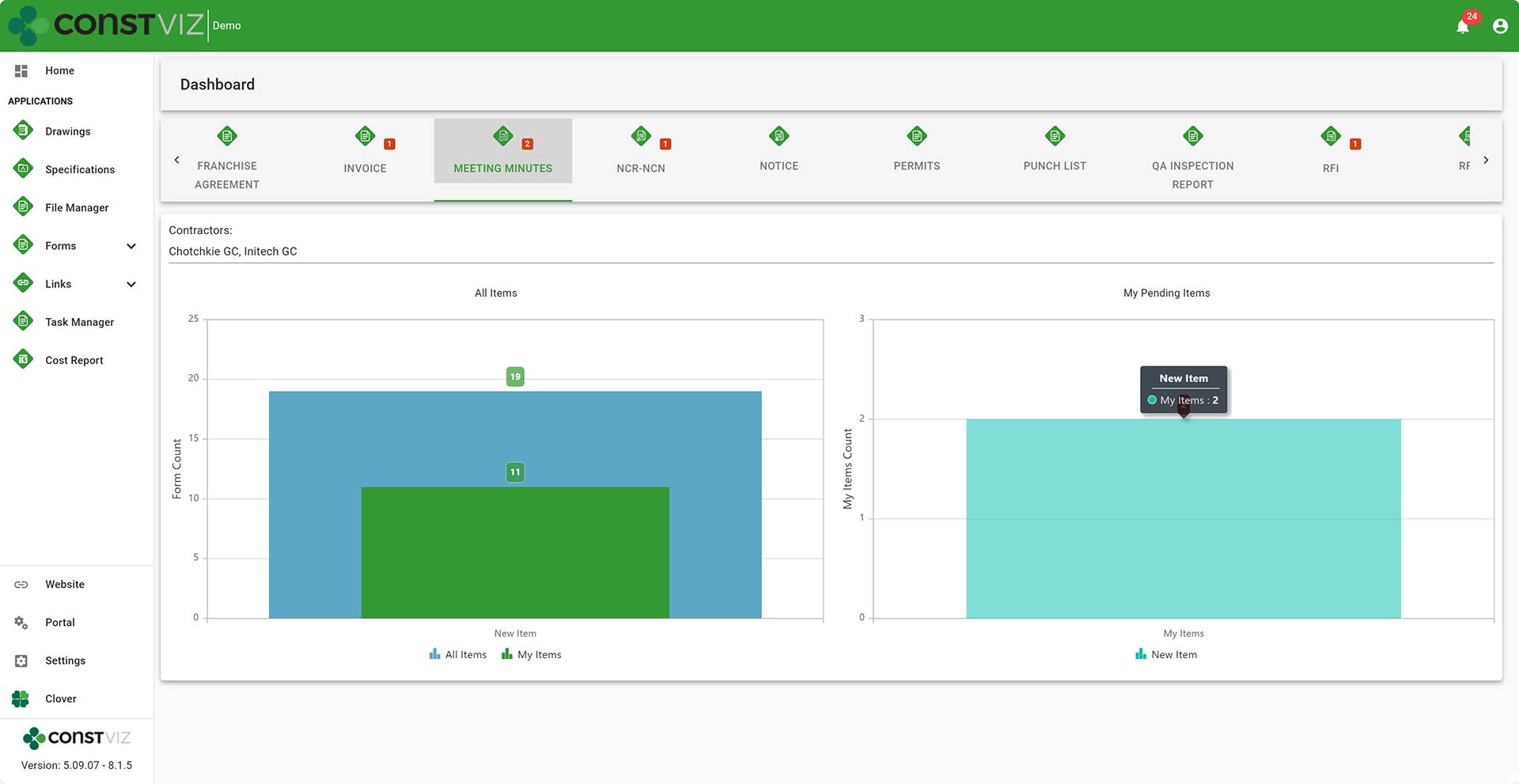
  • Dashboards display by form status with drill-downs to filtered views.
Meeting-Minutes_4
  • Ability to insert Power BI reports. You can add your own dashboards to Construction Viz by copying and pasting a Power BI report URL into the Dashboard settings.

Workflow

  • Add one or more reviewers on the fly so they can receive emails and notifications.
  • Automatically email reviewers. Upon add, email can be sent off to reviewers automatically.
  • Add Power Automate workflows. You can add your own Power Automate workflows to the app settings.

Other

  • Duplicate forms so you can reuse form templates, minimizing data entry.
  • Saved views to create project and personal views.
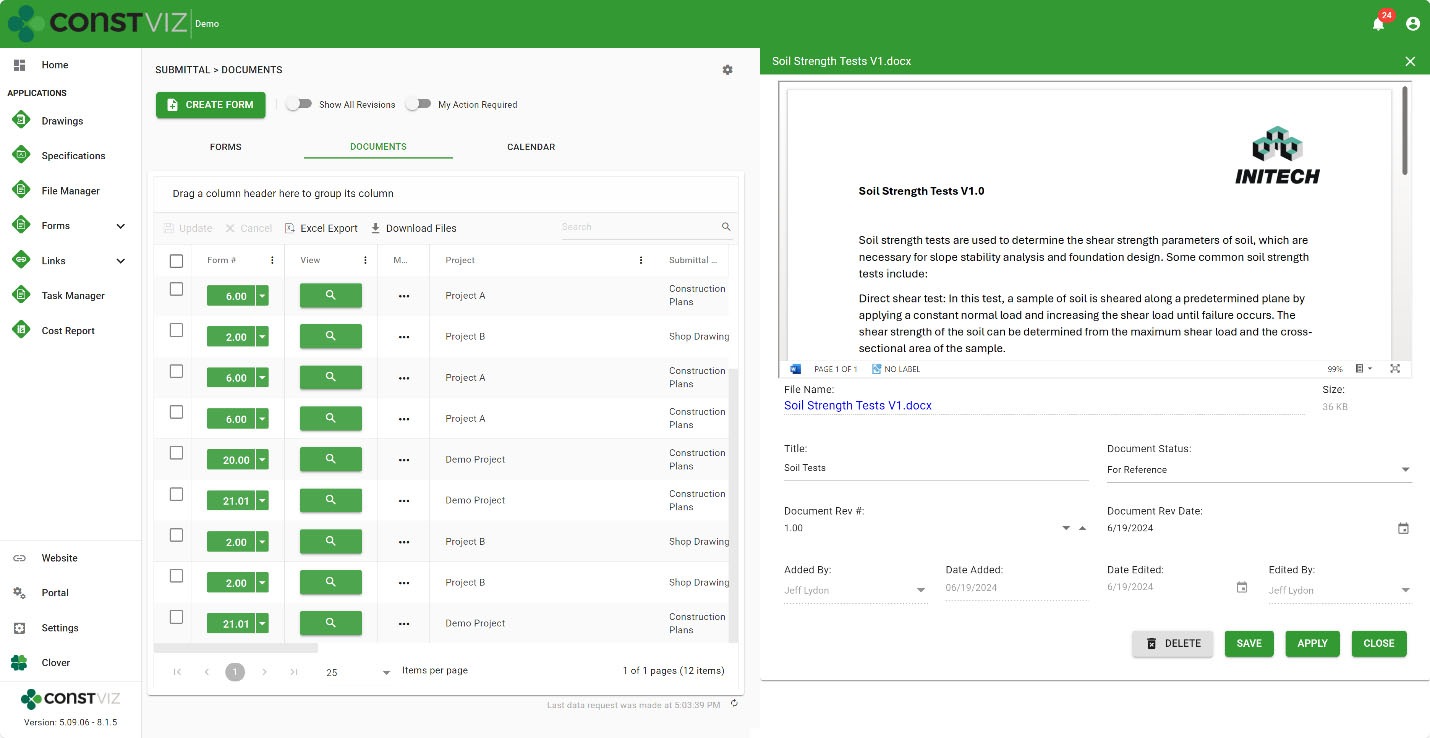
  • Document attachment view so you can find attached files independent of the meeting minutes.
  • File flyout menu so you can update attached document metadata (Title, revision, date, etc.) in an easy-to-use form.
Meeting-Minutes_5
  • My Action Required Toggle so you can filter any forms in your queue that need your attention.
  • Notifications Center indicates meeting minutes and action items in your cue.
  • Project-specific form numbering is available if more than one project is managed in the deployment of Construction Viz.
  • Export any app grids to Excel.
  • Permission controls by contractor already integrated into the app.
  • Availability to add Construction Viz to a Microsoft Team.
  • Data is stored in client Microsoft 365 SharePoint Online, so it's securely available 24x7

Whew. That's an exhaustive list, and I’m sure I left off a bunch of features, but you get the picture😊.

While there are many considerations for rolling your own meeting minutes tool in Microsoft 365, there is no right or wrong. It always comes down to time and money. Would you want to spend your time building the solution or leveraging one that is ready-made but can still be customized? Either way, Lydon Solutions is here to help. You can request a free one-hour consultation here or a demo of the Construction Viz meeting minutes app below.

Get a Free Consultation

  • This field is for validation purposes and should be left unchanged.

New Construction Viz Document Control Features to Organize Your Files

Document Control | June 24, 2024

Managing construction documents and correspondence is a significant undertaking, especially for multi-billion-dollar projects and programs.

Having the right tools to collect, organize, and retrieve your files securely is of the utmost importance to ensuring project success, avoiding claims, and passing audits.  Construction Viz provides many tools to help project teams better manage their files right within their own Microsoft 365.  Find out how the new Construction Viz Flyout feature works with you, so you spend less time documenting and more time getting stuff done.

Let’s face it: document controls can be a godsend or a curse on construction projects. You either spend the time organizing files upfront or more time trying to find them later. Everyone knows a system is only as good as the data input: “garbage in equals garbage out.”

Construction Viz Flyout Menu System

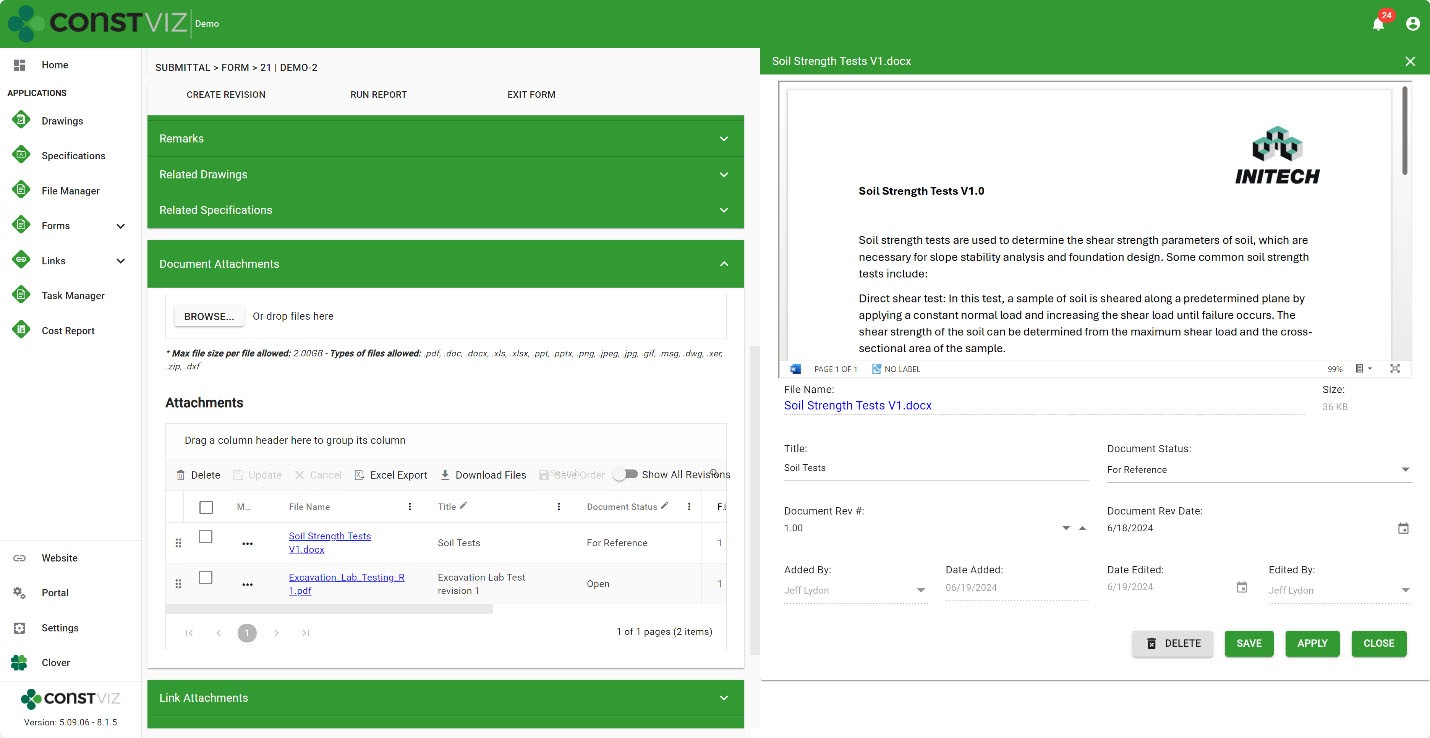
Project teams organize files using folders, assigning metadata, or a combination of both. While folders are the preferred method of organizing files, incorporating metadata can help improve file organization, maintenance, archiving, and search. In the latest release of Construction Viz, we added a new Flyout feature to help you capture file metadata easily when uploading files.  Simply click the open details from the file menu, and an interactive Flyout tray to capture metadata will appear on the right side of the screen.

Doc-Control_1

Several features make the Flyout unique:

Preview files – A web version preview of the file is displayed in the Flyout to help when filling in the metadata or finding the file at a later date. You can also open the file from the viewer in its native application.

Simple Form to make updates – Easily update one or more file metadata fields in a simple form so users can quickly make updates without having to scroll. Once an update is made, click Apply to save changes and continue editing other files, or click Save to save your updates and close the Flyout.

Available Everywhere – This new Flyout feature is available in all form apps and document views! We’ve made it easy to update metadata for your files wherever you are in Construction Viz. Now, there’s really no excuse for getting your files organized right out of the gate and using metadata on your next project 😊.

Doc-Control_2

Construction Viz Flyout Feature

Get a Demo of Construction Viz

The Flyout feature is one of many features we have added to Construction Viz to make managing construction project documents and correspondence easier. Take your Microsoft 365 to the next level for your projects with Construction Viz. You can request a demo of Construction Viz here.

Get a Free Consultation

  • This field is for validation purposes and should be left unchanged.

Shouldn’t You Have the Power Over Your Construction Data 24×7?

Storage | June 6, 2024

Construction Viz for Microsoft 365 gives you control over your construction data.

In today’s world of cybersecurity threats, do you feel safe having your construction data on someone else’s external project management information system (PMIS)? Can you be confident that they manage your data with the same level of control your organization does? How are you getting your data out of that system when you need to archive your projects? It’s your data; shouldn’t you have access to it 24/7 without worry? Find out how Construction Viz for Microsoft 365 is changing the game by giving you power over your data.

When we built Construction Viz, we wanted to follow the following tenants:

  • Quick and easy deployment to a client’s Microsoft 365.
  • Leverage the best of Microsoft 365 services in the client’s tenant.
  • Only pay for the apps you want.
  • Ability to customize and configure the product to the client’s unique processes.
  • Provide second-to-none security on the application and data.
  • Ensure clients’ data stays in their Microsoft 365 tenant 24/7.

Construction Viz is Powered by Microsoft 365 and Azure

Construction Viz follows Microsoft Azure’s application deployment model just like any other applications you might use daily in your Microsoft 365. The deployment model is simple: once consent is granted to the app and access is given to a SharePoint site, Construction Viz does the rest by hydrating the necessary lists and libraries.

Your-Data_1
Your-Data_2

Every record created in Construction Viz is stored in your Microsoft SharePoint lists and libraries and available 24/7. No data is stored outside of your Microsoft 365 tenant. Isn’t it time to get the most out of Microsoft 365 and rethink where your data resides?

You can learn more about how Construction Viz will help you securely manage your construction projects here. If you would like to see Construction Viz in action, you can request a demo here. We can also provide a trial site if you want to roll up your sleeves and try the system.

Get a Free Consultation

  • This field is for validation purposes and should be left unchanged.
  • « Go to Previous Page
  • Page 1
  • Page 2
  • Page 3
  • Page 4
  • Page 5
  • Page 6
  • Interim pages omitted …
  • Page 12
  • Go to Next Page »

Footer

About Constructon Viz

Construction Viz is a flexible construction project management software solution powered by Microsoft SharePoint and SQL.
Read More >

Navigation

  • Home
  • About
  • Features
  • Apps
  • Blog
  • Contact
  • Login

Apps

  • Construction Viz Hub
  • Cost Report
  • Drawing Management
  • File Manager
  • GIS Maps
  • Oracle Primavera 6
  • Payment
  • Specification Management

–

  • Project Forms
  • Project Planner
  • Project Scheduler
  • Project Tracker
  • Task Manager

Connect with Us

  • This field is for validation purposes and should be left unchanged.
  • Sign up to receive helpful tips for construction project managers as well as updates about Construction Viz.

Lydon Solutions

© Lydon Solutions

  • Privacy
  • Cookies
  • Terms of Use
  • Disclaimer
  • End-user license

Click here to start a Microsoft Teams chat.

Click here to start a Microsoft Teams chat.

Contact Us
This field is for validation purposes and should be left unchanged.
Name(Required)
Join Our Newsletter

Sign up to receive helpful tips for project managers and updates about Construction Viz.

Get Started

Join Our Newsletter

Sign up to receive helpful tips for construction project managers as well as updates about Construction Viz.

  • This field is for validation purposes and should be left unchanged.
  • This site is protected by reCAPTCHA and the Google Privacy Policy and Terms of Service apply.