• Skip to primary navigation
  • Skip to main content
  • Skip to footer
Construction Viz

Construction Viz

Project Management Perfect

  • About
  • Features
  • Apps
  • Blog
  • Contact
  • Download Flyer
  • Get Started Today
  • Login
Hide Search

project management

No PMIS is an Island: Integrating Smartsheet and Construction Viz

Reporting | August 17, 2022

It is not uncommon for organizations to use many disparate web-based project management tools on a construction project. From real estate transactions, environmental assessments, and contract awards to project scheduling, the mix of software systems used across construction organizations can span many different departments and stakeholders.  The challenge is integrating these various solutions into a single view of the project and ensuring the aggregated data is accurate, reliable, and timely.

Smartsheet is one such project management tool we often encounter. Smartsheet is used across many industries and can be a data source and reporting solution for construction information. So it made sense for our team to integrate Smartsheet with Construction Viz to allow our clients using this tool to have the best features of both applications.

While Smartsheet has an API for integrating data, our goal was to build flexible integrated solutions to solve our clients’ unique data challenges. Construction Viz can leverage SQL and SharePoint as the back-end database – with the specifics of how this works depending on the selected apps, client data restrictions, and client-specific customizations. Our Smartsheet integration solution thus needed to be flexible and scalable while offering real-time connectivity to Smartsheet for both SQL and SharePoint.

We deploy our SQL integration solution as an Azure WebJob within an Azure web app. Utilizing Azure web apps as the execution platform enables easy scheduling, automatic restarts, guaranteed stability and uptime, built-in logging, performance tracking, and nearly infinite scalability. Our SharePoint integration solution utilizes industry-standard connectivity via SharePoint’s REST Service.

Intergration Examples

SQL Integration highlights

  • A customer needed a Two-way integration with Smartsheet, so both systems are always up to date.
  • Users can use schedule data created in Smartsheet in our Construction Viz Project Tracker and a custom performance metrics application, so data needed to flow seamlessly between both systems.
  • ConstViz application extensions allow the Customer to add and remove Smartsheet Links as needed for a no-code expansion of the integration scope to new projects.
  • Integration can be scheduled daily with refresh rates that can be adjusted as needed.
  • For troubleshooting any potential integration issues, we implemented user-managed error logs.

SharePoint Integration highlights

  • A customer needed a simple One-way integration with Construction Viz, which allows Smartsheet to access document libraries.
  • Ability to handle large daily data loads as Construction Viz program sites may include up to 6,000 projects.
  • An integration approach that overcomes Smartsheet API limitations:
    • The Smartsheet API limits automated file attachment uploads to 30MB
    • The SharePoint online attachment limitation is 250MB
    • We built a solution to log oversized files into Smartsheet in the appropriate locations and hyperlinks back to the original SharePoint files for retrieval via other methods

Smartsheet is one of many integrations into Construction Viz (SQL and SharePoint) that we have built. From Oracle P6 to Arc GIS, we understand the client’s need to centralize data to manage large-scale construction projects. You can find out more by requesting a consultation here.
Capture Construction Project Reviews and Approvals on Just About Everything!

Dashboards | June 29, 2022

Construction projects involve owners and contractors submitting, reviewing, and approving information throughout the project’s life cycle. It’s a complex web of information transfer, often time-sensitive, and requires a well-documented e-paper trail to avoid legal issues.

For some projects, the review and approval process needs to be more granular than just the form, set of documents, or a drawing set level; it needs to be down to a single document page or an individual drawing sheet.

That level of detailed review tracking is why we created the Construction Viz Review Comments Matrix and the Contractor Response Matrix components. These components work in tandem to ensure detailed comments and approvals are captured at the right level of detail to improve communication, avoid delays, and prevent future claims.

For example, you might want to capture internal owner/CM team comments on each page of a contractor’s project management plan attached to their submittal. Also, you might want to keep some comments internal, while others you might want to share with the contractor.

Review Comments Matrix component

With the Review Comments Matrix component, your team can add comments for each individual page of the attached project management plan. The component automatically logs all saved comments into an interactive grid not visible to contractors.

Suppose you need to share comments with the contractors. In that case, you can select the comment(s) and click Finalize Selected, making those comments available to the contractor in the Contractor Response Matrix component and denoting that comment as a final comment.

Contractor Response Matrix component

The Contractor Response Matrix component displays only those comments needing a response from the contractor.

The component captures the ongoing back and forth exchange between the owner/CM and the contractor in an interactive grid complete with comment-specific statuses. The contractor just needs to click edit next to each comment and add their response.

What happens to the comments if the contractor needs to revise and resubmit the form? In the case of a revision, the component automatically includes all previous comments in the form revision, ensuring the complete history is always available for reporting.

These two components combine to provide that extra level of review capability that can help improve turnaround times and minimize communication issues. As with any Construction Viz components, they can be added to any form, turned on or off, or modified as needed. This functionality is excellent for Submittals and RFIs to ensure contractor responses are tracked and given a formal status before the overall form submission is accepted.

Get a demo of Construction Viz

Construction Viz is the only enterprise-scale construction management solution available for Microsoft 365. You can learn more about what makes Construction Viz different from its competitors and the available apps on the Features and Apps pages. To set up a demo, click here.

Visualize Your Project Data in a Calendar View with Microsoft Lists and Construction Viz

Project Management | June 23, 2022

We recently shared how you can generate a Power BI dashboard from Microsoft Lists in three clicks with Construction Viz. Here is another handy tip for using the two applications together. 

To recap, the Microsoft Lists app allows users to view and create interactive lists for managing items such as tasks, issues, and even assets for a construction project. If you have used Microsoft SharePoint Online, Lists will seem familiar since it uses the same list technology. 

Using Microsoft Lists calendar view in Construction Viz 

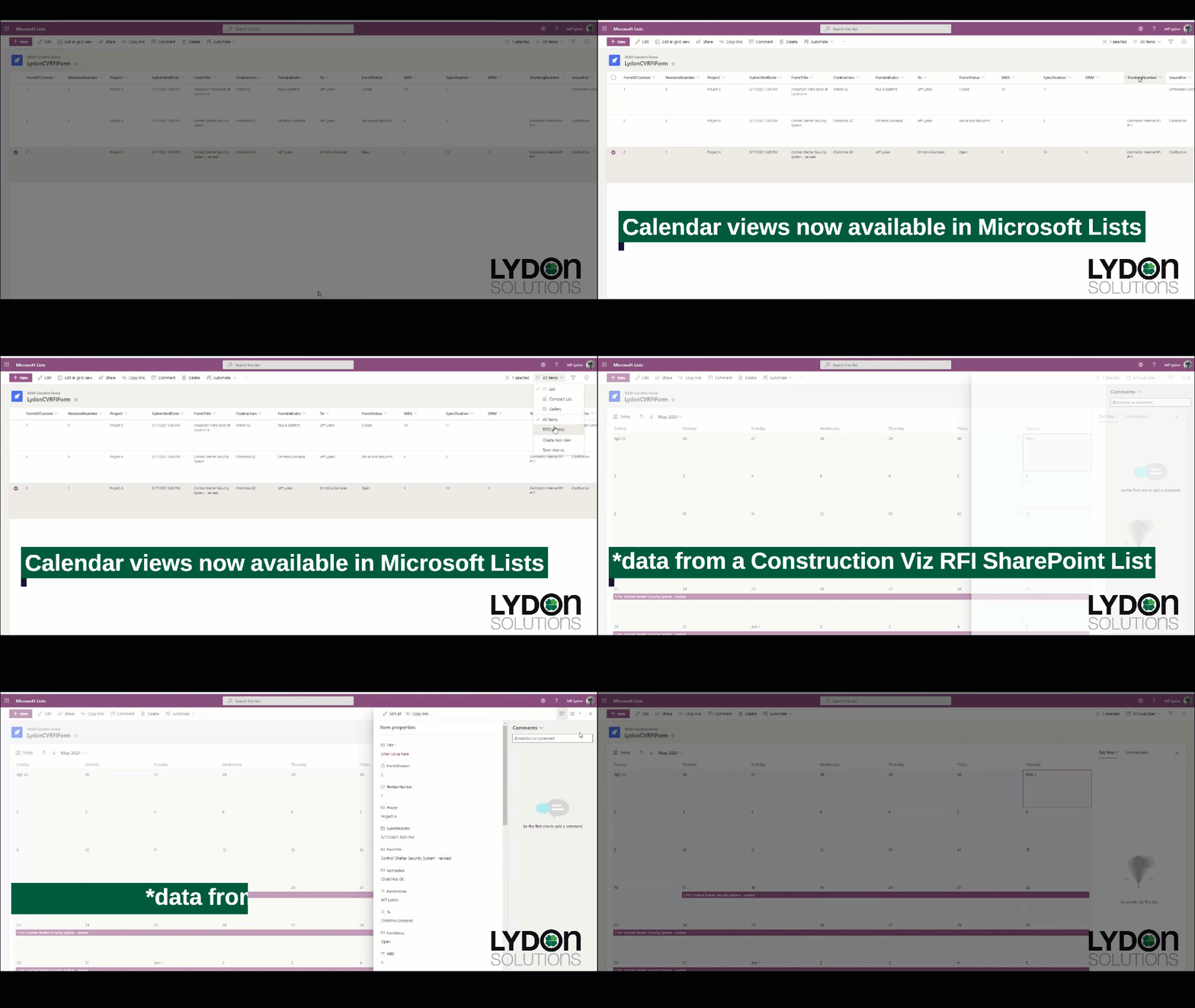
Microsoft recently released a new Calendar view for Microsoft Lists. It's a nice feature that allows you to visualize your list data in a familiar calendar UI. 

Because Construction Viz and Microsoft Lists both utilize Microsoft SharePoint lists and libraries under the hood, this new feature can provide a nice calendar view of project data, such as all of your RFIs by the submitted date and the target due dates. Check out a preview in the animated graphic below.  

CV_Lists_Calendar-View

You can find out more about Microsoft Lists here.  

Want to manage your construction projects in Microsoft 365? 

Using the Microsoft Lists calendar view is just one of many integrations with Microsoft 365 services that Construction Viz can leverage. Construction Viz empowers you to manage construction projects in Microsoft 365. Better yet, Construction Viz is available as standalone apps, allowing you to combine the specific features you want into a project management tool that is perfect for you and your workflow.  

You can request a demo of Construction Viz here to learn how to get the most out of your Microsoft 365 investment to manage your construction projects. 

Construction Viz Dynamic Profiles Lets You Create Targeted User Experiences

News | March 29, 2022

One of the many challenges to implementing an enterprise construction Project Management Information System (PMIS) is getting the entire project team to use the system. With Construction Viz dynamic profiles, we made it so every user can have their own unique system experience, as simple or complex as needed.

How do dynamic profiles work in Construction Viz?

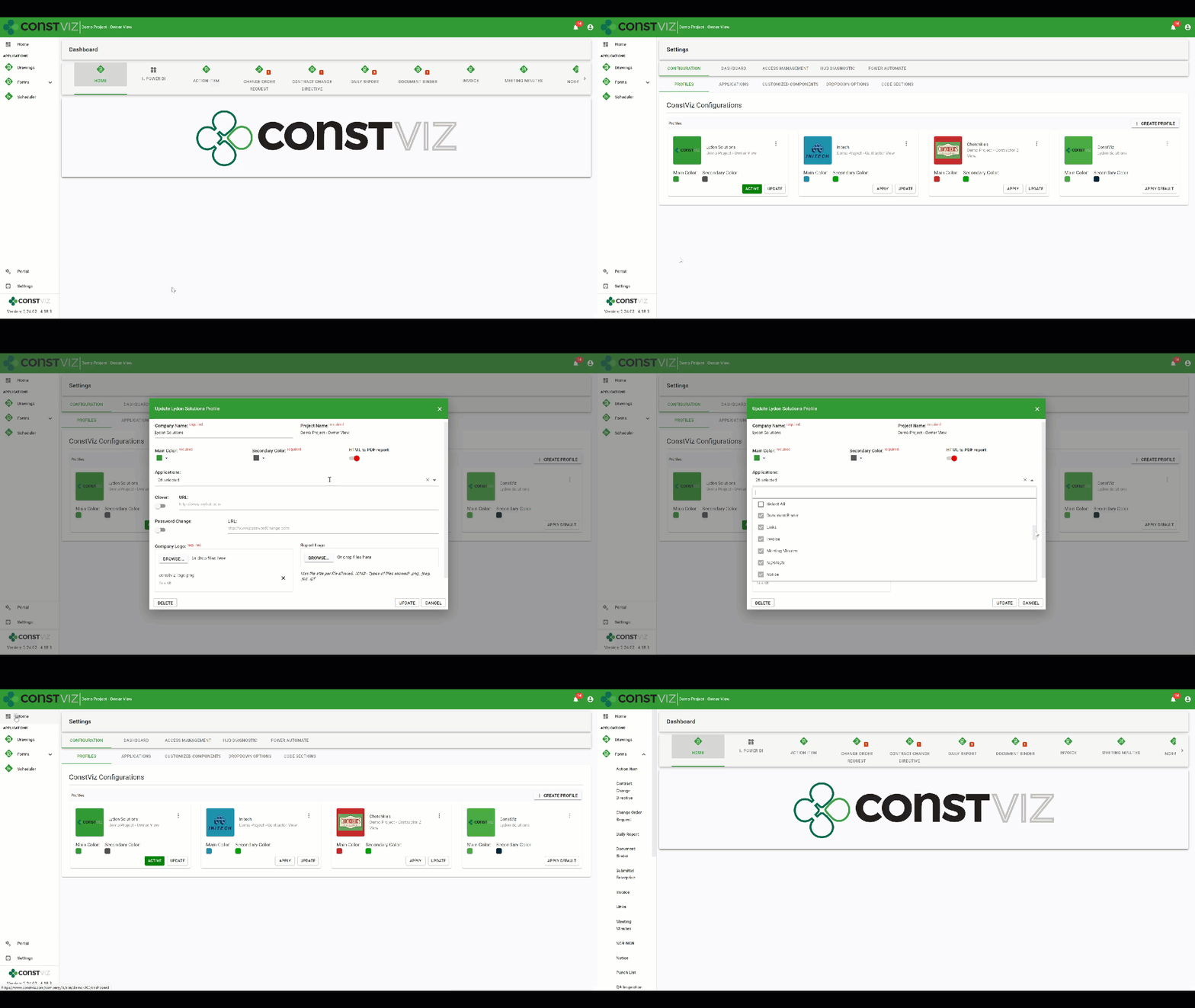
As a construction project owner, you might want to make two different instances of the Construction Viz interface: one for your internal team members with access to all of the project’s applications and a second for your contractor with access to only some applications. You would start by creating a new owner profile, customize the interface with your logo, project title, and a unique color scheme. Then you select all the applications you want to be activated for the owner profile.

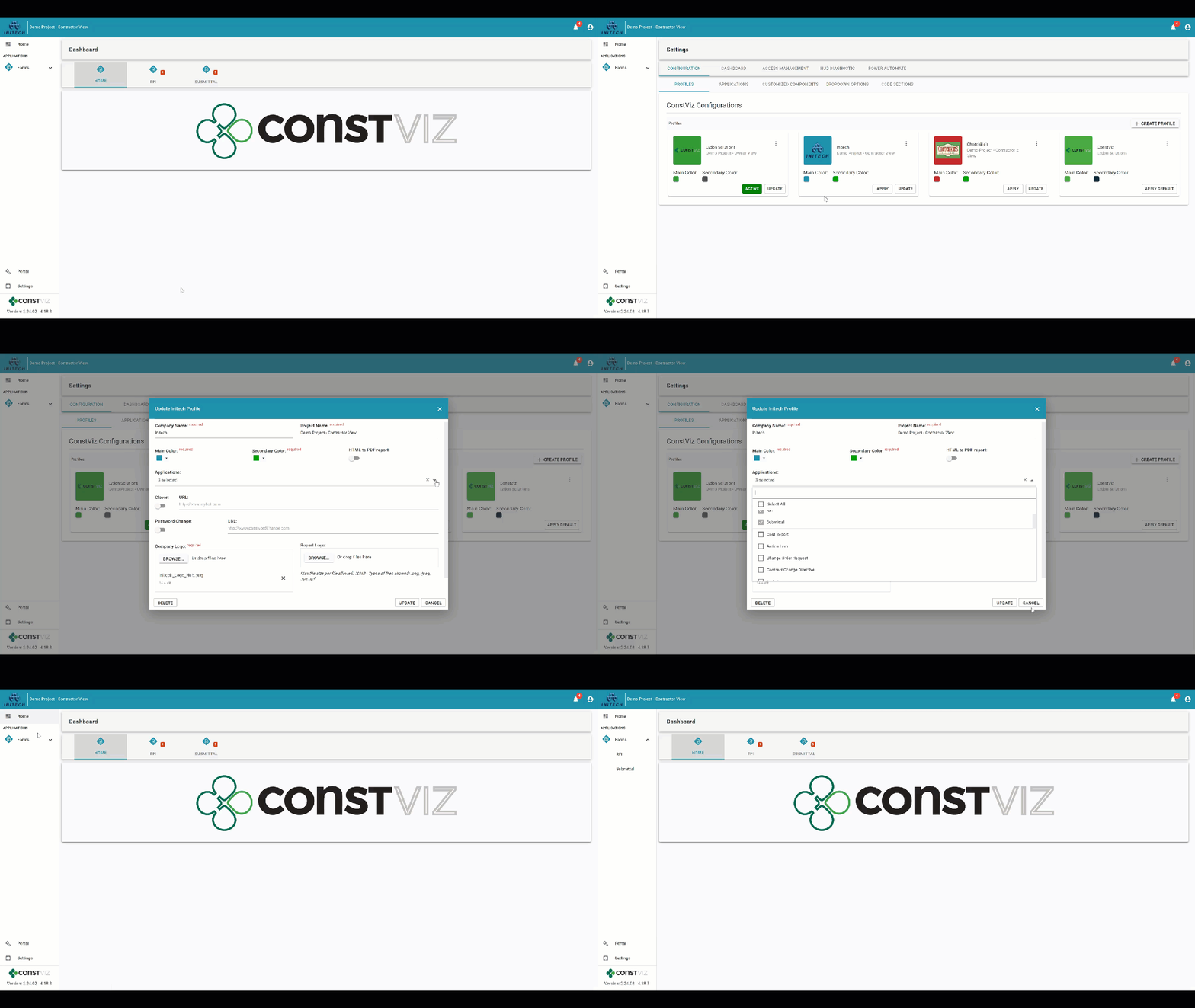
Dynamic profile for the owner with 26 apps selected for a project

Once you complete the owner profile, you next create a new contractor profile (customizing the interface with their logo, project title, and a unique color scheme), selecting only the specific project applications you want to be active for them.

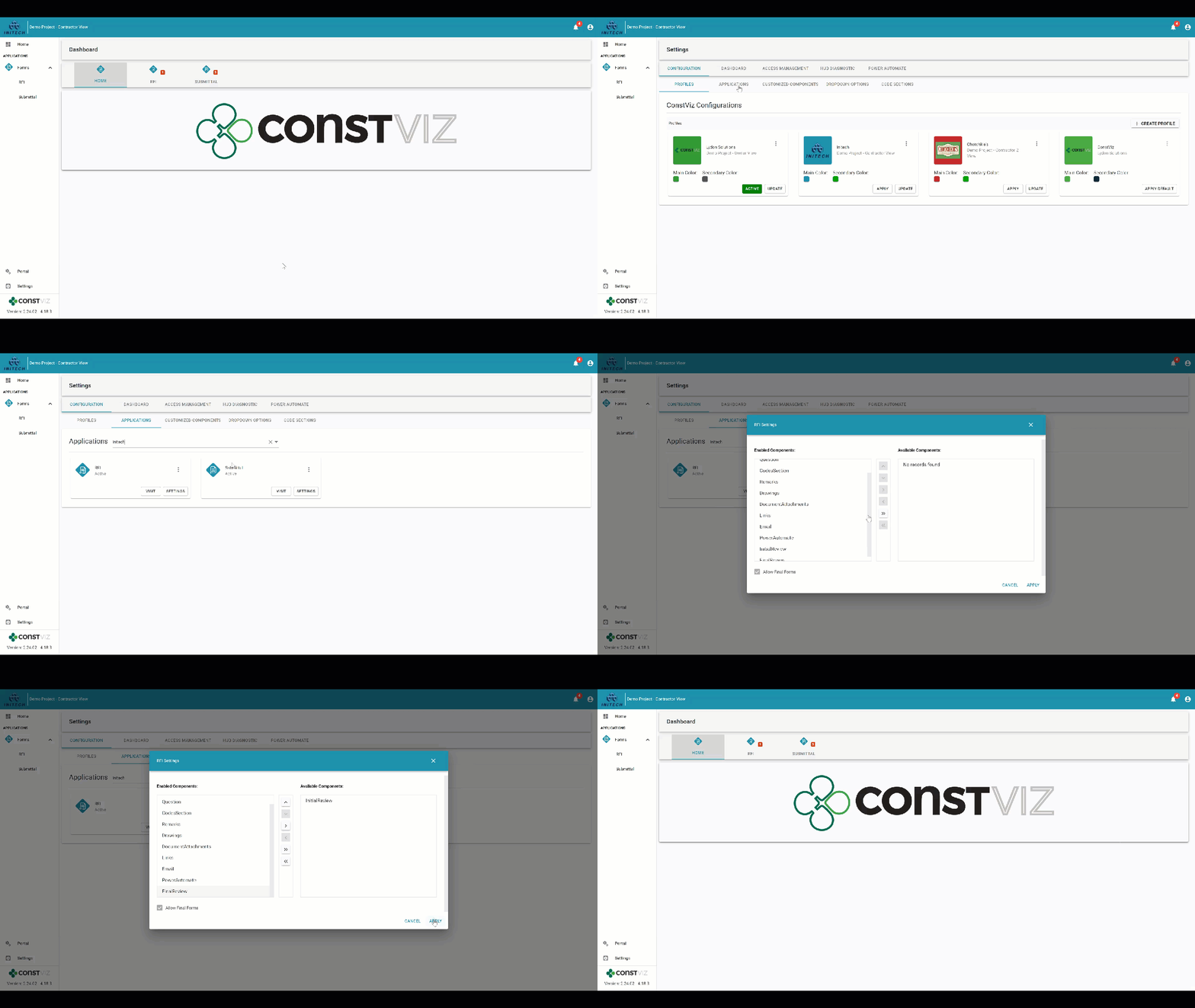
Dynamic profile for Initech contractor with only three applications selected: Dashboards, RFIs, and Submittals for the same project

You can further customize each profile by choosing what components (e.g., Initial Reviews, Attachments, Mapping, Images) to enable or disable within each activated application. Dynamic profiles let you target exactly what you need your team members to do in Construction Viz and create a truly custom experience depending on who is logging into your project.

Dynamic profile for Initech contractor with the RFI Initial Review by owner component disabled

With configurable dynamic profiles, you can change the entire user experience for every team member depending on their role, assignments, organization, department, or company.

How are Construction Viz dynamic profiles different than permissions?

Our dynamic profiles feature is unique because it works hand in hand with permissions. So, while you might create a dynamic profile for a contractor activating specific apps and components for them, you can still use permissions to assign team members with read or write access to content.

How can I find out more?

Construction Viz is the only enterprise-scale construction management solution for Microsoft 365. You can find out more about what makes Construction Viz different than its competitors and the available apps. To schedule a demo, click here.

Introducing Construction Viz Enterprise Submittal Form

Forms | January 18, 2022

Submittals are staples on every construction project as a standard communication tool between contractors and the owner, construction manager (CM), or general contractor (GC) for contractual deliverables. The submittal process involves contractors completing a submittal form with the necessary metadata like project name and package, attaching the required documents, and sending it to the owner/CM/GC for review and approval. It’s a pretty straightforward process, but larger organizations have more stringent compliance, reporting, and scheduling requirements for adhering to a contractual submittal register.

We are excited to announce a new Construction Viz Submittal Enterprise Form, a variant of our standard Submittal Form, to address this need. The new enterprise form extends our lineup of existing construction project form apps.

Features of the Construction Viz Submittal Enterprise Form app

So how is the enterprise version different from our standard Submittal form app?

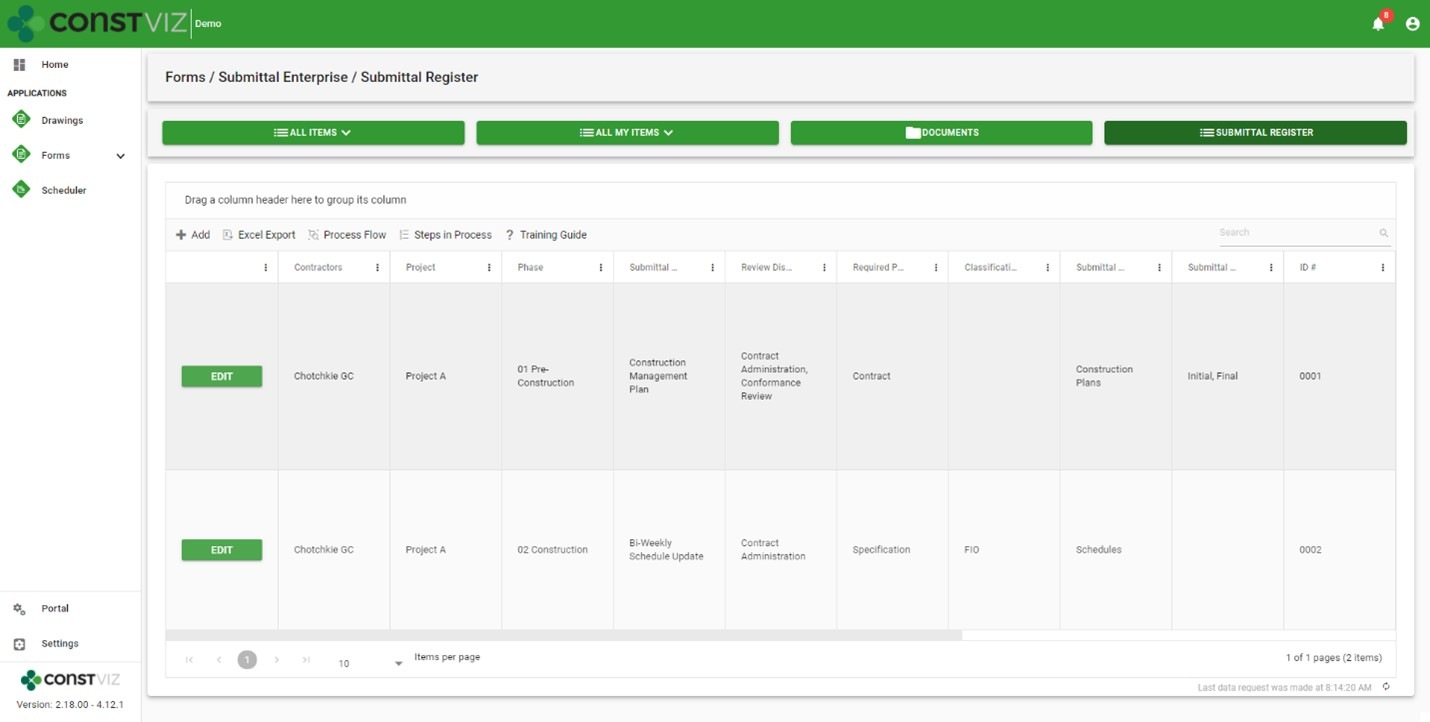
With the Submittal Enterprise form, we placed the submittal register at the center of the process while making it even easier for a contractor to fill out. The new Submittal Enterprise form boasts the following enhancements.

New submittal register

  • Robust, customizable register: Enter as many contractual submittal register items as needed into a configurable grid with all the metadata you need for each project.
  • Permission controlled: Only users with the correct permissions can update the register. Similarly, contractors can only view and select register items within a submittal form that you permit them to access.
  • Monitor due dates: The form app enables tracking and monitoring submittal due dates and re-occurring instances, such as monthly schedule submissions or weekly reports, for compliance.
  • Extensibility: You can customize the form to support other applications as needed, such as enabling the submittal register component to plan daily inspections or track custom specifications.
Enhancements to the submittal form
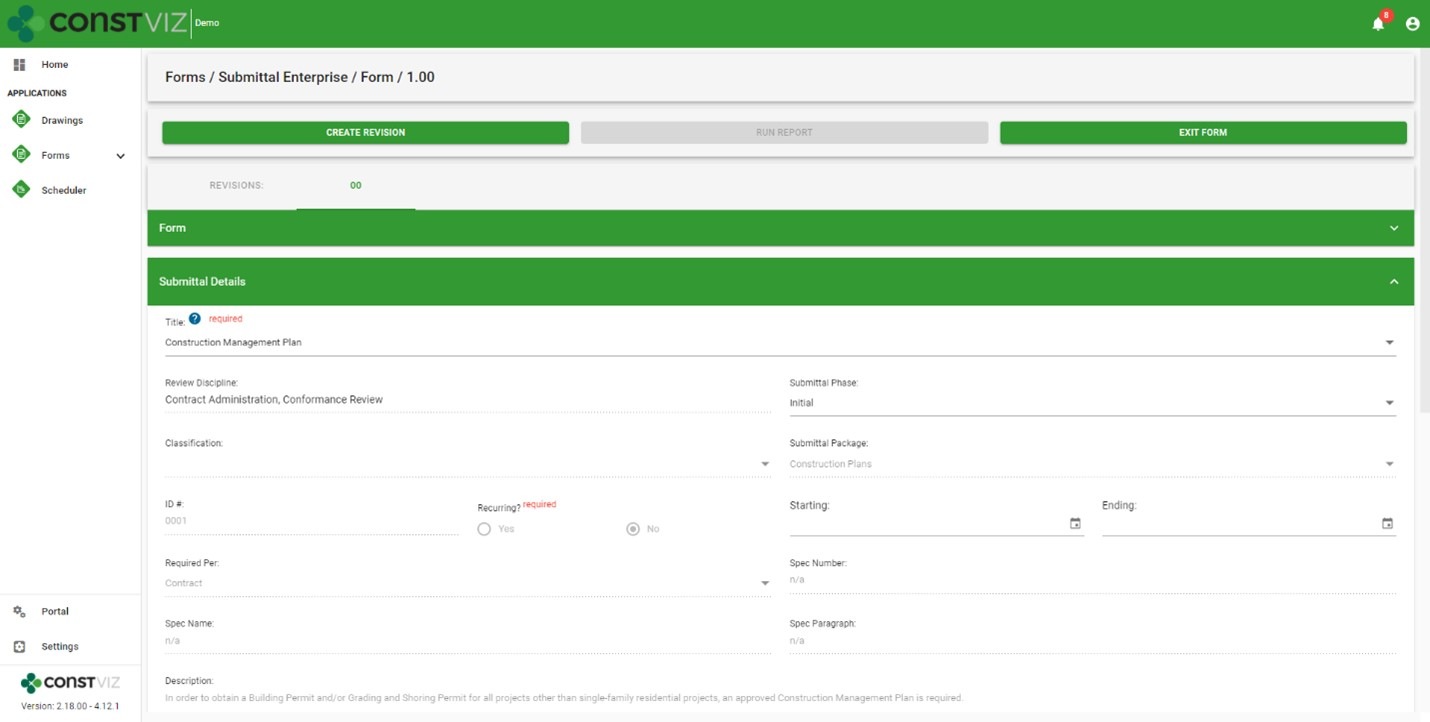
  • Easy creation: Contractors only need to select a few fields in a submittal to auto-populate the rest of the form from the register, minimizing training, reducing data entry, and ensuring data integrity throughout the process.
  • Helpful tooltips: Tooltips are available to display only the submittal register packages assigned to each contractor, further reducing errors when creating a submittal.
EnterpriseSubmittal_2

The Construction Viz Submittal Enterprise form is available as a single application or bundled in a suite of Microsoft 365 applications to fit your organization’s specific needs. While Construction Viz delivers out-of-the-box applications to get you started right away, all of our applications are further customizable as needed by the client and project. Learn more with a demo and consultation today.

Construction Viz Feature: Flexible Workflow Management

Project Management Tools | November 2, 2021

Construction projects can be very unique, not unlike the work processes supporting them. It's not uncommon for workflows to remain "fluid" through most of a project lifecycle as scoping requirements change, team members join, and the parties involved agree to work processes. This inherently dynamic nature of construction projects is why we designed Construction Viz to be as flexible as possible.

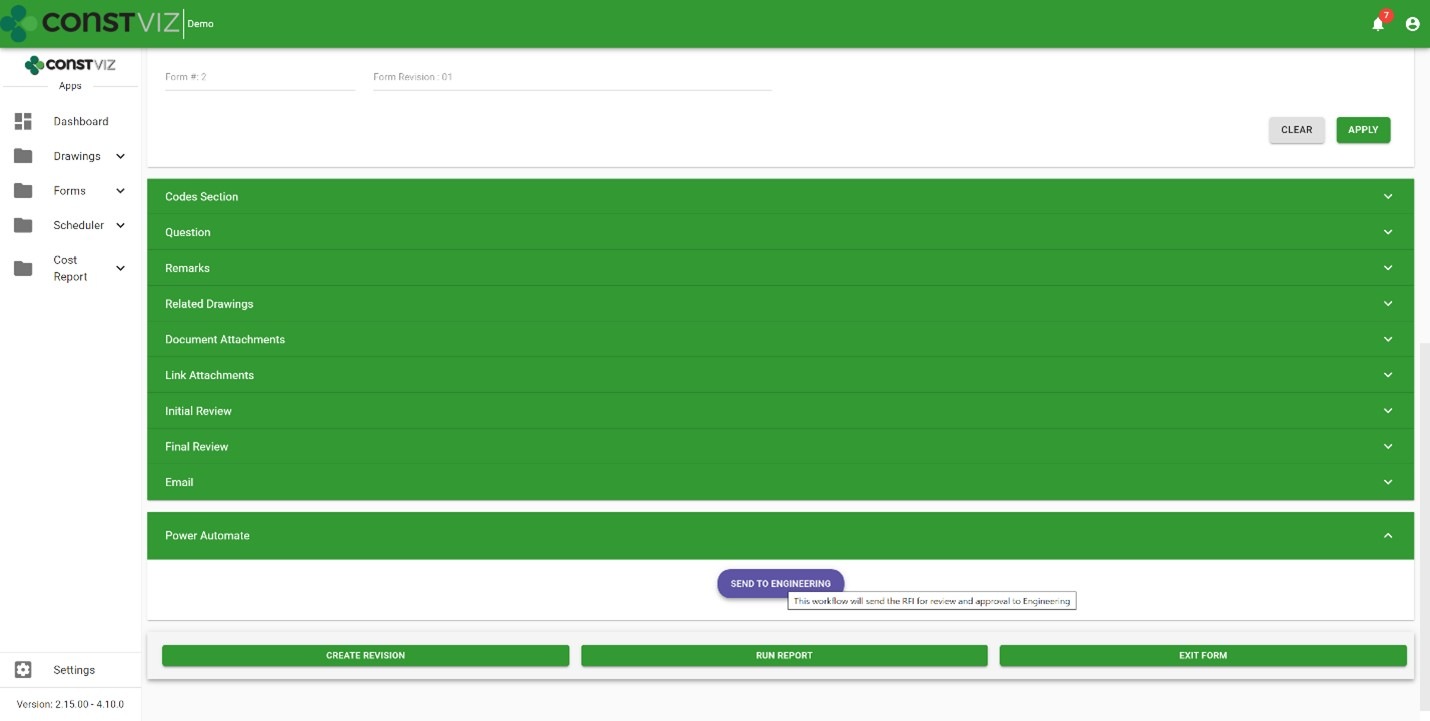
Construction Viz lets you work the way you want, with pre-configured ad-hoc workflows built into each app. And you can further customize your workflows by leveraging the power of Microsoft 365 Power Automate. No other construction project management software gives you so much control over how you get your projects done and delivers solutions right in your own Microsoft 365.

Construction Viz workflow features

Workflows are critical for managing projects in a project management information system (PMIS). Project teams use them to route forms for review, populate fields based on conditions, and email content for review and approval, to name just a few examples.

So what workflow features does Construction Viz offer?

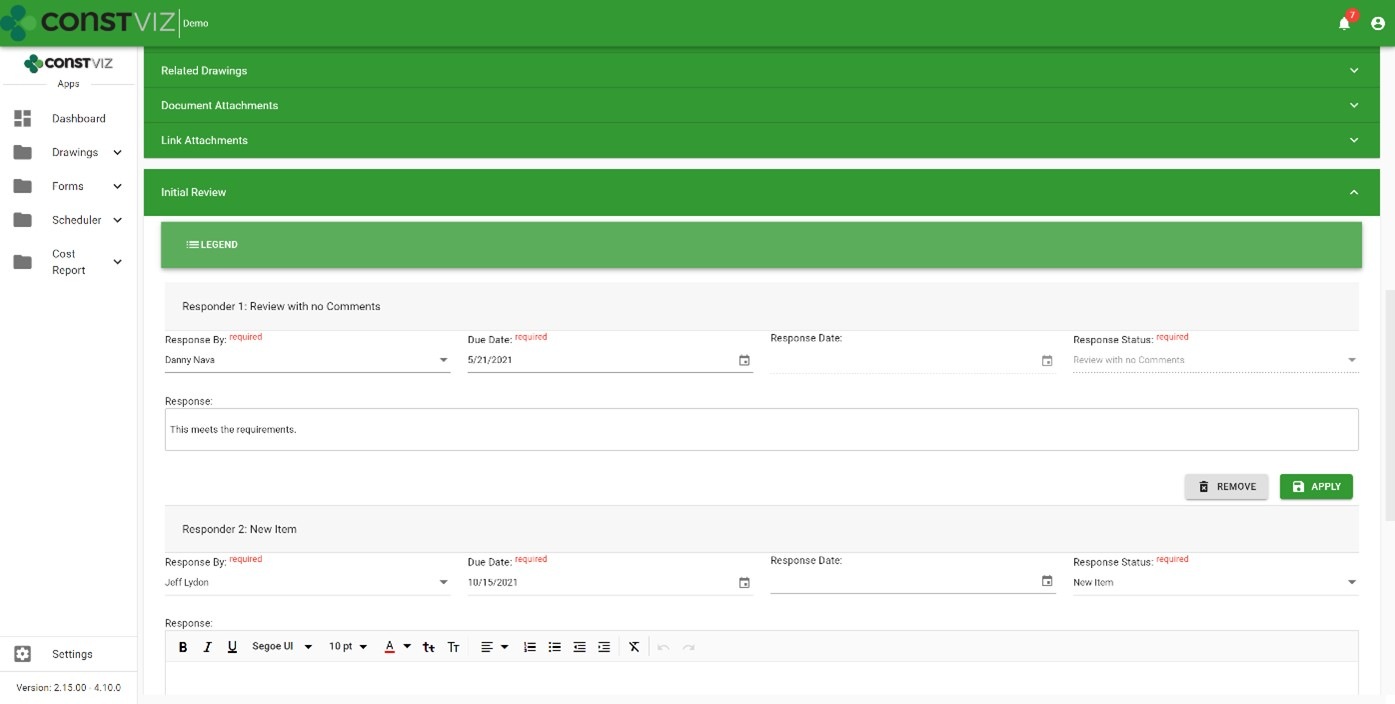
Out-of-the-box workflows – You get access to ad-hoc workflows with Construction Viz on day one. Pick a reviewer, assign a due date, and send it off for action.

Workflow-Mgmt_1

Email notifications – You can send automated actionable emails to a single reviewer or a group of reviewers. A complete email history log ensures your emails are never lost.

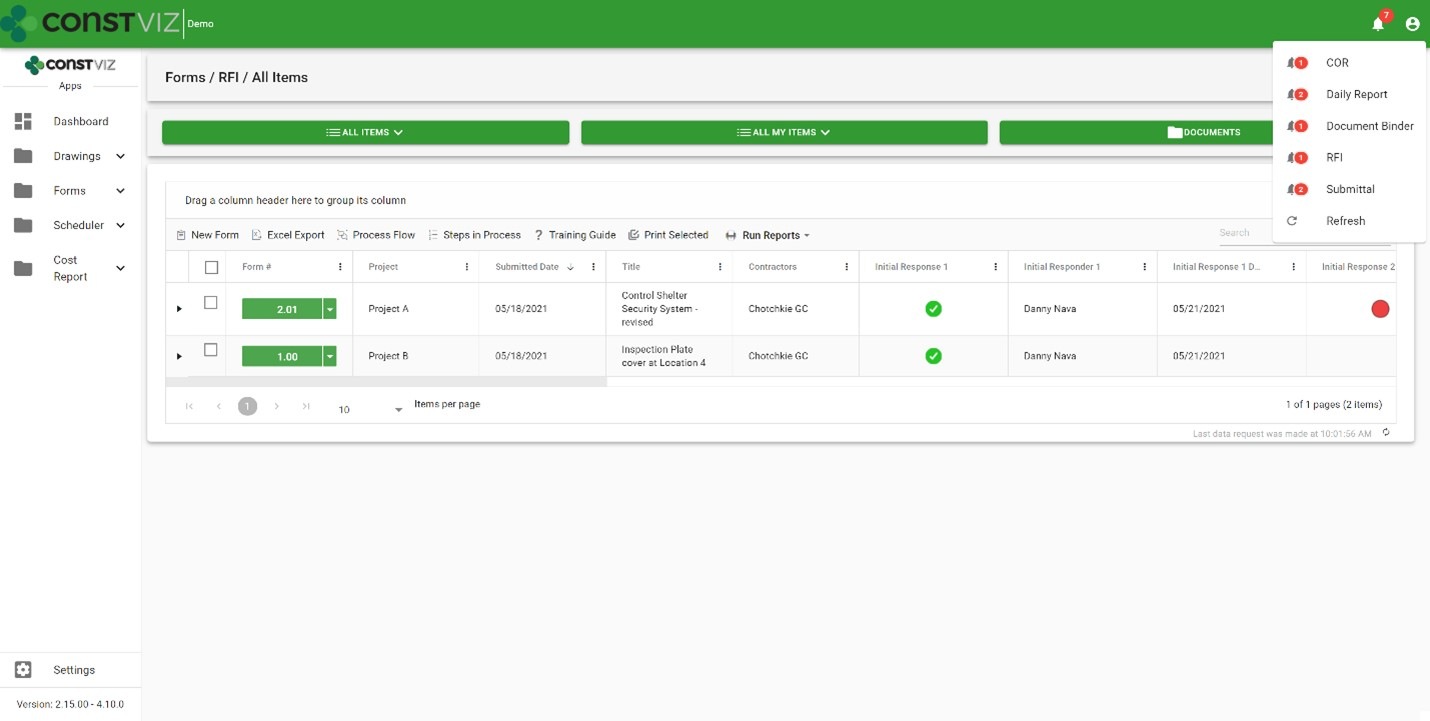
System notifications – Every user you assign as a reviewer receives a notification alert within the Construction Viz Hub with actionable drill-down capabilities.

Form due dates – Based on priority, you can automate standard Target Due to ensure adherence to contract requirements.

Ball in court – Every form log includes a ball-in-court displaying each reviewer's status so you can analyze the data across all records.

Workflow-Mgmt_2

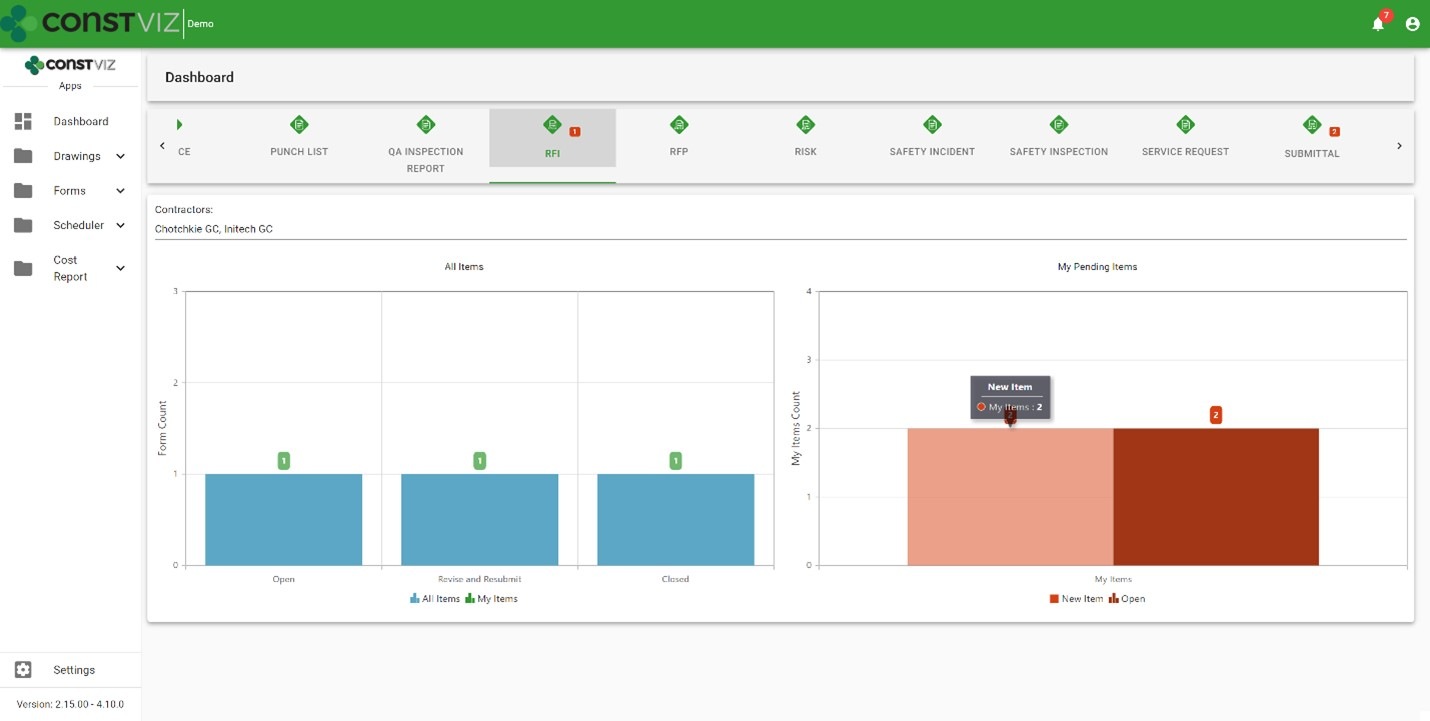
Dashboards – Dashboards display every record by status and by each reviewer so you can quickly identify bottlenecks.

Workflow-Mgmt_3

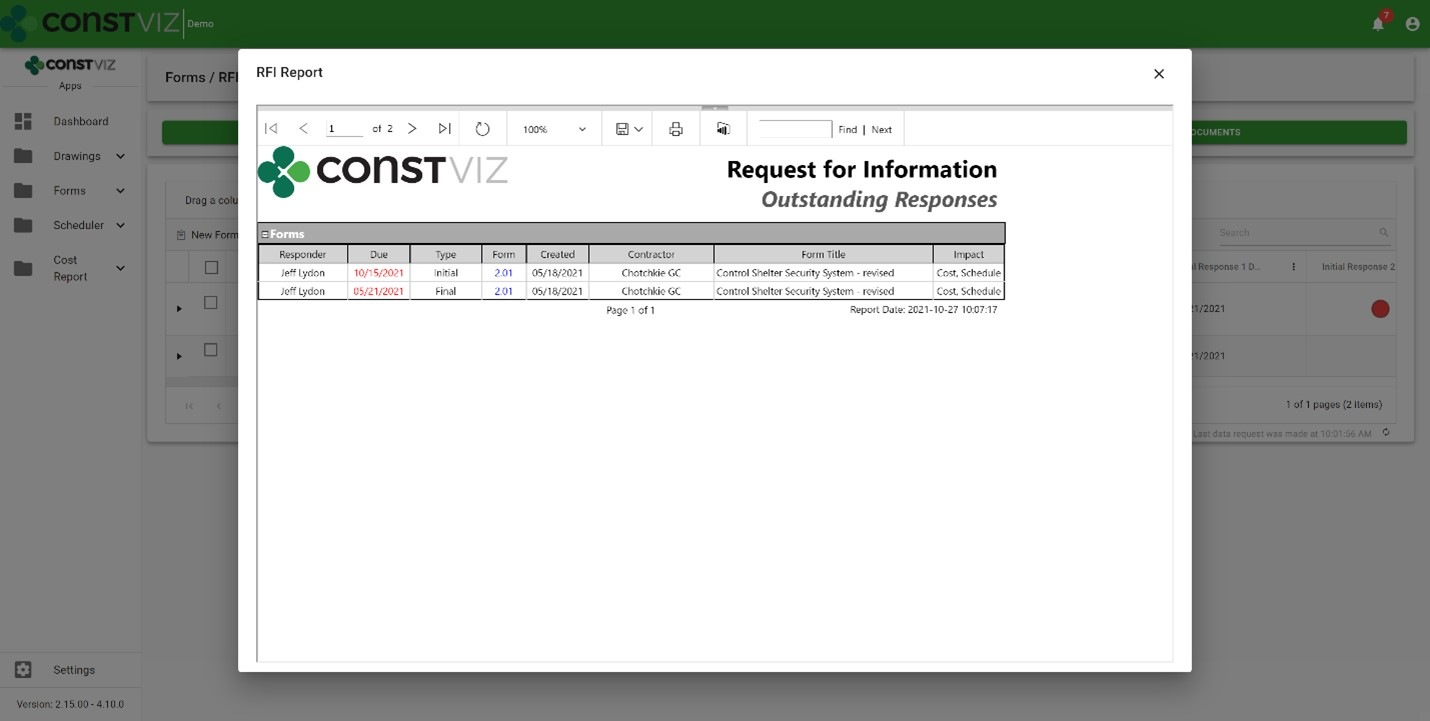
Reports – Outstanding response reports provide formal documents you can export to PDF, Excel, Word, etc.

Workflow-Mgmt_4

Microsoft 365 Power Automate integration – Power Automate is Microsoft's enterprise workflow solution for Microsoft 365. Construction Viz deeply integrates with Power Automate allowing users to create custom workflows and add them to any of our apps, extending the capabilities and providing unlimited possibilities. Here are a few examples:

  • Automating complex Construction Viz team review and approvals based on form conditions
  • Integrating Construction Viz data with Microsoft 365 services such as Outlook, To Do, Planner, Excel, Teams, and even external systems like SAP and Oracle.
  • Automating Construction Viz Power BI report creation and distribution
Workflow-Mgmt_5

Check out my previous blog article, Your Flows, Your PMIS: Power Automate & Construction Viz, for more information about how Construction Viz and Power Automate can turbocharge your construction project workflows.

Learn more about Construction Viz

Construction Viz is all about choice, and it is the only construction management software platform built for Microsoft 365 and designed around how you work and where you work. Find out more about Construction Viz and how we can help you manage your projects with a free, no-obligation consultation and demo.

  • « Go to Previous Page
  • Page 1
  • Interim pages omitted …
  • Page 4
  • Page 5
  • Page 6
  • Page 7
  • Page 8
  • Go to Next Page »

Footer

About Constructon Viz

Construction Viz is a flexible construction project management software solution powered by Microsoft SharePoint and SQL.
Read More >

Navigation

  • Home
  • About
  • Features
  • Apps
  • Blog
  • Contact
  • Login

Apps

  • Construction Viz Hub
  • Drawing Management
  • File Manager
  • Specification Management

–

  • Project Forms
  • Project Planner
  • Project Scheduler
  • Project Tracker
  • Task Manager

Connect with Us

This field is for validation purposes and should be left unchanged.

Sign up to receive helpful tips for construction project managers as well as updates about Construction Viz.

Lydon Solutions

© Lydon Solutions

  • Privacy
  • Cookies
  • Terms of Use
  • Disclaimer
  • End-user license

Click here to start a Microsoft Teams chat.

Click here to start a Microsoft Teams chat.

Contact Us
This field is for validation purposes and should be left unchanged.
Name(Required)
Join Our Newsletter

Sign up to receive helpful tips for project managers and updates about Construction Viz.

Get Started

Join Our Newsletter

Sign up to receive helpful tips for construction project managers as well as updates about Construction Viz.

This field is for validation purposes and should be left unchanged.