• Skip to primary navigation
  • Skip to main content
  • Skip to footer
Construction Viz

Construction Viz

Project Management Perfect

  • About
  • Features
  • Apps
  • Blog
  • Contact
  • Download Flyer
  • Get Started Today
  • Login
Hide Search

Jeff Lydon

New eSignature Feature for Construction Viz 

Construction Viz, Project Management, Project Management Tools | December 20, 2023

As construction organizations move from paper processes to web-based project management tools, the adoption of electronic approvals has been mixed. Clicking an approved button that registers your account name and date is standard in most construction management systems. However, some organizations and specific forms still require digital or wet signatures. While several electronic signature tools are on the market, their ease of use and cost can be a deterrent. We added a free and easy-to-use digital signature feature to Construction Viz to capture signatures in any of our forms. Read on to discover how our simple signature feature might address your challenges. 

Several signature solutions are available for SharePoint, including the new built-in SharePoint eSignature subscription service that will be available soon. The benefit of these tools is that files that receive signatures never leave your Microsoft 365 tenant, ensuring your data remains secure and in your control.  

Leveraging these eSignatures through SharePoint is great but does require additional subscription costs and administration. What if you want something simpler and at no extra cost?  

Construction Viz eSignatures Feature for Construction Forms

Picture1

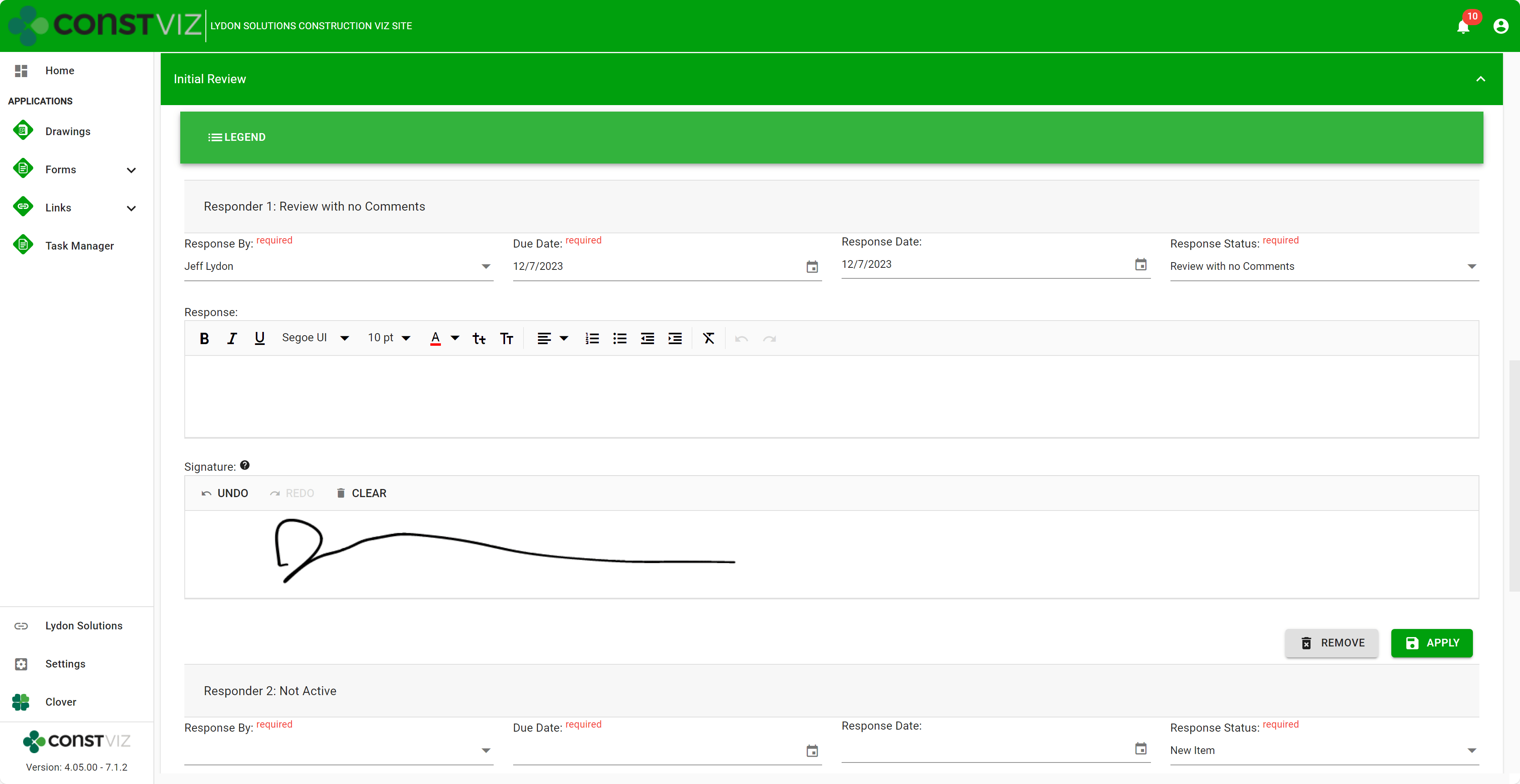
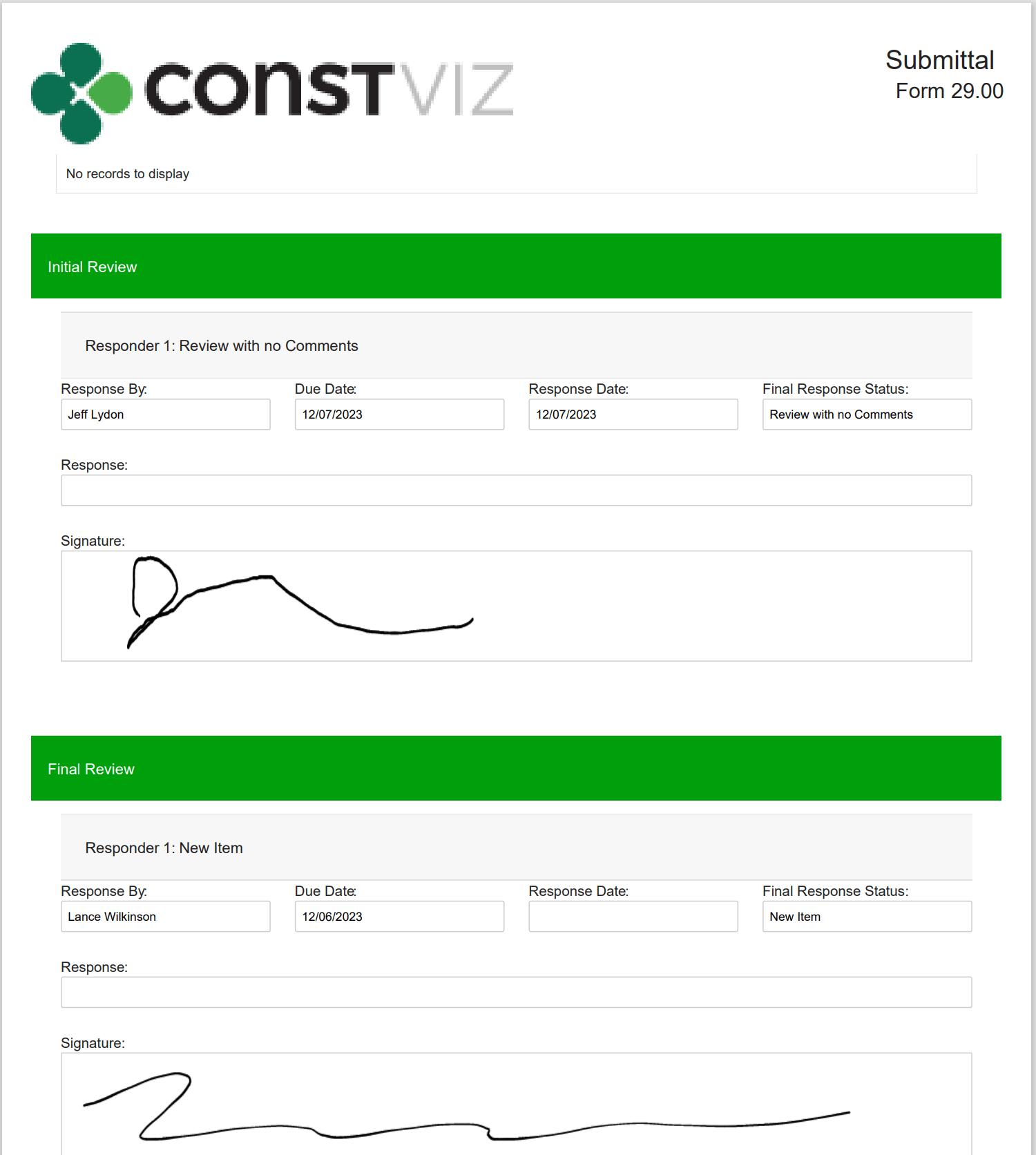
With the Construction Viz eSignature feature, signatures are available on any form in the review components. For example, say you want an inspector to sign a daily report digitally. We can activate eSignatures in your Construction Viz settings to automatically add eSignatures to all your daily report forms. 

Since this new eSignature feature is built into Construction Viz, we included additional controls such as: 

  • Only the user assigned the review can sign their signatures. 
  • If a user is removed from the reviewers, their signature is removed as well.  
  • Administrators are restricted from signing on behalf of a user.  
  • eSignatures are available on any Construction Viz form! 
  • eSignatures print in form reports! 
Picture2

Our new eSignature feature is perfect if you need a simple, free solution within Construction Viz. You can find out more about Construction Viz by requesting a demonstration here. 

Break Through the 5K Record Limit in SharePoint Online with Construction Viz 

Project Management | December 4, 2023

SharePoint Online lists and document libraries have a 5,000-item limit for filtering data. You could quickly reach that threshold if you want to use a single SharePoint site to house many projects or a large multi-year project.

Read on to discover how Construction Viz can overcome the 5K threshold, continue delivering robust analytics for your projects, and keep ticking regardless of the threshold limit.

SharePoint lists and libraries can store up to 30 million records. At 5,000 records, however, filtering views stop working. And with SharePoint Online, there is no way to change that threshold.

You could re-index the list or library, adding one or more indexes to the list columns, which will fix the error message. However, exceeding the threshold will still adversely impact SharePoint’s functionality. Specifically, column filtering is limited, and lookups can be adversely affected. Removing columns from views can help, but ultimately, you will have a different experience after you hit the threshold.

Picture1

Construction Viz Solves the 5K Item Limit in SharePoint Online

Since organizations may need to manage one or many projects in a single SharePoint site, with Construction Viz for Microsoft 365, we built controls to keep your projects running smoothly regardless of the threshold. So, even if you have not implemented indexing on the SharePoint list or library, Construction Viz can continue delivering analytics and reporting.

Picture2

With Construction Viz, we take the best of Microsoft 365, fill in any gaps, and deliver a second-to-none project management information system in your Microsoft environment.

Click here for a free demo and consultation to learn how Construction Viz can save you time and money while keeping your data safe in your Microsoft 365.

Construction Viz Task Manager 2.0 – Gantt Charts Coming to Task Management

Project Management, Project Management Tools, Scheduling | November 28, 2023

The Construction Viz Task Manager app for Microsoft 365 delivers a simple yet powerful way to track and report on project tasks. It is a stand-alone application in Construction Viz but can be integrated into any other application, such as RFIs, Submittals, or Meeting Minutes. With the latest update, we’ve moved the needle significantly on project task management to include scheduling, checklists, and sub-tasks!

Read on to find out more about how our updated Task Manager app can help you organize and track tasks for your projects.

What is New in Construction Viz Task Manager 2.0

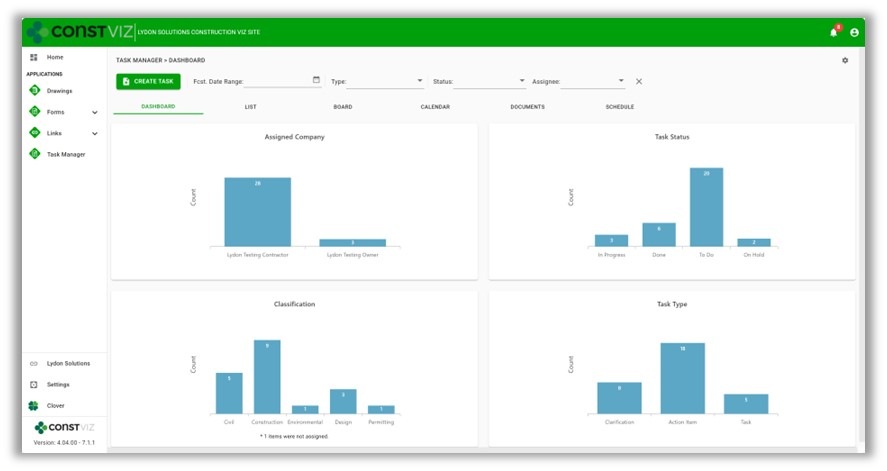
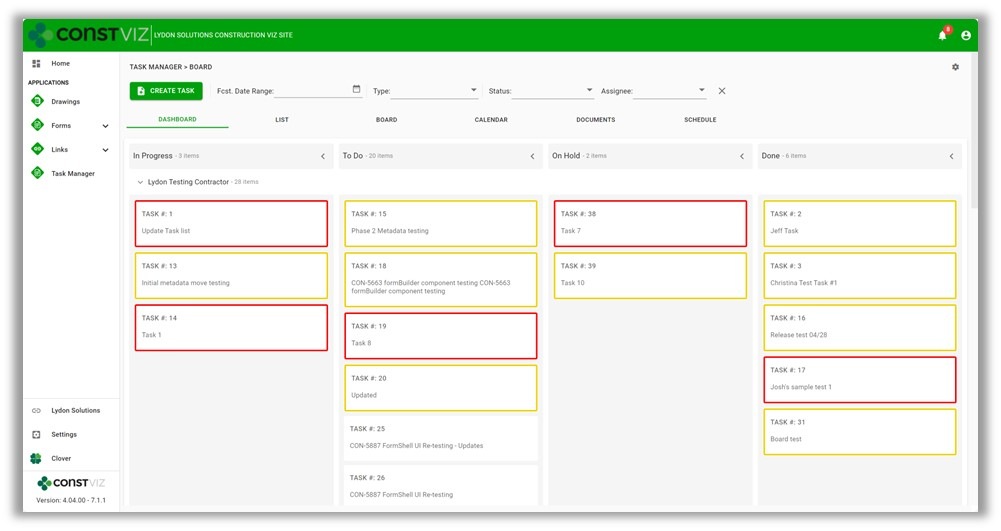
We built the Task Manager so that team members have a 360-degree view of project tasks. The Task Manager includes the following views:

  • Dashboard – Displays charts of key metrics with drill-down capability.
Picture1
  • List – Provides a log of all tasks with filtering, grouping, and search.
  • Board – Displays a Kanban view for updating the status of tasks.
  • Calendar – Plots tasks on a familiar calendar with today, day, week, month, and agenda views.

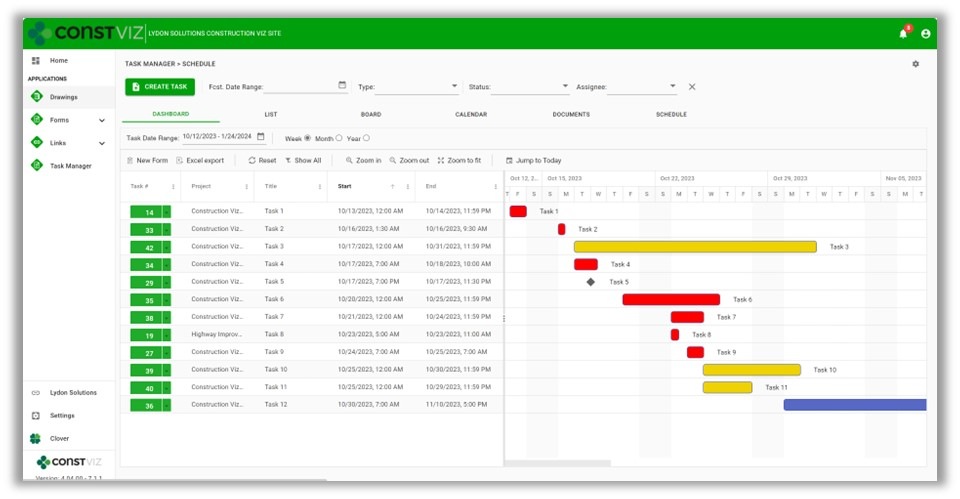
With the latest Task Manager release, we are extending the functionality to include lightweight scheduling. So, if you are looking for a three-week look ahead project schedule tool or prefer a Gantt chart-style view of your tasks, we’ve got you covered.

This release includes the following updates to the Task Manager app:

  • Schedule View – A new view that displays all tasks in a familiar Gantt chart schedule. The schedule includes scheduling controls to filter and change displays.
Picture2
  • Task Schedule component – We added a scheduling component to the task form for managing start and finish dates, times, all-day events, and durations.
  • Task Checklist component – We added a checklist component to the task form to track items needed to complete the overall task. The checklist allows for drag-and-drop ordering, auto-assign completed by, and completed dates.
  • Sub-task component – We added a component to the task form to add sub-tasks to a task. Sub-tasks include fields for the required by date, forecasted completion date, status, and percent complete.
  • Visual alerts – We updated the mouse-over tooltips and added color indicators across views to display late and incomplete tasks. These visual alerts will help project teams stay on track.
Picture3

While these updates are significant, we are just getting started. We plan on further extending the scheduling capabilities of the Construction Viz Task Manager app, including dependencies and resource management. Stay tuned as we continue to deliver a leading-edge task management solution with Construction Viz for Microsoft 365!

Sign up today for a no-obligation demo to learn how Construction Viz can help your organization manage your construction projects more efficiently.


Archive Your Project Data in Three Clicks with the Construction Viz PDF Report Wizard 

Project Management, Project Management Tools, Reporting | October 26, 2023

Have you ever needed an easy way to archive PDF versions of all your project correspondence, such as RFIs and daily reports, including attachments (which could be in various file formats)?  

The new Construction Viz PDF report wizard aims to build on our existing technology with the ability to generate PDFs from multiple forms at the same time. Read on to find out more about this new feature. 

Introducing the Construction Viz PDF Report Wizard

We built the Construction Viz PDF Report Wizard based on the Construction Viz Form archive wizard which is a powerful and heavily used feature in Construction Viz. It allows users to create PDF binders from any form, including the form attachments. The step-by-step wizard walks you through selecting a form, adding and ordering attachments, and naming the generated PDF binder.

Picture1

Form archiving wizard – re-ordering attachments 

The cool part is the archive wizard converts attached files from their native format (Excel, Word, etc.) to PDF and automatically provides a name for the PDF binder. So, if you want to send a contractor a PDF of an RFI with any relevant attachments, select the form, select which attachments they need to see, and follow the wizard to generate a PDF you can email.  

This feature is an excellent form-by-form solution, but what if you want a push-button way to choose more than one form? Let's say you want to archive all of the RFIs, submittals, and dailies on a project and include all the form attachments. And you want to do this in bulk. 

The new PDF report wizard leverages some of the same technology from our form archive wizard to create multi-form PDF binders of your project correspondence. Users select one or more forms, click the PDF Form Report(s) button, and have the option to include attachments, images, or both. And just like the form archive wizard, the attachments are automatically converted from their native format (Excel, Word, etc.) to PDF, including any images. 

Picture2

If you are wondering about file sizes impacting the system and preventing you from continuing your work, don't. While the file conversion runs, the tool prompts you to load another screen to continue working without interruption. Construction Viz will notify you when the processing is complete and the PDF files are downloaded locally.  

Picture3

Our development team at Lydon Solutions continues to drive innovations in your day-to-day workload with our Construction Viz product for Microsoft 365 so you can focus on what's important, delivering the project on time and within budget. You can request a demo of Construction Viz here, or if you need help with Microsoft 365, you can click here for a free one-hour consultation with our Microsoft technology experts. 

Linked apps, where have you been?

Forms | August 24, 2023

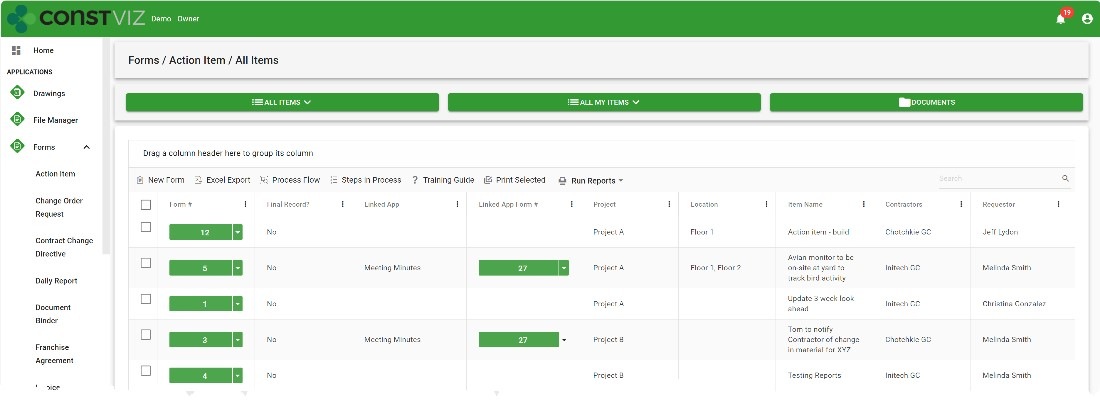
The new linked apps feature in Construction Viz allows creating any form within another form, like an action item within a meeting minute form or a change request in a risk form. Find out how this new feature can save time and improve your overall document control processes.

A need based on common real-world scenarios

If you think about the evolution of a change on a project, it might start with an issue, move to risk, get added to an RFI, and finally move to a change request to implement the change. Typically, these are all separate forms, but they are all part of an interrelated process to document and disposition a project change.

Taking a step back and looking at the entire change process, each form builds on the prior, from inception to implementation. Additional details, further justification, subsequent approvals, etc., are added at each stage of the change lifecycle.

If you can relate these separate processes together, project teams can streamline the process and build an audit trail to support the justification of the change.

Enter Construction Viz’s linked apps

With the new Construction Viz connected apps feature, you can create one or more form apps within another. For example, if you are filling out a risk form and want to generate a related change request, you can add the change request form linked component to the risk form settings.

When a user completes a risk form, the new component will show a window into the change request app where they can create one or more change requests without ever leaving the risk form. And the change request will automatically link back to the risk form and vice versa.

This functionality can be added to any form, creating a one-to-many relationship so that an entire process can be automatically related.

Linked apps are just one of the many features we have added to Construction Viz to enhance information management on a project further. You can request a demo of Construction here.

Not ready to move to an enterprise construction management system or need help with Microsoft 365? You can request a free 1-hour Microsoft 365 consultation request with our experts here.

CV-Product-Demo-Webinar

Construction Viz for Microsoft 365 Product Demo
Webinar - September 7, 2023, 11:00 AM PST
Participate in this interactive session to share your challenges and learn more about Construction Viz for Microsoft 365.
Learn More

Construction Viz for Managing Franchise Stores

News | July 10, 2023

Construction Viz is a unique enterprise construction PMIS fully configurable and customizable to your specific construction business. This flexibility makes it simple to add entirely new applications and functionalities to the source code to accommodate our customers’ needs. And on top of that, the entire solution can be deployed into your Microsoft 365 tenant, providing the ultimate control and security of your processes and data.

We recently were tasked with developing a solution for managing the construction of over 400 franchise stores nationwide. This effort included out-of-the-box functionality and custom applications to manage each store from initiation to closeout.

Here is a high-level overview of how we met our client’s needs for franchise store management with Construction Viz.

Construction Viz Hub Customized for Franchise Stores

With Construction Viz, a SharePoint site deployment can represent a single project or hundreds of projects, depending on the need. In this instance, we needed to accommodate 400 stores.

To do this, we rebuilt the Construction Viz projects, contacts, and company settings to capture additional store-specific information, such as owner, location, store type, insurance requirements, and the like. We then connected these settings to our construction-specific forms (e.g., RFI, submittals, etc.) and assigned them to specific stores and projects.

Repurposing out-of-the-box construction apps

The common wisdom is not to reinvent the wheel. We took this maxim to heart while adapting Construction Viz to the needs of franchise store management.

We started by leveraging our existing Construction Viz form apps, such as RFIs, submittals, and daily reports. Next, we configured these forms to capture store information so the client could get a bird’s-eye view of project information across all stores and be able to drill down into each specific store.

New custom apps specific to franchise store management

To capture the unique data needed to manage a portfolio of stores, we needed to build several new applications, including:

  • Franchise Agreement – This form tracks all of the information required to complete a franchise agreement between the franchise and the franchisee, such as contract terms and ongoing lease costs such as taxes, maintenance, and utilities.
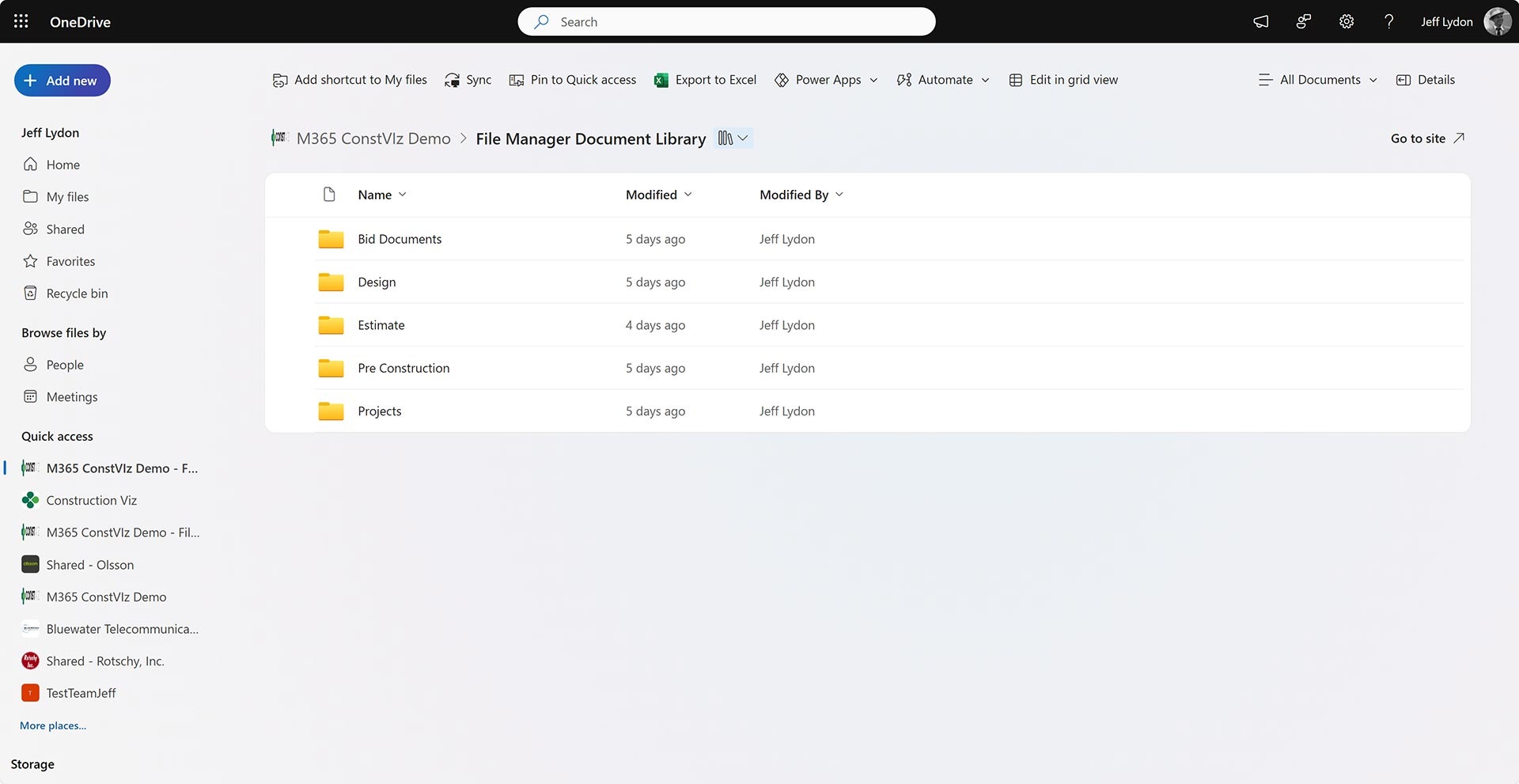
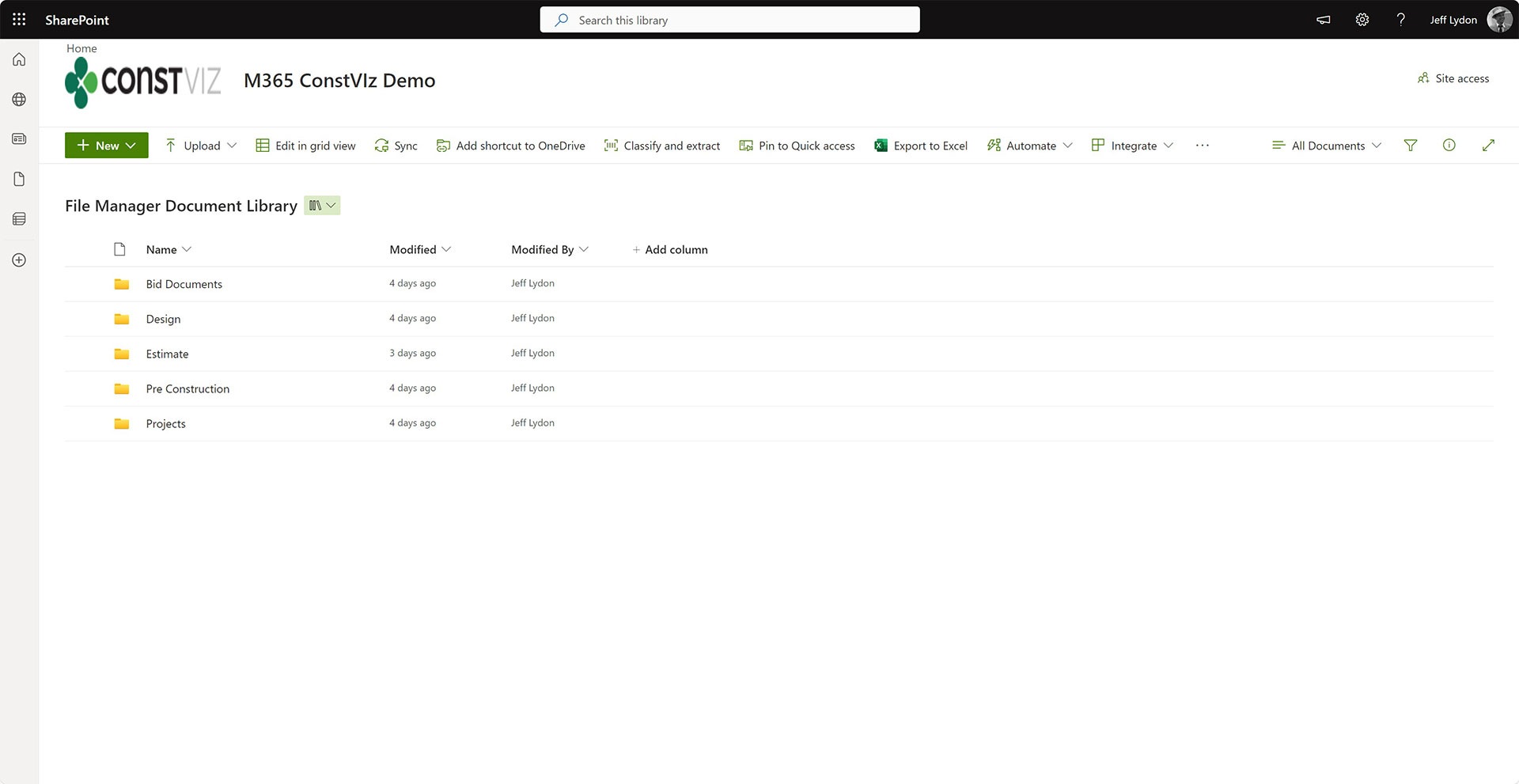
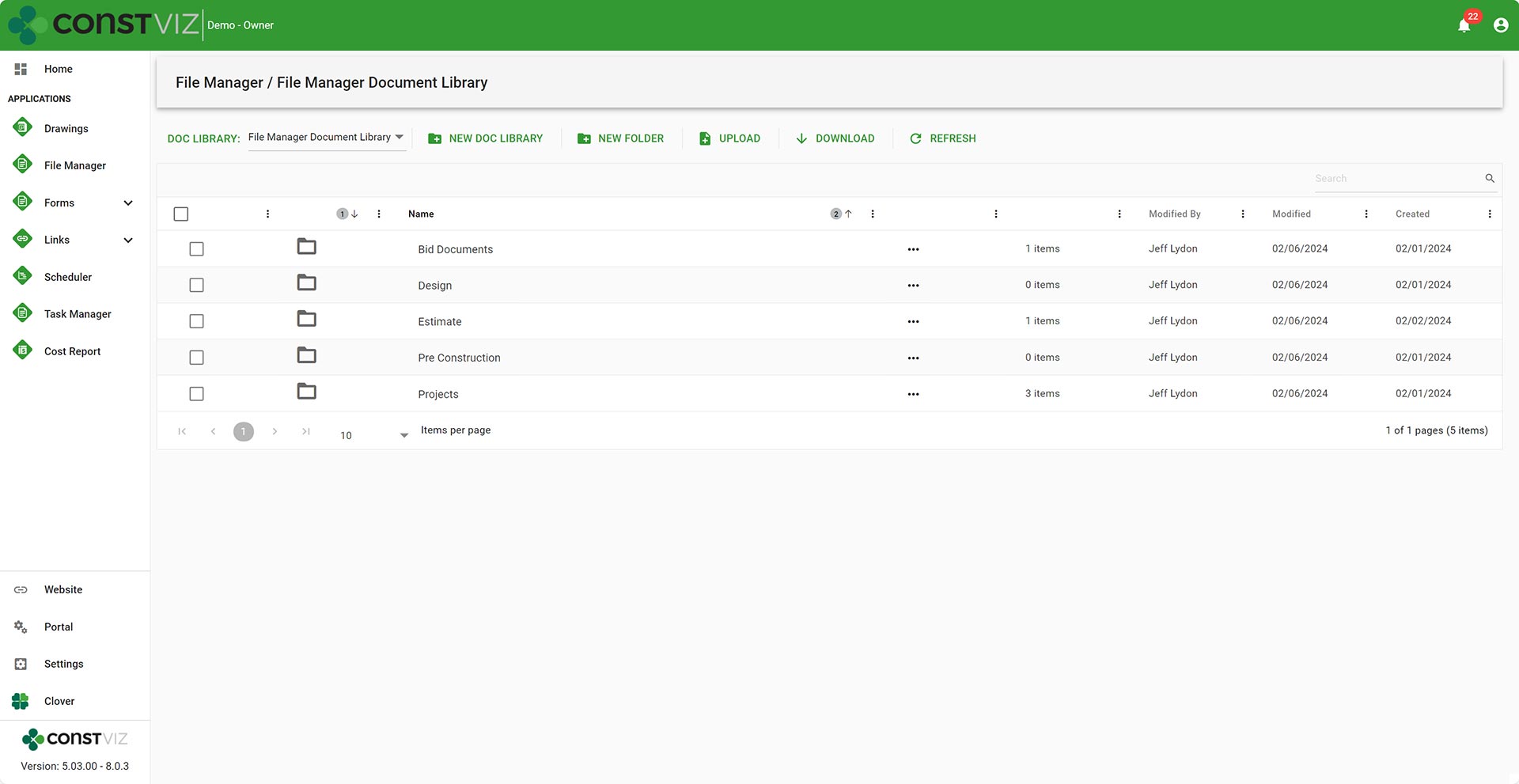
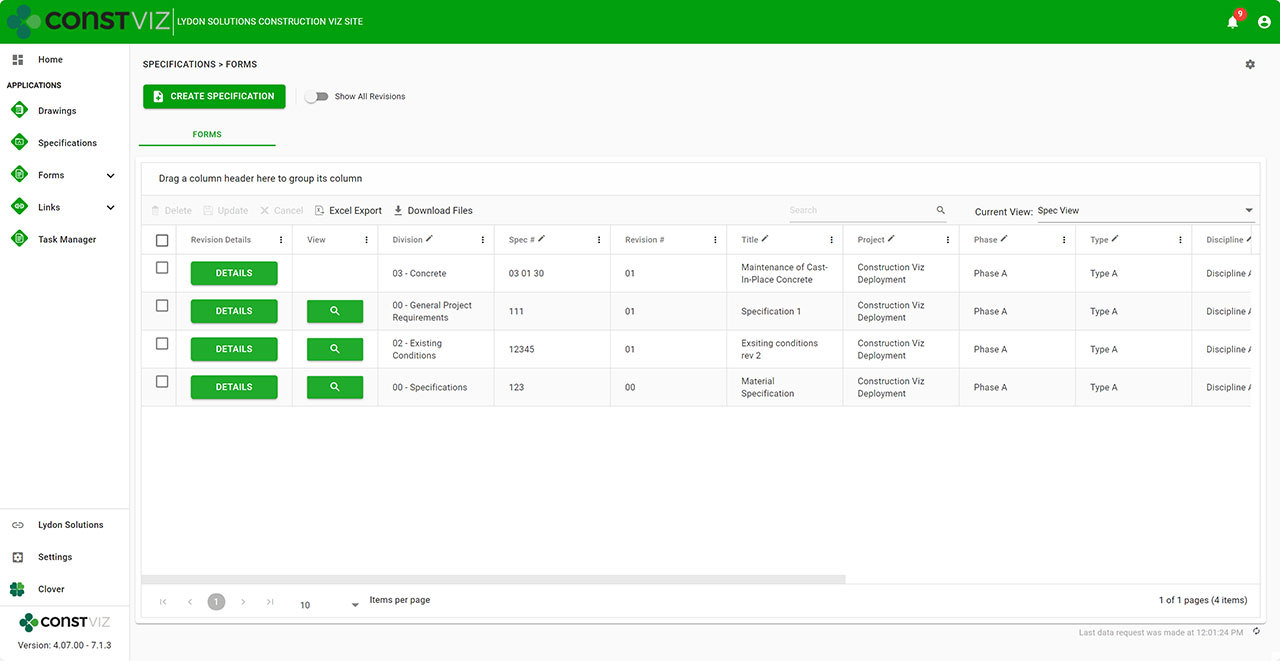
Construction Viz Franchise Agreement form
  • Permits – We rebuilt our Permit form to capture the many types of permits required, from obtaining land to ongoing health services. Key reminder dates, such as permit expiration date, were included so email notifications could be automatically triggered when late.
  • Work Performance – We rebuilt our Task Manager app to add subtask detail and percent complete so that every task across the portfolio of stores is centralized and reported on.
Construction Viz Task Manager with sub-task functionality

Discover How Construction Viz Can Meet Your Specific Project Management Needs

Designing and delivering solutions around how you work is one of the key advantages of Lydon Solutions services and how we developed Construction Viz.

Our construction and IT specialists will walk you through our proven step by step FOCUS software implementation methodology to ensure your projects are a success. Using out-of-the-box Construction Viz applications or building a custom solution, we can guide you from concept to delivery, so that your team will want to use the product at the end of the day.

Find out more about Construction Viz with a no-obligation demo and consultation. Or, if you need help with Microsoft 365, head over to LydonSolutions.com to learn about our entire lineup of construction technology services and solutions. 

  • « Go to Previous Page
  • Page 1
  • Interim pages omitted …
  • Page 5
  • Page 6
  • Page 7
  • Page 8
  • Page 9
  • Go to Next Page »

Footer

About Constructon Viz

Construction Viz is a flexible construction project management software solution powered by Microsoft SharePoint and SQL.
Read More >

Navigation

  • Home
  • About
  • Features
  • Apps
  • Blog
  • Contact
  • Login

Apps

  • Construction Viz Hub
  • Cost Report
  • Drawing Management
  • File Manager
  • GIS Maps
  • Oracle Primavera 6
  • Payment
  • Specification Management

–

  • Project Forms
  • Project Planner
  • Project Scheduler
  • Project Tracker
  • Task Manager

Connect with Us

This field is for validation purposes and should be left unchanged.

Sign up to receive helpful tips for construction project managers as well as updates about Construction Viz.

Lydon Solutions

© Lydon Solutions

  • Privacy
  • Cookies
  • Terms of Use
  • Disclaimer
  • End-user license

Click here to start a Microsoft Teams chat.

Click here to start a Microsoft Teams chat.

Contact Us
This field is for validation purposes and should be left unchanged.
Name(Required)
Join Our Newsletter

Sign up to receive helpful tips for project managers and updates about Construction Viz.

Get Started

Join Our Newsletter

Sign up to receive helpful tips for construction project managers as well as updates about Construction Viz.

This field is for validation purposes and should be left unchanged.