• Skip to primary navigation
  • Skip to main content
  • Skip to footer
Construction Viz

Construction Viz

Project Management Perfect

  • About
  • Features
  • Apps
  • Blog
  • Contact
  • Download Flyer
  • Get Started Today
  • Login
Show Search
Hide Search

project management information system

Visualize Your Project Data in a Calendar View with Microsoft Lists and Construction Viz

Project Management | June 23, 2022

We recently shared how you can generate a Power BI dashboard from Microsoft Lists in three clicks with Construction Viz. Here is another handy tip for using the two applications together. 

To recap, the Microsoft Lists app allows users to view and create interactive lists for managing items such as tasks, issues, and even assets for a construction project. If you have used Microsoft SharePoint Online, Lists will seem familiar since it uses the same list technology. 

Using Microsoft Lists calendar view in Construction Viz 

Microsoft recently released a new Calendar view for Microsoft Lists. It's a nice feature that allows you to visualize your list data in a familiar calendar UI. 

Because Construction Viz and Microsoft Lists both utilize Microsoft SharePoint lists and libraries under the hood, this new feature can provide a nice calendar view of project data, such as all of your RFIs by the submitted date and the target due dates. Check out a preview in the animated graphic below.  
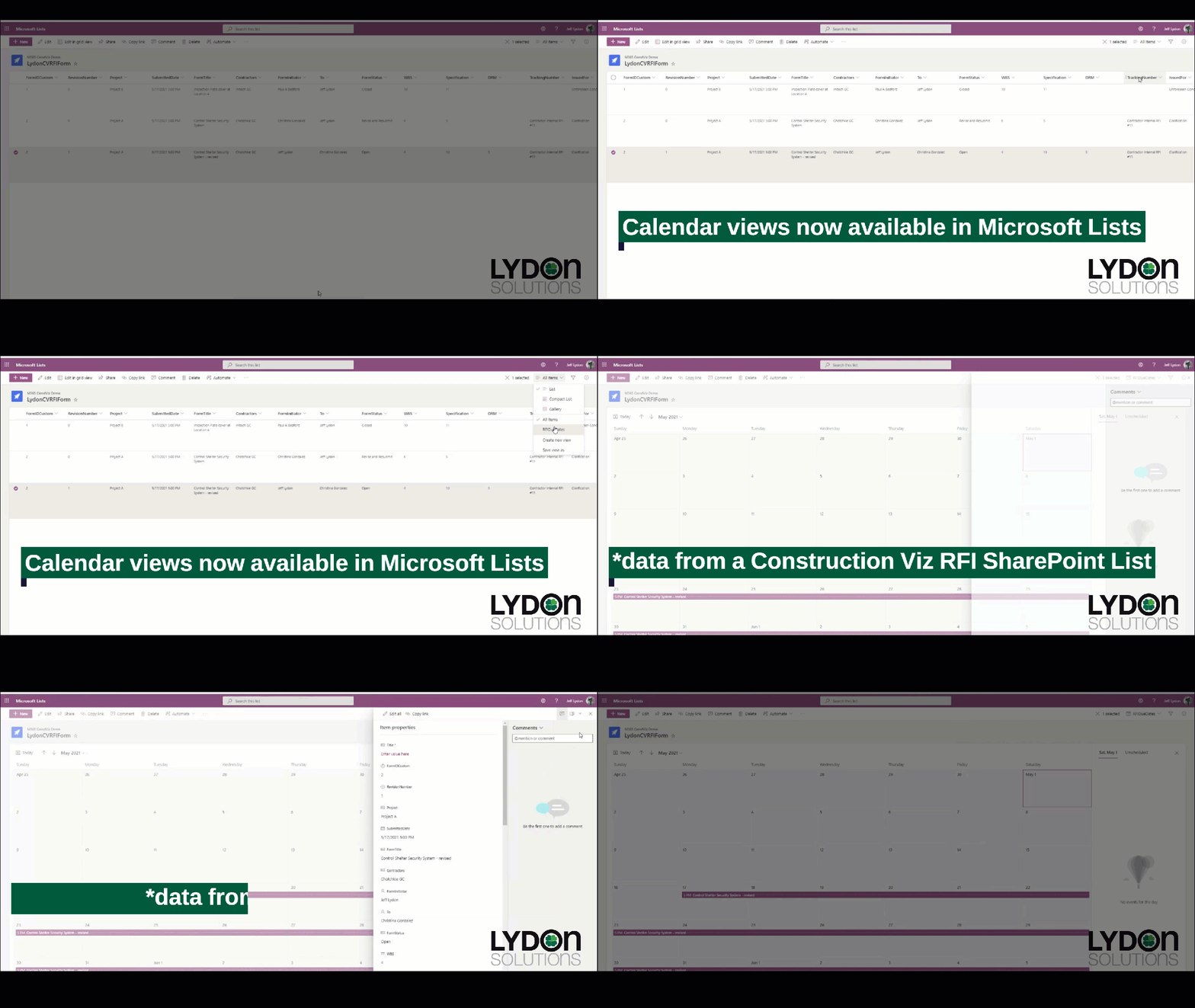
CV_Lists_Calendar-View

You can find out more about Microsoft Lists here.  

Want to manage your construction projects in Microsoft 365? 

Using the Microsoft Lists calendar view is just one of many integrations with Microsoft 365 services that Construction Viz can leverage. Construction Viz empowers you to manage construction projects in Microsoft 365. Better yet, Construction Viz is available as standalone apps, allowing you to combine the specific features you want into a project management tool that is perfect for you and your workflow.  

You can request a demo of Construction Viz here to learn how to get the most out of your Microsoft 365 investment to manage your construction projects. 
Stay Legally Compliant with Microsoft 365 and the New Construction Viz Records Management Feature

Forms | January 27, 2022

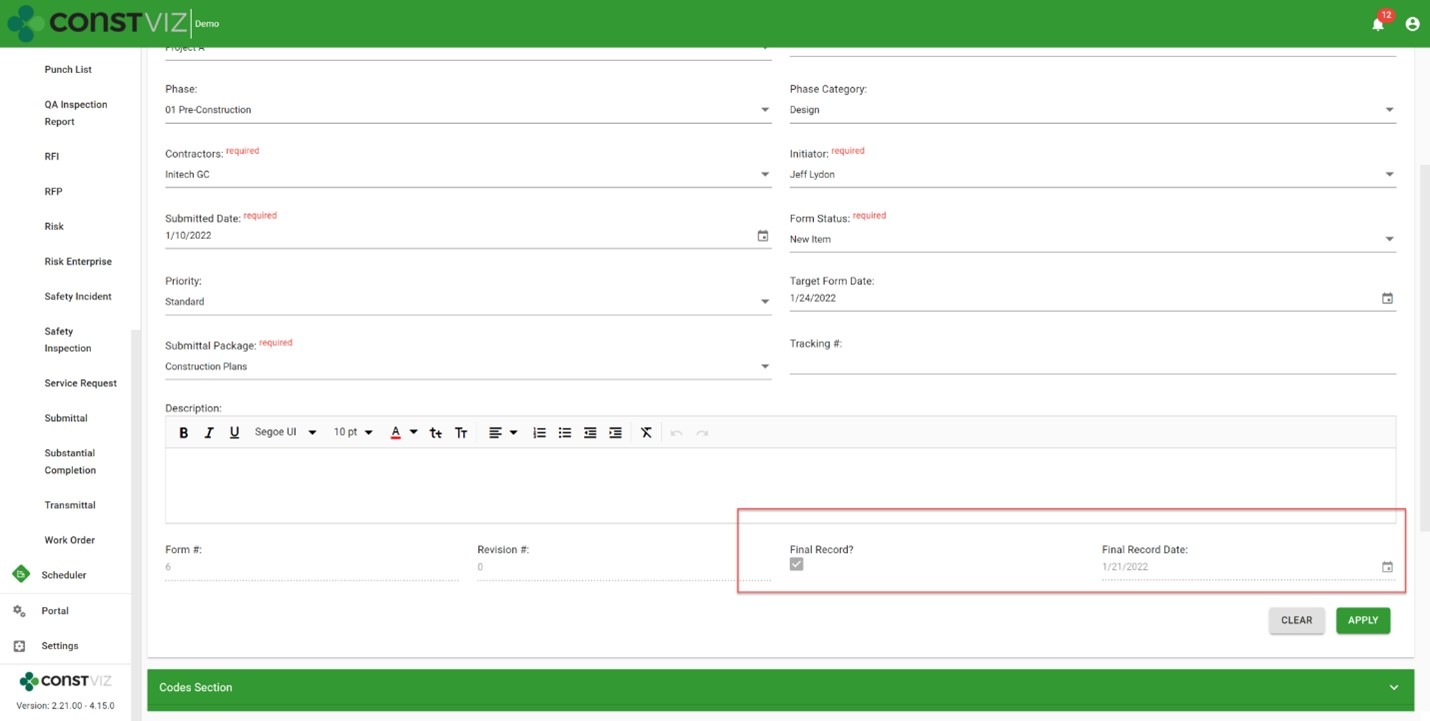
The new Construction Viz records management feature of our construction form apps builds on Microsoft 365 and SharePoint to add capabilities optimized for construction project management. Read on to learn more.

Construction organizations generate a significant amount of information on projects. Everything from documents to construction forms is collected, organized, reviewed, and stored day-to-day. Once final, all these various materials need to turn into records.

Microsoft defines a record as follows:

“A record is a document or other electronic or physical entity in an organization that serves as evidence of an activity or transaction performed by the organization and requires retention for some time period.”

Organizations typically preserve records for legal reasons. Having effective records management functionality built into your construction project management solution is critical to meeting compliance and regulatory requirements and avoiding offline workarounds.

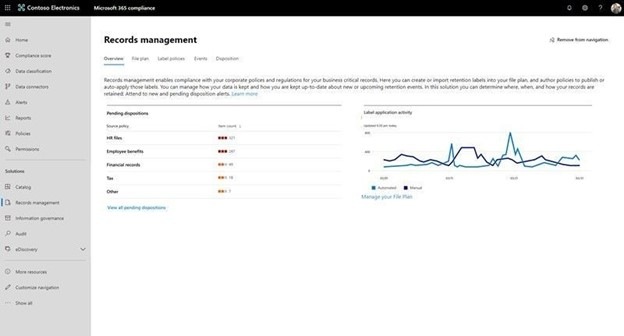
Microsoft 365 and SharePoint Online includes robust records management functionality by default, allowing the ability to manage the entire lifecycle of files. You can set up information management policy workflows to convert files into non-editable records based on retention codes. The same workflows can determine when files have met the retention schedules and dispose of those records. You can find out more about SharePoint Online records management here.

Legally-Compliant_1

How the Construction Viz records management feature streamlines compliance

Since Construction Viz deploys into Microsoft 365 SharePoint Online, you can already leverage SharePoint's default records retention for any documents generated in our platform. The new records management feature that we've added to our Construction Viz form apps complements SharePoint by enhancing its record retention functionality for construction projects. Creating a record is simple with our tool's “Create a Record” option which makes a form read-only and restricts edits to only system admins. Construction Viz captures when a user converts a form to a record to meet compliance requirements and provide additional reporting.

Legally-Compliant_2

Microsoft 365 SharePoint Online records management can help you manage your construction records. Find out how Construction Viz extends the capability of Microsoft 365 to manage all of your construction project records here.

Construction Viz App Spotlight: Substantial Completion Form

Forms | August 12, 2021

We designed the Construction Viz Substantial Completion form app to streamline getting your project to the finish line with greater efficiency and consistency.

Substantial completion is the stage of the project where portions of work are sufficiently complete. In other words, it marks the point at which constructed items become assets, start depreciating, and are potentially handed off to the operations and maintenance teams for support. It’s also the time to collect warranties and ensure all punch list items are complete.

The owner and construction or general manager typically document achieving substantial completion in an email exchange. As we all know, email is the preferred communication tool on construction projects, and it will not go away soon. But email is not the most effective way to manage critical information at this phase of the project.

The Construction Viz Substantial Completion form provides a much better framework for project teams.

Construction Viz Substantial Completion form app

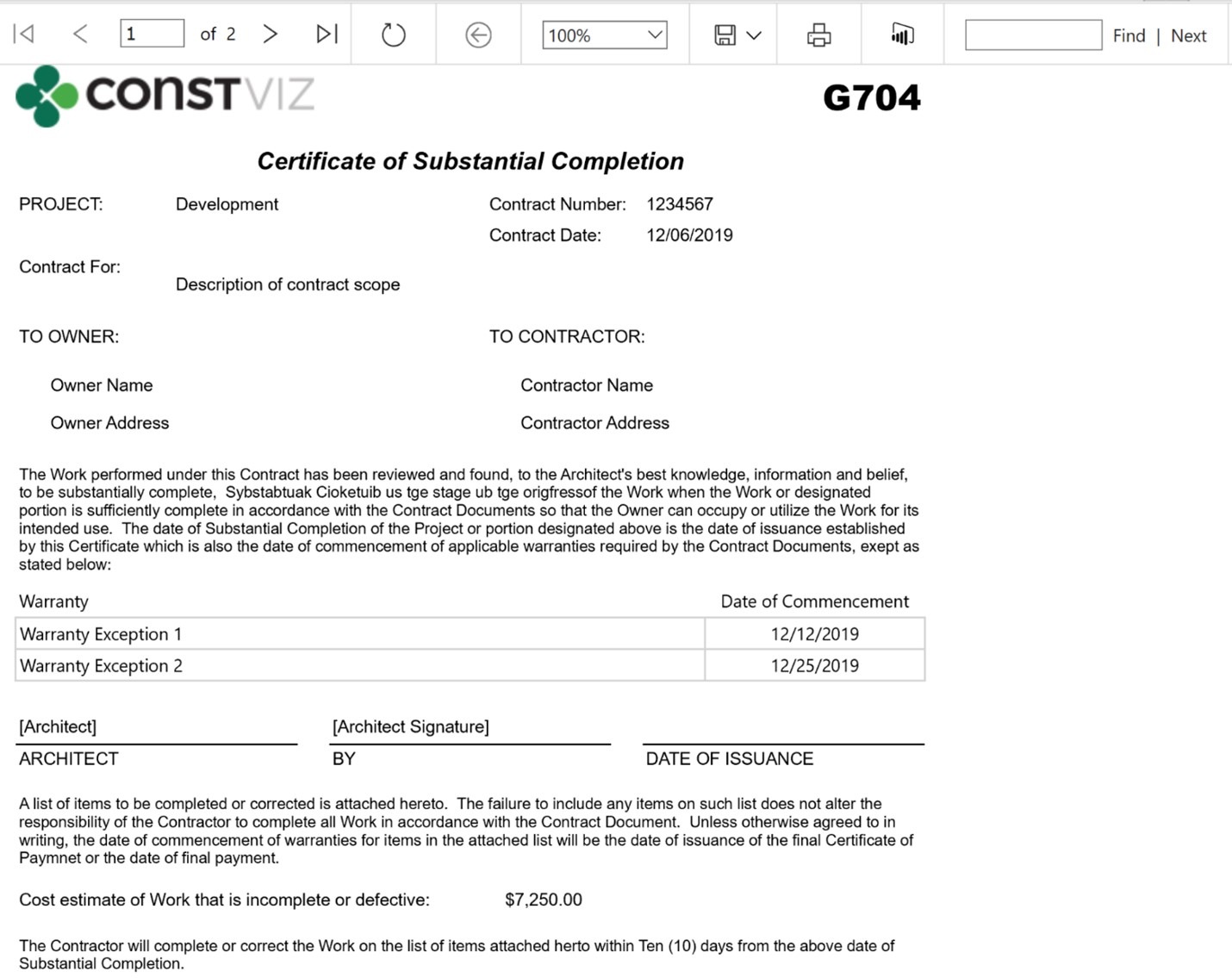
The Construction Viz Substantial Completion form app makes the turnover process more efficient and easier to manage for all parties involved. The user can track details, warranties, and punch list items for each significant area of scope, including the value outstanding and when each will be complete for turnover.  The user can run a G704 Certificate of Substation Completion report for physical signature and record retention at any time.

Construction Viz Certificate of Substantial Completion (G704) print view:

Substantial-Completion_1

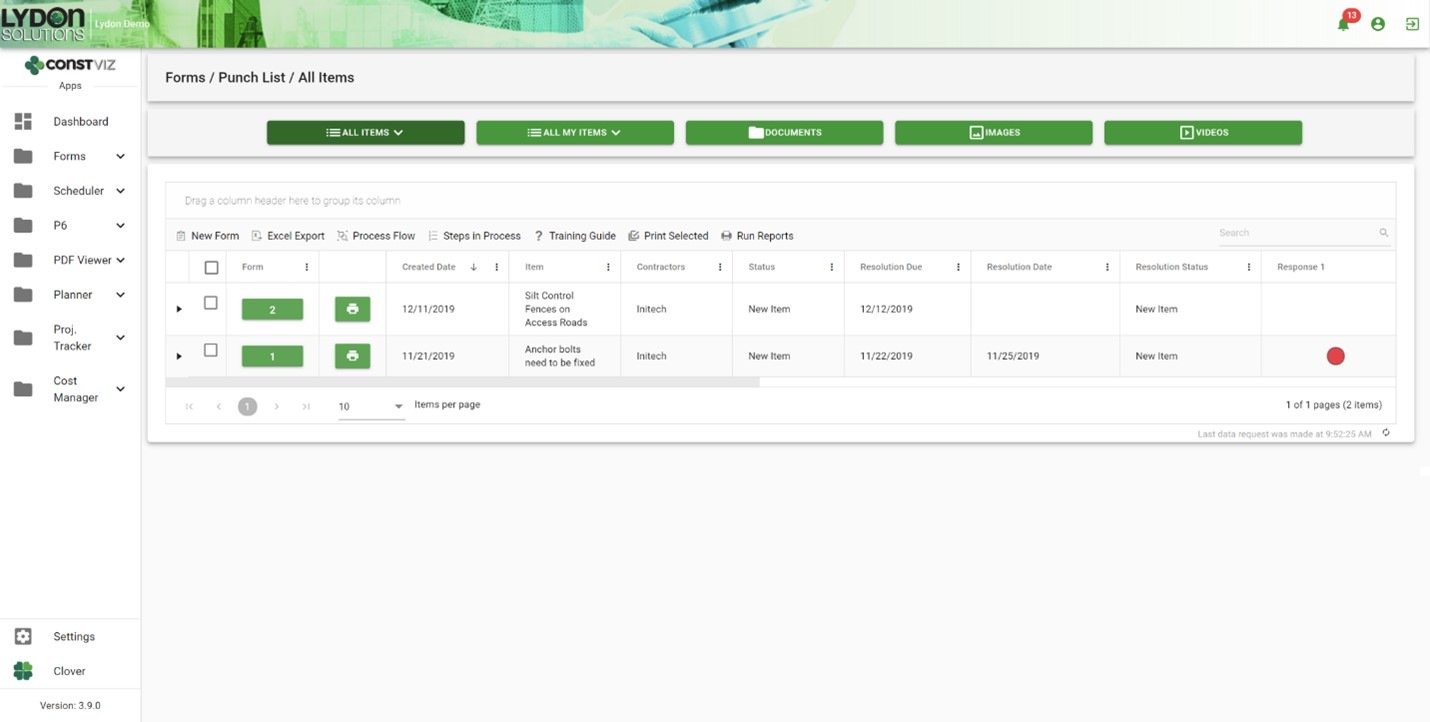
The challenge with traditional email correspondence is responsibility and progress management. Construction Viz solves this by capturing ownership within each punch list issue and displaying that information in interactive form status dashboards, ball in court grids, outstanding response log reports, and user alert notifications. And emails are automatically generated for individual users and distribution lists for review and acceptance.

Construction Viz Substantial Completion form log:

Substantial-Completion_2

Get just the construction forms you need

The Substantial Completion form is part of a full suite of construction apps available for Construction Viz. You can mix and match the forms you need for your project workflow.

All Construction Viz form apps are extendable with additional components, including:

  • Document, image, and video attachments
  • Geospatial mapping
  • WBS, specification, and asset tracking
  • Progress tracking using the Construction Viz Scheduler app and integrated P6 Scheduling
  • External links and data relationships
  • Electronic review and approval
  • Ad hoc workflow capability
  • Microsoft Power Automate workflow integration
  • Power BI reporting integration
  • Ball in court Dashboards and KPIs

Schedule a free consultation to see how we can help you get your project to the finish line with Construction Viz.

New Image Markup Feature for Construction Viz

Forms | August 5, 2021

Our latest Construction Viz feature lets project team members mark up images on any device with or without internet access.

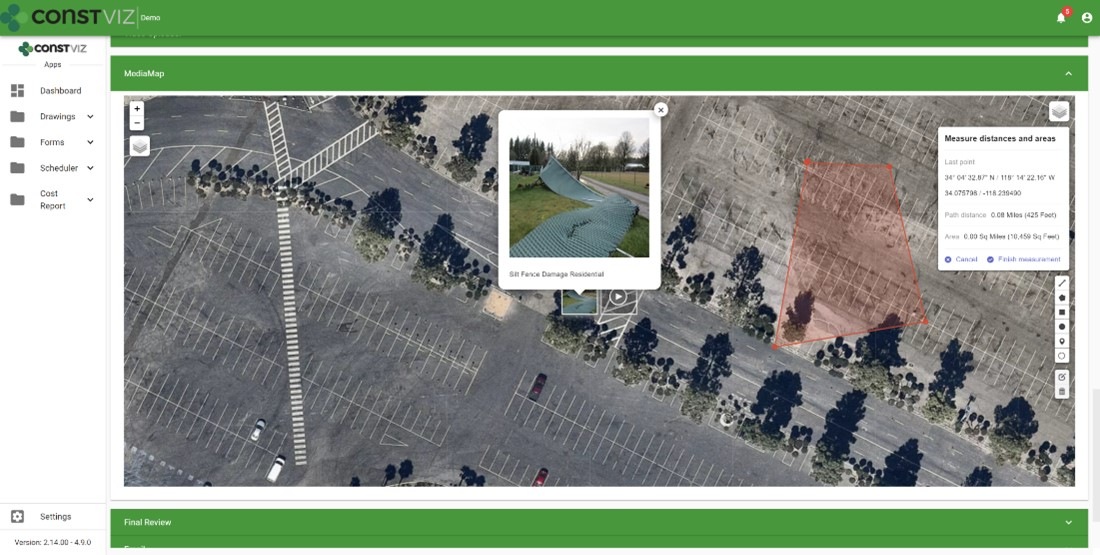
Adding images to a daily report, safety incident, or punchlist is critical to documenting work completed in the field and identifying any issues for potential corrective action. Construction Viz makes the process simple, enabling users to take photos with any device, with or without an internet connection, and attach images directly to the form. Our Media Map Component automatically plots the image and the location where it was taken on a geospatial map and adds this information to the form. Users can easily add comments, waypoints, and even measurements as a layer to the media map.

And because Construction Viz is a progressive web app (PWA), this is all done without users ever installing an app on their devices.

But what about marking up the images?  Our users told us that marking up images would be a handy feature and make Construction Viz's data capture even better. We listened. Read on to learn about his useful new capability.

Construction Viz image markup feature

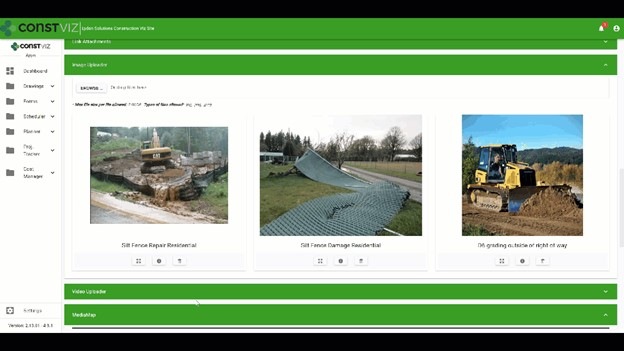
We expanded our Image Uploader Component for construction forms based on user feedback to add image markup capability and further simplify the entire process. Here is how it works:

  • After users upload images, the app displays them in interactive cards. Adding metadata such as title or description can be done in a couple of clicks.
  • The user can expand the photos from thumbnails to a full-screen mode to draw directly onto the image canvas.
  • The markup tool lets users pick from a palette of pen colors, complete with erasing and undo functionality.

The updated Image Uploader Component can be enabled in any one of our apps or can be added to a custom app as needed.

This new functionality enhances the entire data collection and documentation experience by extending what's possible for field workers. Also, since Construction Viz stores all of the data to your Microsoft 365 SharePoint, your project information is available for further reporting and workflow using the Power Platform.

The image markup tool is one of many features that we have built into Construction Viz. For an overview of the other powerful capabilities built into Construction Viz, check out our features page.

Construction Viz image markup feature

We expanded our Image Uploader Component for construction forms based on user feedback to add image markup capability and further simplify the entire process. Here is how it works:

  • After users upload images, the app displays them in interactive cards. Adding metadata such as title or description can be done in a couple of clicks.
  • The user can expand the photos from thumbnails to a full-screen mode to draw directly onto the image canvas.
  • The markup tool lets users pick from a palette of pen colors, complete with erasing and undo functionality.

The updated Image Uploader Component can be enabled in any one of our apps or can be added to a custom app as needed.

This new functionality enhances the entire data collection and documentation experience by extending what's possible for field workers. Also, since Construction Viz stores all of the data to your Microsoft 365 SharePoint, your project information is available for further reporting and workflow using the Power Platform.

The image markup tool is one of many features that we have built into Construction Viz. For an overview of the other powerful capabilities built into Construction Viz, check out our features page.

Construction Viz Media Map Component

Image-Mark-Up_1

Construction Viz Media Map Component

Image-Mark-Up_2

Get a demo of Construction Viz today

Construction Viz is an enterprise Project Management Information System (PMIS) built by construction professionals for construction professionals. We value our client's feedback and are always looking for the most efficient ways to get the job done.

Contact us for a no-obligation consultation and demo today to learn how Construction Viz can help your team better manage your construction projects.
PWAs and the future of mobile apps with Construction Viz

Project Management Tools | April 21, 2021

We built Construction Viz as a progressive web app (PWA), which offers our construction industry clients many powerful capabilities out of the box. Read on to learn about PWA technology and how it is a game-changer for construction project management.  

Traditional web apps that you install on your device have been around for over ten years. Think iPhone apps. Traditional web apps typically:

  • Require users to download an app from the Apple App Store, Google Play, or the Microsoft Store
  • Are custom-built applications that live on a specific platform, separate from the fully-featured business application
  • Require frequent updates and constant maintenance
  • Only provide a reduced or watered-down version of the complete web application.

Progressive web apps take things to the next level.

The Advantages of Progressive Web App Technology

So what is a progressive web app, how is it different from a regular web app, and why is this technology critical to delivering a leading-edge Project Management Information System (PMIS) of the future?

PWAs, unlike traditional web apps, are browser-based cross-platform mobile apps. These fully-featured applications behave just like a desktop application but run in your browser.

Progressive web apps have many advantages over traditional web apps, including:

  • They are responsive across devices for a mobile workforce.
  • They work on any modern browser.
  • They behave like desktop applications independent of the browser.
  • They allow for access to device hardware such as sensors, cameras, and GPS.
  • You can work offline (yes, the entire application, not just a form).
  • They utilize push notifications such as chat, weather updates, changes to content, event reminders within your operating system.

PWAs are are considered the future of mobile app development and many companies, including Microsoft, are making the move.

Why Progressive Web Apps Matter for Construction Project Management

There are four reasons why you, as a service worker or manager in the construction industry, should want a PMIS powered by progressive web app technology:

  1. PWAs will replace traditional apps, so you are future-proofing your investment by selecting a tool built with the latest generation of app technology.
  2. PWAs support offline access critical to construction work which often entails working in remote locations without reliable internet access.
  3. PWAs are a more cost-effective solution since there is a single application across all platforms, considerably reducing development and support costs.
  4. PWAs enable you to take advantage of any sensor tech in the end user's device or hardware, opening up advanced capabilities (like geolocation) critical to construction projects.

Lydon Solutions built Construction Viz from the ground up in React, the latest in client-side development technology, to be a progressive web app. Construction Viz users can take advantage of all the benefits of PWA technology that I described above.

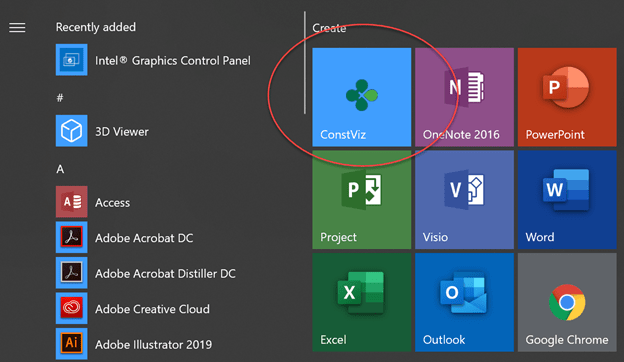
Construction Viz added to the Start menu in Windows 10

Construction Viz added to the Start menu in Windows 10

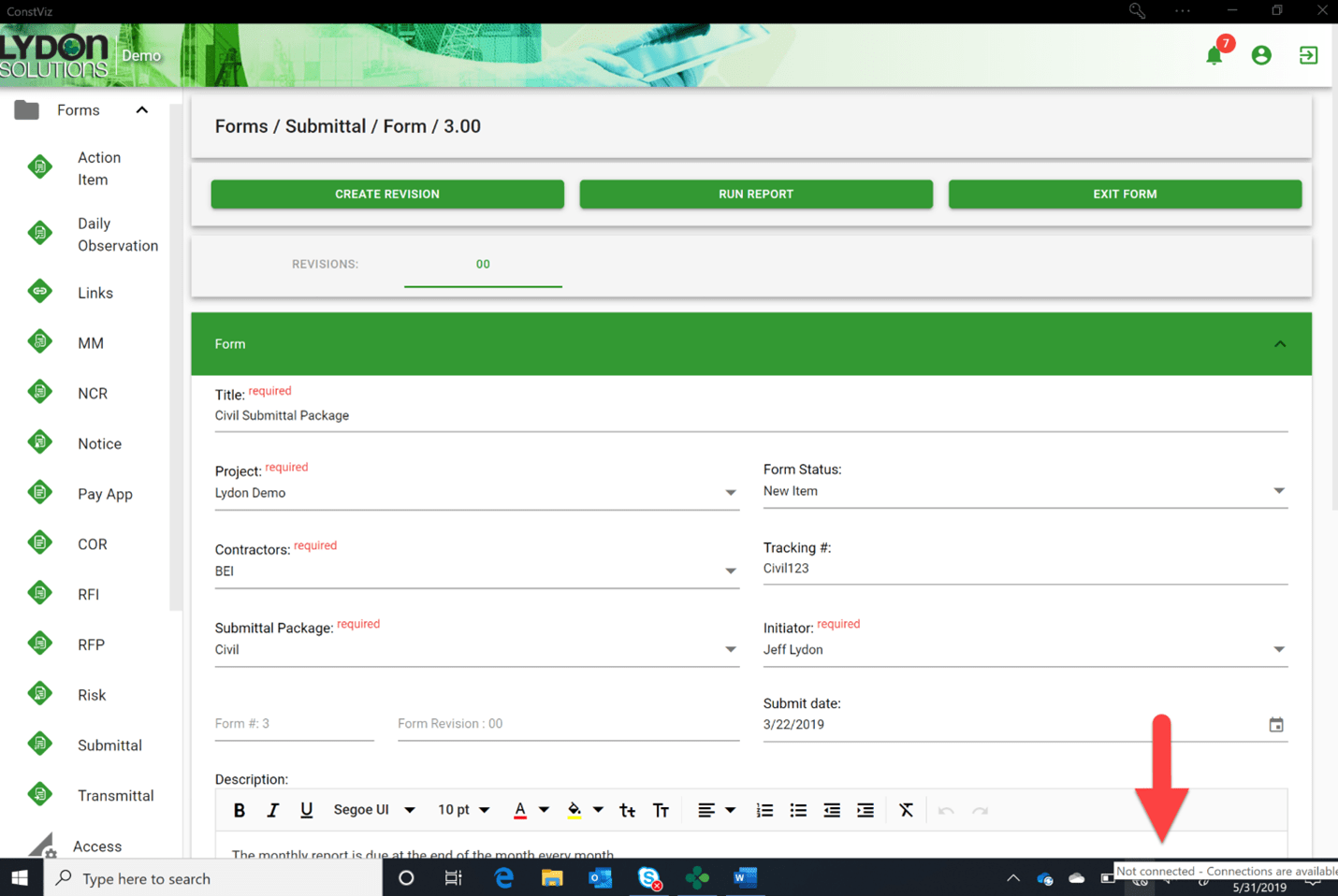
The entire Construction Viz application can go offline, not just a form

The entire Construction Viz application can go offline, not just a form

Video of Construction Viz Daily Report rendered on an iPhone (no app required)

Get a Free Consultation & Stay in Touch

We invite you to schedule a free demo and consultation to learn more about how Construction Viz can help your organization reduce cost, stay on schedule, and be more efficient with your construction programs and projects. And don't forget to signup below to join our mailing list, so you don't miss any future updates.

Simplifying PMIS Processes and Training with Construction Viz

Project Management Tools | February 3, 2021

You want your project teams set up for success from day one. Construction Viz makes it easy to access, update, and manage your processes and training materials so your team can focus on the project deliverables that matter.

When organizations roll out a brand new Project Management Information System (PMIS), the last step in the implementation often goes something like this: Here’s the system, attend a generic training session, start using the system, and oh by the way, here is a binder of training material that you can read up on how to use the system. These processes and training resources are often out of date and rarely tailored around how YOU do business. If your team members need training while in the system, they will have to seek out the latest training material, forcing them to lose focus on what they were doing and slow productivity. Is it any wonder no one wants to use that brand new PMIS system?

With Construction Viz, we simplify how project teams access, update, and manage processes and training, ensuring that projects are efficiently moving forward.

Construction Viz Puts Your Processes and Training Materials Front and Center

Setup. Construction Viz treats training and process documentation as an integral part of the system, not an afterthought. When you install Construction Viz in SharePoint, the software automatically creates a library for storing processes and training materials linked to each of your installed apps. You can then add custom process and training material for any app by inserting the appropriate metadata into your documents, ensuring that these materials are at your fingertips when you need them and easy to update and maintain.

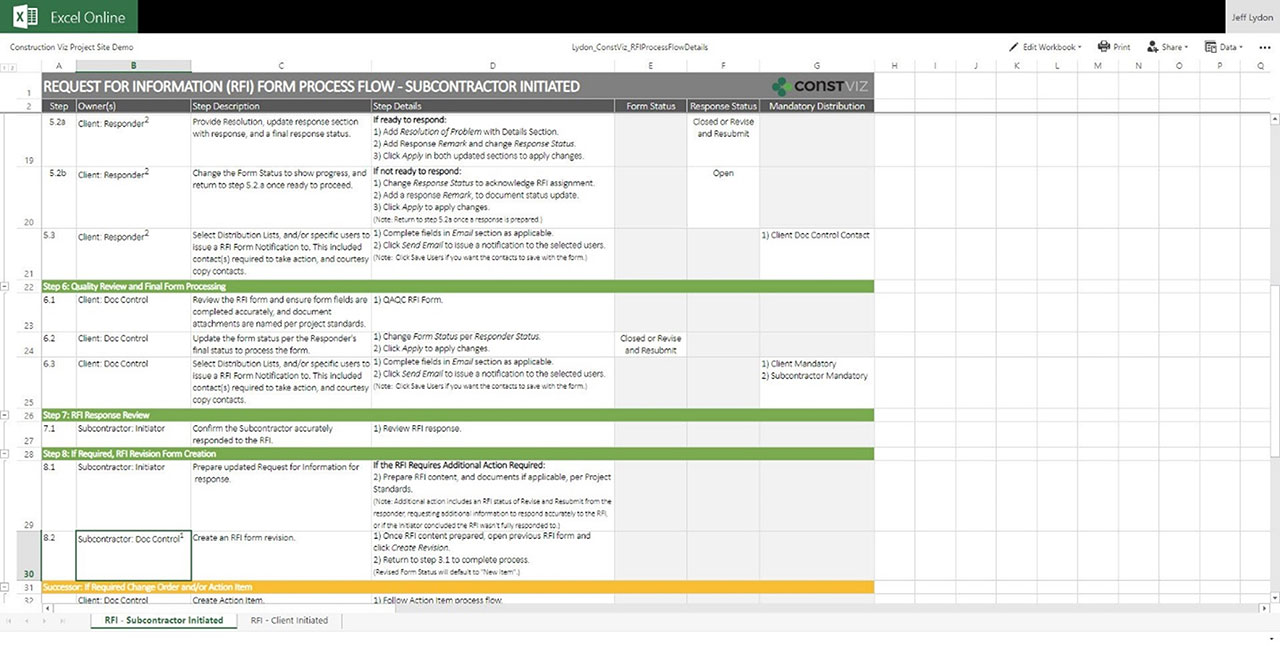
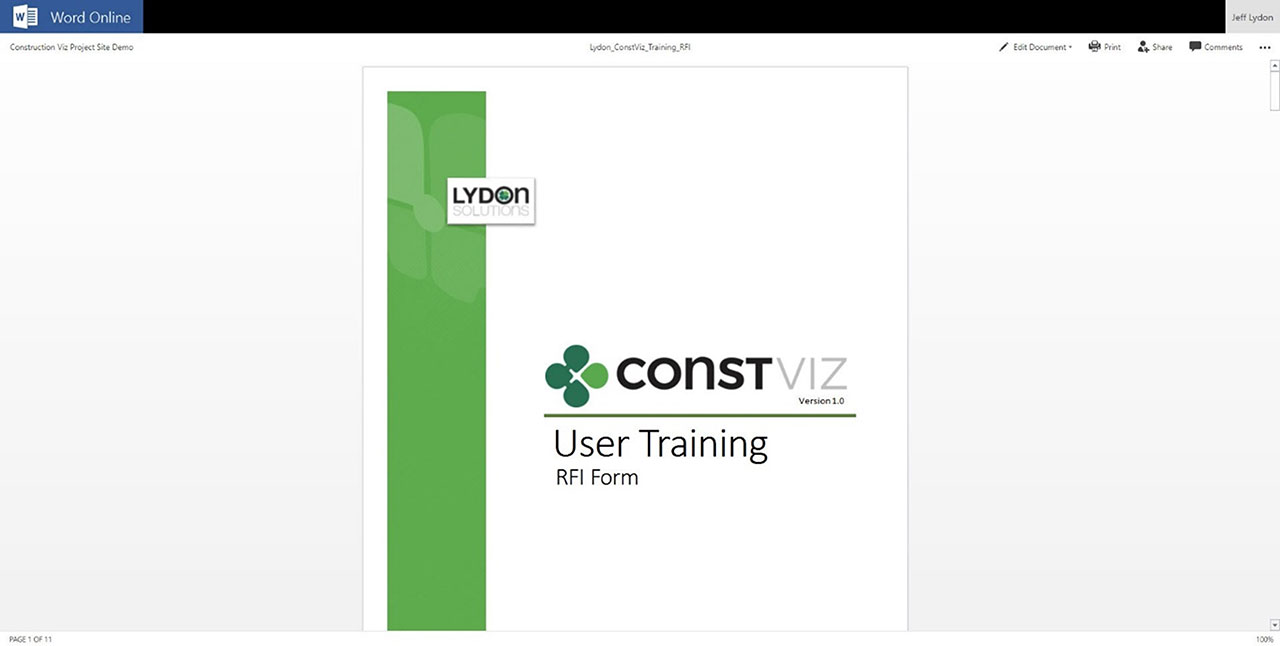
Format.  Construction Viz lets you open Microsoft Office applications (Excel, Word, Visio, One Note) in any modern browser without having to download documents to the desktop. So, regardless of which device you are on, you can open and edit your training and process documents. You can even have multiple people simultaneously edit the documents with robust permission and version controls, ensuring that you are always working off the latest materials. Construction Viz also supports all major document and media formats, including video.

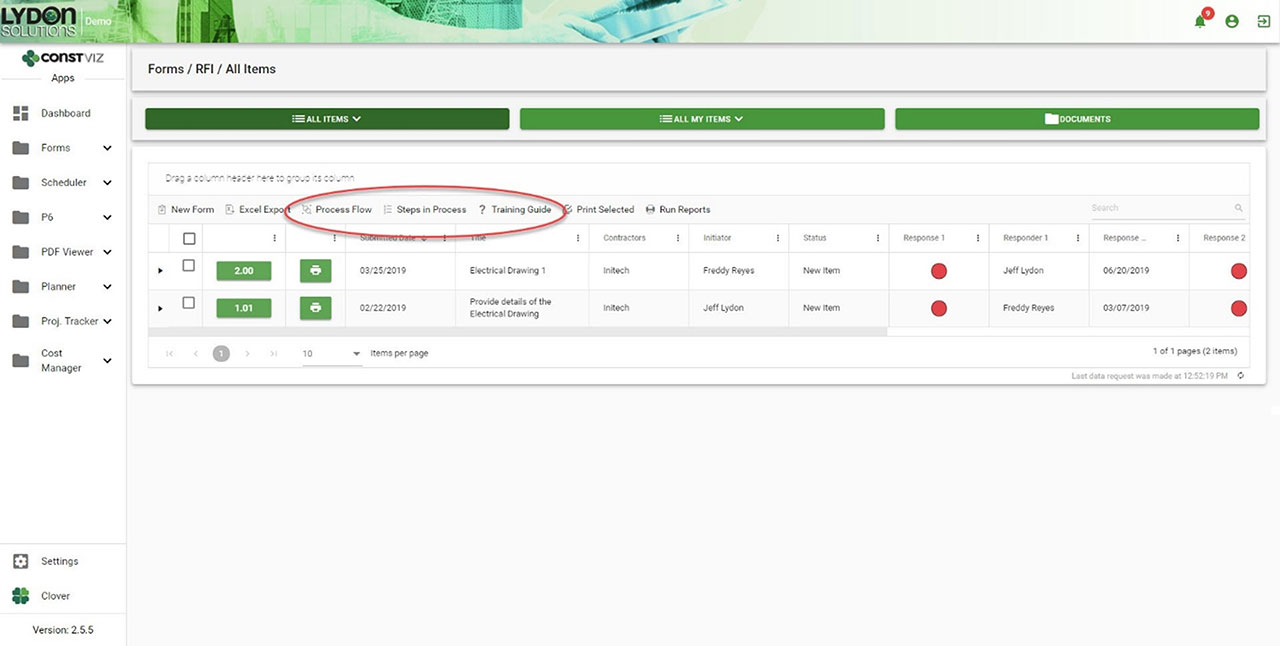
Navigation. Each Construction Viz apps includes links to the process and training resources right above the work area, giving you direct access to the information you need where you are working. Everything is right there in front of the user.

Getting Documentation And Process Right

One of the common reasons PMIS deployments can fail after deployment is low user adoption, often resulting from a lack of adequate training and documentation. With Construction Viz, we integrated training and process document tools right into the system so that your project teams can hit the ground running with everything they need from day one.

Navigation to Processes and Training within each App
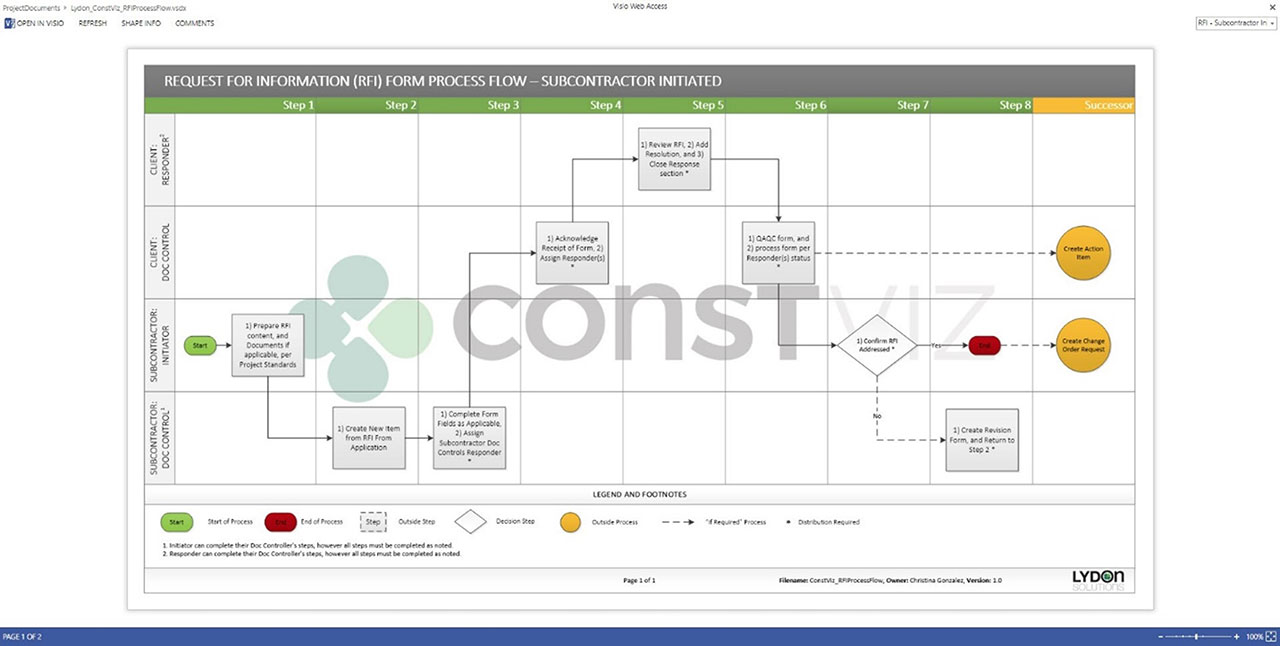
Process workflow diagram in Visio Online
Steps for workflow in Excel Online
Training Manual in Word Online

Get a Free Demo and Consultation

Several major owners, construction managers, and utilities use Construction Viz every day to manage multi-billion-dollar projects and programs. Contact us now for a free demo and consultation to learn how Construction Viz can help your organization better manage your projects.

  • « Go to Previous Page
  • Page 1
  • Page 2
  • Page 3
  • Page 4
  • Page 5
  • Go to Next Page »

Footer

About Constructon Viz

Construction Viz is a flexible construction project management software solution powered by Microsoft SharePoint and SQL.
Read More >

Navigation

  • Home
  • About
  • Features
  • Apps
  • Blog
  • Contact
  • Login

Apps

  • Construction Viz Hub
  • Cost Report
  • Drawing Management
  • File Manager
  • GIS Maps
  • Oracle Primavera 6
  • Payment
  • Specification Management

–

  • Project Forms
  • Project Planner
  • Project Scheduler
  • Project Tracker
  • Task Manager

Connect with Us

  • This field is for validation purposes and should be left unchanged.
  • Sign up to receive helpful tips for construction project managers as well as updates about Construction Viz.

Lydon Solutions

© Lydon Solutions

  • Privacy
  • Cookies
  • Terms of Use
  • Disclaimer
  • End-user license

Click here to start a Microsoft Teams chat.

Click here to start a Microsoft Teams chat.

Contact Us
This field is for validation purposes and should be left unchanged.
Name(Required)
Join Our Newsletter

Sign up to receive helpful tips for project managers and updates about Construction Viz.

Get Started

Join Our Newsletter

Sign up to receive helpful tips for construction project managers as well as updates about Construction Viz.

  • This field is for validation purposes and should be left unchanged.
  • This site is protected by reCAPTCHA and the Google Privacy Policy and Terms of Service apply.