• Skip to primary navigation
  • Skip to main content
  • Skip to footer
Construction Viz

Construction Viz

Project Management Perfect

  • About
  • Features
  • Apps
  • Blog
  • Contact
  • Download Flyer
  • Get Started Today
  • Login
Show Search
Hide Search

da_admin

Codes Metadata in Construction Viz

Video | February 5, 2020

Construction Viz lets you utilize metadata to track work breakdown structure, specifications, and dynamic relation matrices for your projects.

Watch our newest video to see how Construction Viz makes this process easy in both SharePoint and Office 365.

Available Metadata and Other Features in Construction Viz:

• Work Breakdown Structure (WBS)
• Project Specifications
• Dynamic Relation Matrices (DRM)
• Standardized metadata across all Apps for every record
• Metadata can be queried and reported across Construction Viz
• Available for Microsoft SharePoint and Office365

Find out more about how Construction Viz can help use project information for reporting and streamlining projects. Schedule your free consultation today!

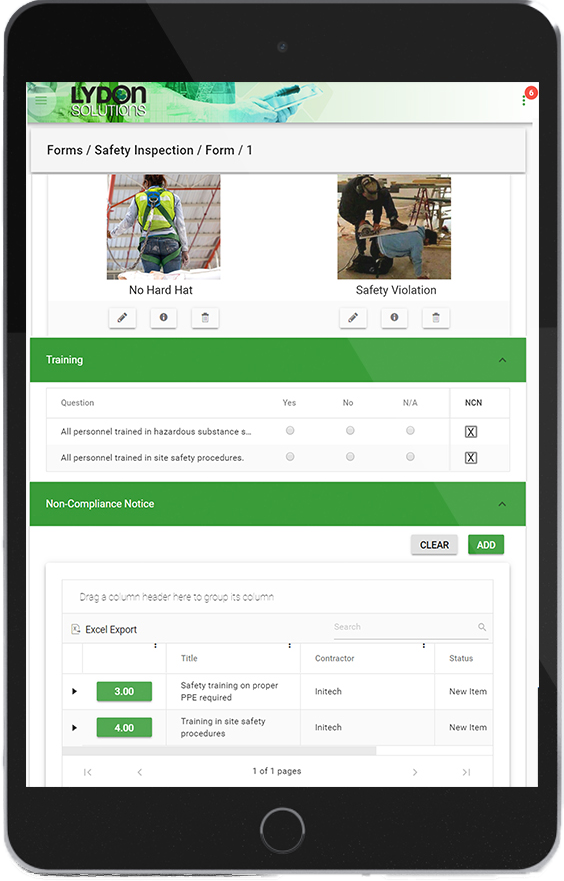
Construction Viz Punch List: A Mobile Solution for Construction

Forms | January 30, 2020

The Construction Viz Punch List App is a mobile-friendly solution for construction project management. It is used to identify open issues in the field that may still need to be completed by a contractor.

Watch our latest video to see how you can streamline the process of tracking issues without an internet connection and from any modern browser.

Key Features of the Construction Viz Punch List App

• Track issue status: Ensure that items are assigned, scheduled, and completed on-time.
• No internet? No problem: Edit forms without an internet connection, and then sync changes when you’re back online.
• Easy upload from your mobile phone: Upload as many documents, images, and videos as you need.
• Geospatial location mapping: Geospacially view images and videos using Media Map.
• Manage email distribution lists: Keep stakeholders and team members informed when changes and updates are made.

Learn more about our user-friendly, highly-configurable tracking solution for construction project management. Contact us today to schedule your free demo and consultation.

Safety is Job One: Integrated Safety Management

Quality & Safety Inspections | December 17, 2019

Everyone agrees that safety is job #1. Companies need to create and foster safe working environments. We all want our employees to return home safe and sound at the end of the day. 

So if safety is so important, why is safety information so poorly managed?  

Remember: “If you cannot measure it, you cannot manage it.” 

Manage Safety Info with Construction Viz

Many companies still use paper to keep their safety records. Construction Viz takes a much more comprehensive approach, and focuses on collecting data where it can provide the most value. We help you manage safety information throughout the project lifecycle—planning, training, inspections, incidents, and reporting.  

How does it work? 

Safety Planning and Training.  Using the Document Binder app, you can store, organize, report, and share safety plans and guidelines with your project teams. The Planner app makes it easy to provide a training schedule, which can be shared on a calendar integrated with Outlook and/or Google. 

blog1

Safety Inspections. This app facilitates safety inspections in the field, using any device with a modern browser. The app can even operate offline with no internet connection. The coordinator can create checklists based on your safety plan, capture images and video, generate a list of non-compliance issues, and distribute that list to the appropriate people on your team.  

Safety Incidents. You can capture information about any safety incident, such as personnel information, incident description and time, classification of case/injury/result of injury, and witness information. You can attach documents and images, and route the information for review. 

blog2

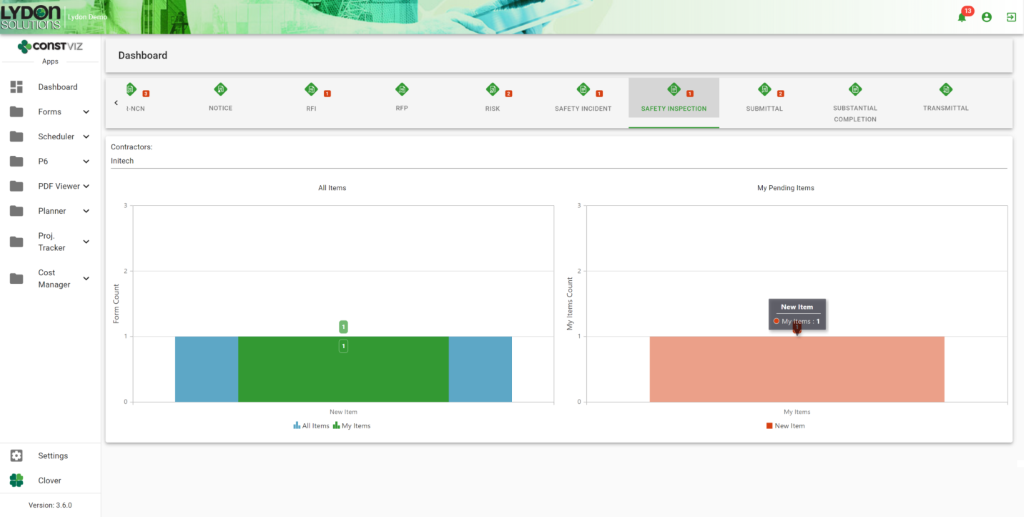
Safety Reporting. All your safety data is available in a configurable grid for reporting and analysis as well as in paginated log reports which can be exported to Excel, Word, PowerPoint, and PDF.

blog3

Safety Management to Match Your Needs

With Construction Viz, safety is not just a slogan. It is integral to the design of our construction management system. Learn more about how this software can help you manage the safety information for your construction project.

Quality Management Made Easy

Quality & Safety Inspections | December 16, 2019

Project Managers work to manage the scope, schedule, and budget of their projects. Unfortunately, quality can sometimes take a backseat to project delivery. Quality management can be further exacerbated by the lack of effective planning and management tools.  

Turnkey quality-management includes developing a quality assurance plan, planning and conducting quality inspections, identifying and correcting issues, and analyzing data to uncover areas for improvement and/or trends.  

When we approached quality management in Construction Viz, we looked at the end-to-end process to ensure that data would be captured effectively and could be easily be reported, all with the view of improving productivity and enhancing the quality of the project.  

Here is how Construction Viz helps you manage quality, from creating and managing the QA plan to analyzing results after the project is done. 

Using Construction Viz for Effective Quality Management

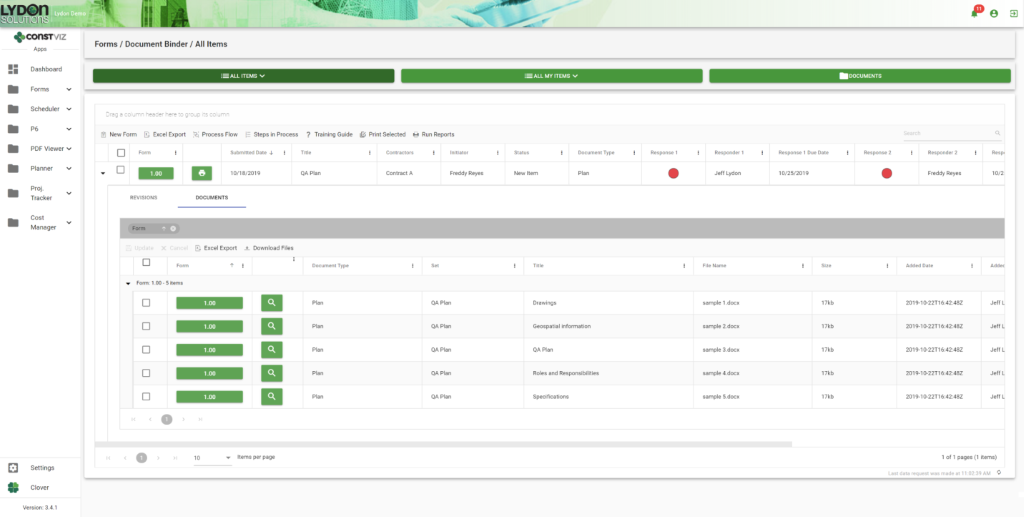
Create and Manage the QA Plan.  You can easily create and store your QA plan in our Document Binder app, which features simple drag-and-drop capabilities, revision control, and assignment of automatic meta data. Microsoft Office attachments open in Office Online Server so you can easily collaborate with your team in a web browser on any device.

blog1

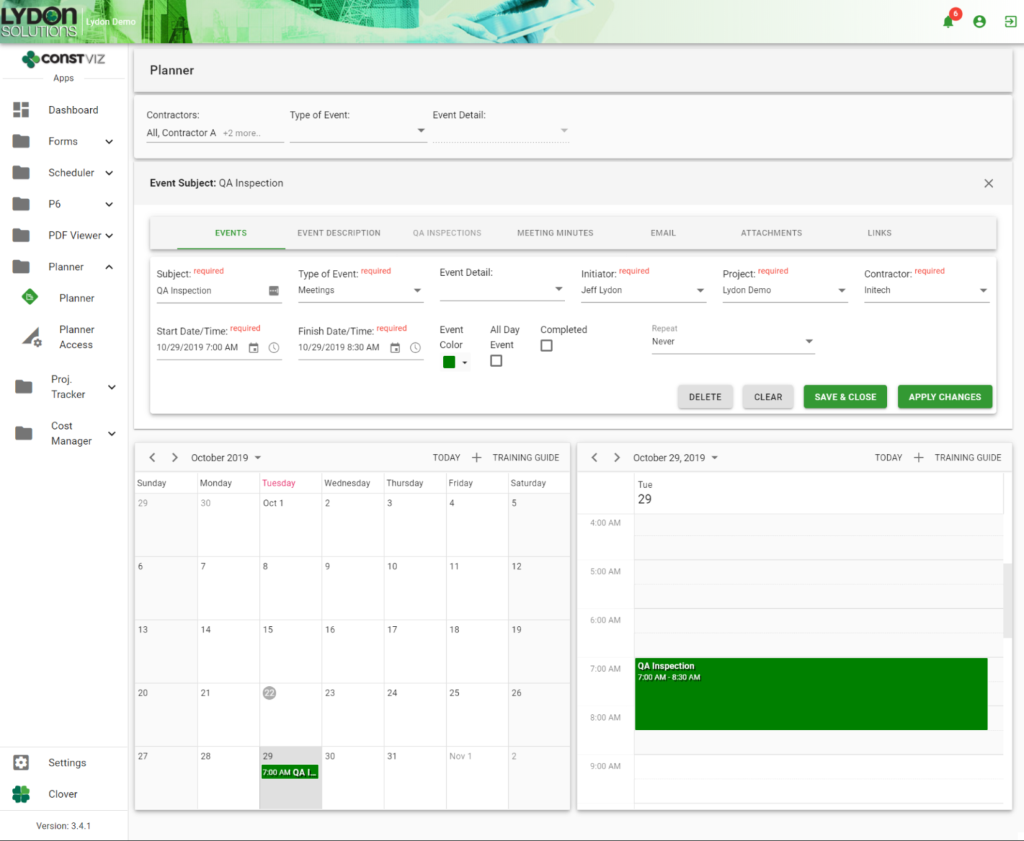
Plan Inspections. You can schedule  inspections in the Planner app, which features an easy-to-use, shared calendar that  syncs with Microsoft Outlook and Google Calendar.

blog2

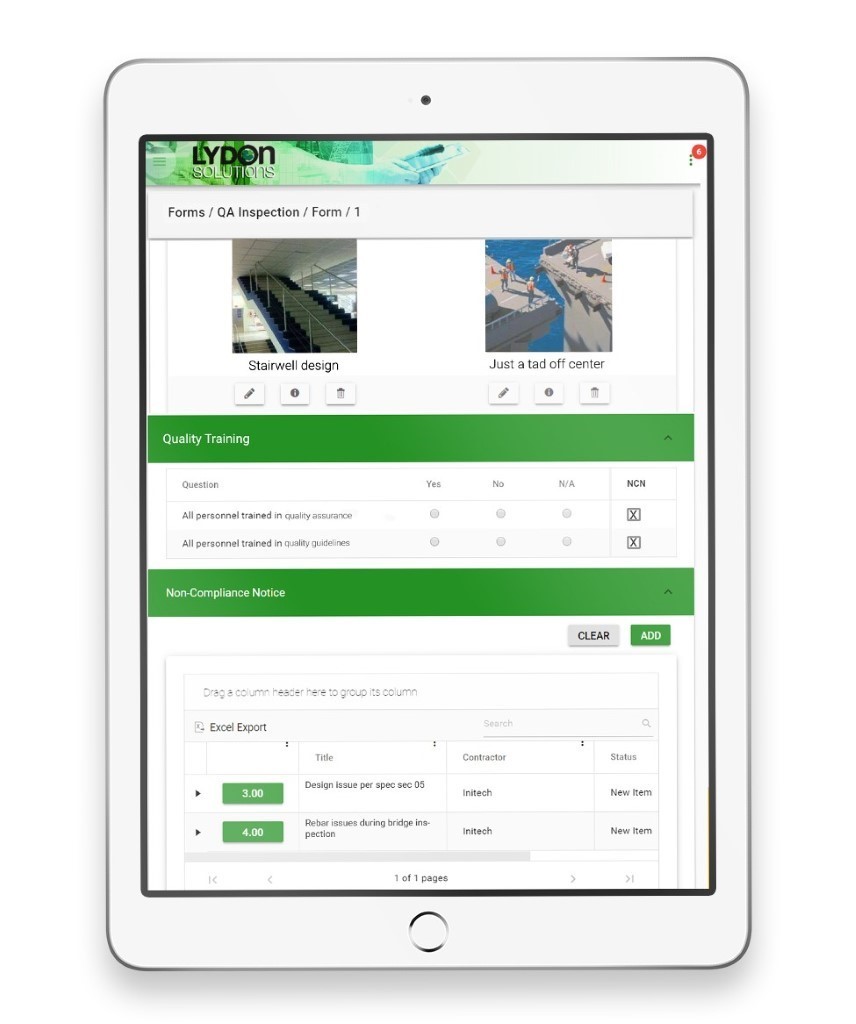
Perform Inspections. The QA Inspection Form app captures inspection information in an easy-to-use, mobile-ready form. Inspection criteria can be easily added and organized in the form as criteria is added and/or changed. Field images and video, geospatial location information, attachments, and approvals can be captured and emailed to your project team

blog3

Identify Non-Complianct Issues. When you identify an issue, you don’t want to have to bounce between applications. We embedded the Non-Compliance app within the QA Inspection app, so an inspector can easily log non-compliance issues while still in the QA Inspection form. 

Analyze Performance Issues. The end step in any process is feedback. All our apps facilitate data analysis, with configurable grids and reports so that you can improve operations in the future.  

Better Quality Management with Construction Viz

Construction Viz is about choice. It is the only construction management platform designed around how you work and where you work. Contact us today to learn how we can help you better manage the quality of your projects.

Successful Project Completion with the Construction Viz Punch List App

Video | December 9, 2019

Punch list items need to be completed before a construction project is truly finished.

Creating and completing an accurate punch list is essential to delivering a successful project. Some companies still track punch list items on paper. However, any enterprise-level construction Project Management Information System (PMIS) will probably be able to capture punch list items electronically.

So how is the Construction Viz Punch List App different from its competitors? Let me count the ways.

Construction Viz Punch List App Capabilities

Our Punch List App can:

  • Track resolution, ensuring that items are assigned, scheduled, and completed.
  • Work on any mobile device with a modern browser.
  • Work offline with no internet connection and no app installation required.
  • Upload documents, images, and videos.
  • Plot geospatial location mapping of images and video.
  • Track work breakdown, specifications, and assets.
  • Enable review and approval of workflow including responsibilities.
  • Manage mail distribution lists.
  • Track outstanding punch-list items and punch-list resolution status through easy-to-use dashboards and reports.

The Punch List App can be integrated into the Construction Viz Substantial Completion Form app, making it easy to link a specific scope of work on a project to track capitalization, depreciation, and asset use.

And that’s not all. Get a free demo to see how Construction Viz can help you manage your punch lists, and the rest of your construction project.

Introducing No-App, Offline Forms for Construction Viz (Video)

Forms | November 21, 2019

Forms are an essential part of your construction project workflow. Construction Viz Form Apps let you and your team complete digital forms anywhere, on any device and even without an internet connection.

Watch our latest video to see how you can streamline your construction project workflows even when you're offline with our no-app, offline forms for Construction Viz.

Key Features of Our No-App, Offline Forms

  • No app to install: Get full access to your construction project forms right in your browser on any modern device.
  • No internet? No problem: You can edit forms without a internet connection, and then sync changes when you're back online. This allows for continuous access with the ability to make changes even in the field.
  • Full-featured construction management forms: Our library of mobile-responsive construction project forms have built-in permissions, comments, workflows, and reminders.
  • Powered by technology you trust: Construction Viz is integrated with SharePoint and Office 365.

Discover Project Management Perfected with our complete suite of offline forms designed to help you manage your projects anytime, anywhere. Contact us today to schedule a demo and receive more information about Construction Viz Apps for Microsoft SharePoint & Office 365.

  • « Go to Previous Page
  • Page 1
  • Interim pages omitted …
  • Page 7
  • Page 8
  • Page 9
  • Page 10
  • Page 11
  • Go to Next Page »

Footer

About Constructon Viz

Construction Viz is a flexible construction project management software solution powered by Microsoft SharePoint and SQL.
Read More >

Navigation

  • Home
  • About
  • Features
  • Apps
  • Blog
  • Contact
  • Login

Apps

  • Construction Viz Hub
  • Cost Report
  • Drawing Management
  • File Manager
  • GIS Maps
  • Oracle Primavera 6
  • Payment
  • Specification Management

–

  • Project Forms
  • Project Planner
  • Project Scheduler
  • Project Tracker
  • Task Manager

Connect with Us

  • This field is for validation purposes and should be left unchanged.
  • Sign up to receive helpful tips for construction project managers as well as updates about Construction Viz.

Lydon Solutions

© Lydon Solutions

  • Privacy
  • Cookies
  • Terms of Use
  • Disclaimer
  • End-user license

Click here to start a Microsoft Teams chat.

Click here to start a Microsoft Teams chat.

Contact Us
This field is for validation purposes and should be left unchanged.
Name(Required)
Join Our Newsletter

Sign up to receive helpful tips for project managers and updates about Construction Viz.

Get Started

Join Our Newsletter

Sign up to receive helpful tips for construction project managers as well as updates about Construction Viz.

  • This field is for validation purposes and should be left unchanged.
  • This site is protected by reCAPTCHA and the Google Privacy Policy and Terms of Service apply.