• Skip to primary navigation
  • Skip to main content
  • Skip to footer
Construction Viz

Construction Viz

Project Management Perfect

  • About
  • Features
  • Apps
  • Blog
  • Contact
  • Download Flyer
  • Get Started Today
  • Login
Show Search
Hide Search

Sharepoint

Stay Legally Compliant with Microsoft 365 and the New Construction Viz Records Management Feature

Forms | January 27, 2022

The new Construction Viz records management feature of our construction form apps builds on Microsoft 365 and SharePoint to add capabilities optimized for construction project management. Read on to learn more.

Construction organizations generate a significant amount of information on projects. Everything from documents to construction forms is collected, organized, reviewed, and stored day-to-day. Once final, all these various materials need to turn into records.

Microsoft defines a record as follows:

“A record is a document or other electronic or physical entity in an organization that serves as evidence of an activity or transaction performed by the organization and requires retention for some time period.”

Organizations typically preserve records for legal reasons. Having effective records management functionality built into your construction project management solution is critical to meeting compliance and regulatory requirements and avoiding offline workarounds.

Microsoft 365 and SharePoint Online includes robust records management functionality by default, allowing the ability to manage the entire lifecycle of files. You can set up information management policy workflows to convert files into non-editable records based on retention codes. The same workflows can determine when files have met the retention schedules and dispose of those records. You can find out more about SharePoint Online records management here.
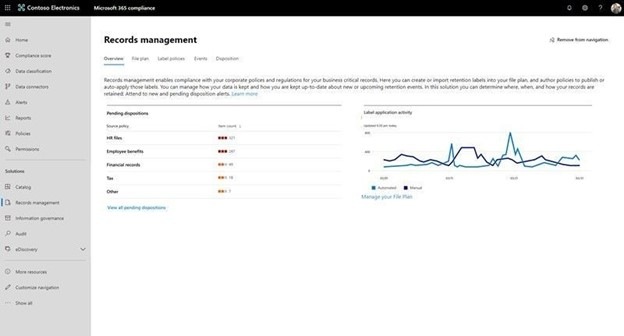
Legally-Compliant_1

How the Construction Viz records management feature streamlines compliance

Since Construction Viz deploys into Microsoft 365 SharePoint Online, you can already leverage SharePoint's default records retention for any documents generated in our platform. The new records management feature that we've added to our Construction Viz form apps complements SharePoint by enhancing its record retention functionality for construction projects. Creating a record is simple with our tool's “Create a Record” option which makes a form read-only and restricts edits to only system admins. Construction Viz captures when a user converts a form to a record to meet compliance requirements and provide additional reporting.
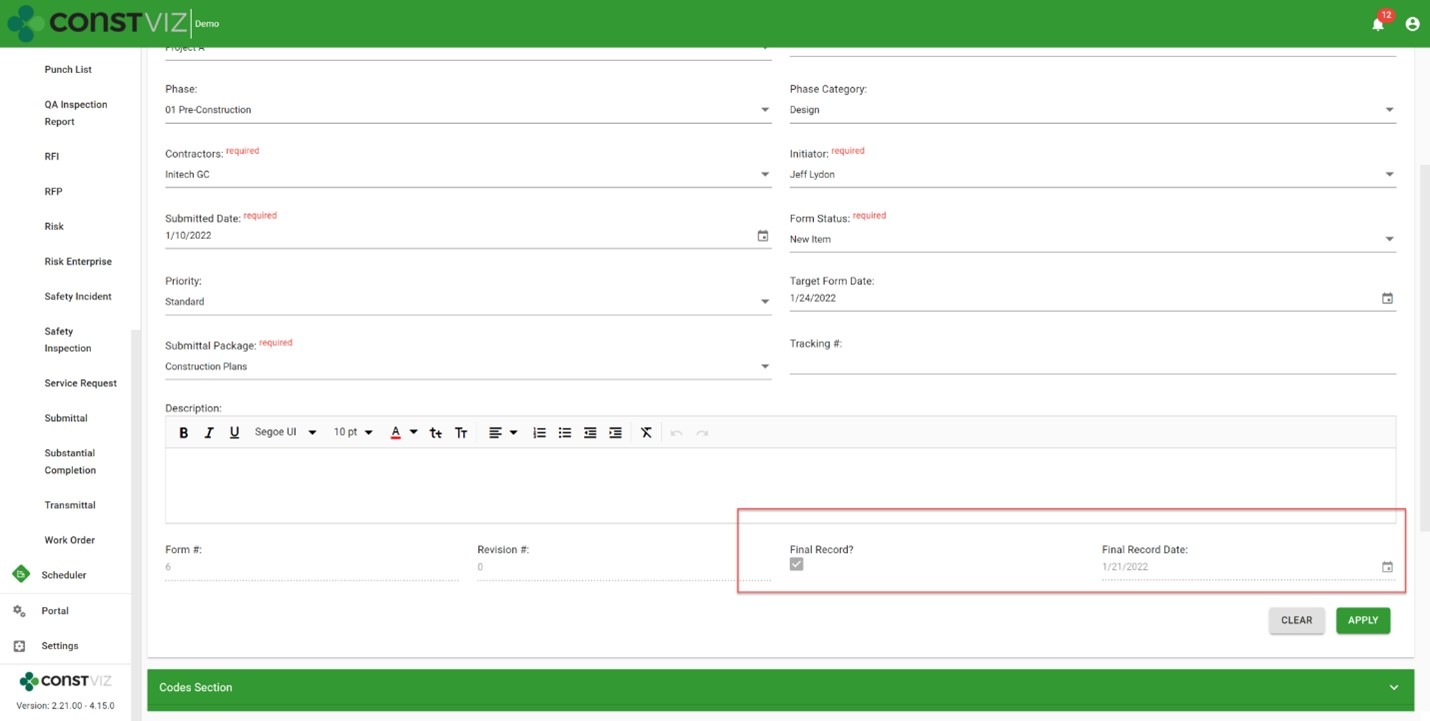
Legally-Compliant_2

Microsoft 365 SharePoint Online records management can help you manage your construction records. Find out how Construction Viz extends the capability of Microsoft 365 to manage all of your construction project records here.
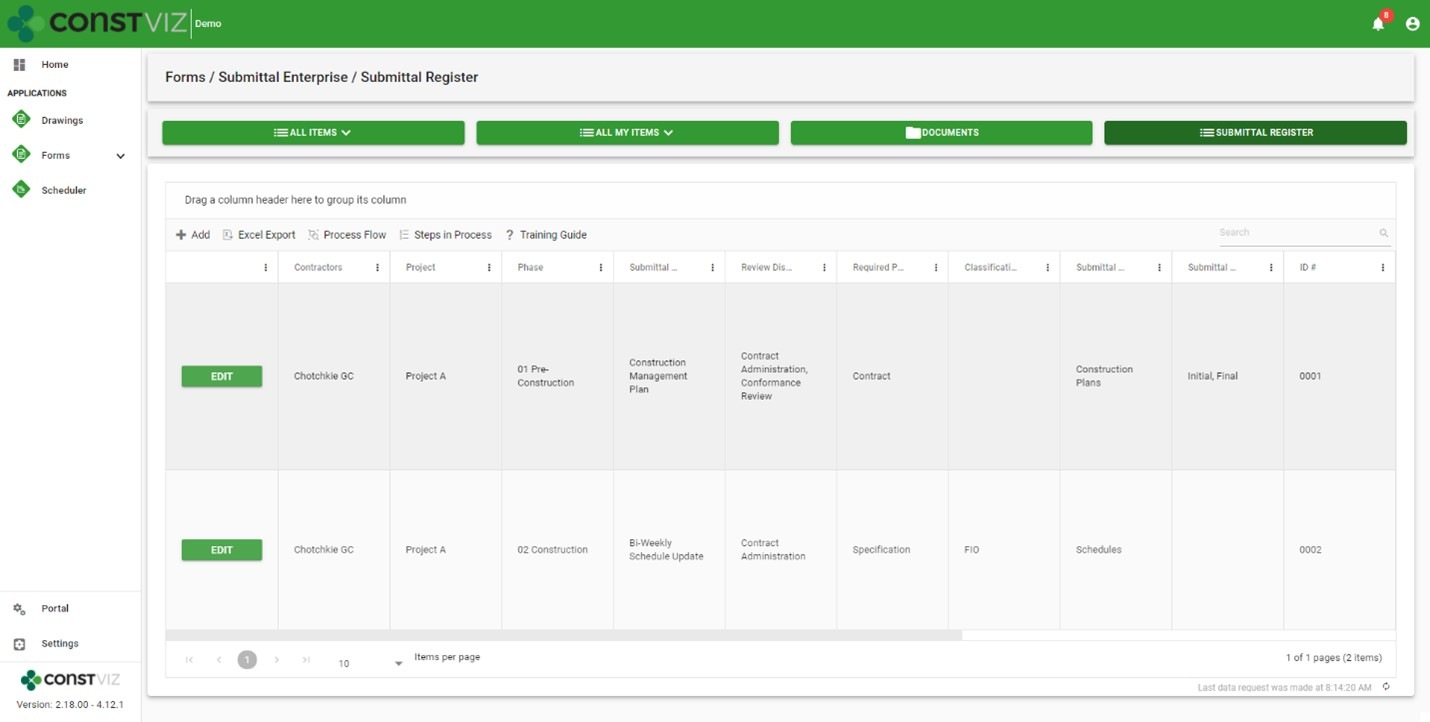
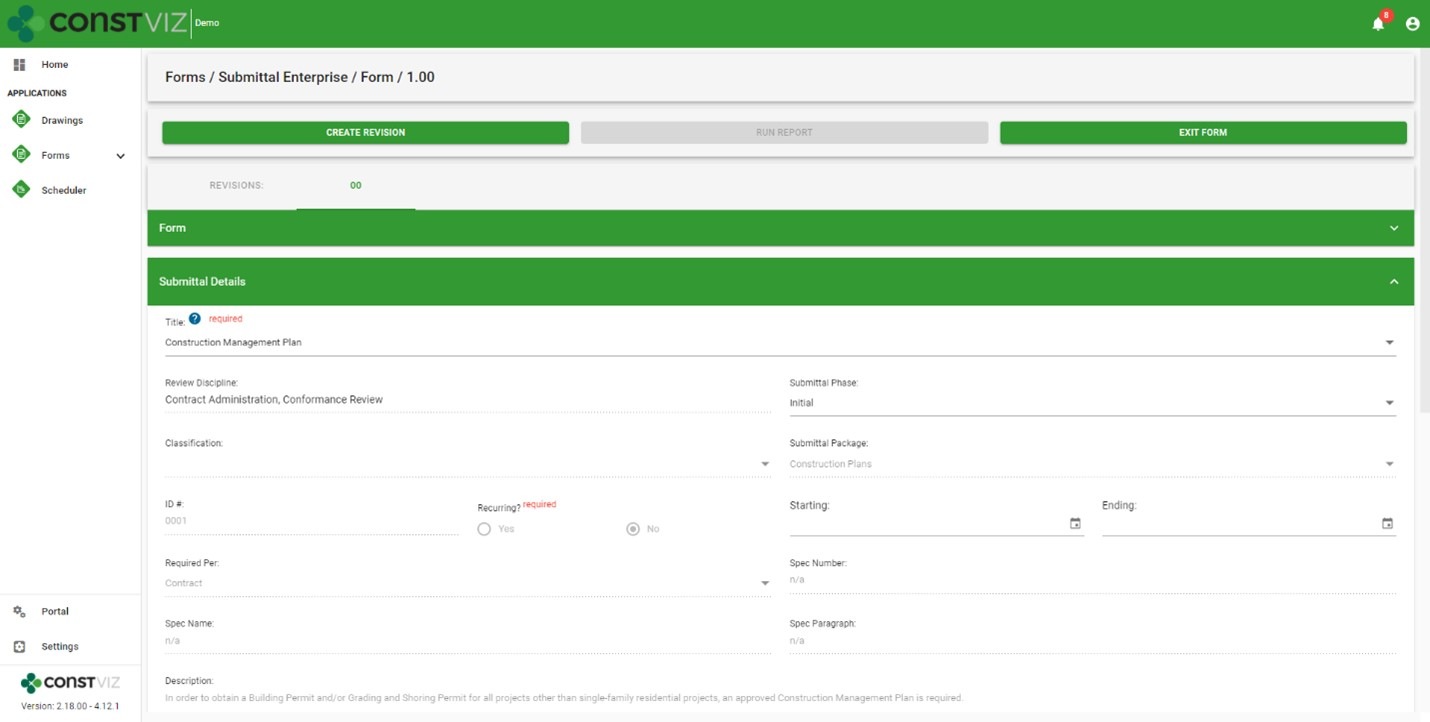
Introducing Construction Viz Enterprise Submittal Form

Forms | January 18, 2022

Submittals are staples on every construction project as a standard communication tool between contractors and the owner, construction manager (CM), or general contractor (GC) for contractual deliverables. The submittal process involves contractors completing a submittal form with the necessary metadata like project name and package, attaching the required documents, and sending it to the owner/CM/GC for review and approval. It’s a pretty straightforward process, but larger organizations have more stringent compliance, reporting, and scheduling requirements for adhering to a contractual submittal register.

We are excited to announce a new Construction Viz Submittal Enterprise Form, a variant of our standard Submittal Form, to address this need. The new enterprise form extends our lineup of existing construction project form apps.

Features of the Construction Viz Submittal Enterprise Form app

So how is the enterprise version different from our standard Submittal form app?

With the Submittal Enterprise form, we placed the submittal register at the center of the process while making it even easier for a contractor to fill out. The new Submittal Enterprise form boasts the following enhancements.

New submittal register

  • Robust, customizable register: Enter as many contractual submittal register items as needed into a configurable grid with all the metadata you need for each project.
  • Permission controlled: Only users with the correct permissions can update the register. Similarly, contractors can only view and select register items within a submittal form that you permit them to access.
  • Monitor due dates: The form app enables tracking and monitoring submittal due dates and re-occurring instances, such as monthly schedule submissions or weekly reports, for compliance.
  • Extensibility: You can customize the form to support other applications as needed, such as enabling the submittal register component to plan daily inspections or track custom specifications.
Enhancements to the submittal form
  • Easy creation: Contractors only need to select a few fields in a submittal to auto-populate the rest of the form from the register, minimizing training, reducing data entry, and ensuring data integrity throughout the process.
  • Helpful tooltips: Tooltips are available to display only the submittal register packages assigned to each contractor, further reducing errors when creating a submittal.
EnterpriseSubmittal_2

The Construction Viz Submittal Enterprise form is available as a single application or bundled in a suite of Microsoft 365 applications to fit your organization’s specific needs. While Construction Viz delivers out-of-the-box applications to get you started right away, all of our applications are further customizable as needed by the client and project. Learn more with a demo and consultation today.

Construction Viz Feature: Flexible Workflow Management

Project Management Tools | November 2, 2021

Construction projects can be very unique, not unlike the work processes supporting them. It's not uncommon for workflows to remain "fluid" through most of a project lifecycle as scoping requirements change, team members join, and the parties involved agree to work processes. This inherently dynamic nature of construction projects is why we designed Construction Viz to be as flexible as possible.

Construction Viz lets you work the way you want, with pre-configured ad-hoc workflows built into each app. And you can further customize your workflows by leveraging the power of Microsoft 365 Power Automate. No other construction project management software gives you so much control over how you get your projects done and delivers solutions right in your own Microsoft 365.

Construction Viz workflow features

Workflows are critical for managing projects in a project management information system (PMIS). Project teams use them to route forms for review, populate fields based on conditions, and email content for review and approval, to name just a few examples.

So what workflow features does Construction Viz offer?

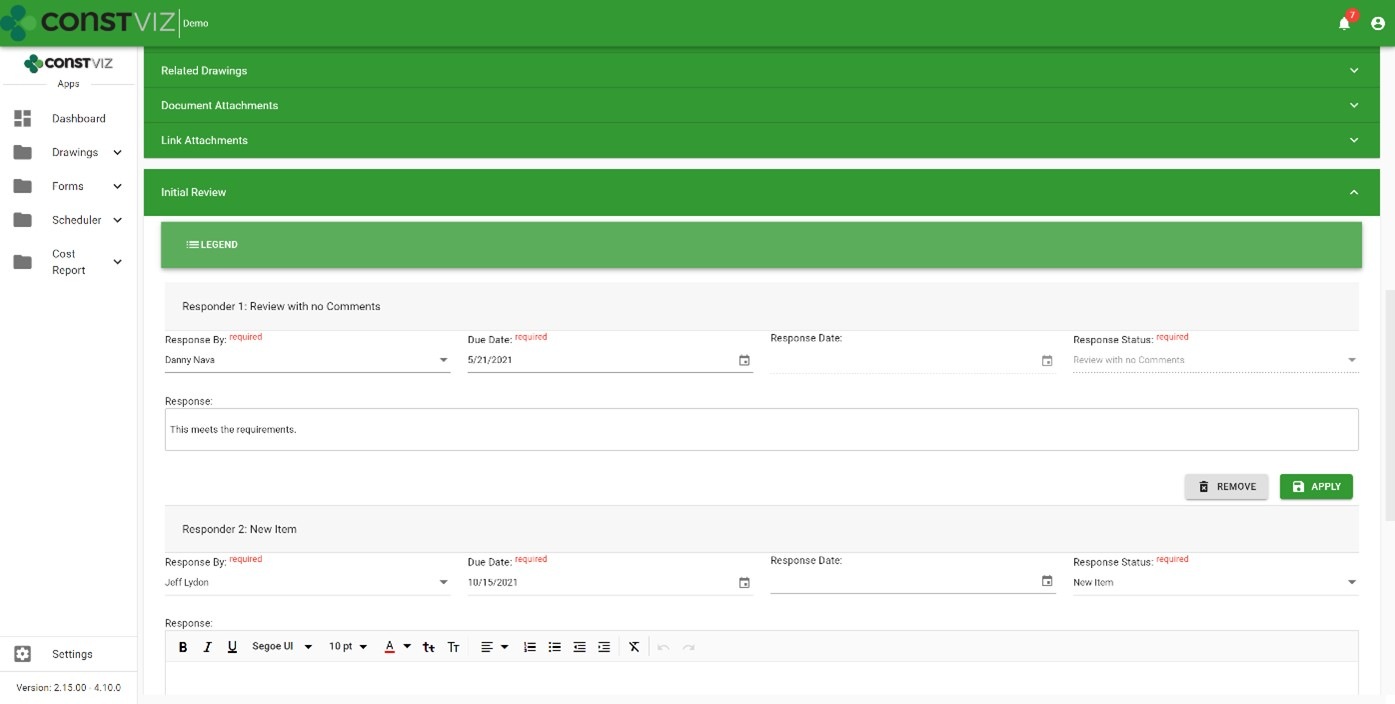
Out-of-the-box workflows – You get access to ad-hoc workflows with Construction Viz on day one. Pick a reviewer, assign a due date, and send it off for action.

Workflow-Mgmt_1

Email notifications – You can send automated actionable emails to a single reviewer or a group of reviewers. A complete email history log ensures your emails are never lost.

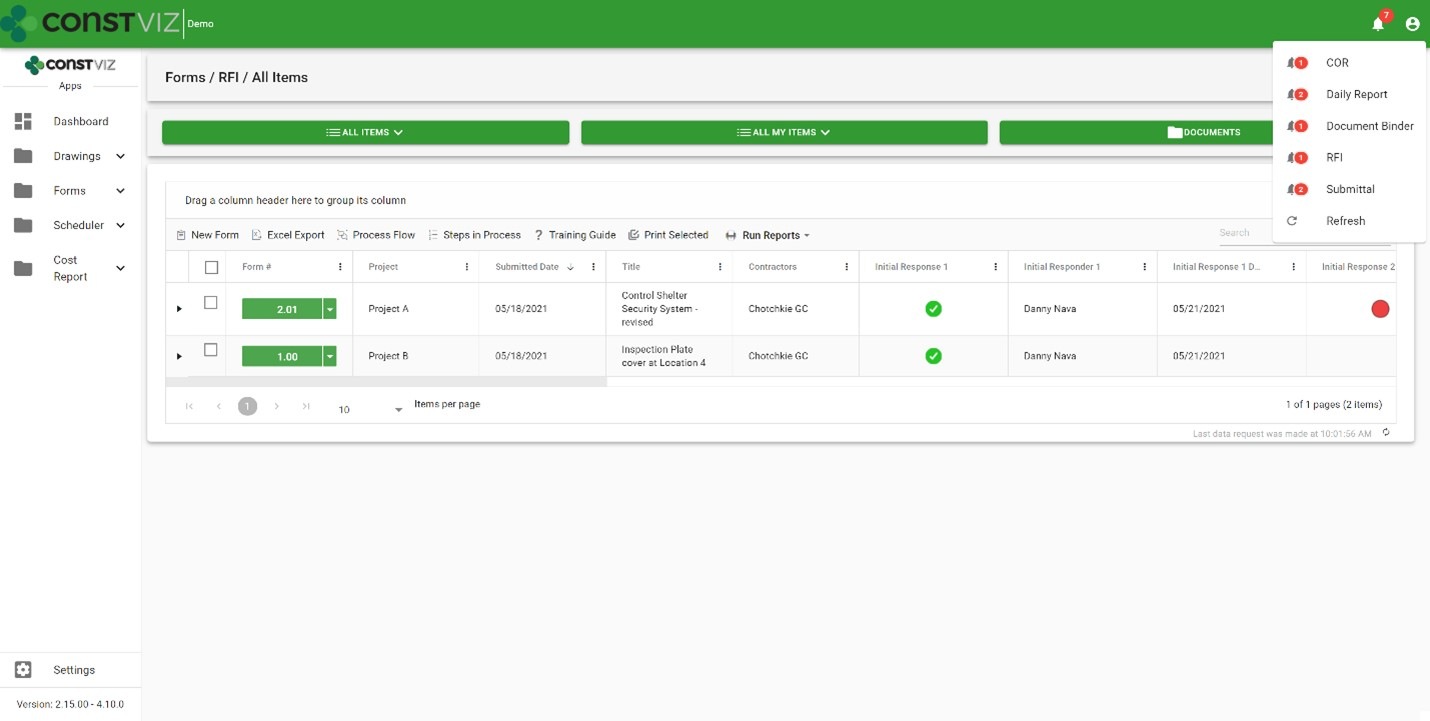
System notifications – Every user you assign as a reviewer receives a notification alert within the Construction Viz Hub with actionable drill-down capabilities.

Form due dates – Based on priority, you can automate standard Target Due to ensure adherence to contract requirements.

Ball in court – Every form log includes a ball-in-court displaying each reviewer's status so you can analyze the data across all records.

Workflow-Mgmt_2

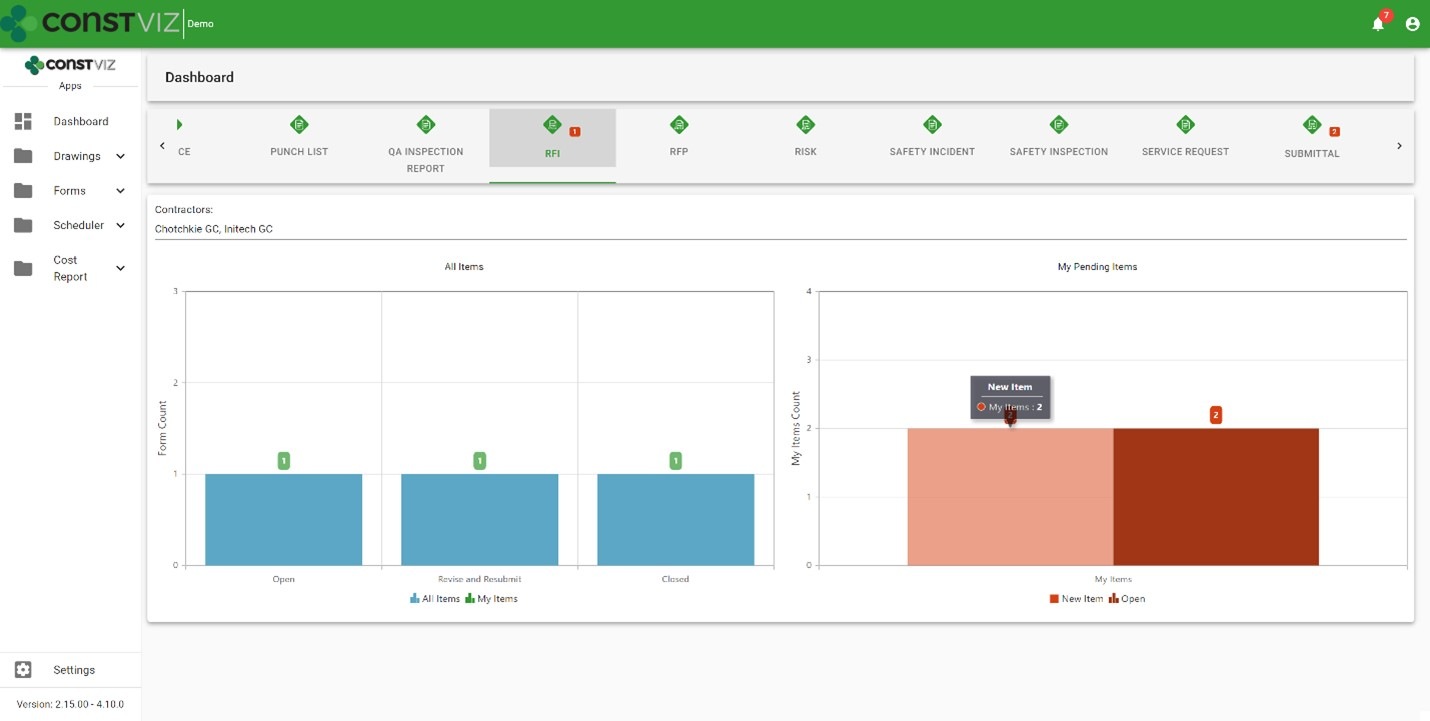
Dashboards – Dashboards display every record by status and by each reviewer so you can quickly identify bottlenecks.

Workflow-Mgmt_3

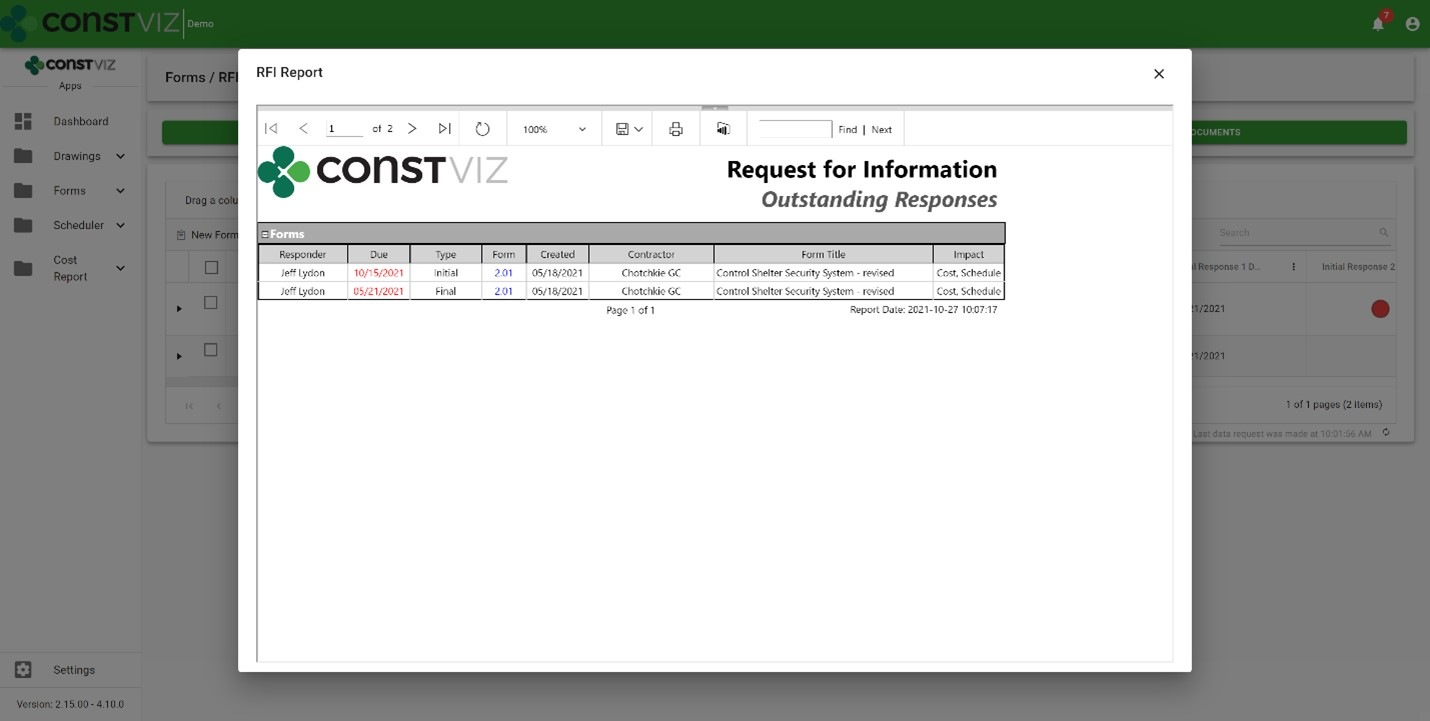
Reports – Outstanding response reports provide formal documents you can export to PDF, Excel, Word, etc.

Workflow-Mgmt_4

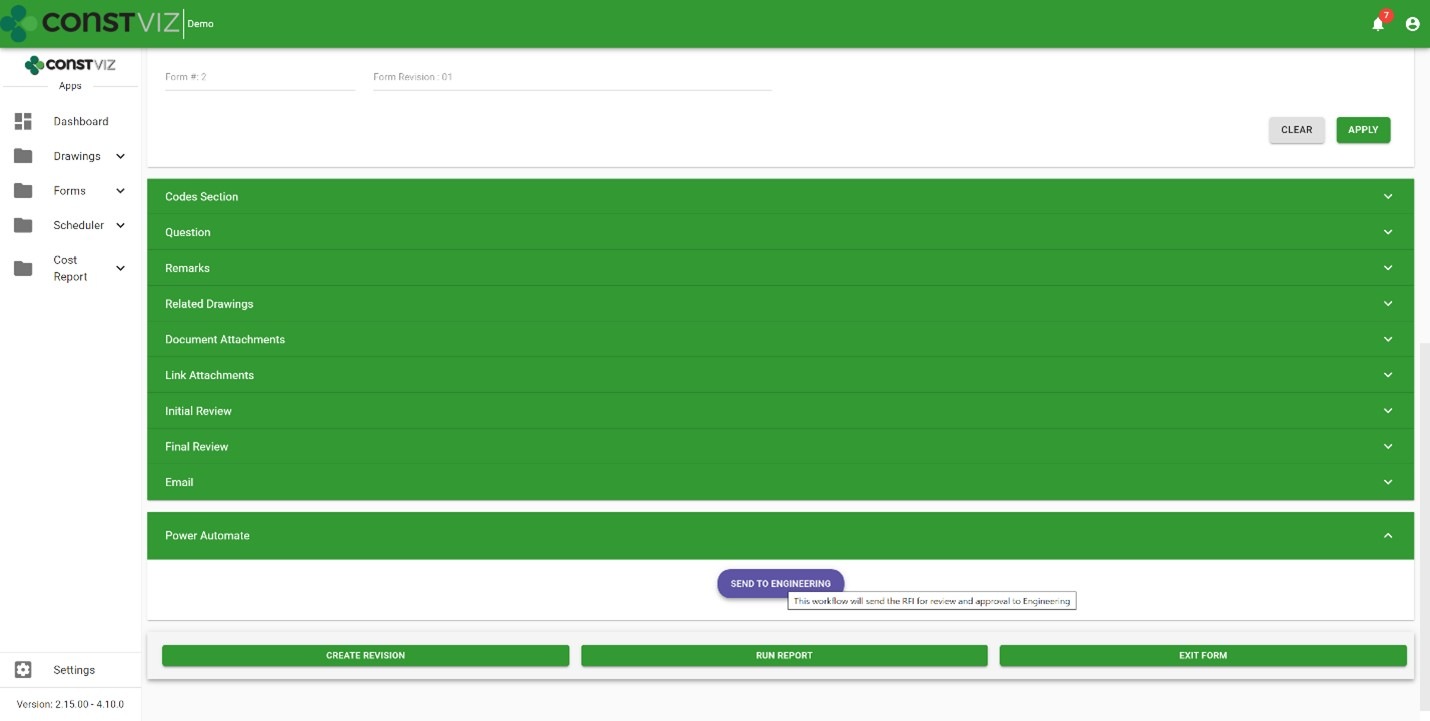
Microsoft 365 Power Automate integration – Power Automate is Microsoft's enterprise workflow solution for Microsoft 365. Construction Viz deeply integrates with Power Automate allowing users to create custom workflows and add them to any of our apps, extending the capabilities and providing unlimited possibilities. Here are a few examples:

  • Automating complex Construction Viz team review and approvals based on form conditions
  • Integrating Construction Viz data with Microsoft 365 services such as Outlook, To Do, Planner, Excel, Teams, and even external systems like SAP and Oracle.
  • Automating Construction Viz Power BI report creation and distribution
Workflow-Mgmt_5

Check out my previous blog article, Your Flows, Your PMIS: Power Automate & Construction Viz, for more information about how Construction Viz and Power Automate can turbocharge your construction project workflows.

Learn more about Construction Viz

Construction Viz is all about choice, and it is the only construction management software platform built for Microsoft 365 and designed around how you work and where you work. Find out more about Construction Viz and how we can help you manage your projects with a free, no-obligation consultation and demo.

Construction Viz Feature: Enhanced Metadata Management with Dynamic Relational Matrices

Document Control | October 22, 2021

Document management is at the core of any Project Management Information System (PMIS), and being able to save and find documents easily is essential for effective records management.

Most content management systems, including out-of-the-box Microsoft SharePoint, offer basic metadata capabilities. Metadata is informational "tags" or "keywords" that you add to a record when saving or editing a document. It is a superior alternative to using folders to organize your documents,  allowing you to search and find records quickly and easily.  Assigning metadata can be as easy as filling in a text field or selecting values from a choice field when you upload documents. Unfortunately, setting metadata to hundreds or even thousands of assets or projects could require an entire team of document control specialists to manage, make sure they are all in sync with the latest revisions, or even find the documents during project closeout.

To simplify the process on both the front and back end, we introduced a new technology in Construction Viz we call dynamic relational matrices (DRM). It sounds complex, but it significantly enhances how you can assign metadata to organize your project documents.

How dynamic relational matrices work in Construction Viz

Construction Viz's DRM lets you assign a one-to-many (e.g., you can assign document X to project 1, 2, and 3) or many-to-many (e.g., you can assign document Y and Z to projects 4, 5, and 6) relationship between documents and metadata.

So, instead of going to each document's properties view and assigning metadata document by document, which is time-consuming and error-prone, you can now do this in a single step from the document drop-off menu. When you upload a document, Construction Viz provides the ability to perform a query of all possible related data and select the associated metadata without ever leaving the drop-off menu.

Construction Viz Project Tracker app example

We built this dynamic relational matrix functionality into our Project Tracker app, enabling you to manage a portfolio of thousands of projects and all their related activities. We've seen huge gains in productivity in the areas of permit management, environmental mitigation plans, work plans, closeout checklists, contracts, and inspection reports that were uploaded and assigned to thousands of projects, all at the same time.

Here's an example of how it works using a transmission utility program as an example:

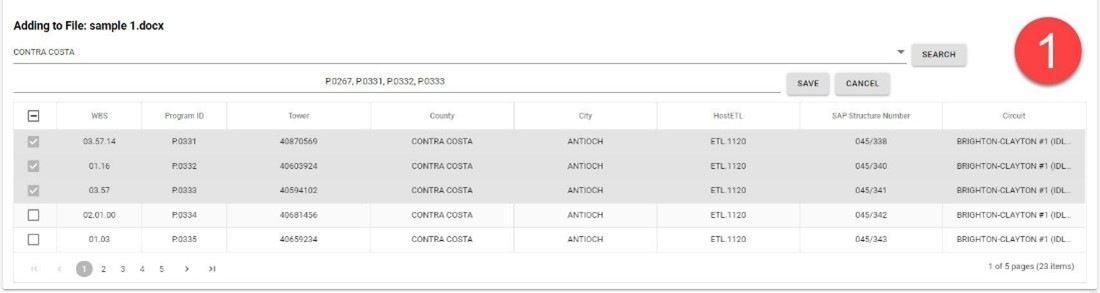
  1. Start by dragging and dropping as many documents as needed into the Project Tracker app drop-off menu. Next, query any project IDs you would like to relate to the document (in our transmission utility program example, these would be towers). You can search and filter on project type, city, county, and more. Once you filter the project list, you can select one or thousands of projects and click apply and save to create the relationship. The example image below has four selected projects.
CV-and-DRM_1
  1. All the projects (towers) you selected in step one are related to the documents you uploaded. Any one of those projects (towers) will reference the same document(s) when a team member searches on that project or document. As you can see below, there are four towers associated with the sample1 document. This many-to-one relationship ensures that there is only one version of the document(s) in Construction Viz but endless related metadata.
CV-and-DRM_2

Get a demo of Construction Viz today

Construction Viz is an enterprise Project Management Information System (PMIS) built by construction professionals for construction professionals. Contact us for a no-obligation consultation and demo today to learn how Construction Viz can help your team better manage your construction projects.

Simplifying Schedule Updates with Construction Viz Scheduler

Scheduling | September 22, 2021

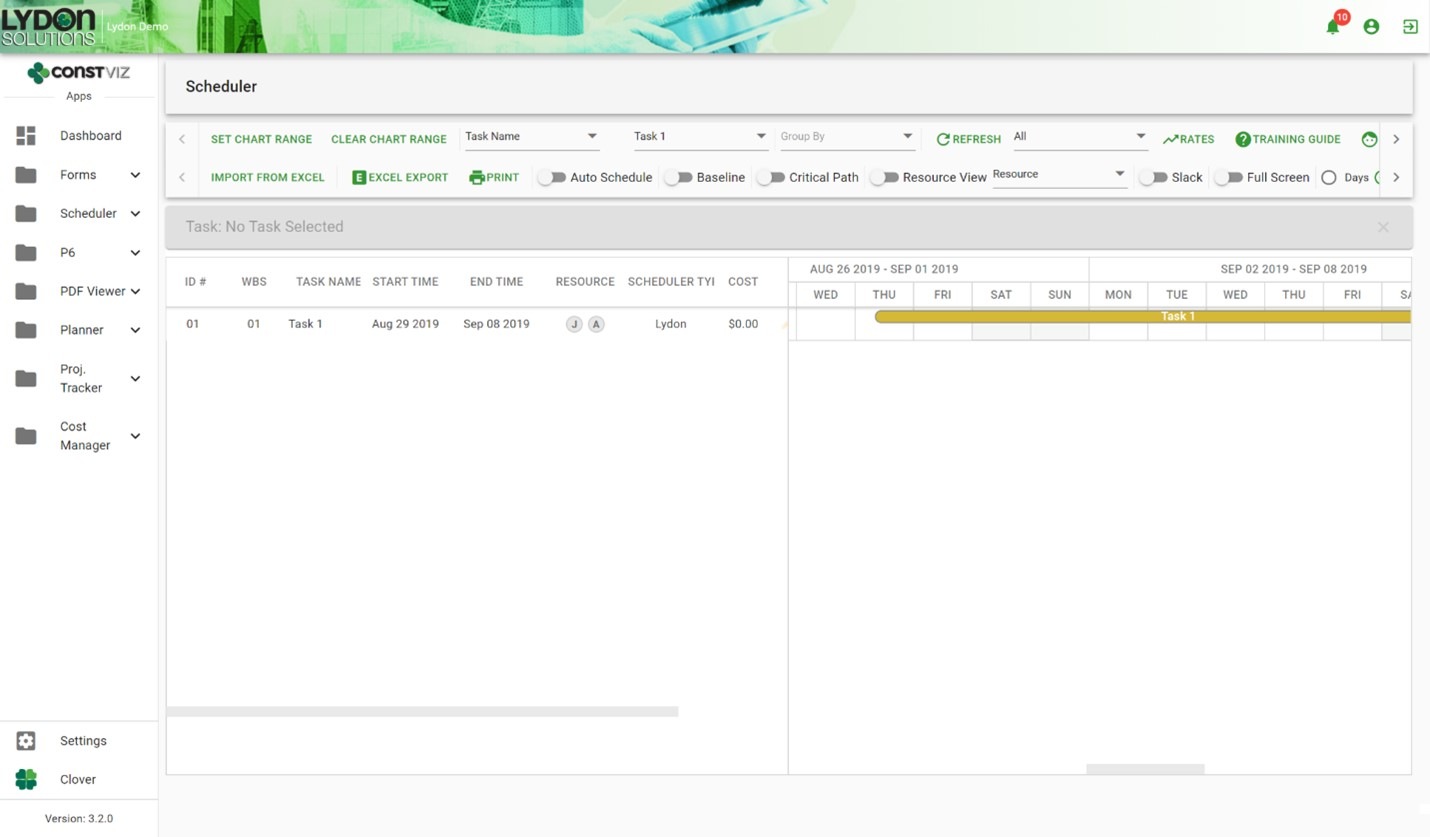
The Construction Viz Scheduler app is a simple yet powerful construction project scheduling tool. Scheduler lets you easily handle scheduling, including managing and assigning resources, right in Microsoft 365 and SharePoint. Read on to learn how Scheduler can simplify your schedule update workflow.

The typical scheduling software can be cumbersome to use, especially if all you want to do as a project manager is get activity updates from team members. A big reason for this is that most scheduling software imposes rigid workflow processes.

For example, with many software tools, the schedule update process typically goes something like this:

  1. The project manager reaches out to the scheduler to get the activity IDs.
  2. The scheduler creates and runs a PDF report of the requested activities.
  3. The scheduler emails the PDF report to the project manager.
  4. The project manager sends the PDF report to their team members, asking for schedule updates.
  5. Team members make their updates by marking up the PDF report and emailing it back to the project manager.
  6. The project manager reviews and compiles the collective updates from the team before sending them back to the scheduler
  7. Finally, the scheduler actualizes the schedule with the latest input provided by the team.

Unfortunately, by the time the schedule is actualized, it’s already out-of-date.

How Construction Viz Scheduler improves scheduling updates 

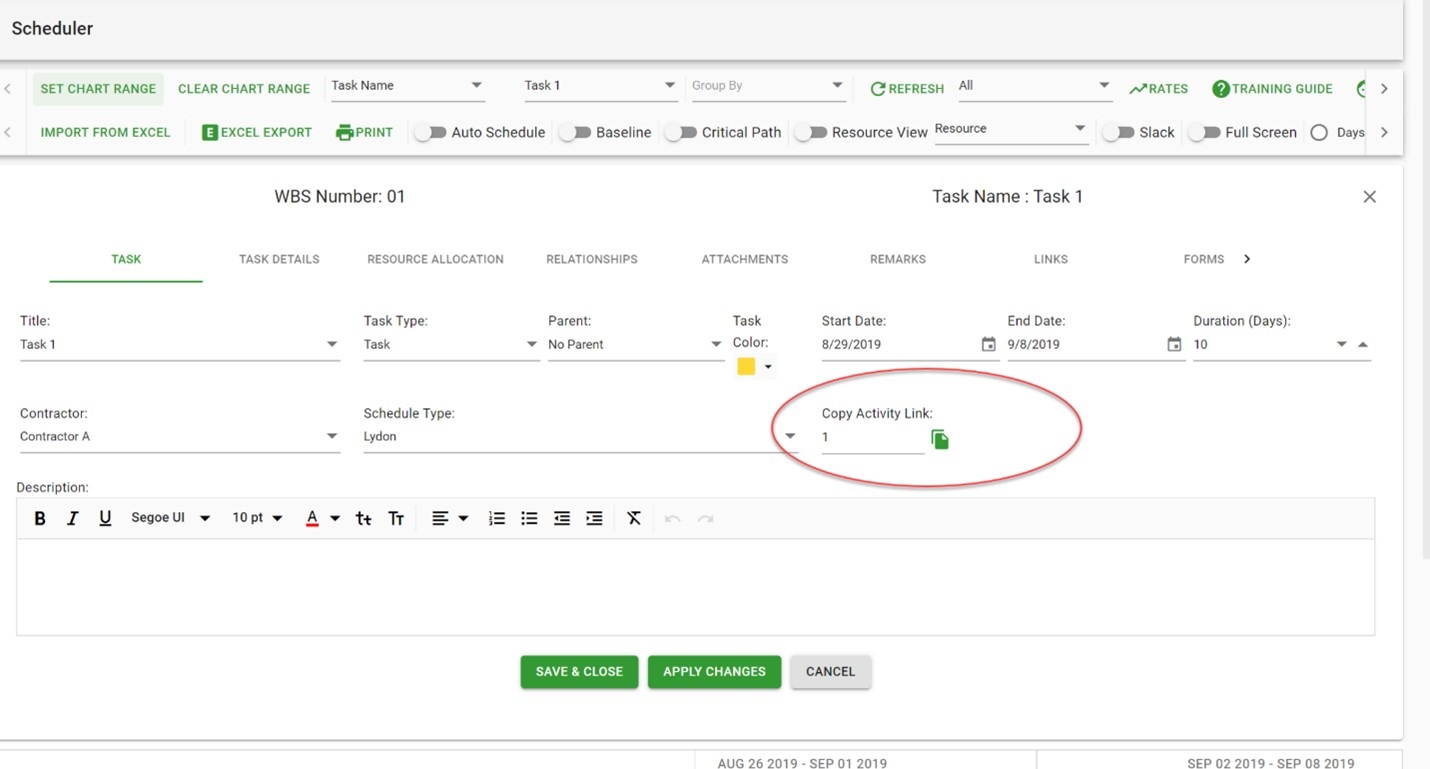
We wanted to ensure that each activity could be easily accessed and quickly shared, removing the frustration and barriers that delay schedule updates. We built our Construction Viz Scheduler app so that every activity has a unique URL that can be copied and shared through email or instant messenger with team members. To further simplify this process, we added a button within the activity details to copy the activity link, making it easy for users to share the URL.

Construction Viz Scheduler makes it easy to copy an activity link
Now team members can update their specific activities with one click

The above is already a significant time-saver, but it gets even better. The Construction Viz Scheduler app lets teams access and share activity information in even more ways:

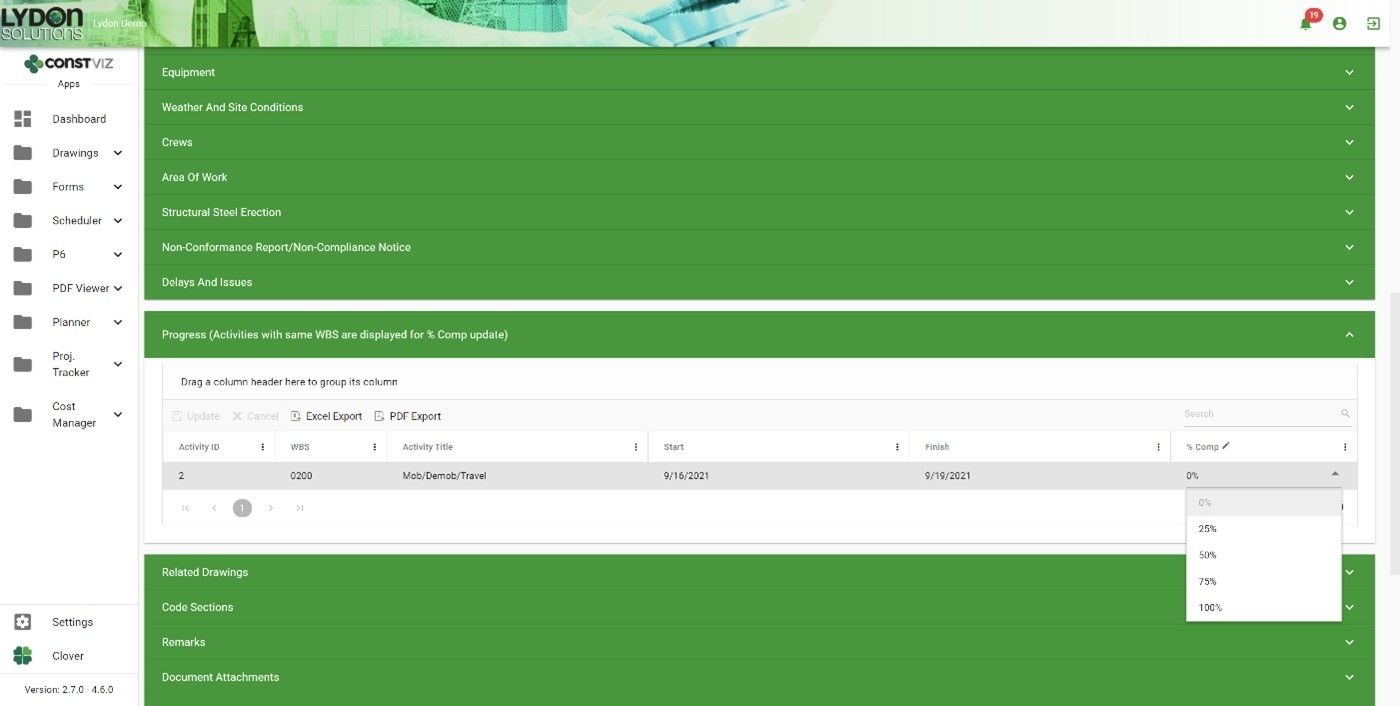
Scheduler Progress App Component.  This configurable component can be added to any app providing the ability to make updates to the Scheduler directly. For example, in a Daily Report app, a construction coordinator could update activity progress percent complete from within the form without opening up the Scheduler.

Daily Report app with Scheduler Progress Component

Forms. Forms, such as a Change Request, can incorporate activity URLs linked directly to a scheduled activity.

Workflow.  Power Automate workflows can include unique activity URLs for team member assignments and updates.

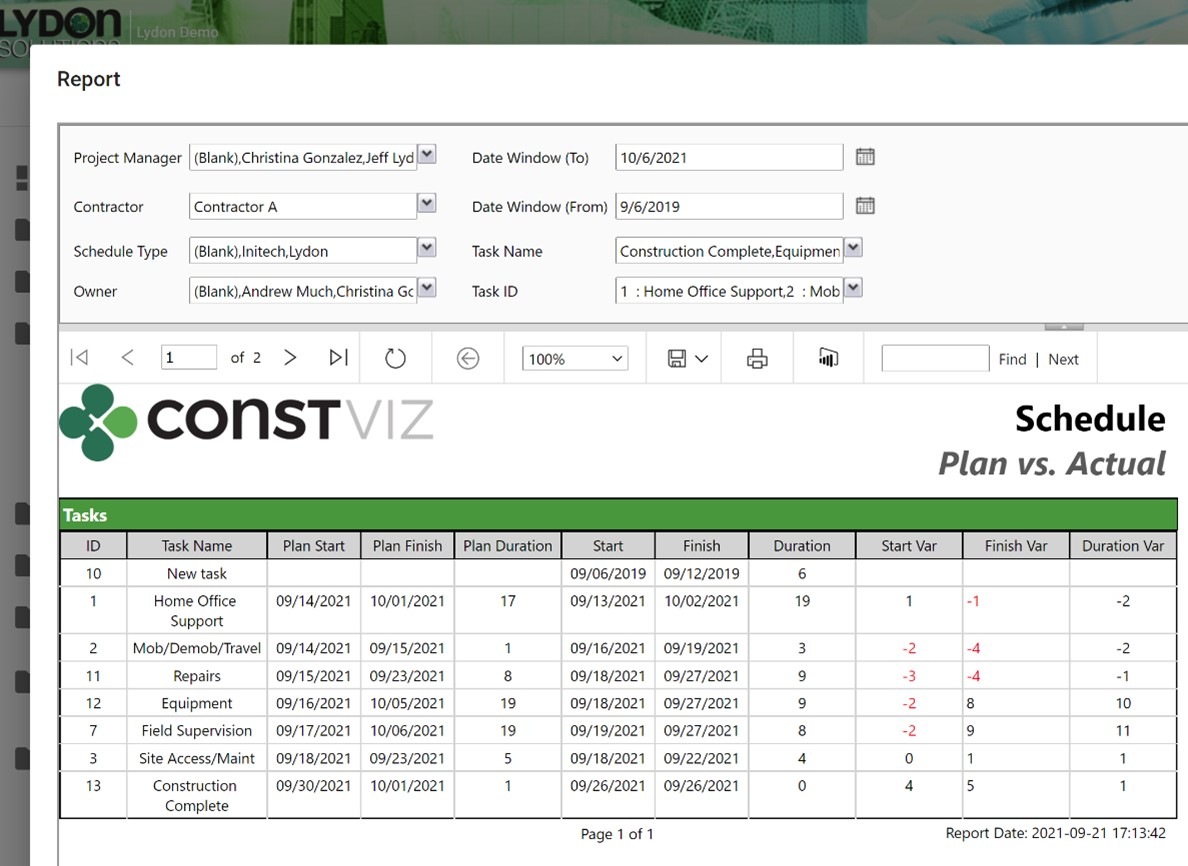
Reporting. Reports and dashboards can include hyperlinks to each activity ID to view additional information within the scheduler.

Scheduler plan vs. actual report with linked IDs

Concerned about access? Any activity in the Scheduler app can also be permission- and version-controlled, allowing you to manage access and updates securely.

We KNOW your project and processes are unique. And we firmly believe that no project management software should force you to re-invent the way you work. Instead, the software should fit into how you do the work. That’s why we built Construction Viz to be the most flexible project management tool available.

Find out more about Construction Viz and how it can help you save time and money on your next project with a no-obligation demo and consultation.

Construction Viz App Spotlight: Document Binder

Document Control | September 2, 2021

The Construction Viz Document Binder app makes it easy to organize and find related construction project documents, images, and videos with features such as automated metadata, permissions, dashboards, reporting, workflow routing, and more.  

Most companies that use Microsoft SharePoint for documents store them in folders. They then rely on the folder and file names as a simple form of metadata for the organization. While folders seem like the most logical and quick way to organize documents, doing so comes with drawbacks:

  • Locating documents in a folder structure can be frustrating and time-consuming, especially if you use the native SharePoint UI to navigate document libraries.
  • The more folder levels used to organize your documents, the longer the URL, which impacts saving and sharing files in SharePoint.
  • You could try adding metadata directly to your documents to make it easier to search and find what you need. However, it is often challenging to get users to add metadata consistently. And if you need to re-classify documents stored in folders, now you must laboriously copy and paste between folders!
  • Finally, the folder method provides limited functionality out of the box, so you are out of luck if you want to use other features such as reviews, emails, permissions, dashboards, and reporting.

The bottom line is that you need more than just a simple folder structure to store and share project information with your teams.

Enter the Construction Viz Document Binder app

With the Construction Viz Document Binder form app, we built a way to easily group related documents while including a ton of functionality and flexibility currently lacking in your standard SharePoint document library folder structure.

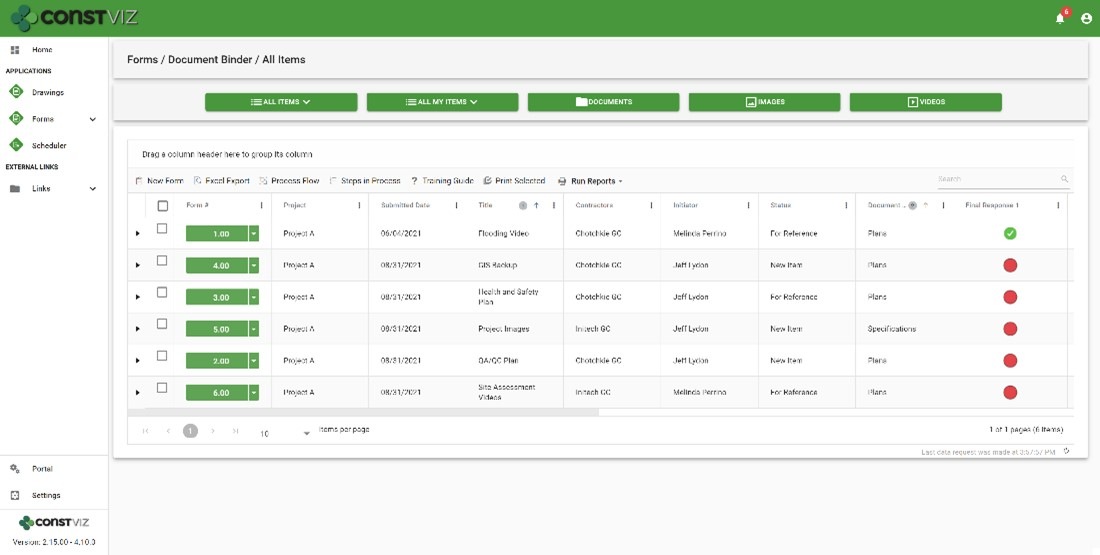
The document binder app could not be simpler to use. You create a document binder form, fill out a few key fields, and drag and drop documents into it. The app automatically tags the form metadata to the attached documents, allowing you to quickly search by form or attachment.

Think of the document binder form as a cover sheet for saving your project documents that also provides the following functionality:

  • Detailed metadata tracking lets you quickly find what you are looking for using the configurable grids or search
  • Responsiveness to any device on a modern browser with offline capability letting you get to your information where and when you want
  • Integration with Microsoft Office for the web lets you open, edit, and share documents in your browser
  • Automatic file name conflict resolution when uploading attachments to prevent overwriting files
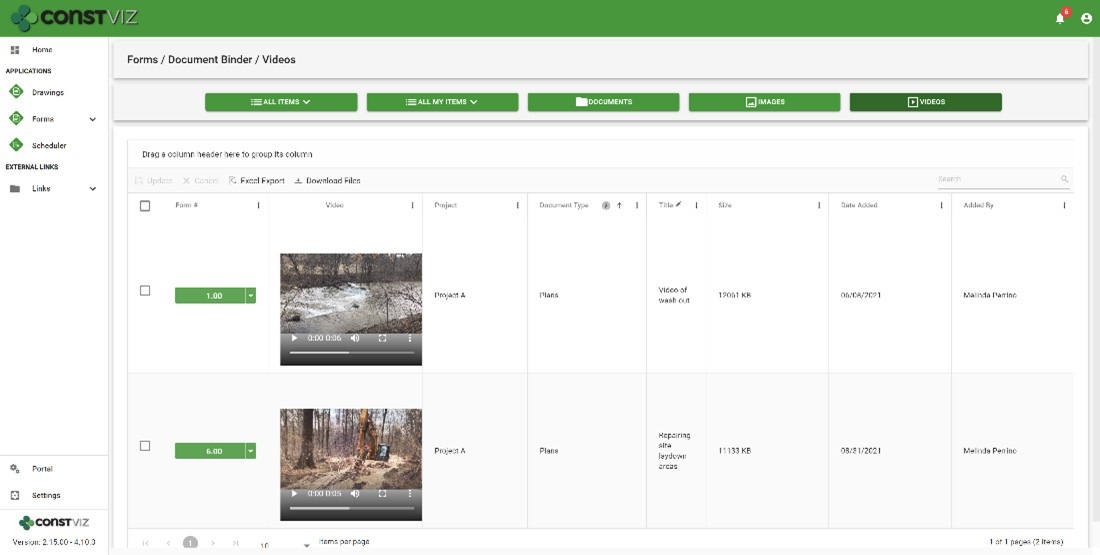
  • Quick view for uploaded files by documents, images, and video
  • Revision management for each form and document
  • Ad hoc workflow approvals with ball-in-court approval indicators
  • Email to users and distribution lists with a history log for auditing
  • Permission management by the contractor and user-defined groups
  • Dashboards, reports, and notifications so you always know where a binder is in the approval process and who needs to take action
  • Archive in place, or if required, create an archive PDF for each binder using the Form Archiving Wizard
Doc-Binder_1
Doc-Binder_2

Get Construction Viz for your organization

Construction Viz is about choice, and it is the only construction management platform designed around how you work and where you work.

Contact us today to learn more about our lineup of Construction Viz apps and how we can help you better manage your projects.

  • « Go to Previous Page
  • Page 1
  • Interim pages omitted …
  • Page 3
  • Page 4
  • Page 5
  • Page 6
  • Page 7
  • Go to Next Page »

Footer

About Constructon Viz

Construction Viz is a flexible construction project management software solution powered by Microsoft SharePoint and SQL.
Read More >

Navigation

  • Home
  • About
  • Features
  • Apps
  • Blog
  • Contact
  • Login

Apps

  • Construction Viz Hub
  • Cost Report
  • Drawing Management
  • File Manager
  • GIS Maps
  • Oracle Primavera 6
  • Payment
  • Specification Management

–

  • Project Forms
  • Project Planner
  • Project Scheduler
  • Project Tracker
  • Task Manager

Connect with Us

  • This field is for validation purposes and should be left unchanged.
  • Sign up to receive helpful tips for construction project managers as well as updates about Construction Viz.

Lydon Solutions

© Lydon Solutions

  • Privacy
  • Cookies
  • Terms of Use
  • Disclaimer
  • End-user license

Click here to start a Microsoft Teams chat.

Click here to start a Microsoft Teams chat.

Contact Us
This field is for validation purposes and should be left unchanged.
Name(Required)
Join Our Newsletter

Sign up to receive helpful tips for project managers and updates about Construction Viz.

Get Started

Join Our Newsletter

Sign up to receive helpful tips for construction project managers as well as updates about Construction Viz.

  • This field is for validation purposes and should be left unchanged.
  • This site is protected by reCAPTCHA and the Google Privacy Policy and Terms of Service apply.