• Skip to primary navigation
  • Skip to main content
  • Skip to footer
Construction Viz

Construction Viz

Project Management Perfect

  • About
  • Features
  • Apps
  • Blog
  • Contact
  • Download Flyer
  • Get Started Today
  • Login
Show Search
Hide Search

Sharepoint

Form Analytics on Steroids With the New Form Details View

Forms | August 27, 2025

You put all of this metadata into your construction forms; now what?

The new Construction Viz form details view takes data captured in forms and presents it in a way that you can analyze until your heart’s content. No need to export to Excel, go to SharePoint, or create a Power BI to search or report on how many pieces of equipment were on the jobsite over the past five days or how many open reviews there are for all of your submittals. In one or two clicks, you can get to your data presented in familiar and straightforward interactive grids.

Check out this article to see how Construction Viz continues to push the envelope of what’s possible in your Microsoft 365 SharePoint to help you manage your construction projects!

Introducing the Construction Viz Form Details View

Construction Viz form apps are built using a combination of components; snippets of code with specific functionality such as a document uploader, review tracking, or a media map. While there are many pre-built construction form applications, components can be assembled to deliver solutions for a client’s unique needs.
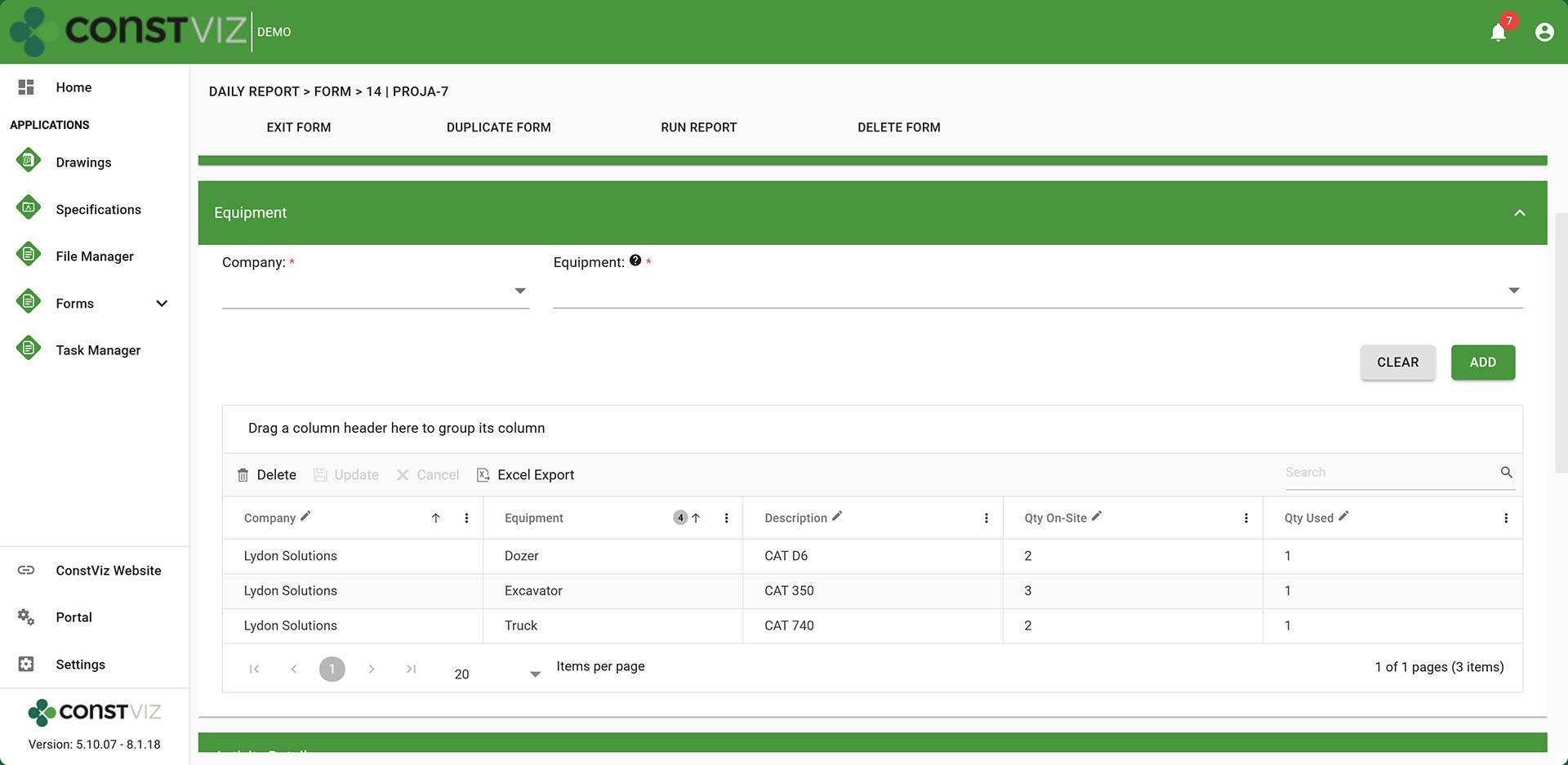
Equipment tracking in a Daily Report

Some of these components capture large amounts of data, such as each piece of equipment at a jobsite, personnel and visitors on site, observations made, bid quantities completed, and stakeholder reviews.

While every form app has its own log with the ability to create views, filter, search, group, etc., the form details view extracts data from these data-intensive components into a separate view, allowing users the ability to group, filter, search, and analyze that specific component data independent of the forms.

It’s a new level of analytics that opens up many more opportunities to extract meaning from your data in real time.
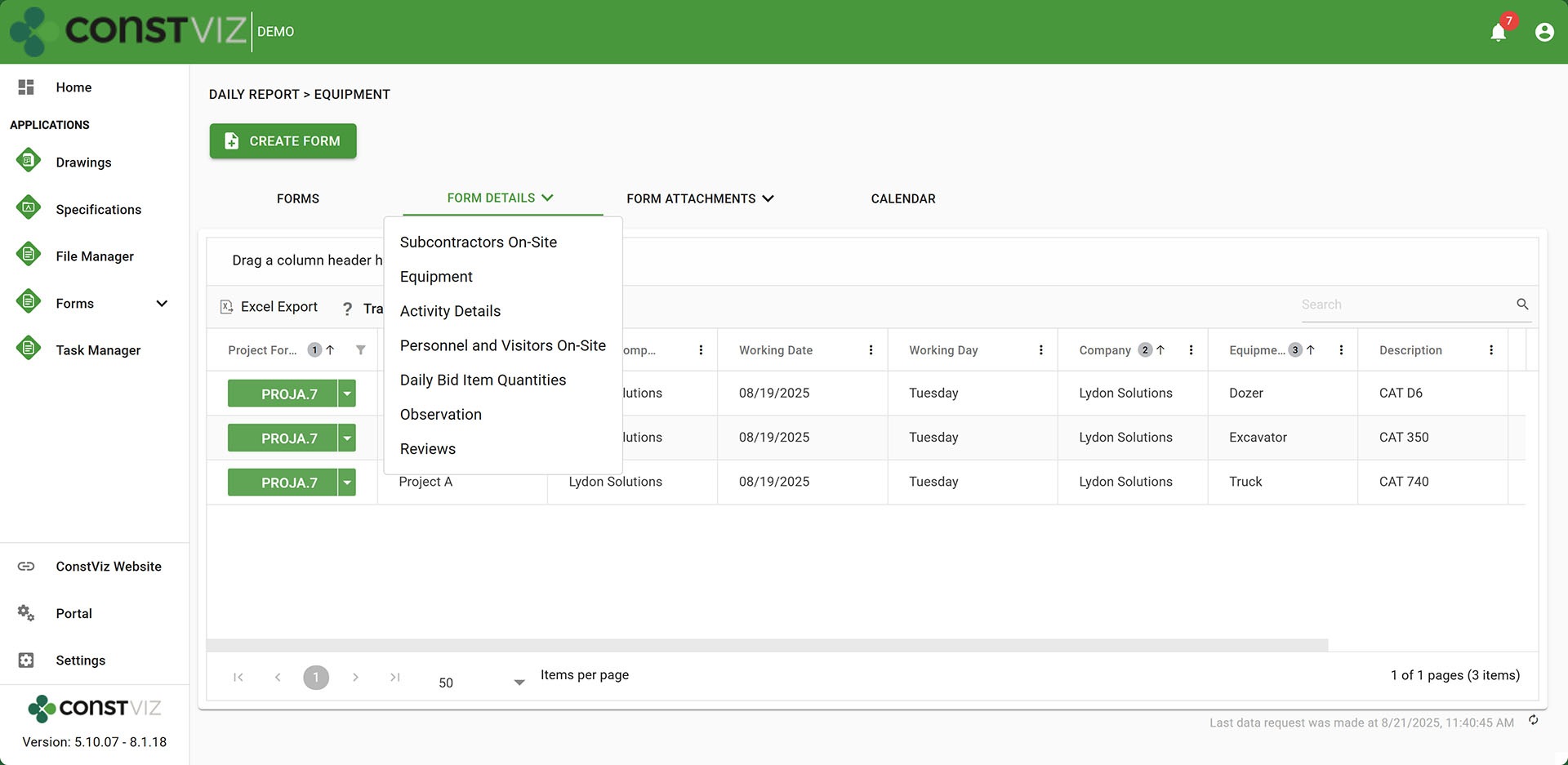
Form Details of equipment from a Daily Report

So, do you feel like you are just putting a bunch of data into forms and not getting much out? Check out Construction Viz for Microsoft 365 to actually use the data you fill out in your forms. Request a no-obligation demo to learn how Construction Viz can transform how you manage your projects.
Request a Free Demo

  • This field is for validation purposes and should be left unchanged.

Phase 3 of the Construction Viz Questionnaire: Now with Geolocated Photos

Forms | June 24, 2025

The Questionnaire component for Construction Viz is a powerful and dynamic feature that you can add to any of our construction form apps to capture questions and responses. With Phase 3, we included the ability to add geolocated photos to every response! Discover how this enhancement will elevate field inspections.

Our team recently released a new questionnaire component that Construction Viz users can add to any form app to collect unique response types for each question, including text, checkboxes, dates, numbers, and locations. Phase 2 of our enhancement roadmap allowed users to include ad hoc comments to each response.

https://constructionviz.com/wp-content/uploads/2025/06/LS_PhotoDropOff.webm

Add Geolocated Photos to Your Construction Forms

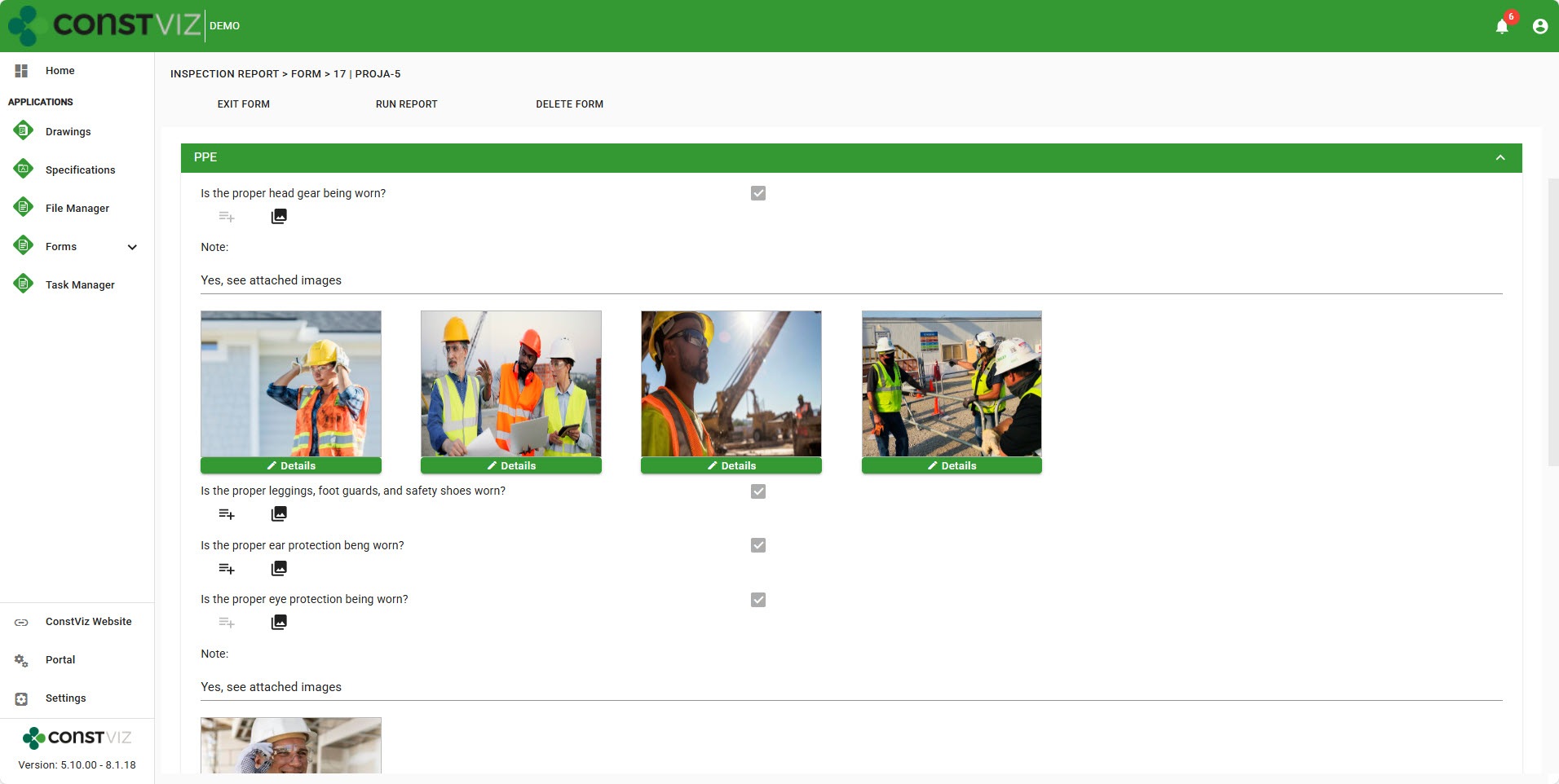
With Phase 3, you can now take photos or upload as many images as needed for each response. The ability to attach pictures is a huge benefit for field inspections or when creating a punch list, where progress or issues need to be identified and supported by photos.

LS_Questionnaire_Images

Additionally, we have connected our interactive flyout menu, allowing you to see each image in a full-screen view and add metadata such as a title, description, and geospatial location. If you don’t know the latitude and longitude of where a photo was taken or have location services turned off with your mobile device, you have the option to move a pin on a map to set the desired location to capture Lat/Long.

As with all of our Construction Viz apps, the data is stored in your Microsoft 365 SharePoint lists and libraries.

Stay tuned: we are currently working on a few more powerful features for the questionnaire component, including providing lookups as a new data type to allow users to select data, such as a building inventory, from a predefined list.

Lydon Solutions continues to innovate and deliver solutions to real-world construction challenges with Construction Viz. You can request a demo of Construction Viz for Microsoft 365 below.

Get a Free Demo

  • This field is for validation purposes and should be left unchanged.

Construction Viz Questionnaire Phase 2 and Beyond!

Forms | June 5, 2025

After building a truly dynamic questionnaire feature into Construction Viz, we quickly followed up with the ability to add comments to every response.

Check out this post to see how this small but super helpful feature provides even more flexibility to the Questionnaire component and see what's coming down the pike!

New Construction Questionnaire Comments Field Enhancement

Questionnaires need to be as dynamic as possible. Based on client feedback, users wanted the ability to add comments to each response to provide further explanation. For example, when completing an inspection report, the inspector might indicate a non-compliance issue per their observation checklist and use the new comments feature for that specific response to further elaborate as to why.

https://constructionviz.com/wp-content/uploads/2025/06/Questionnaire-2a.webm

The comments can be printed to PDF with the form using the report wizard. As with all Construction Viz apps, the tool automatically saves the data to the client's Microsoft 365 SharePoint site.

A Preview of the Roadmap

We have several more exciting enhancements on the roadmap that will add even more features to the questionnaire component very soon, including:

  • Adding photos to every response, including geospatial data. This enhancement will make collecting punch-list items a breeze.
  • Sorting through and finding photos quickly with a new image view that displays all photos added to a questionnaire, complete with metadata.
  • Pulling data from a centralized list with a new lookup response type. This feature will enable organizations to establish standard lists, such as a set of inventory materials that you can assign to each response as you complete it.

And that is just a small preview of what's to come. Stay tuned for more updates.

Lydon Solutions continues to innovate and deliver solutions to real-world construction challenges with Construction Viz. You can request a demo of Construction Viz for Microsoft 365 below.

Get a Free Demo

  • This field is for validation purposes and should be left unchanged.

Customized Questionnaires Now Available in All Construction Viz Apps

Forms | May 8, 2025

Whether you are completing a site inspection, daily report, or even a risk assessment, you may need to create customized questionnaires where you can add unique questions and choose the types of responses, like a date or checkbox. With our latest release of Construction Viz, we aimed to deliver a truly dynamic questionnaire solution that is available across all our apps. Check out this article to find out more.

The new questionnaire component delivers robust and dynamic features on all fronts, and as with all Construction Viz applications, the data is stored on your SharePoint sites.

Questionnaires Available in All Construction Viz Apps

The questionnaire component is available across all Construction Viz apps. It is available in the daily and inspection form apps by default, but you can activate it on any of our apps.

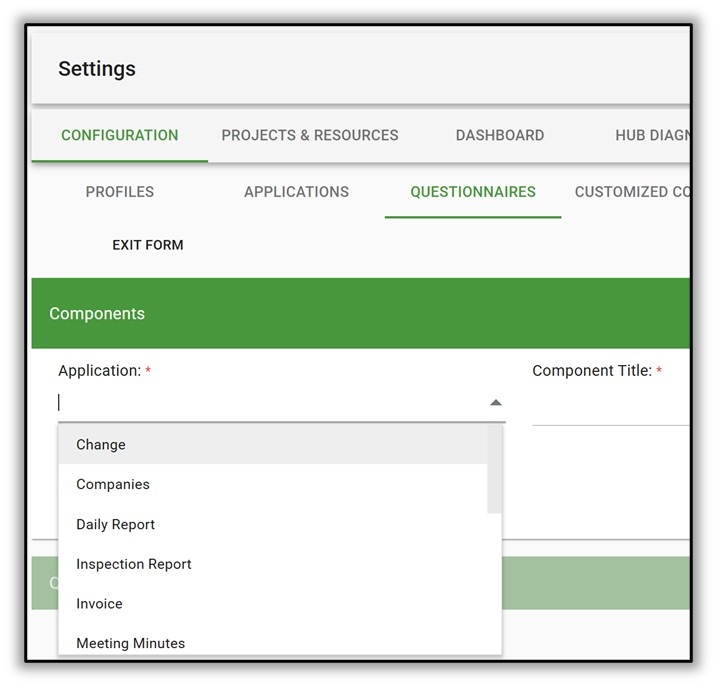
Need questionnaires in a Change Request or Submittal form app? No problem. Activate the questionnaire feature in the settings.

Construction Questionnaire

Construction Viz Questionnaire Component Features

Custom response data types

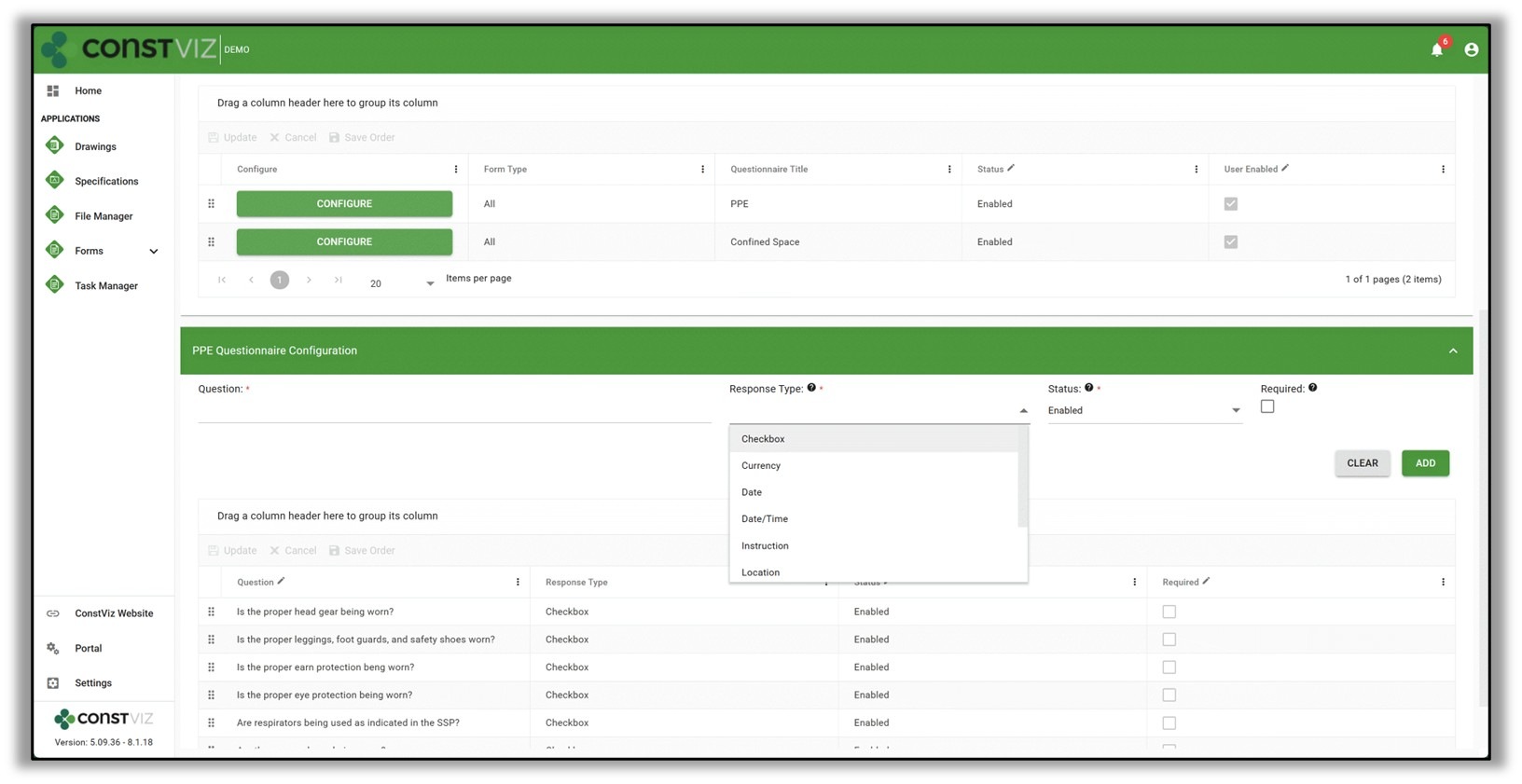
Want different response data types for each question? When creating a questionnaire template, an admin can assign each question a unique response type, such as a checkbox, currency, date, date/time, instruction, location, number, percent, and text.

Construction Questionnaire

User enabled questionnaires

You might have a set of questions that require responses in a form by default, but you might also need the flexibility to respond to questions depending on the unique circumstance or condition.

The new user-enabled questionnaires allow the initiator to enable other related questions depending on the situation, providing the ultimate flexibility.

Form type questionnaires

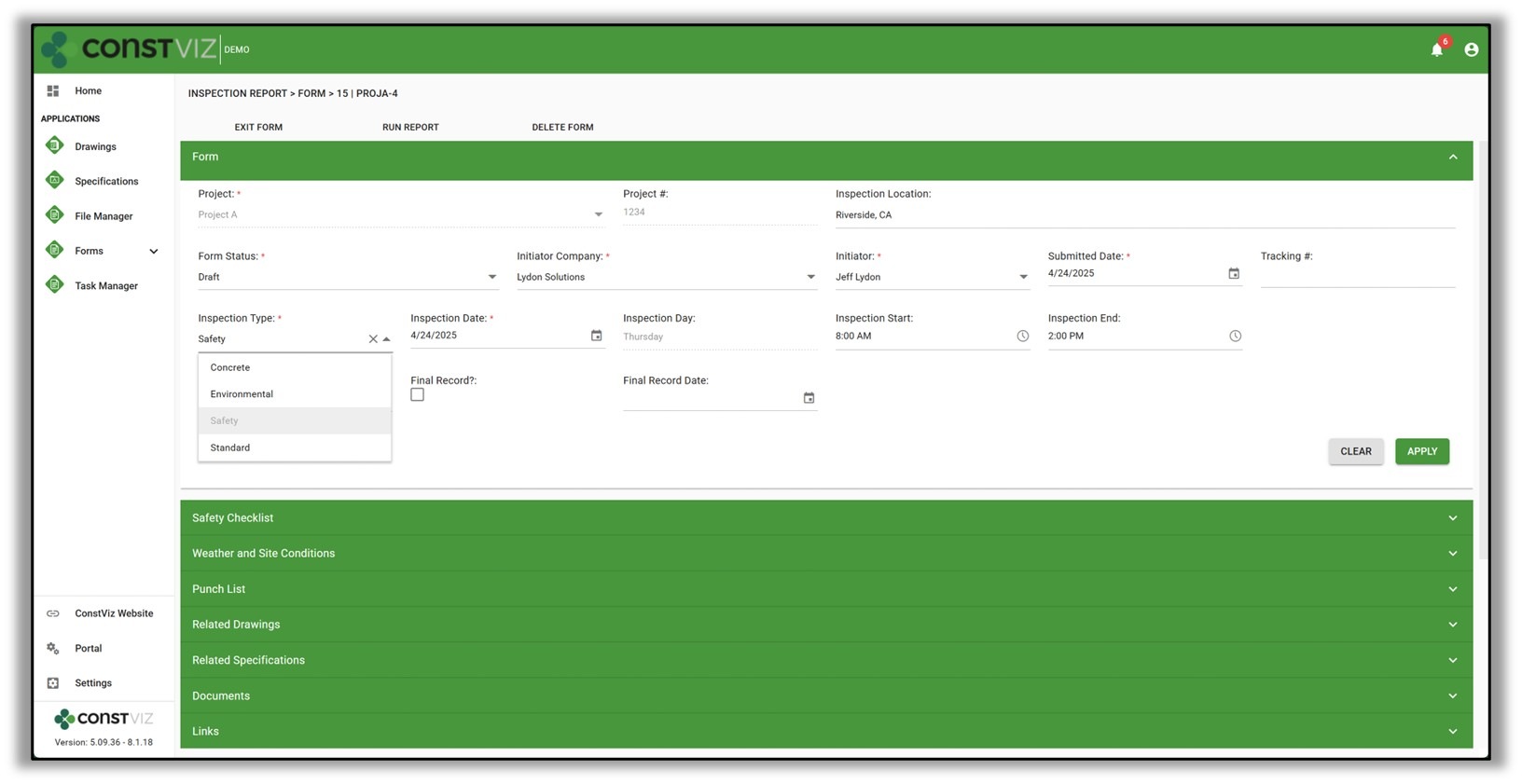
We added a new form type field to select forms that can drive which questionnaires are enabled in the form. So, when a user selects a safety inspection form type in an inspection report form app, the safety questionnaires are made available by default.

Construction Questionnaire

These new questionnaire features in Construction Viz provide the ability to adapt to dynamic business needs and increase overall efficiency on construction projects.

Lydon Solutions continues to innovate and deliver solutions to real-world problems with Construction Viz. You can request a demo of Construction Viz for Microsoft 365 below.

Get a Free Consultation - Blog

  • This field is for validation purposes and should be left unchanged.

Construction Viz is Easy to Use

Construction Viz | August 6, 2024

While it might be debatable how integrated Microsoft 365 apps are, the one thing they do have going for them is ease of use. Rarely do you have to take a training class to use a Microsoft product.

With Construction Viz, we tried to echo this same UI design and layout while keeping the tool as easy to use as possible. Read on to learn how we designed Construction Viz for all levels of technology experience across your construction organization.

Construction Viz Streamlines Construction Project Management

A system can live or die based on how intuitive and easy to use it is. As we all know, the construction industry is one of, if not the most fragmented, technology-related industries. Experience levels and adoption vary from office to field, across departments, and even among remote workers. So, a tool needs to be:

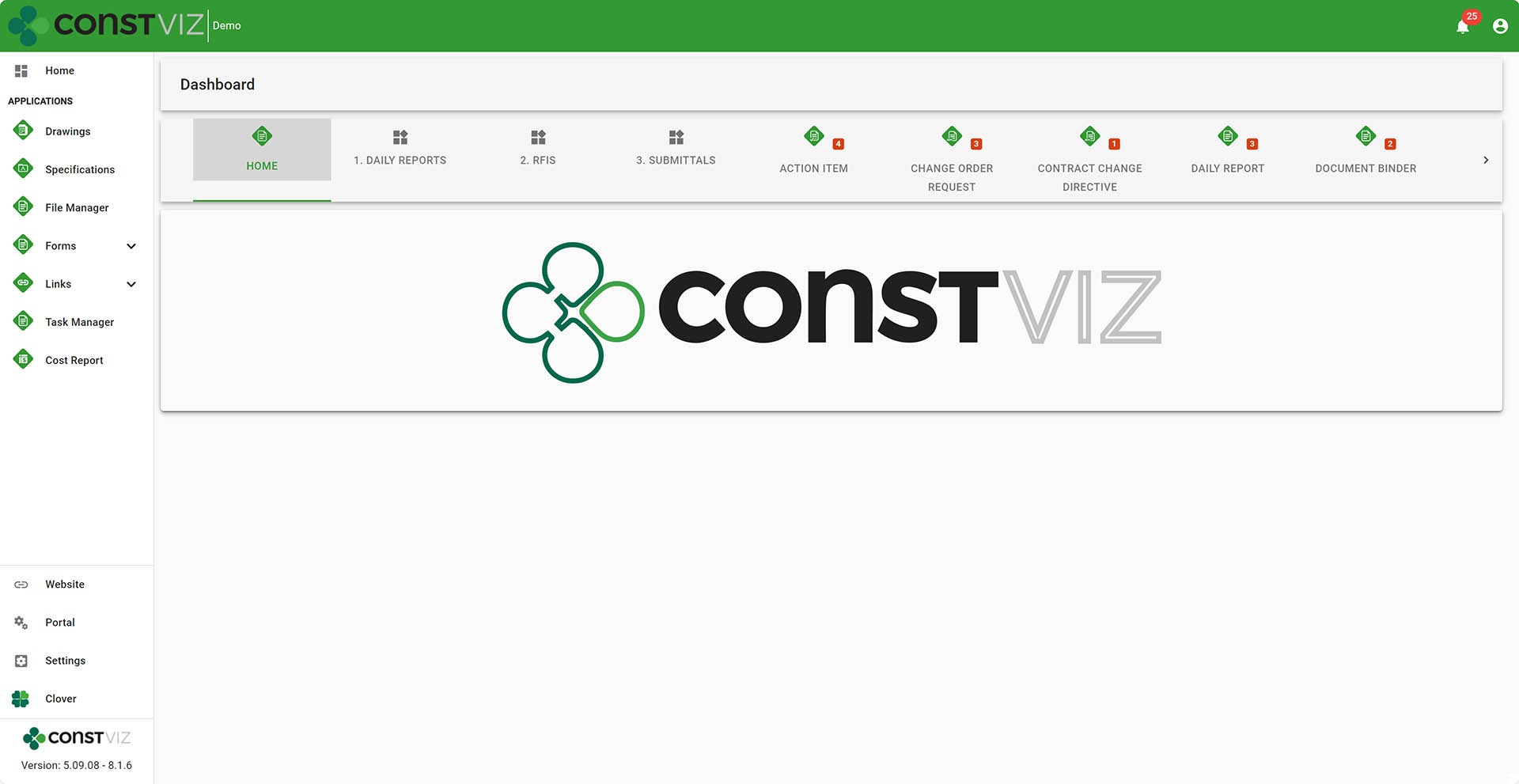
  • Non-intimidating. Initial impression count. You should not be overwhelmed with the amount of data right in your face. Regardless of your technology background, if you have ever searched a website, used a phone, or created an email in Outlook, the experience should be familiar.
  • Action-oriented. There are way too many distractions and urgent items requiring our attention in today's world. Personal and business tasks put a strain on your time. Issues requiring your attention need to be front and center.
  • Minimal clicks. Most users will tune out if it takes more than two clicks to get to where you want to go.
  • Intuitive. Let's face it: nobody reads training guides anymore. Users will look elsewhere if it's not intuitive and will allow you to hit the ground running immediately.

Construction Viz checks all of these boxes and more. We designed the solution to welcome users of all technology experiences and allow you to get in, complete your tasks, and get out so you can get on with your busy schedule.

Differentiator-Pt5_1

Why Construction Viz?

Read more about what sets Construction Viz apart from the competition in our new blog series:

  • Part 1: Get Just the Apps You Need with Construction Viz
  • Part 2: Deploy Construction Viz Securely to YOUR Microsoft 365
  • Part 3: Customize Construction Viz to YOUR Unique Needs
  • Part 4: Construction Viz Offers Best in Class Pricing
  • Part 5: Construction Viz is Easy to Use
  • Part 6: Your Data Stays with You 24/7 in Construction Viz
  • Part 7: Designed by Construction Professionals for Construction Professionals
  • Part 8: Construction Viz is Integrated with Microsoft 365

Keep an eye on this series of articles, where we will elaborate on the benefits of Construction Viz over other construction management platforms on the market. You can request a free demo below to find out more about what Construction Viz can provide. If you are new to Microsoft 365 and need help setting it up and/or helping you deliver solutions, you can request a free one-hour consultation here.

Get a Free Demo

  • This field is for validation purposes and should be left unchanged.

Customize Construction Viz to YOUR Unique Needs

Construction Viz | July 24, 2024

The one thing that absolutely never changed in my 25 years in the construction industry is change. New technologies and processes are released regularly to help reduce costs, manage scope, and improve scheduling, but unfortunately, the construction industry is the least receptive industry to technology changes. This is why it's critical to deliver IT solutions that are easy to use and customizable for your unique needs. It is also why the implementation needs to consider technology gaps and/or resistance within construction organizations. Check out this article on how Construction Viz can meet you where you work and how you work.

When we started Lydon Solutions, we specifically focused on building custom solutions in Microsoft SharePoint to address the needs of each construction client. We knew that every organization, project, and project manager manages projects differently, so our solutions needed to be as flexible to changes as possible.

So, when we built Construction Viz as an enterprise construction management platform for Microsoft 365, one of our goals was to provide an out-of-the-box solution that could also be further customized to the client's unique needs now and well into the future.

Construction Viz is All About Customizable Solutions

We approach customization in Construction Viz from several areas:

The Construction Viz Hub

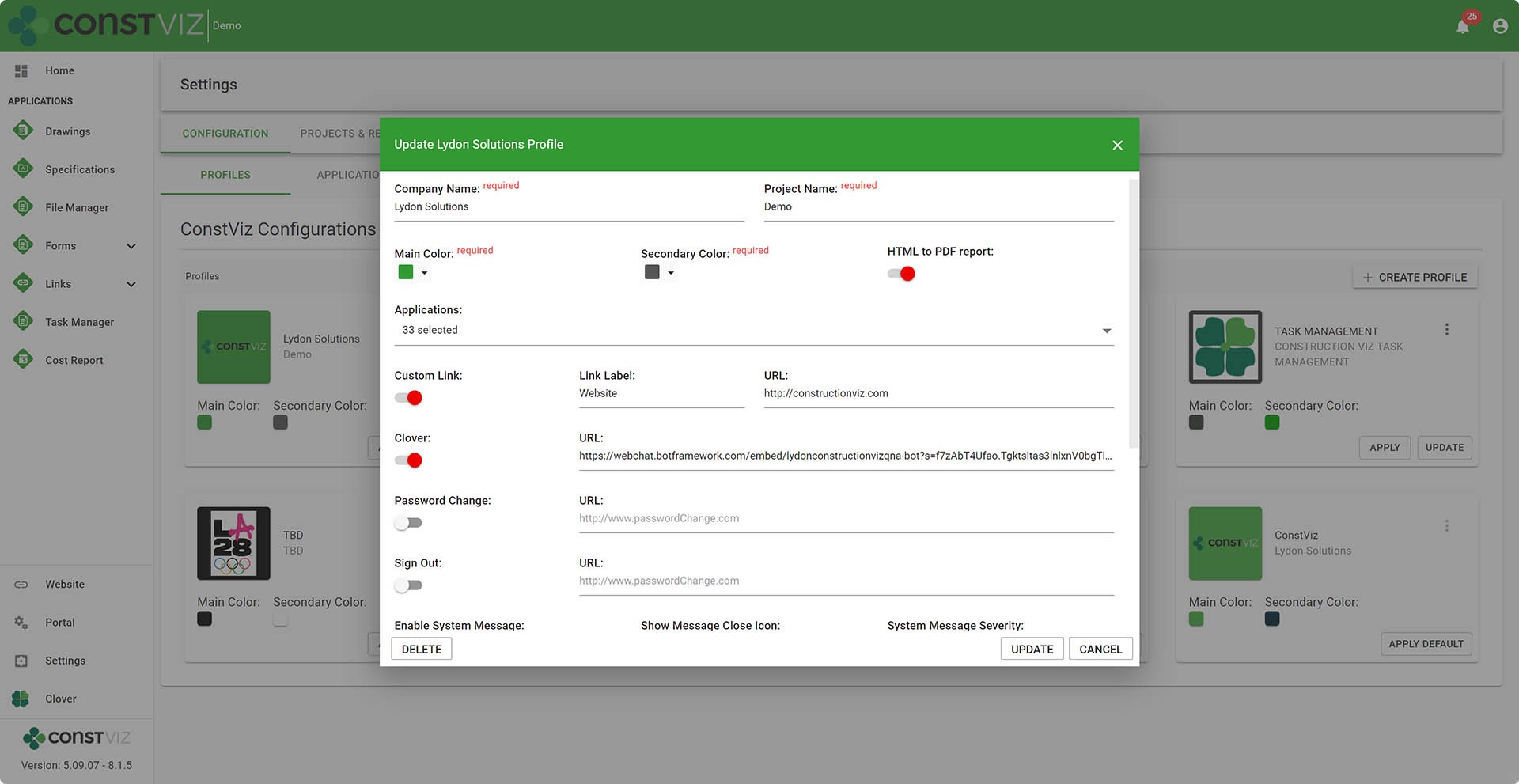
The Construction Viz Hub is your control center. You can turn apps on and off and further configure them as needed in the Hub.

We also implemented Hub Profiles that can create unique experiences (apps, theming, and features) that you can target to specific users like contractors or owners.

Differentiator-Pt3_1

Modular Components in Construction Viz

We built our apps using a component-based structure where each component performs a specific function.

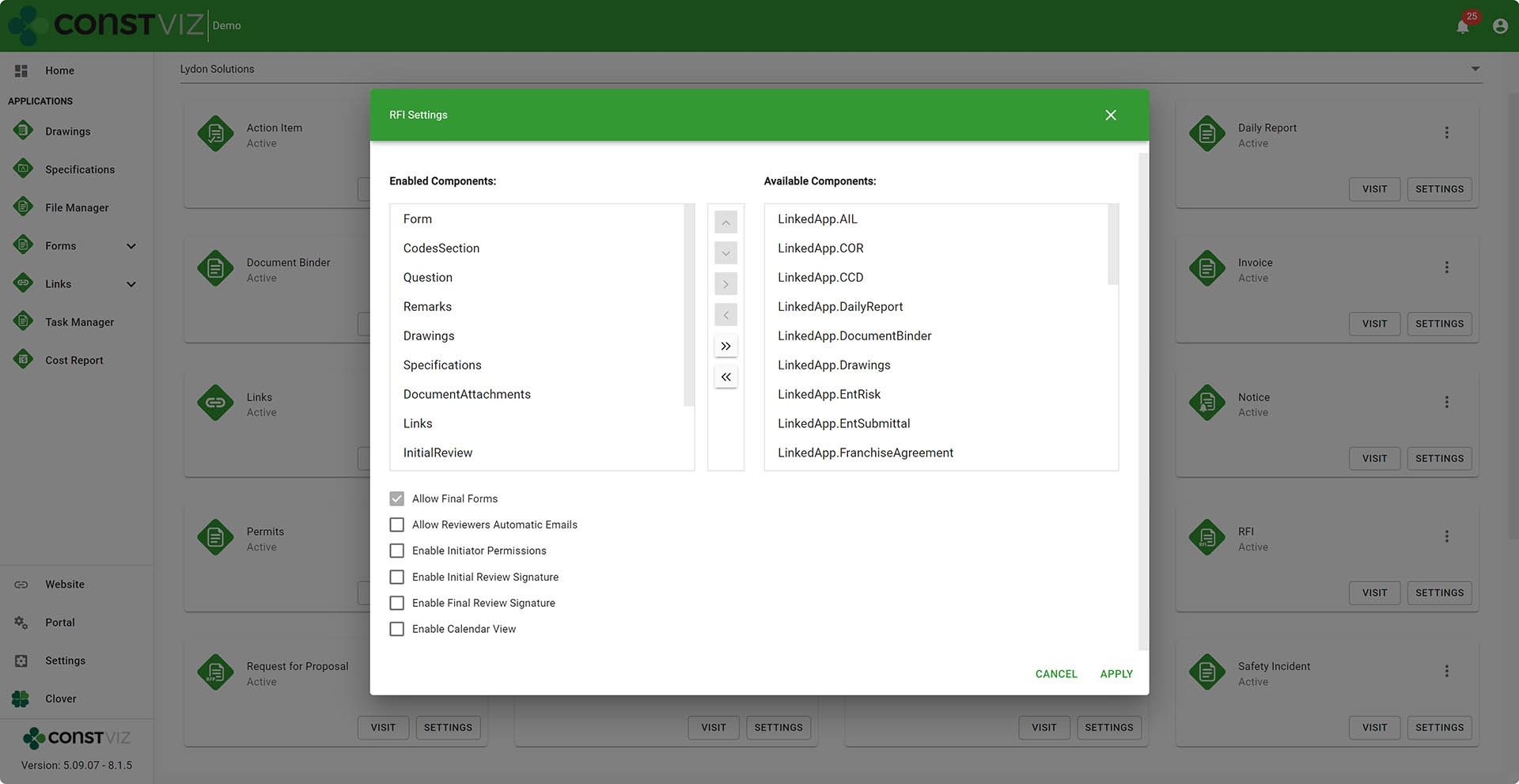
For example, if you need a document attachment component to upload your files into an RFI form, we can turn on the document uploader to add files to an RFI form. Or, if you need the ability to upload images in a thumbnail view to a Daily Report, we could turn on the image uploader component.

Over the years, we have built an extensive catalog of unique components to deliver unique client-specific apps by combining multiple components into custom solutions.

Differentiator-Pt3_2

Construction Viz Configuration Settings

We provide administrative settings that clients can configure for their specific projects and add unique permissions.

Also, administrators can manage one project per site or many projects per site, with Construction Viz accommodating either option from the settings.

Metadata Files

We built Construction Viz with the ability to branch our product code base with unique metadata code files by a client or even by a project. These metadata files allow us to add new fields, apps, or whatever a client needs in Construction Viz.

While the metadata files can be unique to each client, they still receive regular product updates as part of the release process. This flexibility built into Construction Viz’s handling of metadata is a forward-thinking and dynamic approach to building unique solutions.

Microsoft 365 Extensibility

Since Construction Viz deploys to a client's Microsoft 365, they can further enhance the features, such as building their own Power BI reports and embedding them into Construction Viz or building a Power Automate workflow and adding it to one of our form apps. We'll get into some of these details in a future post on this topic.

Differentiator-Pt3_3

Construciton Viz File Manager

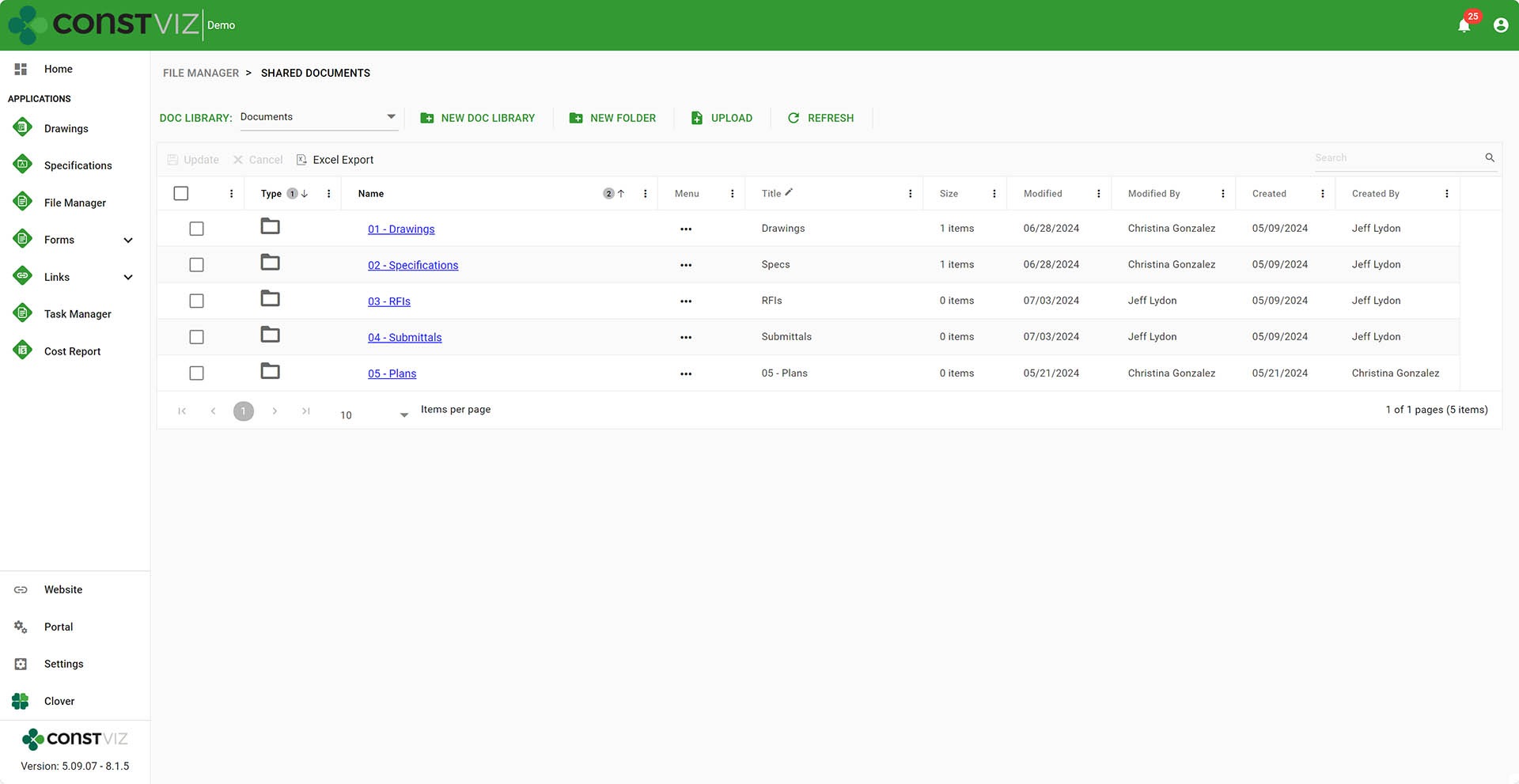
For organizations that want to tiptoe into some of the apps but still want to keep using SharePoint document libraries with folders, we built the Construction Viz File Manager app. The File Manager app lets you perform most of the critical functions you would do in SharePoint right inside Construction Viz without having to navigate to the underlying SharePoint site.

Differentiator-Pt3_4

Why Construction Viz?

Read more about what sets Construction Viz apart from the competition in our new blog series:

  • Part 1: Get Just the Apps You Need with Construction Viz
  • Part 2: Deploy Construction Viz Securely to YOUR Microsoft 365
  • Part 3: Customize Construction Viz to YOUR Unique Needs
  • Part 4: Construction Viz Offers Best in Class Pricing
  • Part 5: Construction Viz is Easy to Use
  • Part 6: Your Data Stays with You 24/7 in Construction Viz
  • Part 7: Designed by Construction Professionals for Construction Professionals
  • Part 8: Construction Viz is Integrated with Microsoft 365

Construction Viz Adapts to Your Unique Requirements

If your organization needs ultimate flexibility in your construction management solution, it's tough to beat Construction Viz.

We believe in rapid development and add features for our clients almost weekly, unlike other products where you hope to make it into their next six-month development release.

Keep an eye on this series of articles, where we will elaborate on the benefits of Construction Viz over other construction management platforms on the market.

To find out more about what Construction Viz can provide, or if you are new to Microsoft 365 and need help setting it up or delivering solutions in the Microsoft ecosystem, you can request a free one-hour consultation or demo below.

Get a Free Consultation

  • This field is for validation purposes and should be left unchanged.
  • Page 1
  • Page 2
  • Page 3
  • Interim pages omitted …
  • Page 7
  • Go to Next Page »

Footer

About Constructon Viz

Construction Viz is a flexible construction project management software solution powered by Microsoft SharePoint and SQL.
Read More >

Navigation

  • Home
  • About
  • Features
  • Apps
  • Blog
  • Contact
  • Login

Apps

  • Construction Viz Hub
  • Cost Report
  • Drawing Management
  • File Manager
  • GIS Maps
  • Oracle Primavera 6
  • Payment
  • Specification Management

–

  • Project Forms
  • Project Planner
  • Project Scheduler
  • Project Tracker
  • Task Manager

Connect with Us

  • This field is for validation purposes and should be left unchanged.
  • Sign up to receive helpful tips for construction project managers as well as updates about Construction Viz.

Lydon Solutions

© Lydon Solutions

  • Privacy
  • Cookies
  • Terms of Use
  • Disclaimer
  • End-user license

Click here to start a Microsoft Teams chat.

Click here to start a Microsoft Teams chat.

Contact Us
This field is for validation purposes and should be left unchanged.
Name(Required)
Join Our Newsletter

Sign up to receive helpful tips for project managers and updates about Construction Viz.

Get Started

Join Our Newsletter

Sign up to receive helpful tips for construction project managers as well as updates about Construction Viz.

  • This field is for validation purposes and should be left unchanged.
  • This site is protected by reCAPTCHA and the Google Privacy Policy and Terms of Service apply.