• Skip to primary navigation
  • Skip to main content
  • Skip to footer
Construction Viz

Construction Viz

Project Management Perfect

  • About
  • Features
  • Apps
  • Blog
  • Contact
  • Download Flyer
  • Get Started Today
  • Login
Show Search
Hide Search

Construction Viz Apps

Solving the Action Items Dilemma with Construction Viz

Action Item | February 18, 2021

Learn how we integrated the Construction Viz Meeting Minutes and Action Item apps to turbocharge action item management for construction project teams.

Here is a common scenario for many construction organizations:

  • Your project teams hold meetings to review progress and capture action items in meeting minutes.
  • In most cases, team members probably document meeting minutes in Microsoft Word.
  • Next, someone likely re-enters action items into a separate log using Microsoft Excel.

Not only is this not a very efficient way to collect meeting information, but it is also error-prone and difficult to keep in sync. It is also challenging to ensure that your team is working off the most up-to-date versions of these documents.

We took a step back and analyzed the above process when designing the Construction Viz Meeting Minutes and Action Items apps. The result was a deep integration between these two tools to create a streamlined and always-up-to-date bidirectional connection between meeting minutes and action items.

How Construction Viz improves action item management

The bidirectional flow of data between our Construction Viz Meeting Minutes and Action items apps offers construction project teams many benefits:

  • You can create action items directly within the Meeting Minutes app.
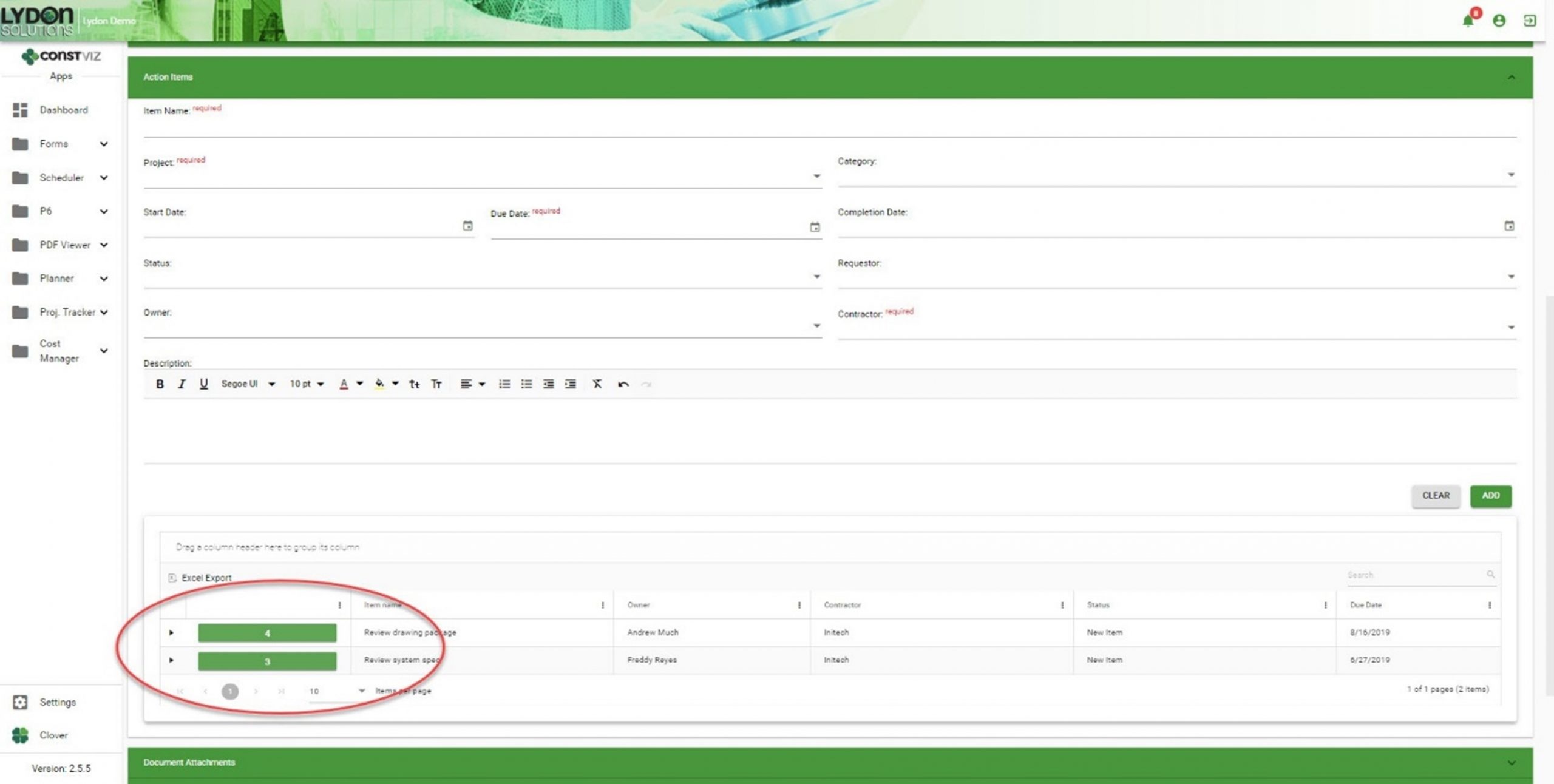
Solving-Action-Items-Dilemma_1
  • Action items created within a meeting minutes record automatically generate entries within the Action Items app.
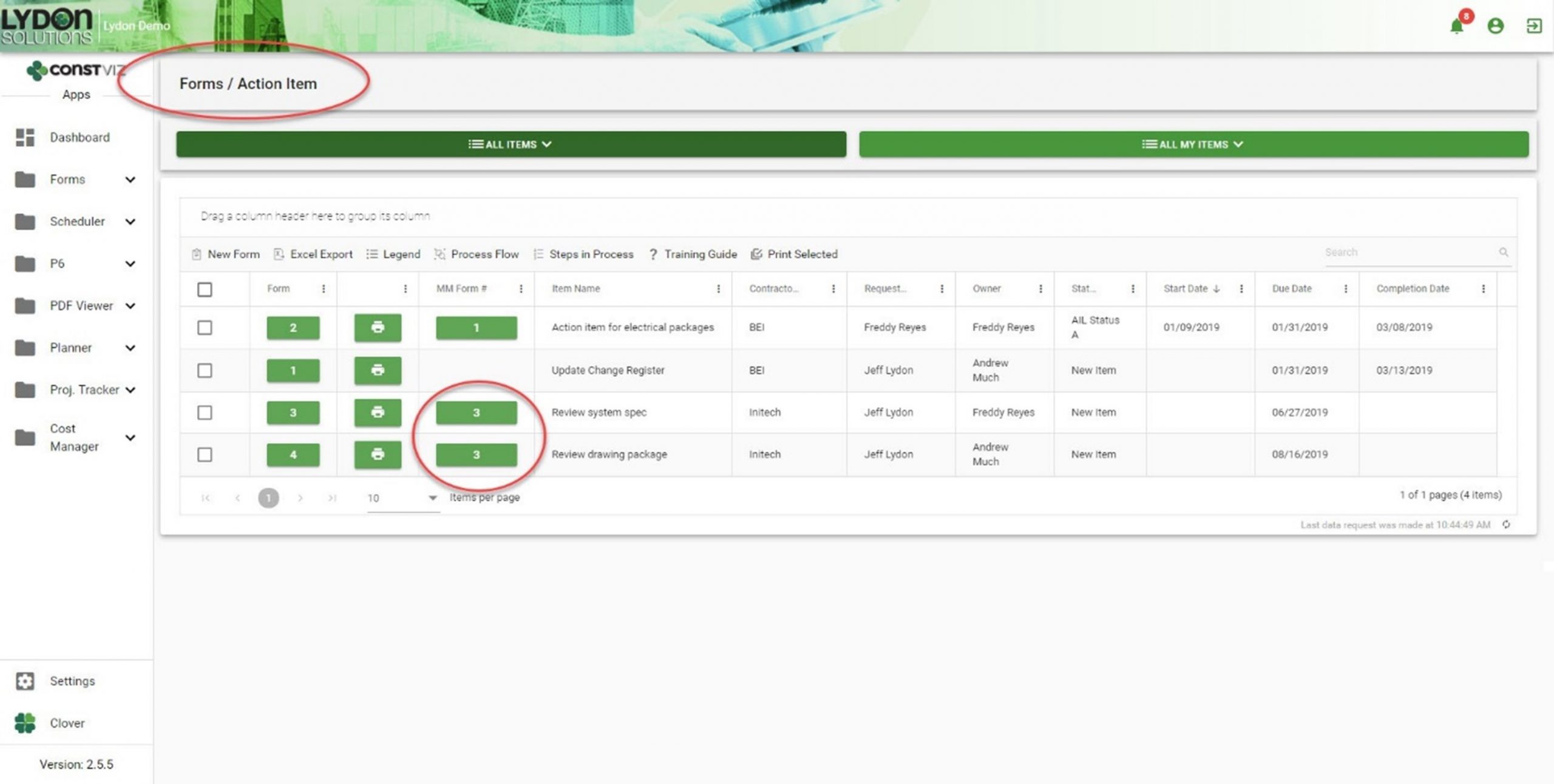
Solving-Action-Items-Dilemma_2
  • Both apps automatically generate cross-links, relating action items and meeting minutes records to each other. Now you can easily cross-reference action items and meetings, giving you a complete log as a single source of truth.
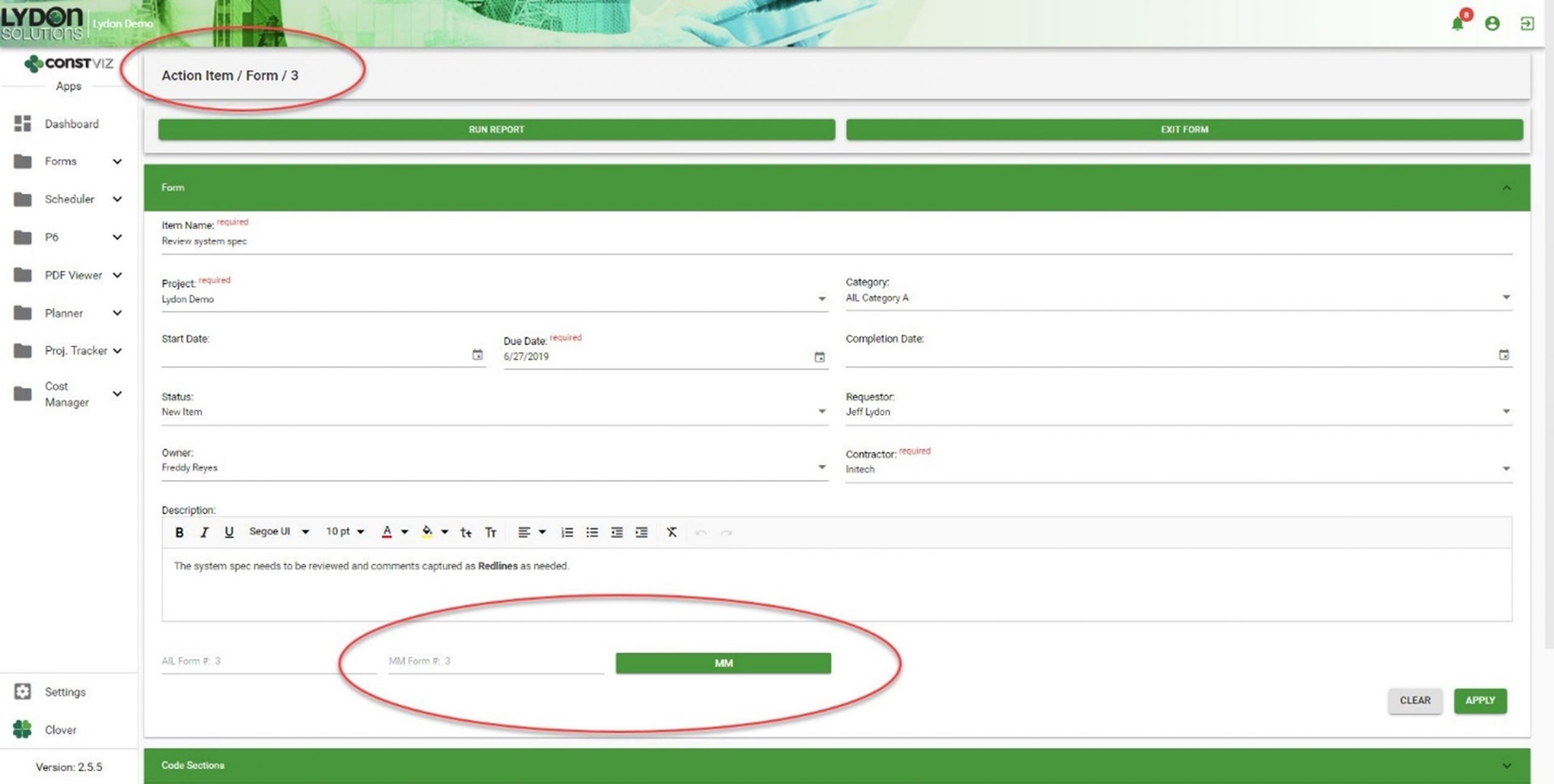
Solving-Action-Items-Dilemma_3
  • If you duplicate a meeting minute form, you can selectively carry forward action items, creating a history of assigned and open action items, as well as a record of the meeting in which you first entered them.
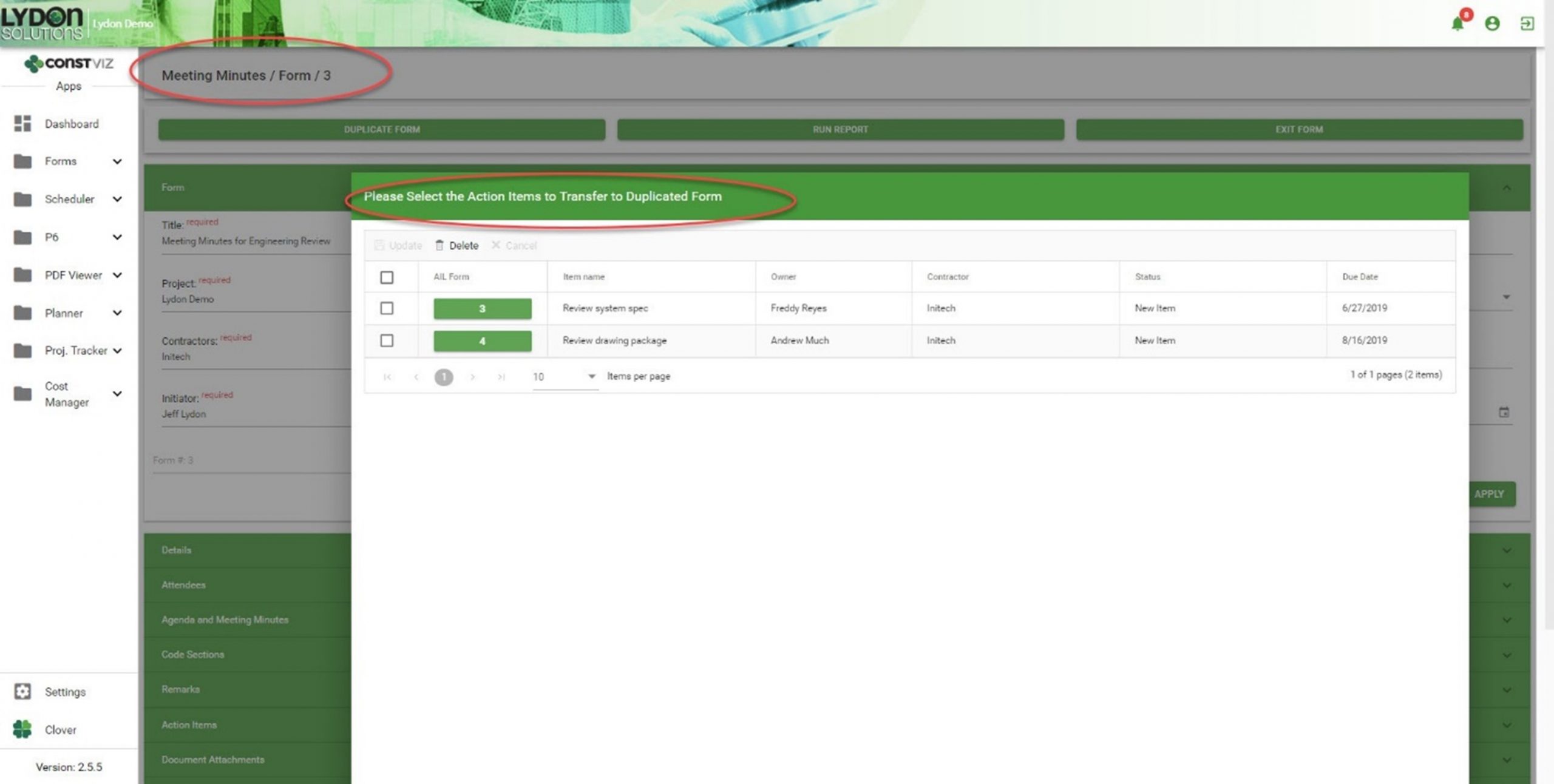
Solving-Action-Items-Dilemma_4

Get a free demo and consultation

Streamlining meeting minutes and action items is just another example of how our team applied our real-world construction project management experience to help organizations save time and cost. Find out how Construction Viz can help your team better manage your projects. Check out our full lineup of Construction Viz apps and schedule your free demo and consultation today.
Construction Viz Punch List: A Mobile Solution for Construction

Forms | January 30, 2020

The Construction Viz Punch List App is a mobile-friendly solution for construction project management. It is used to identify open issues in the field that may still need to be completed by a contractor.

Watch our latest video to see how you can streamline the process of tracking issues without an internet connection and from any modern browser.

Key Features of the Construction Viz Punch List App

• Track issue status: Ensure that items are assigned, scheduled, and completed on-time.
• No internet? No problem: Edit forms without an internet connection, and then sync changes when you’re back online.
• Easy upload from your mobile phone: Upload as many documents, images, and videos as you need.
• Geospatial location mapping: Geospacially view images and videos using Media Map.
• Manage email distribution lists: Keep stakeholders and team members informed when changes and updates are made.

Learn more about our user-friendly, highly-configurable tracking solution for construction project management. Contact us today to schedule your free demo and consultation.

Quality Management Made Easy

Quality & Safety Inspections | December 16, 2019

Project Managers work to manage the scope, schedule, and budget of their projects. Unfortunately, quality can sometimes take a backseat to project delivery. Quality management can be further exacerbated by the lack of effective planning and management tools.  

Turnkey quality-management includes developing a quality assurance plan, planning and conducting quality inspections, identifying and correcting issues, and analyzing data to uncover areas for improvement and/or trends.  

When we approached quality management in Construction Viz, we looked at the end-to-end process to ensure that data would be captured effectively and could be easily be reported, all with the view of improving productivity and enhancing the quality of the project.  

Here is how Construction Viz helps you manage quality, from creating and managing the QA plan to analyzing results after the project is done. 

Using Construction Viz for Effective Quality Management

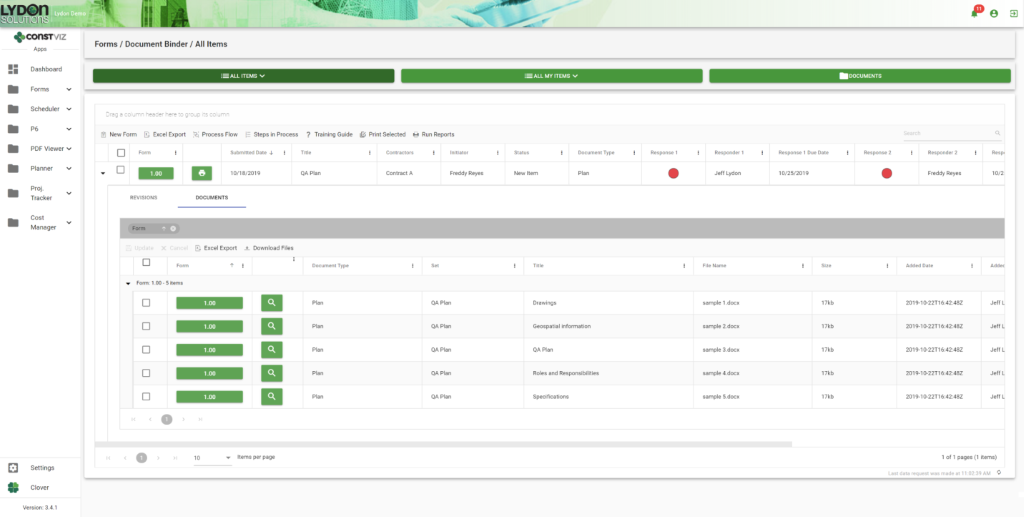
Create and Manage the QA Plan.  You can easily create and store your QA plan in our Document Binder app, which features simple drag-and-drop capabilities, revision control, and assignment of automatic meta data. Microsoft Office attachments open in Office Online Server so you can easily collaborate with your team in a web browser on any device.

blog1

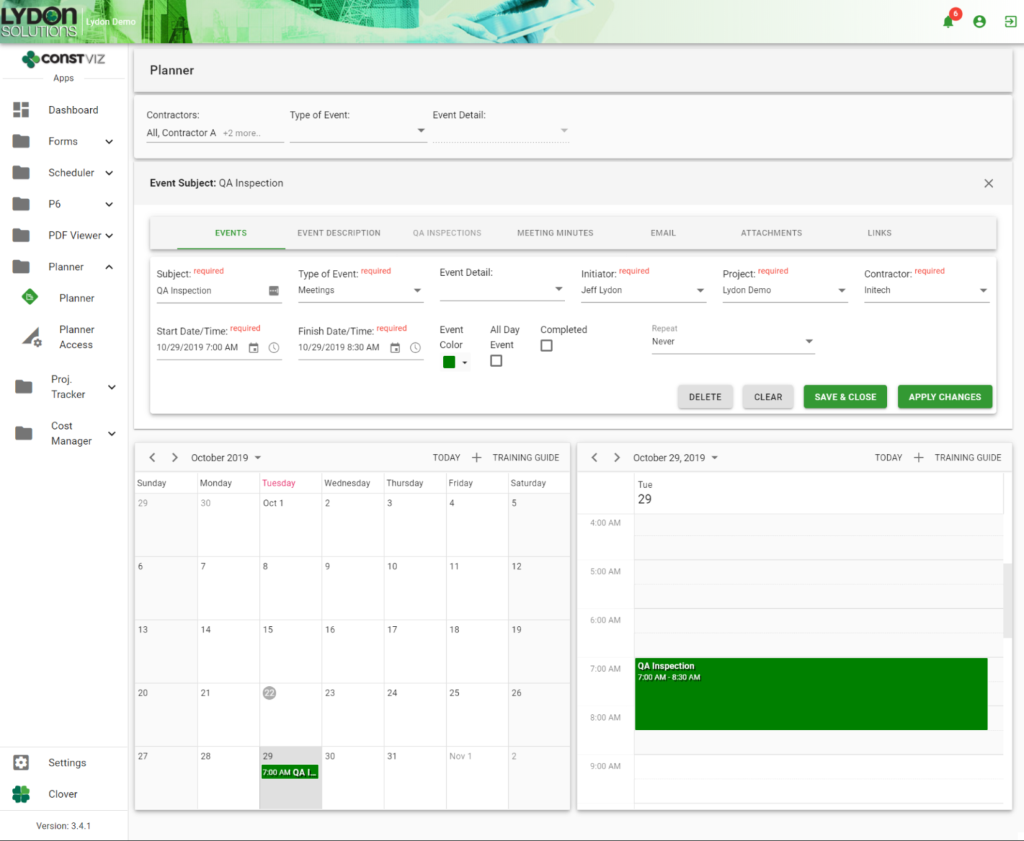
Plan Inspections. You can schedule  inspections in the Planner app, which features an easy-to-use, shared calendar that  syncs with Microsoft Outlook and Google Calendar.

blog2

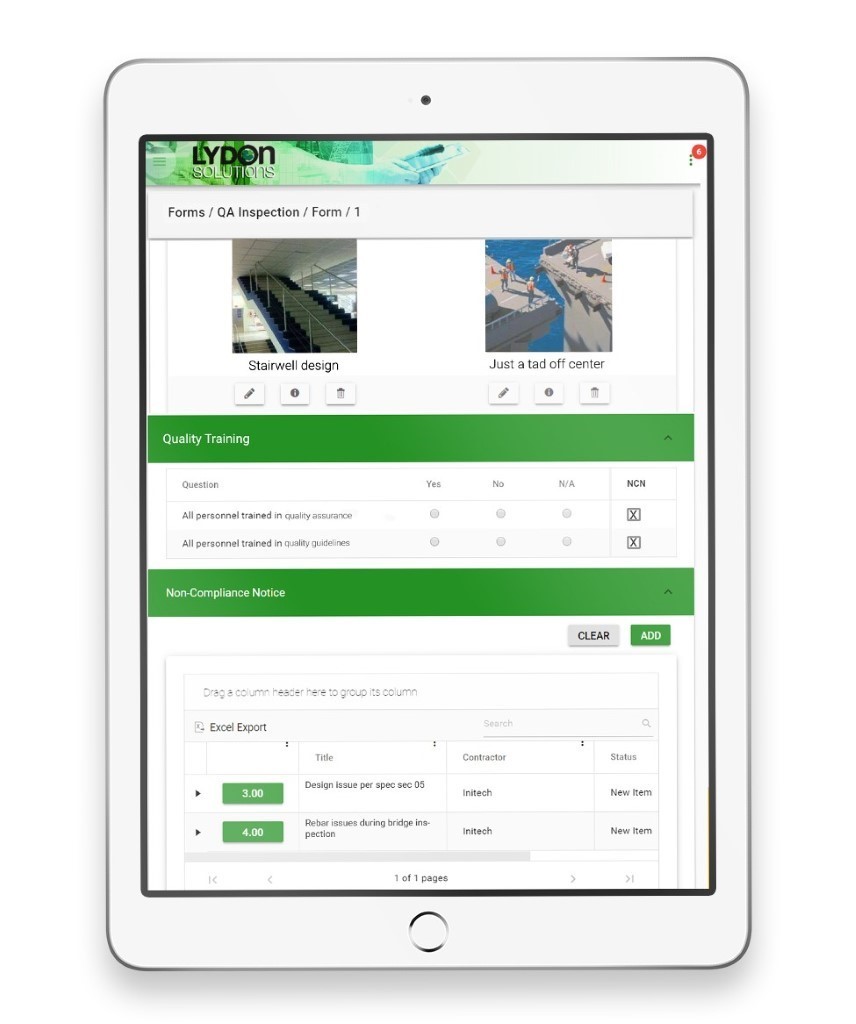
Perform Inspections. The QA Inspection Form app captures inspection information in an easy-to-use, mobile-ready form. Inspection criteria can be easily added and organized in the form as criteria is added and/or changed. Field images and video, geospatial location information, attachments, and approvals can be captured and emailed to your project team

blog3

Identify Non-Complianct Issues. When you identify an issue, you don’t want to have to bounce between applications. We embedded the Non-Compliance app within the QA Inspection app, so an inspector can easily log non-compliance issues while still in the QA Inspection form. 

Analyze Performance Issues. The end step in any process is feedback. All our apps facilitate data analysis, with configurable grids and reports so that you can improve operations in the future.  

Better Quality Management with Construction Viz

Construction Viz is about choice. It is the only construction management platform designed around how you work and where you work. Contact us today to learn how we can help you better manage the quality of your projects.

Introducing No-App, Offline Forms for Construction Viz (Video)

Forms | November 21, 2019

Forms are an essential part of your construction project workflow. Construction Viz Form Apps let you and your team complete digital forms anywhere, on any device and even without an internet connection.

Watch our latest video to see how you can streamline your construction project workflows even when you're offline with our no-app, offline forms for Construction Viz.

Key Features of Our No-App, Offline Forms

  • No app to install: Get full access to your construction project forms right in your browser on any modern device.
  • No internet? No problem: You can edit forms without a internet connection, and then sync changes when you're back online. This allows for continuous access with the ability to make changes even in the field.
  • Full-featured construction management forms: Our library of mobile-responsive construction project forms have built-in permissions, comments, workflows, and reminders.
  • Powered by technology you trust: Construction Viz is integrated with SharePoint and Office 365.

Discover Project Management Perfected with our complete suite of offline forms designed to help you manage your projects anytime, anywhere. Contact us today to schedule a demo and receive more information about Construction Viz Apps for Microsoft SharePoint & Office 365.

Construction Viz & Revision Management

Forms | August 22, 2019

Construction management is really the management of the flow of information. It never ends from the time the bids are taken to the final close-out of the contract. Forms convey questions (RFIs) and responses, price changes (change order requests) and status reports. Ongoing design changes add to the volume of information between owners, designers and contractors.

Unfortunately, managing these changes can be difficult with most Project Management Information Systems (PMIS).

With Construction Viz, you can leverage the powerful revision-management capabilities of SharePoint. However, we took it a step further by integrating revision-management capabilities directly into our Form Apps. This feature enables you to see the different revisions so you can more easily manage the entire process—from creation to reporting—for all construction correspondence forms, including submittals, transmittals and RFIs.

Here’s how it works.

Create a Revision

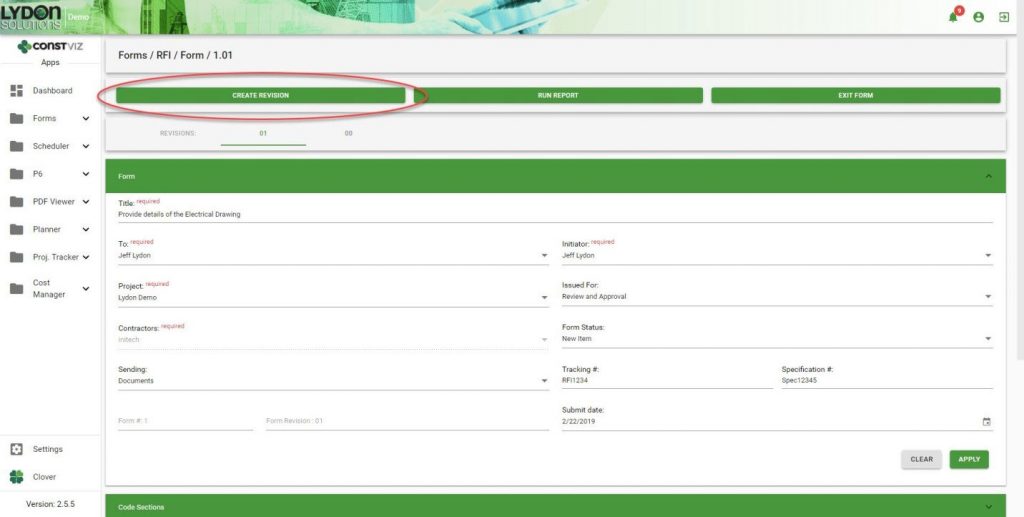
A Create Revision button within a form allows you to easily create and link form revisions together at any point in time.

SharePoint Revision Management

Duplication of Form Content

When revisions are created, important information captured in the previous revision is carried over from one form to the next. This ensures consistency and saves time because you do not have to fill in that information again.

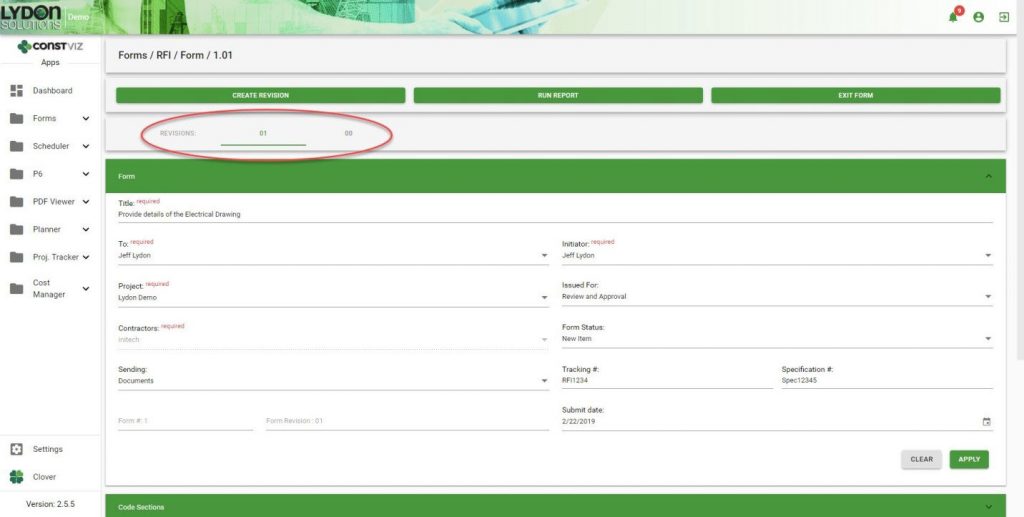
In-Form Navigation

You can easily jump back and forth between revisions as needed.

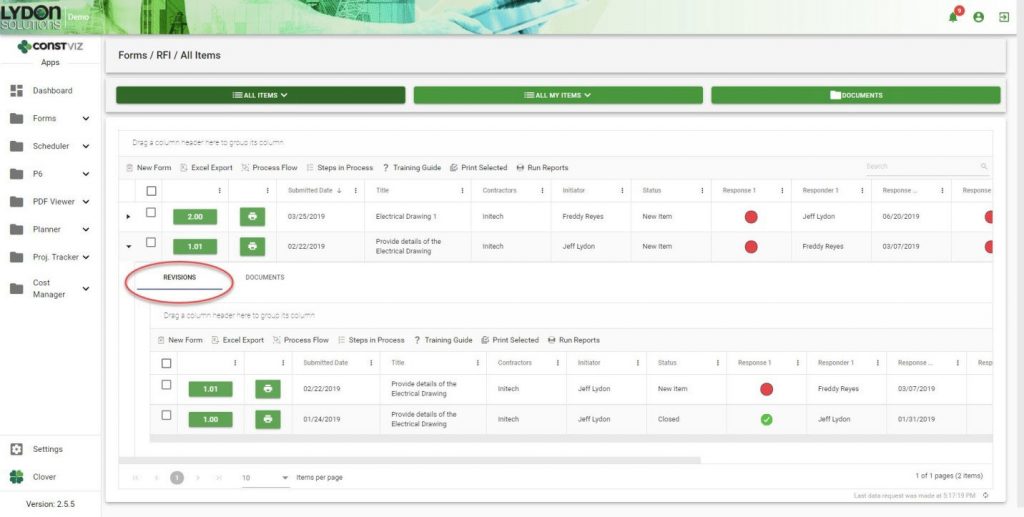
Grid/Log Navigation

Revisions are automatically added to the form grid in descending chronological order. Simply click the form to open the sub-grid to see all the revisions related to that form.

Reporting

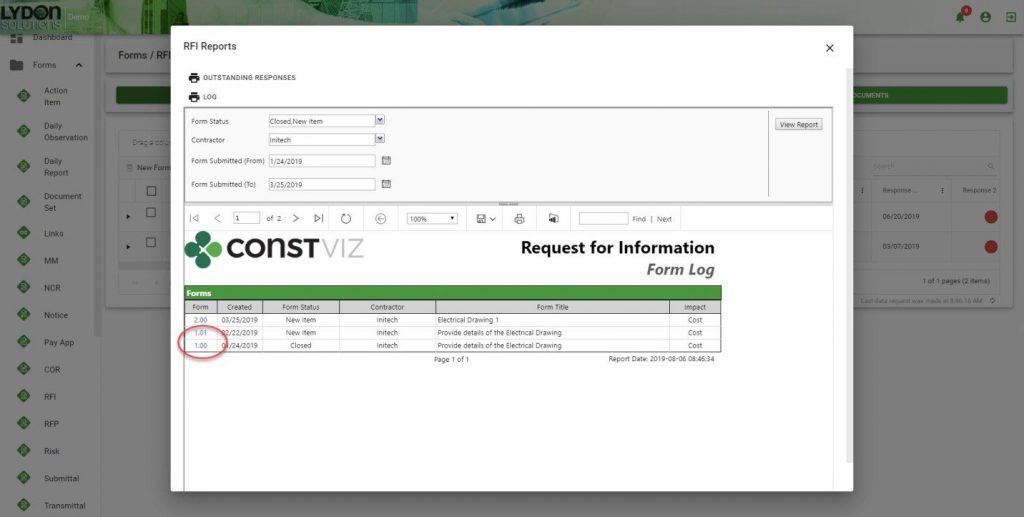
All revisions are grouped together, which makes it easier for you to find any revision. Reports can be saved in a variety of formats including PDF, Excel and PowerPoint. The form number/revision is hyperlinked, making it easy to open any form.

Revision management is just one of the many ways Construction Viz makes your job easier. Contact us for a free consultation to learn more. You can also sign up for our monthly newsletter below to get our latest blog updates, tips on using Microsoft SharePoint, and other useful info delivered directly to your inbox.

  • « Go to Previous Page
  • Page 1
  • Interim pages omitted …
  • Page 4
  • Page 5
  • Page 6

Footer

About Constructon Viz

Construction Viz is a flexible construction project management software solution powered by Microsoft SharePoint and SQL.
Read More >

Navigation

  • Home
  • About
  • Features
  • Apps
  • Blog
  • Contact
  • Login

Apps

  • Construction Viz Hub
  • Cost Report
  • Drawing Management
  • File Manager
  • GIS Maps
  • Oracle Primavera 6
  • Payment
  • Specification Management

–

  • Project Forms
  • Project Planner
  • Project Scheduler
  • Project Tracker
  • Task Manager

Connect with Us

  • This field is for validation purposes and should be left unchanged.
  • Sign up to receive helpful tips for construction project managers as well as updates about Construction Viz.

Lydon Solutions

© Lydon Solutions

  • Privacy
  • Cookies
  • Terms of Use
  • Disclaimer
  • End-user license

Click here to start a Microsoft Teams chat.

Click here to start a Microsoft Teams chat.

Contact Us
This field is for validation purposes and should be left unchanged.
Name(Required)
Join Our Newsletter

Sign up to receive helpful tips for project managers and updates about Construction Viz.

Get Started

Join Our Newsletter

Sign up to receive helpful tips for construction project managers as well as updates about Construction Viz.

  • This field is for validation purposes and should be left unchanged.
  • This site is protected by reCAPTCHA and the Google Privacy Policy and Terms of Service apply.