
Spotlight: Construction Viz Risk Enterprise App
Construction projects and programs are inherently risky. Loosely defined scope, unrealistic schedules, and unknown field conditions are just some of the challenges project managers face throughout the life of a project. We created the Construction Viz Risk Enterprise app to help PMs keep an eye on and mitigate potential risks.
Check out this article to see how this application will help you manage your portfolio, program, or project risks in YOUR Microsoft 365 SharePoint.
What Makes the Construction Viz Enterprise Risk App Special?
The key areas of risk management are:
- Identification. Identify all the details of the risk and when it is likely to occur.
- Assessment. Determine the risk level by probability and impact to prioritize risks.
- Mitigation. Identify who is responsible for mitigating the risk and what the plan entails.
Our Risk Enterprise app tracks each of the three areas above, but Construction Viz includes several unique features that make it stand out.
Multi-project risk assessment templates
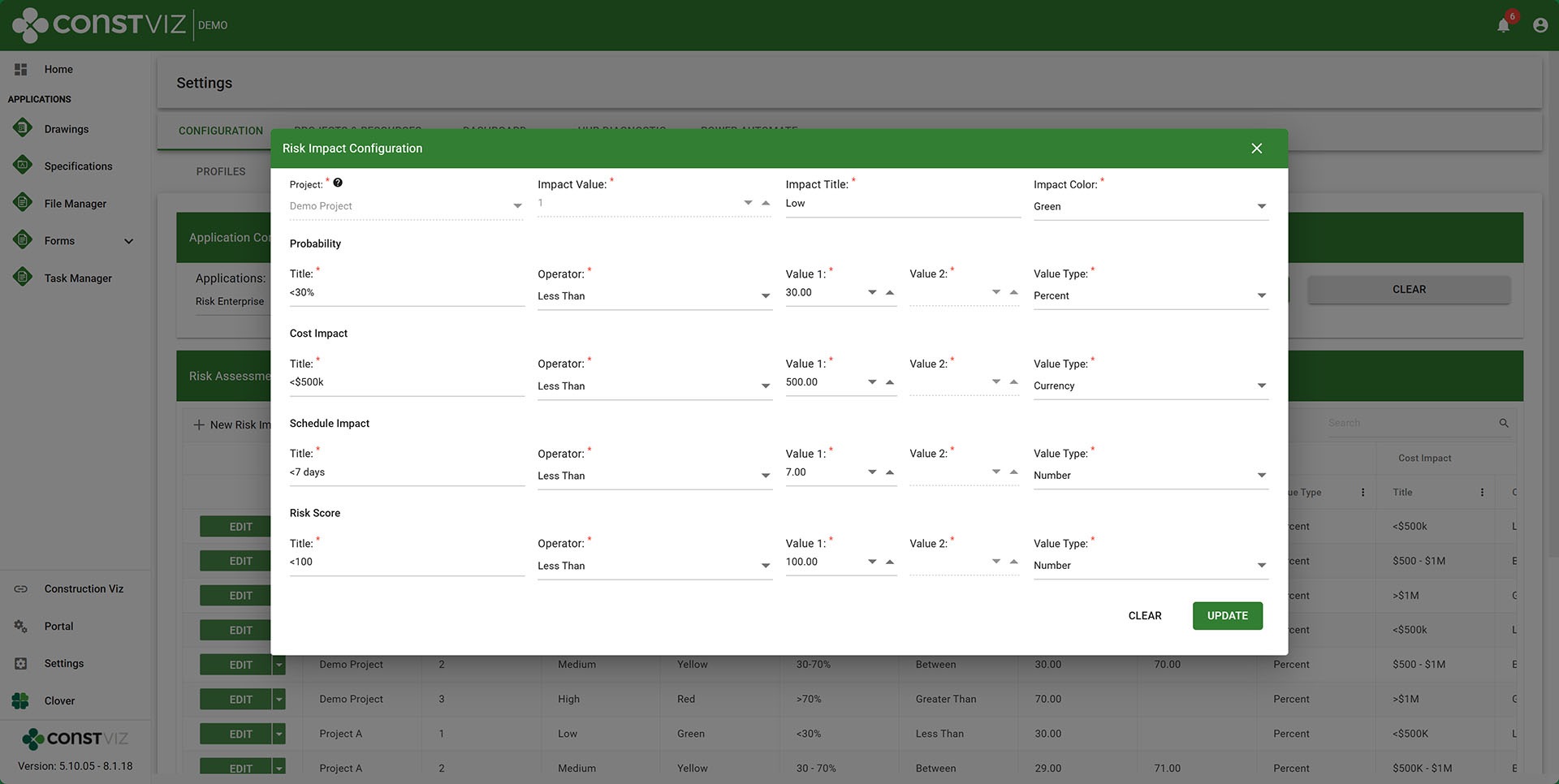
Construction Viz allows organizations to create one or hundreds of projects in one SharePoint deployment. Multi-project deployments can impact how risks are managed overall. Not all risks across all projects in a portfolio or program are created equal. They might each have their unique levels of cost and schedule impact. For example, a $500k impact on a $1M project has a higher risk than a $500k one on a $100M project.
To accommodate these nuances and the unique risk impact levels requested by clients, Construction Viz includes project risk templates assignable by project. Risk level templates can have their own values, risk matrix, heat map, and risk value calculation.
Embedded apps
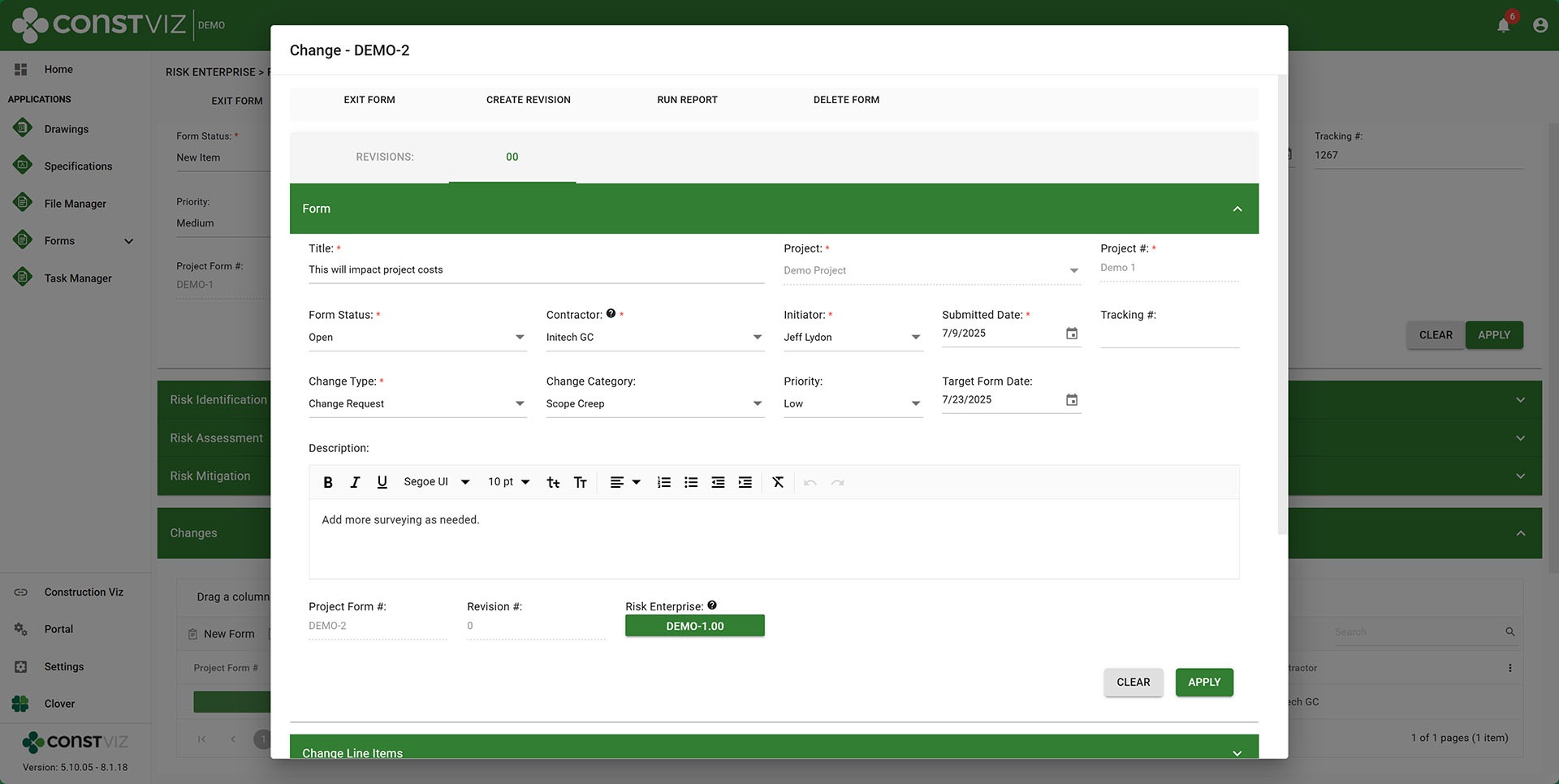
What if a risk becomes a change of scope to the project? You might not want to have two disconnected form logs, one for the risk and one for the changes.
In Construction Viz, you can embed any app into another app. So, you can create a Change app form while still in the Enterprise Risk form. Both form apps are automatically linked, and a complete history is maintained in each form app log.
Out-of-the-box product features
Construction Viz includes many powerful features across all apps. By default, every app includes the ability to:
- Relate drawings and specifications
- Create revisions
- Send for review and approval
- Email to project teams
- Upload any file type
- Generate reports that will convert all of the attachments to PDF
- Add links
Our apps do all the above and more, all while ensuring 24/7 access to your data in your SharePoint.
If you are looking for a project, program, or portfolio tool to manage risks, you can request a demo of Construction Viz below.
