• Skip to primary navigation
  • Skip to main content
  • Skip to footer
Construction Viz

Construction Viz

Project Management Perfect

  • About
  • Features
  • Apps
  • Blog
  • Contact
  • Download Flyer
  • Get Started Today
  • Login
Show Search
Hide Search

Project Management Tools

Simplifying PMIS Processes and Training with Construction Viz

Project Management Tools | February 3, 2021

You want your project teams set up for success from day one. Construction Viz makes it easy to access, update, and manage your processes and training materials so your team can focus on the project deliverables that matter.

When organizations roll out a brand new Project Management Information System (PMIS), the last step in the implementation often goes something like this: Here’s the system, attend a generic training session, start using the system, and oh by the way, here is a binder of training material that you can read up on how to use the system. These processes and training resources are often out of date and rarely tailored around how YOU do business. If your team members need training while in the system, they will have to seek out the latest training material, forcing them to lose focus on what they were doing and slow productivity. Is it any wonder no one wants to use that brand new PMIS system?

With Construction Viz, we simplify how project teams access, update, and manage processes and training, ensuring that projects are efficiently moving forward.

Construction Viz Puts Your Processes and Training Materials Front and Center

Setup. Construction Viz treats training and process documentation as an integral part of the system, not an afterthought. When you install Construction Viz in SharePoint, the software automatically creates a library for storing processes and training materials linked to each of your installed apps. You can then add custom process and training material for any app by inserting the appropriate metadata into your documents, ensuring that these materials are at your fingertips when you need them and easy to update and maintain.

Format.  Construction Viz lets you open Microsoft Office applications (Excel, Word, Visio, One Note) in any modern browser without having to download documents to the desktop. So, regardless of which device you are on, you can open and edit your training and process documents. You can even have multiple people simultaneously edit the documents with robust permission and version controls, ensuring that you are always working off the latest materials. Construction Viz also supports all major document and media formats, including video.

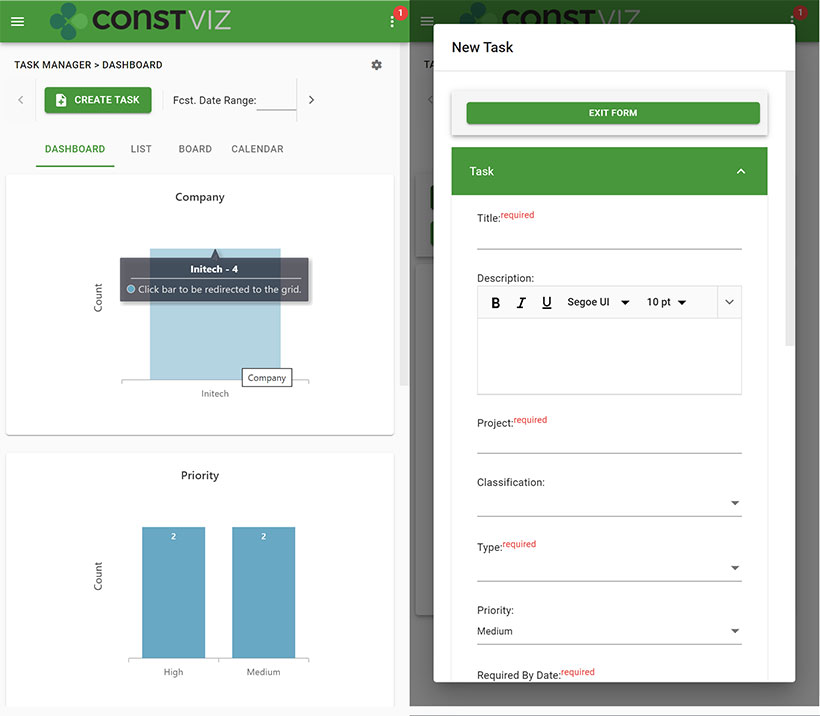
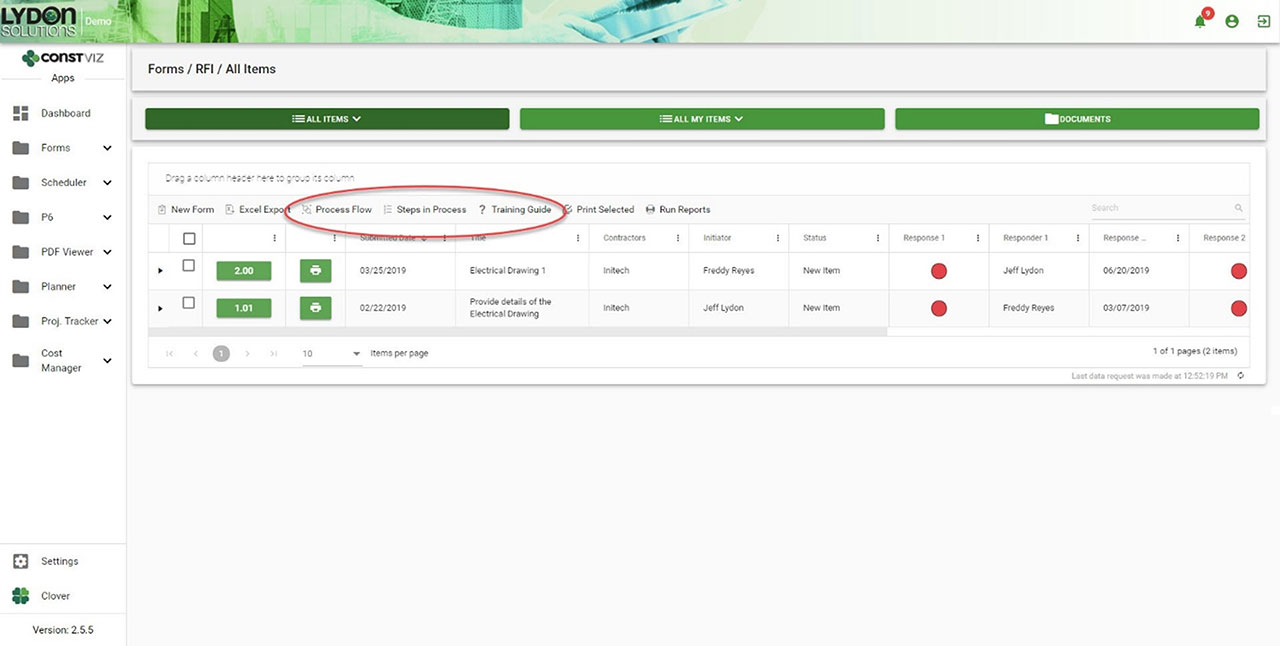
Navigation. Each Construction Viz apps includes links to the process and training resources right above the work area, giving you direct access to the information you need where you are working. Everything is right there in front of the user.

Getting Documentation And Process Right

One of the common reasons PMIS deployments can fail after deployment is low user adoption, often resulting from a lack of adequate training and documentation. With Construction Viz, we integrated training and process document tools right into the system so that your project teams can hit the ground running with everything they need from day one.

Navigation to Processes and Training within each App
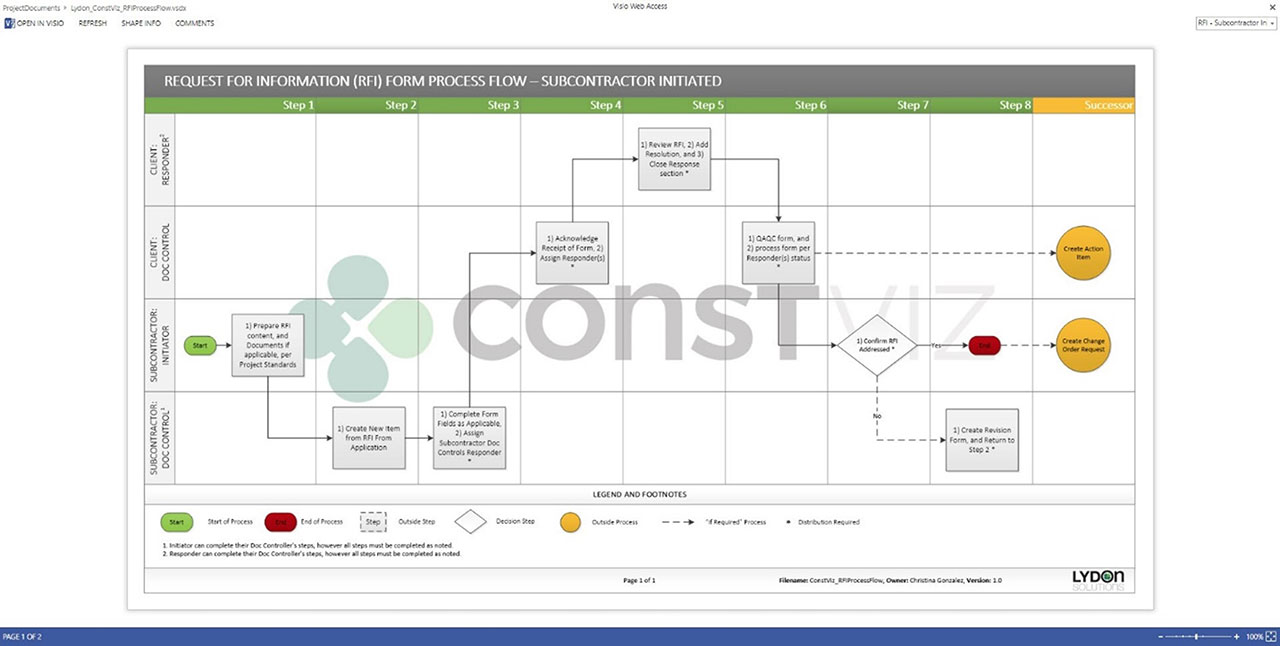
Process workflow diagram in Visio Online
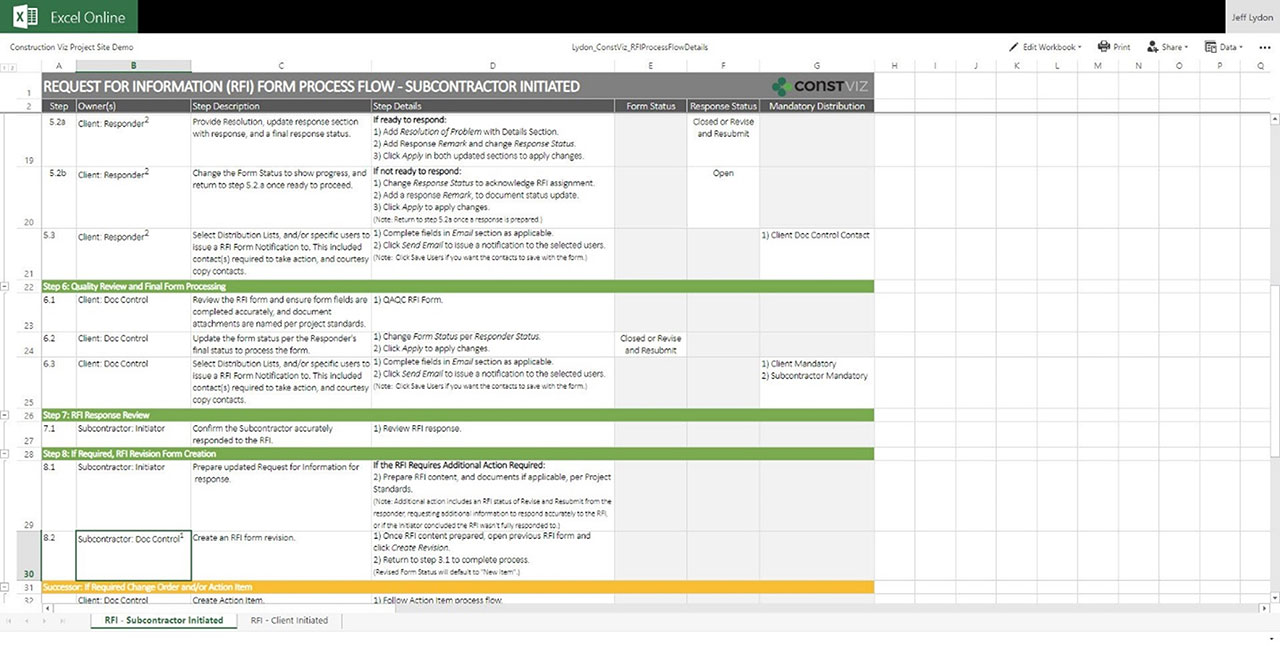
Steps for workflow in Excel Online
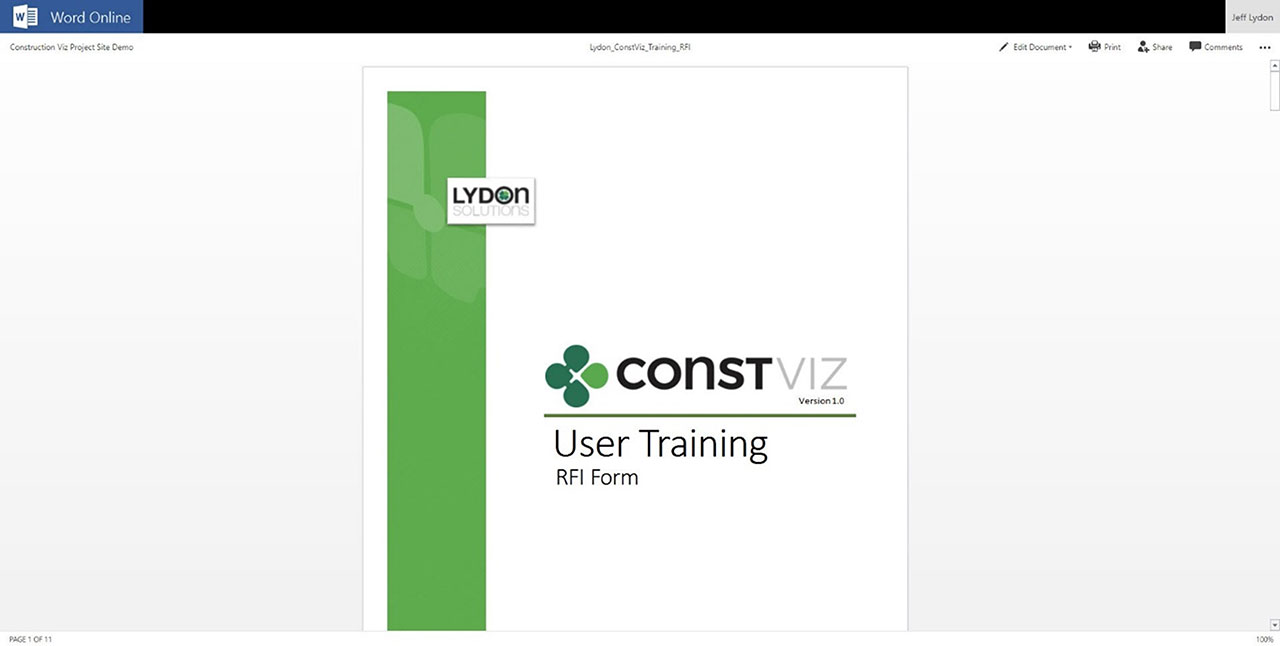
Training Manual in Word Online

Get a Free Demo and Consultation

Several major owners, construction managers, and utilities use Construction Viz every day to manage multi-billion-dollar projects and programs. Contact us now for a free demo and consultation to learn how Construction Viz can help your organization better manage your projects.

Manage your projects in Outlook! No, really!

Project Management Tools | December 14, 2020

Embracing new technology is often a challenge in construction. While technology can help organizations be more efficient, it is challenging to keep up with the constant changes and new systems required to do the job. To add to this dilemma, every contractor, construction manager, and owner have their own Project Management Information System (PMIS) that team members must learn to conduct business. As a result, actual construction productivity takes a hit due to additional training, double-entry, errors, and general user dissatisfaction. It's no wonder most construction organizations are hesitant to leave old faithful: Microsoft Outlook and Office.

So the challenge is, how do we make it as easy as possible for the construction team to do their job and remove the technology burden of learning and working with multiple PMISs? What if you could work in Outlook or Office entirely without ever having to log into another system?

Welcome to Adaptive Cards

With the flexibility of the Microsoft Power Platform and Adaptive Cards, we have removed the users' burden of learning another PMIS by allowing them to work directly in Microsoft Teams or Outlook. By leveraging Power Automate and Adaptive Cards technology, users can now receive actionable task-focused cards. To respond, users open a card to view the content, review a task, or respond with comments. Work entirely from email or Teams—no need to even log into a PMIS.

The Key Benefits of Adaptive Cards

You may be thinking that your PMIS already sends out emails when there are tasks due. How is this different? Adaptive Cards are the future of actionable messages and notifications. They are essentially small interactive applications.

The are many benefits to Adaptive Cards:

• Cards are responsive to any device.
• The card user interface can be simplified and tailored to perform specific tasks. Using the KISS (keep it simple) approach, we can make it easy for users to review content and respond.
• The cards can include logic to prompt questions and responses without logging into the actual PMIS and never leaving the email.
• Cards can read and write data with various systems such as Microsoft 365 or SharePoint, SAP, Oracle, etc.
• Cards can leverage Windows 10 notifications.
• Cards integrate with Microsoft Teams Chat, Timeline, and Outlook.
• Cards can leverage assistants such as Cortana or a web chatbot.
• Dashboards can be delivered using feeds from multiple Adaptive Cards.
• The cards can include security extended from native applications.

Lydon Solutions can build Adaptive Cards for any PMIS using our pre-defined templates. We even integrated Adaptive Cards into the notification system of Construction Viz, our PMIS for Microsoft 365 and SharePoint. By meeting the user where they work in Microsoft Office and Outlook email, Adaptive Cards keep users in their natural activity flow without interruption, making for more efficient and happier project teams. A win-win.

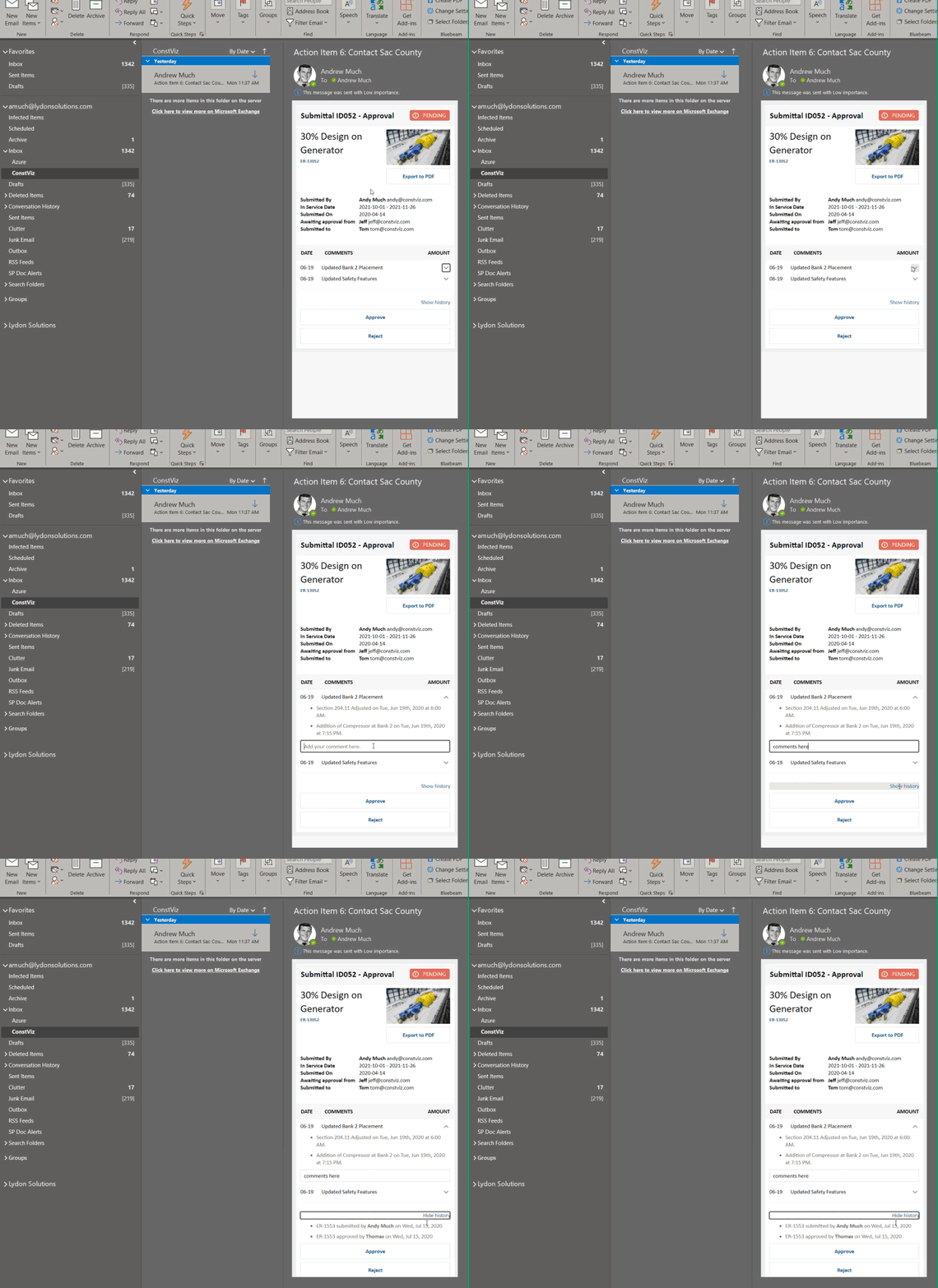
Adaptive Card for a Construction Viz Submittal Form email notification

Deploy Adaptive Cards for Your Construction Projects

Find out how we can leverage our existing Adaptive Card templates to simplify your workflows and provide team members access to project data in the applications they use every day. Contact us for a free consultation and see how we can help your organization with its digital transformation to Microsoft 365.

If you need a turnkey PMIS for managing your projects in Microsoft 365, learn more about using Construction Viz for project management.

  • « Go to Previous Page
  • Page 1
  • Page 2
  • Page 3

Footer

About Constructon Viz

Construction Viz is a flexible construction project management software solution powered by Microsoft SharePoint and SQL.
Read More >

Navigation

  • Home
  • About
  • Features
  • Apps
  • Blog
  • Contact
  • Login

Apps

  • Construction Viz Hub
  • Cost Report
  • Drawing Management
  • File Manager
  • GIS Maps
  • Oracle Primavera 6
  • Payment
  • Specification Management

–

  • Project Forms
  • Project Planner
  • Project Scheduler
  • Project Tracker
  • Task Manager

Connect with Us

  • This field is for validation purposes and should be left unchanged.
  • Sign up to receive helpful tips for construction project managers as well as updates about Construction Viz.

Lydon Solutions

© Lydon Solutions

  • Privacy
  • Cookies
  • Terms of Use
  • Disclaimer
  • End-user license

Click here to start a Microsoft Teams chat.

Click here to start a Microsoft Teams chat.

Contact Us
This field is for validation purposes and should be left unchanged.
Name(Required)
Join Our Newsletter

Sign up to receive helpful tips for project managers and updates about Construction Viz.

Get Started

Join Our Newsletter

Sign up to receive helpful tips for construction project managers as well as updates about Construction Viz.

  • This field is for validation purposes and should be left unchanged.
  • This site is protected by reCAPTCHA and the Google Privacy Policy and Terms of Service apply.