• Skip to primary navigation
  • Skip to main content
  • Skip to footer
Construction Viz

Construction Viz

Project Management Perfect

  • About
  • Features
  • Apps
  • Blog
  • Contact
  • Download Flyer
  • Get Started Today
  • Login
Show Search
Hide Search

Forms

Perfecting the Questionnaire: Phase 4

Forms | October 28, 2025

Over the past six months, Lydon Solutions has been on a journey to revolutionize our Construction Viz questionnaire. What started as a simple concept has evolved into a dynamic and powerful tool that can transform the way you collect data in the field, office, or anywhere else.

In our latest post, we dive into the exciting new lookup feature that takes our questionnaire to the next level. Imagine a questionnaire that not only adapts to any form type but also includes multiple data types like checkboxes, text, dates, numbers, and more. Plus, every question can have photos and comments attached by default. And now, with the lookup feature, you can pull data from global data lists to create a truly powerful data collection tool.

In part one of our series, we built the foundation of the questionnaire, covering 90% of the needs. Part two introduced the ability to add ad hoc comments to every question by default. In part three, we added the capability to include geolocated images with every question. Now, in part four, we've added a new data type: the dropdown. This new data type allows you to create a global data list with predefined values that you can use across any questionnaire in any form.

https://constructionviz.com/wp-content/uploads/2025/10/Questionnaire-Component-Ph-4.webm

How Can the Dropdown Feature Benefit Your Project?

Here are a couple of use cases for the new Questionnaire dropdown feature:

Safety

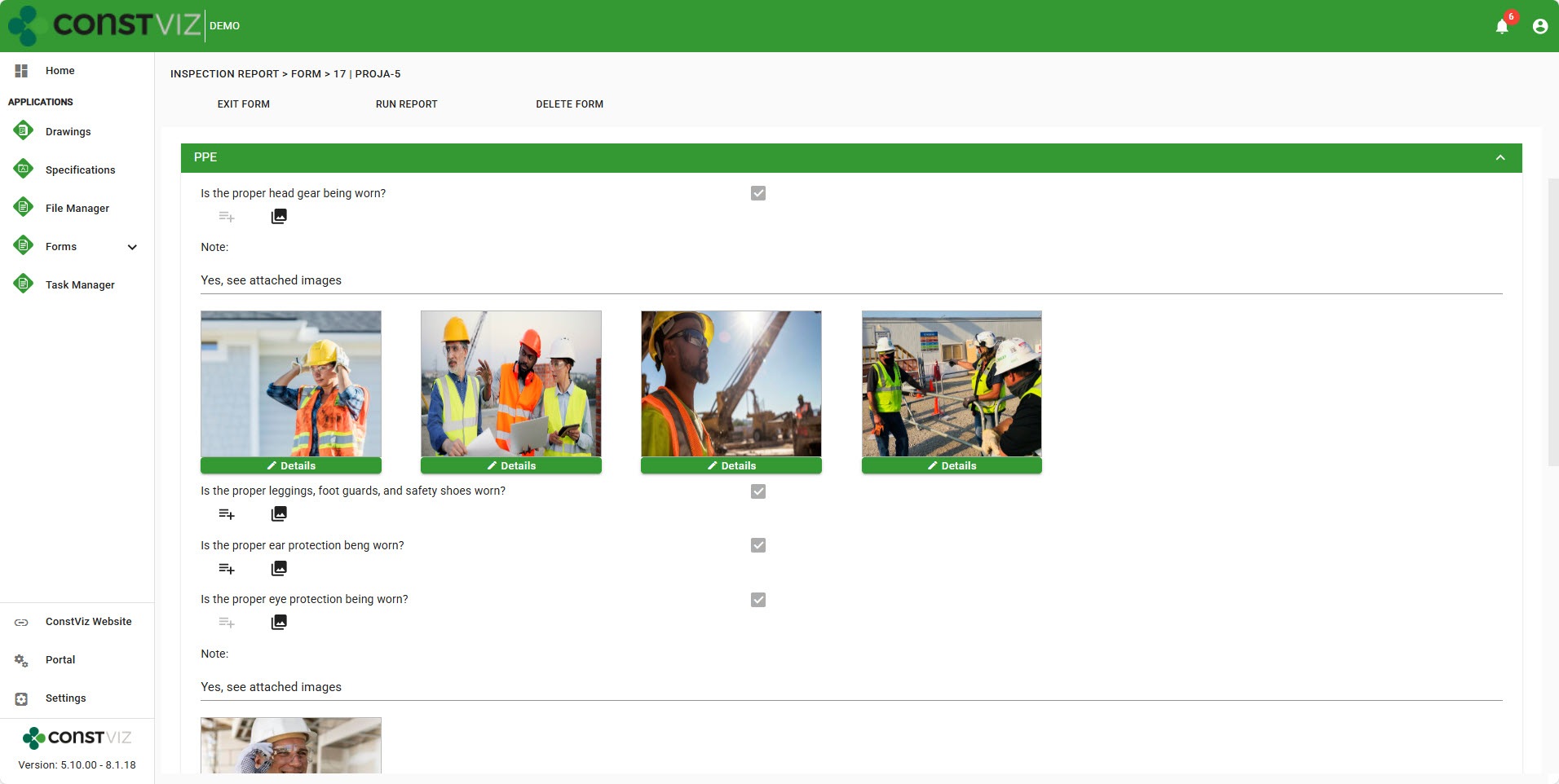
  • For field safety inspections, you could predefine the PPE required for a project.
  • Create a global data set with values like hard hats, safety glasses, Tyvek, etc.
  • Inspectors in the field can conduct a visual safety inspection, select multiple safety PPE values from the dropdown, and even add their own on the fly.
  • No manual entry required, ensuring consistent data capture for reporting and analytics.

Materials

  • For daily reports to track project progress, you can predefine all the piping materials for a water treatment plant project.
  • Create multiple global data sets for piping, fittings, valves, and accessories, each with different dimensions and IDs for detailed tracking.
  • In the field, the user could select multiple installed materials, enter the percentage complete, and add photos of progress.

The Questionnaire component offers endless opportunities to capture data in an organized and consistent manner, making data entry a breeze. Discover more about the questionnaire by requesting a free demo below.
Get a Free Demo

  • This field is for validation purposes and should be left unchanged.

Form Analytics on Steroids With the New Form Details View

Forms | August 27, 2025

You put all of this metadata into your construction forms; now what?

The new Construction Viz form details view takes data captured in forms and presents it in a way that you can analyze until your heart’s content. No need to export to Excel, go to SharePoint, or create a Power BI to search or report on how many pieces of equipment were on the jobsite over the past five days or how many open reviews there are for all of your submittals. In one or two clicks, you can get to your data presented in familiar and straightforward interactive grids.

Check out this article to see how Construction Viz continues to push the envelope of what’s possible in your Microsoft 365 SharePoint to help you manage your construction projects!

Introducing the Construction Viz Form Details View

Construction Viz form apps are built using a combination of components; snippets of code with specific functionality such as a document uploader, review tracking, or a media map. While there are many pre-built construction form applications, components can be assembled to deliver solutions for a client’s unique needs.

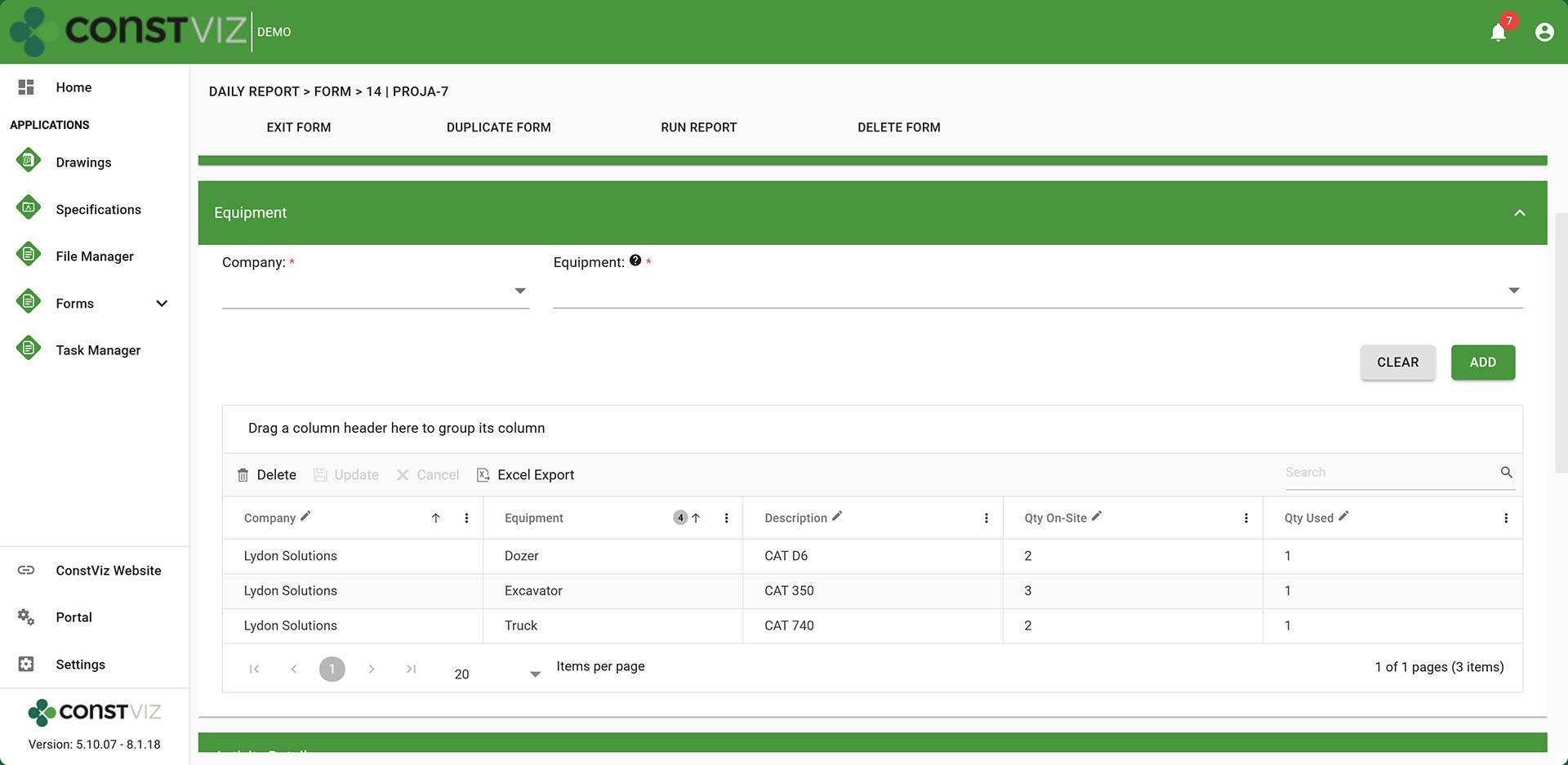
Equipment tracking in a Daily Report

Some of these components capture large amounts of data, such as each piece of equipment at a jobsite, personnel and visitors on site, observations made, bid quantities completed, and stakeholder reviews.

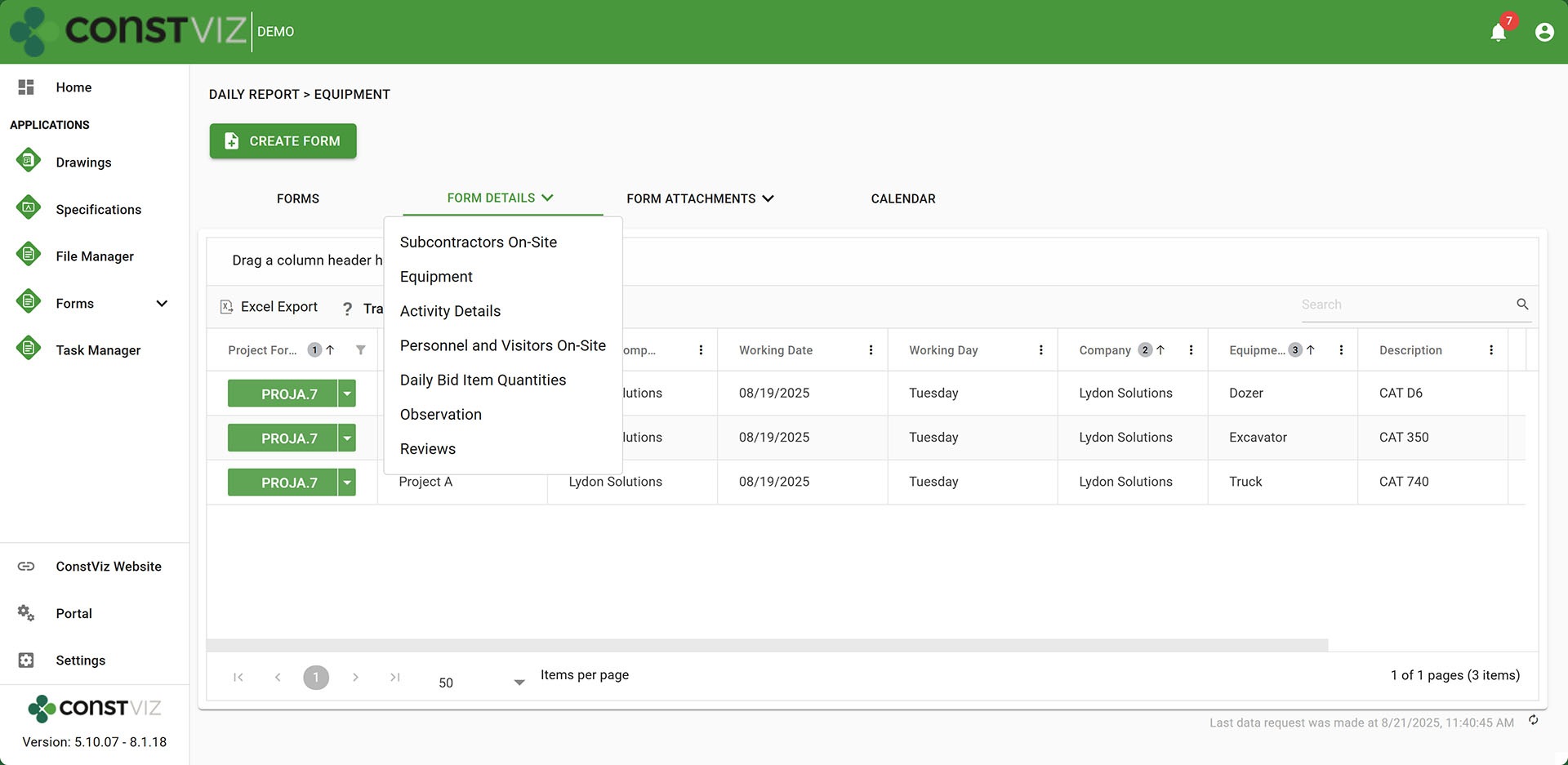
While every form app has its own log with the ability to create views, filter, search, group, etc., the form details view extracts data from these data-intensive components into a separate view, allowing users the ability to group, filter, search, and analyze that specific component data independent of the forms.

It’s a new level of analytics that opens up many more opportunities to extract meaning from your data in real time.

Form Details of equipment from a Daily Report

So, do you feel like you are just putting a bunch of data into forms and not getting much out? Check out Construction Viz for Microsoft 365 to actually use the data you fill out in your forms. Request a no-obligation demo to learn how Construction Viz can transform how you manage your projects.

Request a Free Demo

  • This field is for validation purposes and should be left unchanged.

Relate Drawings and Specifications to Any Form with Construction Viz

Forms | July 17, 2025

Construction forms such as RFIs frequently reference drawings. Unfortunately, searching for an RFI to find a drawing or vice versa can be cumbersome in a PMIS.

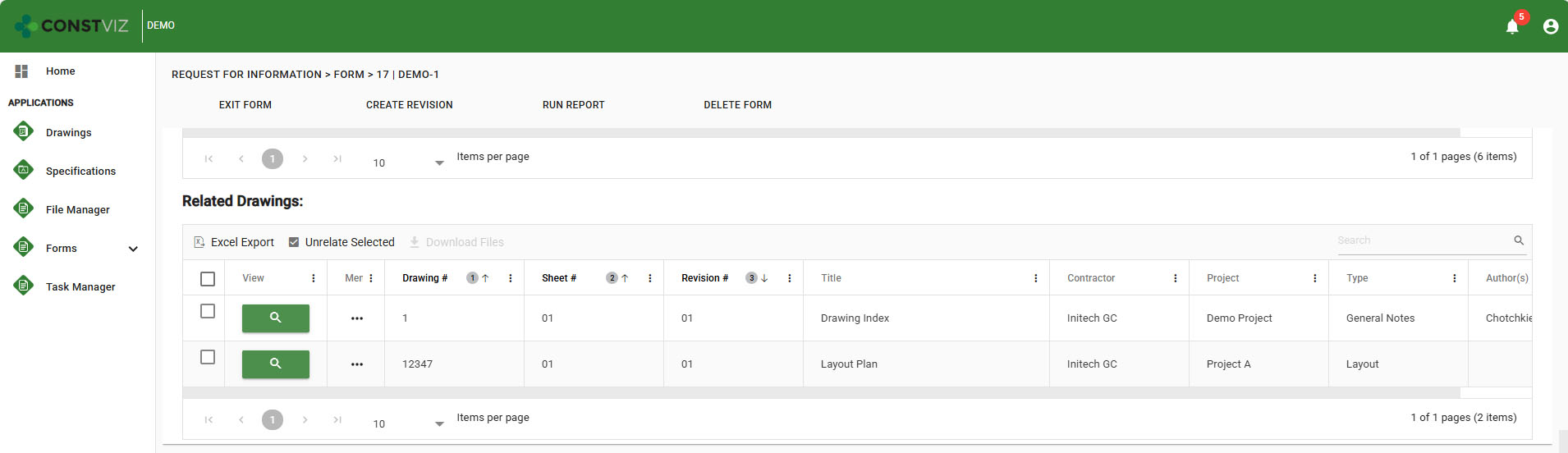
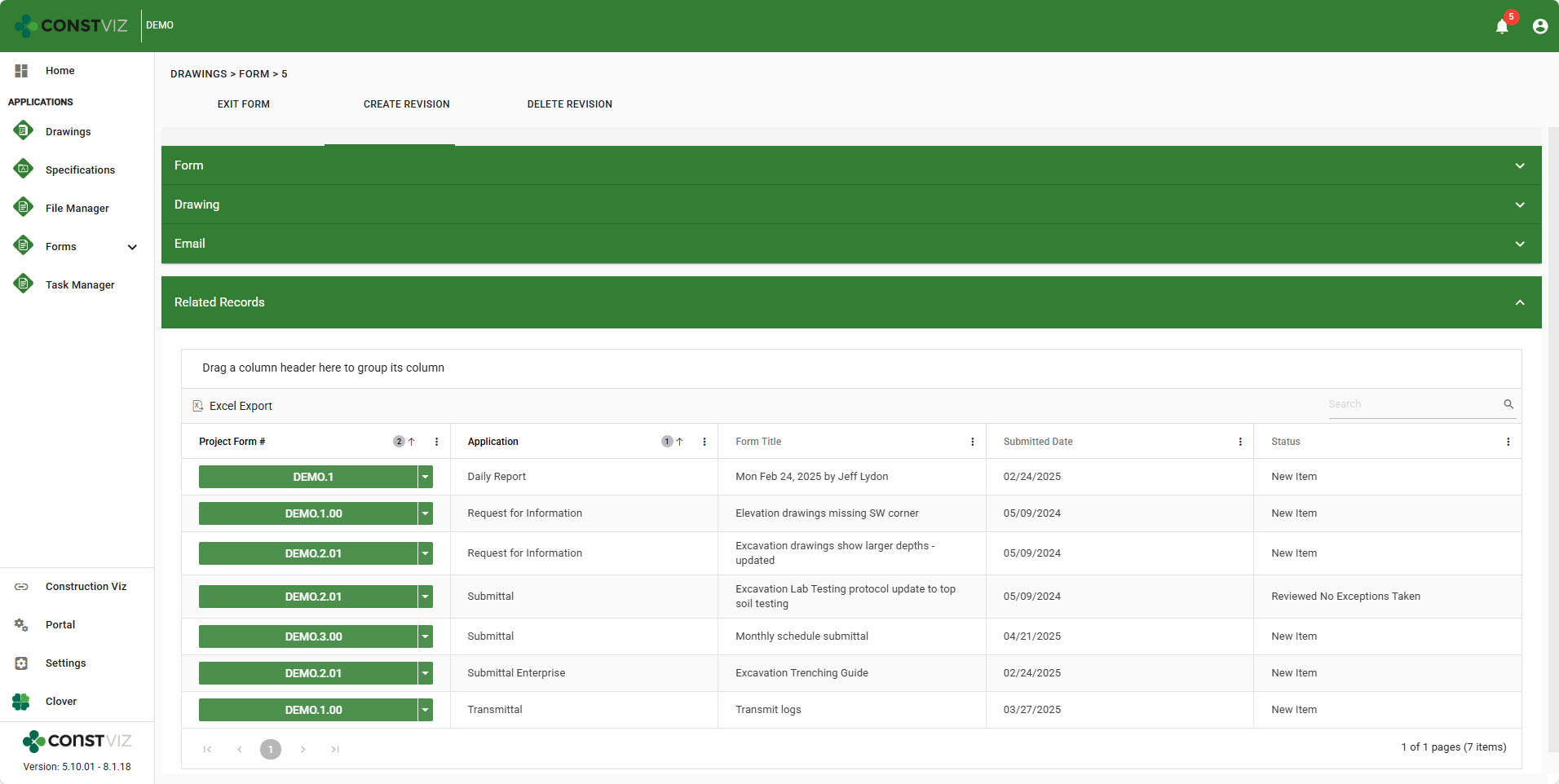
With our latest Construction Viz for Microsoft 365 release, you can now see related drawings and specifications in any form app. You can also see every related form in the Drawings and Specifications apps. Discover why this small change can be a significant help in managing project documents in the article below.

Enhancing the Construction Viz Related Drawings Feature

Construction Viz provides related drawings and specifications components that you can add to any form app. The benefit of this is that if you use the Drawings and Specifications apps, you can centralize your records in one place. Instead of having to attach files from your desktop, you can simply find and relate those records in any form. This feature centralizes drawings and specifications, avoiding outdated revisions that can circulate throughout the project.

Related-Drawings-Spec_1

With the latest update, we have introduced a significant time-saver with the ability to display all form app records related to drawings and specifications within the Drawings and Specifications apps.

For example, if you know the RFI you are looking for, you can easily access the related drawings within the RFI. Alternatively, if you know the drawing, you can access all the related RFIs within that drawing. This feature is available across all apps!

Related-Drawings-Spec_2

If you would like to learn more about what’s possible with Construction Viz in your Microsoft 365, you can request a demo here.

Get a Free Consultation

  • This field is for validation purposes and should be left unchanged.

New Log Features for the Construction Viz PDF Report Wizard

Forms | July 10, 2025

The PDF Report Wizard is a great tool that allows users the ability to print a PDF report from any form app. With a few clicks, you can print the form, select which attachments you want to include, and Construction Viz converts the form and attachments to PDF.

With the latest release, we updated the wizard to include the entire history of every email generated for the form. Check out this addition that will help you manage project correspondence.

Get a Detailed Activity Log with the PDF Report Wizard

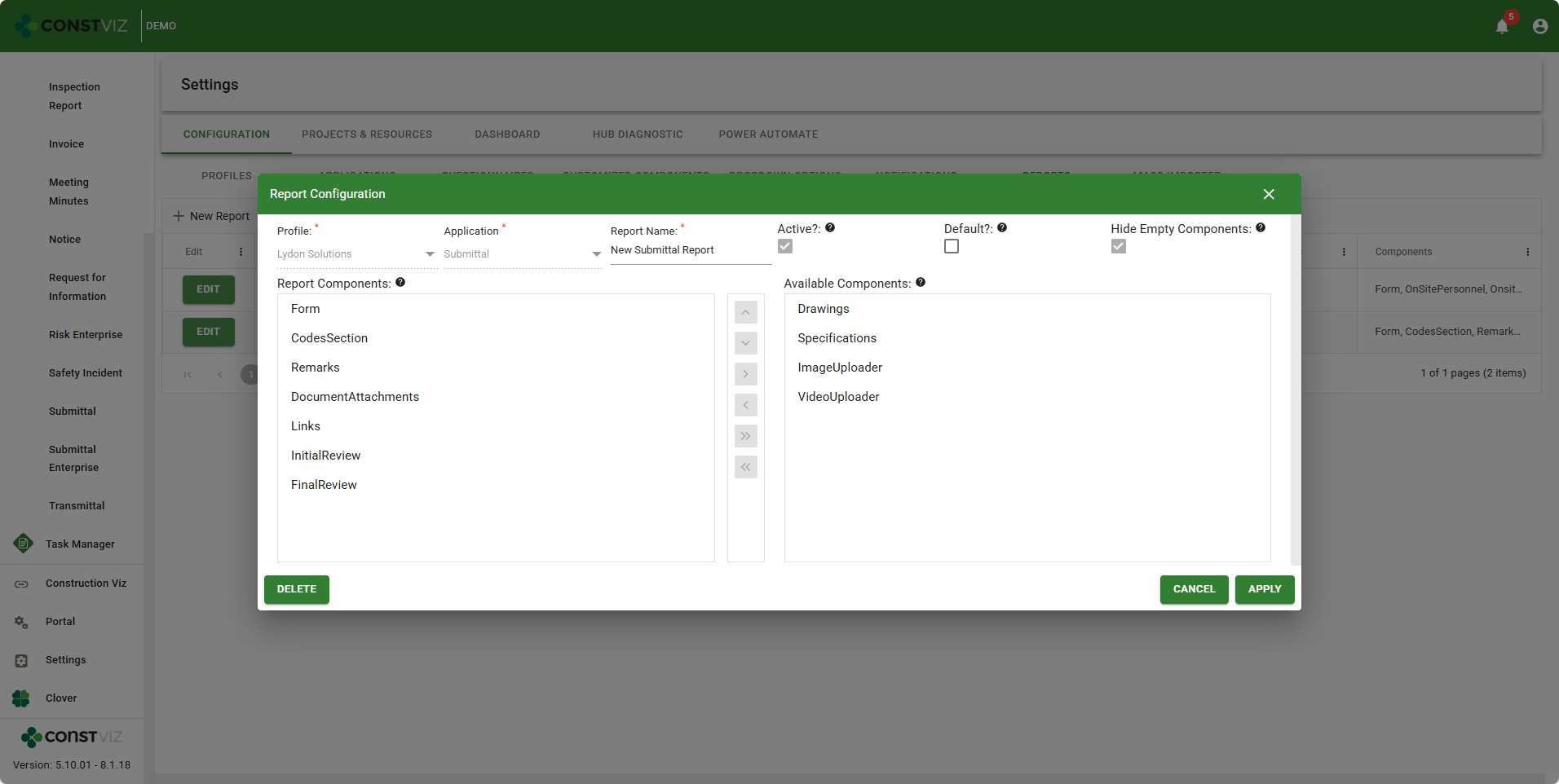
The PDF Report Wizard is a configurable reporting tool that is available for every app and allows users to print off forms and attachments into a PDF Binder. It even converts Microsoft Office files and image files to PDF automatically. And you can create your own custom reports to include or exclude components of a form app.

PDF-Wizard_1

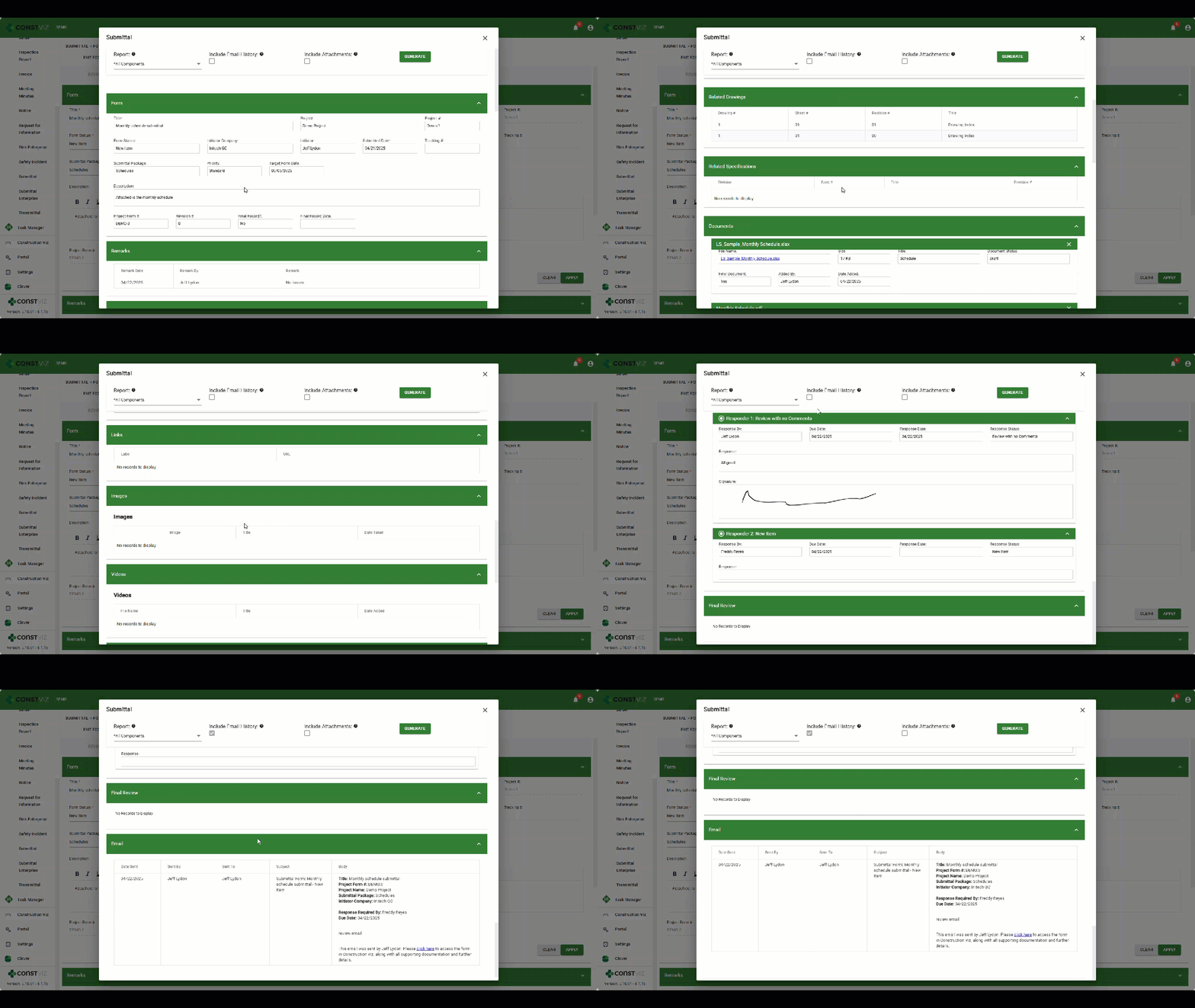
With the latest update, we added the ability to select whether or not you want to print the email history. Selecting the checkbox adds a detailed log at the end of the report for every email sent out from the form, including:

  • The date the form was submitted for review
  • Who sent it
  • The distribution list
  • The subject line
  • The email contents, along with links to the form revision

CYA is in full effect 😊

PDF-Wizard_2

Construction Project Management Your Way

Ready to streamline your construction project workflows? Discover how Construction Viz can revolutionize your project management. Request a free demo today and see the difference it can make for your organization.

Get a Free Demo

  • This field is for validation purposes and should be left unchanged.

Phase 3 of the Construction Viz Questionnaire: Now with Geolocated Photos

Forms | June 24, 2025

The Questionnaire component for Construction Viz is a powerful and dynamic feature that you can add to any of our construction form apps to capture questions and responses. With Phase 3, we included the ability to add geolocated photos to every response! Discover how this enhancement will elevate field inspections.

Our team recently released a new questionnaire component that Construction Viz users can add to any form app to collect unique response types for each question, including text, checkboxes, dates, numbers, and locations. Phase 2 of our enhancement roadmap allowed users to include ad hoc comments to each response.

https://constructionviz.com/wp-content/uploads/2025/06/LS_PhotoDropOff.webm

Add Geolocated Photos to Your Construction Forms

With Phase 3, you can now take photos or upload as many images as needed for each response. The ability to attach pictures is a huge benefit for field inspections or when creating a punch list, where progress or issues need to be identified and supported by photos.

LS_Questionnaire_Images

Additionally, we have connected our interactive flyout menu, allowing you to see each image in a full-screen view and add metadata such as a title, description, and geospatial location. If you don’t know the latitude and longitude of where a photo was taken or have location services turned off with your mobile device, you have the option to move a pin on a map to set the desired location to capture Lat/Long.

As with all of our Construction Viz apps, the data is stored in your Microsoft 365 SharePoint lists and libraries.

Stay tuned: we are currently working on a few more powerful features for the questionnaire component, including providing lookups as a new data type to allow users to select data, such as a building inventory, from a predefined list.

Lydon Solutions continues to innovate and deliver solutions to real-world construction challenges with Construction Viz. You can request a demo of Construction Viz for Microsoft 365 below.

Get a Free Demo

  • This field is for validation purposes and should be left unchanged.

Construction Viz Questionnaire Phase 2 and Beyond!

Forms | June 5, 2025

After building a truly dynamic questionnaire feature into Construction Viz, we quickly followed up with the ability to add comments to every response.

Check out this post to see how this small but super helpful feature provides even more flexibility to the Questionnaire component and see what's coming down the pike!

New Construction Questionnaire Comments Field Enhancement

Questionnaires need to be as dynamic as possible. Based on client feedback, users wanted the ability to add comments to each response to provide further explanation. For example, when completing an inspection report, the inspector might indicate a non-compliance issue per their observation checklist and use the new comments feature for that specific response to further elaborate as to why.

https://constructionviz.com/wp-content/uploads/2025/06/Questionnaire-2a.webm

The comments can be printed to PDF with the form using the report wizard. As with all Construction Viz apps, the tool automatically saves the data to the client's Microsoft 365 SharePoint site.

A Preview of the Roadmap

We have several more exciting enhancements on the roadmap that will add even more features to the questionnaire component very soon, including:

  • Adding photos to every response, including geospatial data. This enhancement will make collecting punch-list items a breeze.
  • Sorting through and finding photos quickly with a new image view that displays all photos added to a questionnaire, complete with metadata.
  • Pulling data from a centralized list with a new lookup response type. This feature will enable organizations to establish standard lists, such as a set of inventory materials that you can assign to each response as you complete it.

And that is just a small preview of what's to come. Stay tuned for more updates.

Lydon Solutions continues to innovate and deliver solutions to real-world construction challenges with Construction Viz. You can request a demo of Construction Viz for Microsoft 365 below.

Get a Free Demo

  • This field is for validation purposes and should be left unchanged.
  • Page 1
  • Page 2
  • Page 3
  • Interim pages omitted …
  • Page 5
  • Go to Next Page »

Footer

About Constructon Viz

Construction Viz is a flexible construction project management software solution powered by Microsoft SharePoint and SQL.
Read More >

Navigation

  • Home
  • About
  • Features
  • Apps
  • Blog
  • Contact
  • Login

Apps

  • Construction Viz Hub
  • Cost Report
  • Drawing Management
  • File Manager
  • GIS Maps
  • Oracle Primavera 6
  • Payment
  • Specification Management

–

  • Project Forms
  • Project Planner
  • Project Scheduler
  • Project Tracker
  • Task Manager

Connect with Us

  • This field is for validation purposes and should be left unchanged.
  • Sign up to receive helpful tips for construction project managers as well as updates about Construction Viz.

Lydon Solutions

© Lydon Solutions

  • Privacy
  • Cookies
  • Terms of Use
  • Disclaimer
  • End-user license

Click here to start a Microsoft Teams chat.

Click here to start a Microsoft Teams chat.

Contact Us
This field is for validation purposes and should be left unchanged.
Name(Required)
Join Our Newsletter

Sign up to receive helpful tips for project managers and updates about Construction Viz.

Get Started

Join Our Newsletter

Sign up to receive helpful tips for construction project managers as well as updates about Construction Viz.

  • This field is for validation purposes and should be left unchanged.
  • This site is protected by reCAPTCHA and the Google Privacy Policy and Terms of Service apply.